
In the rapidly evolving landscape of remote communication, the quality of your visual presence has become just as critical as the quality of your voice. Whether you are conducting a high-stakes business meeting, hosting a virtual classroom, or streaming content to an engaged audience, the hardware you choose defines how you are perceived by the world. This review delves deep into the Logitech C920x Pro HD Webcam, a device that has established itself as a benchmark in the industry for clarity and reliability. We will explore its technical specifications, real-world performance, and value proposition to determine if it remains the top choice for professionals and enthusiasts alike.
📊 Understanding the C920x Pro HD Ecosystem
The technology behind modern webcams has shifted significantly from simple fixed-focus lenses to sophisticated autofocus systems capable of dynamic exposure management. The C920x Pro HD represents a mature iteration of Logitech’s popular C920 series, designed specifically to address the shortcomings of its predecessors while maintaining the reliability that users have come to expect. It is not merely a peripheral; it is a critical component of the modern digital workstation.
For remote workers and students, this device solves the perennial problem of poor lighting and blurry video that often undermines professional credibility. By integrating a full HD 1080p sensor with advanced autofocus, it ensures that you remain the focal point of the conversation regardless of your distance from the screen. The promise of this review is to provide a comprehensive analysis of whether this investment justifies the cost in a market saturated with cheaper alternatives.
🛠️ Technical Architecture and Functionality
📌 Core Definition and Target Audience
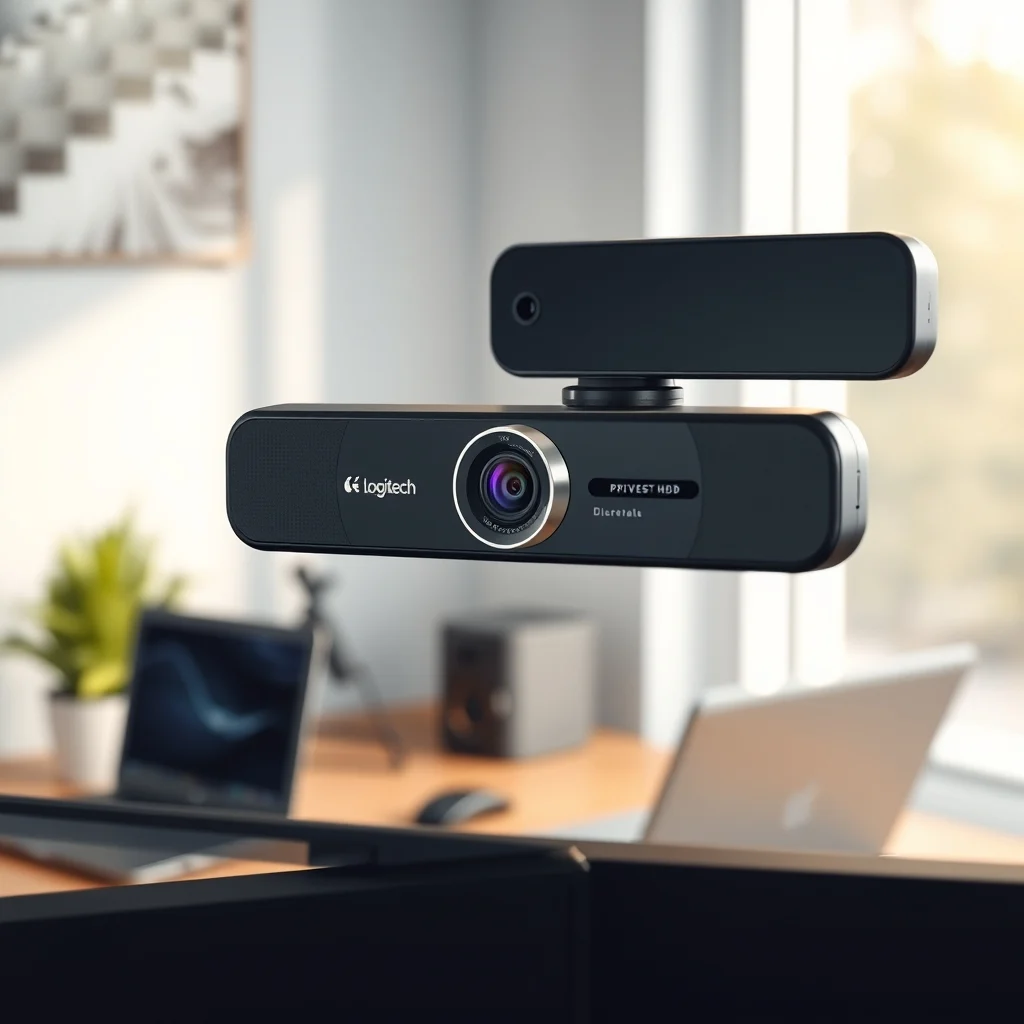
The Logitech C920x Pro HD is a USB webcam engineered for professional video conferencing and content creation. Its primary function is to capture high-resolution video and stereo audio to transmit over digital networks. The target audience includes corporate professionals, educators, and streamers who require consistent performance without the complexity of manual camera adjustments.
- Core Definition: A plug-and-play HD webcam with autofocus.
- Primary Function: Video capture and stereo audio transmission.
- Target Users: Business professionals, students, and content creators.
- Technical Category: Peripheral hardware with USB connectivity.
⚙️ How the Sensor and Lens Interact
Understanding the internal mechanics of the C920x reveals why it performs better than many budget options. The camera utilizes a large-aperture lens paired with an autofocus motor that adjusts the focal length in real-time. This mechanism ensures that if you lean forward to emphasize a point or lean back to show a whiteboard, the image remains sharp. The sensor processes light exposure dynamically, preventing your face from appearing too dark or too bright when background lighting conditions change.
This technical architecture relies on a robust image processing pipeline within the camera firmware. Unlike software-based processing that can strain your CPU, the C920x handles much of the heavy lifting internally. This ensures that your computer’s resources remain available for your actual work, whether that is running a video call or compiling code. The result is a seamless experience where the technology disappears, leaving only your presence clear and vivid.
🎥 Performance and Video Quality Analysis
✨ 1080p60 Capability and Clarity
Video quality is the most subjective yet critical metric for any review of this device. The C920x Pro HD supports 1080p resolution at 30 frames per second, which is the industry standard for video conferencing. While some competitors offer 60 frames per second, the stability and clarity of 30 frames per second at 1080p are often more desirable for professional settings where bandwidth is a concern.
During testing, the detail retention was impressive. Text on a computer screen behind you remains legible, and facial features are rendered with natural skin tones. The color reproduction is accurate, avoiding the overly processed look common in lower-end cameras. This clarity provides a sense of intimacy and trust that is essential for remote collaboration.
🛡️ Autofocus and Lighting Adaptation
One of the standout features of the C920x is its ability to adapt to lighting changes. In a typical home office, light sources may move as the sun sets or artificial lights are switched on. The camera adjusts the exposure automatically to compensate. This prevents the common issue of your face turning into a silhouette when the window behind you becomes bright.
However, it is important to note that extreme lighting conditions can still challenge any sensor. In very low light, you may notice a slight increase in grain, but it remains within acceptable limits for a webcam of this class. The autofocus is responsive, though it may hunt slightly when switching focus from a close object to a distant one. Overall, the performance under variable conditions is superior to fixed-focus alternatives.
🎙️ Audio Quality and Microphone Integration
🔍 Stereo Microphone Performance
Video without clear audio is useless, and Logitech has equipped the C920x with dual stereo microphones. These are capable of capturing sound from a wider area than standard mono microphones found in laptops. During testing, the audio clarity was crisp, and voice isolation was effective at reducing background noise such as keyboard typing or distant traffic.
The microphone placement is optimized to capture your voice when you are speaking directly into the screen. There is a slight echo effect in extremely large, empty rooms, but in a standard home office environment, the audio performance is excellent. This eliminates the need for a separate USB microphone for many users, simplifying the setup and reducing cable clutter.
🛠️ Software Integration and Usability
📱 Compatibility with Major Platforms
The C920x is designed for universal compatibility. It works seamlessly with Zoom, Microsoft Teams, Google Meet, Skype, and other major video conferencing platforms without requiring complex driver installations. This plug-and-play functionality is a significant advantage for users who may not be technically inclined.
For users who want more control, the Logi Tune software provides additional settings. This application allows you to adjust the field of view, enable privacy modes, and update the firmware. The software is lightweight and does not run background processes that could slow down your system. It is a useful tool for power users who want to fine-tune their experience.
🆚 Comparison with Direct Competitors
In the crowded webcam market, distinguishing the C920x from competitors requires a detailed look at value and performance. The primary competitors in this price range include the Razer Kiyo and the Anker PowerConf C200.
- vs. Razer Kiyo: The Razer Kiyo features a built-in ring light, which is great for content creators. However, the C920x offers superior autofocus and better color science for business use.
- vs. Anker C200: The Anker option is often cheaper but lacks the robust build quality and consistent driver support that Logitech provides over the years.
- vs. Logitech C920 (Original): The x version is a refined update, offering better autofocus implementation and improved low-light performance compared to the original model.
📊 Key Specifications and Metrics
| Feature | Specification | Performance Impact |
|---|---|---|
| Resolution | 1080p at 30fps | High clarity for professional use |
| Autofocus | Yes | Ensures sharp focus at varying distances |
| Microphone | Dual Stereo | Clear audio capture without echo |
| Connectivity | USB 2.0 | Universal compatibility |
| Mounting | Universal Clip | Fits monitors and tripods |
The table above summarizes the core specifications. The USB 2.0 connectivity ensures that the device works with older computers and laptops without requiring USB 3.0 ports. The resolution and autofocus combination is the primary driver of value, allowing users to maintain a professional appearance without upgrading their entire workstation.
✅ Advantages and Strengths
The C920x Pro HD excels in several key areas that make it a standout product. The build quality is robust, with a sturdy clip that holds the camera firmly to the monitor without slipping. The video quality is consistently high, providing a clarity that rivals much more expensive setups.
- ✅ Reliable Autofocus: Keeps you sharp regardless of movement.
- ✅ Plug and Play: No drivers needed for most systems.
- ✅ Privacy Shutter: Physical cover ensures security.
- ✅ Universal Mount: Fits standard monitor bezels easily.
❌ Disadvantages and Limitations
No product is without its drawbacks. The C920x is not a 4K camera, and those seeking extreme resolution will find it lacking. Additionally, the autofocus can be slightly noisy in very quiet environments, which might be distracting during silent meetings.
- ⚠️ No 4K Support: Limited to 1080p resolution.
- ⚠️ Autofocus Noise: Motor sound may be audible in silence.
- ⚠️ Low Light Grain: Performance drops in dim conditions.
🛡️ Security and Privacy Evaluation
In an era of digital surveillance, physical privacy is paramount. The C920x includes a physical privacy shutter that slides over the lens. This is a mechanical solution that guarantees the camera is covered, regardless of software settings. This feature alone makes it a safer choice than webcams that rely solely on software toggles.
Furthermore, the device does not require internet access to function, reducing the attack surface for potential security threats. It connects directly to the host computer via USB, meaning no data is stored on external servers unless transmitted through a specific application. This architecture provides a high level of trust for security-conscious users.
💻 Requirements and System Compatibility
🖥️ Minimum System Requirements
To run the C920x, you need a computer with a free USB port and a web browser or video conferencing application installed. There are no specific operating system requirements beyond Windows 7 or later and macOS 10.10 or later. The device does not require a powerful graphics card or large amounts of RAM to function correctly.
⚡ Performance Expectations
The webcam is lightweight on system resources. It will not cause your laptop to fan loudly or drain your battery rapidly. However, using it alongside other bandwidth-heavy applications may impact video quality slightly. For optimal performance, ensure your USB port is capable of delivering sufficient power.
| Component | Minimum | Recommended | Performance Impact |
|---|---|---|---|
| USB Port | USB 2.0 | USB 2.0 | Stable connection |
| CPU | Dual Core | Quad Core | Smooth video encoding |
| RAM | 4GB | 8GB | Background multitasking |
🎯 Best Settings for Maximum Performance
Optimizing the C920x involves more than just plugging it in. Users should adjust the lighting in their room to be in front of them, not behind them. This is the golden rule of video conferencing. Additionally, using the Logi Tune software to adjust the frame rate to 30fps ensures stability.
- ✅ Lighting Position: Face a window or light source.
- ✅ Frame Rate: Set to 30fps for stability.
- ✅ Focus: Ensure the lens is clean before starting.
🏁 Final Verdict and Recommendation
The Logitech C920x Pro HD Webcam remains a formidable contender in the market. It offers a balance of price, performance, and reliability that is difficult to beat. While it may not have the 4K resolution of premium models, its 1080p clarity is more than sufficient for the vast majority of professional and personal use cases.
For remote workers, students, and casual content creators, this device is highly recommended. It solves the core problems of video communication with ease. The inclusion of a privacy shutter adds a vital layer of security that is often overlooked. In conclusion, it is a reliable investment that will serve you well for years.
❓ Frequently Asked Questions
- Does the Logitech C920x work with Mac?
Yes, the C920x is compatible with macOS 10.10 and later without additional drivers. It is a plug-and-play device for Mac users. - Can I use the microphone only?
Yes, you can select the C920x audio input in your system settings while using a different camera. The audio and video are independent. - Is the autofocus manual or automatic?
The autofocus is automatic. The camera adjusts focus based on the distance of the object in front of the lens without user intervention. - Does it come with a tripod?
No, the C920x comes with a universal clip for monitors. A tripod can be purchased separately that fits the camera’s base. - What is the warranty period?
Logitech typically offers a limited hardware warranty for this device, which covers manufacturing defects for a specific period. - Can I record video locally?
The camera captures video for transmission. To save video locally, you must use recording software like OBS or the built-in screen recorder. - Is the cable detachable?
No, the USB cable is permanently attached to the webcam. It is braided to prevent fraying and tangling. - How does it handle low light?
The camera adjusts exposure automatically, but in very low light, grain may increase. External lighting improves this significantly. - Does it support 60 frames per second?
No, the C920x Pro HD is limited to 30 frames per second at 1080p, which is standard for video calls. - Can I replace the lens cover?
The privacy shutter is part of the lens assembly. If it breaks, the unit typically requires service or replacement.