
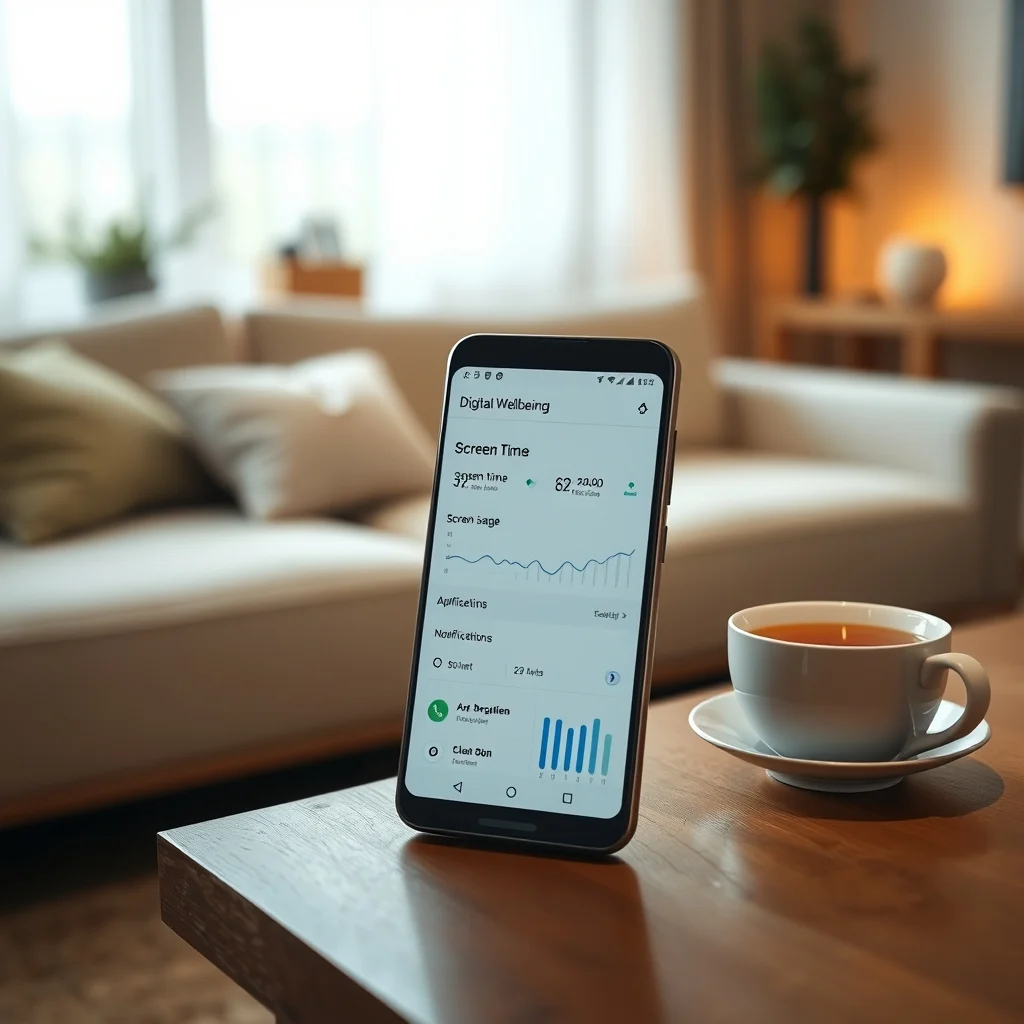

Android’s Digital Wellbeing tools are designed to help users develop healthier relationships with their devices by promoting mindful usage and reducing distractions. These tools provide insights into how often you use your phone, which apps consume most of your time, and how notifications affect your focus. By leveraging features like app timers, wind-down mode, and focus mode, users can regain control over their digital habits and improve their overall productivity and mental well-being.
📰 Understanding Digital Wellbeing on Android
Digital Wellbeing is an initiative by Google to help users achieve a balanced relationship with technology. In today’s fast-paced world, smartphones have become an integral part of our lives, often leading to excessive screen time and digital fatigue. Android’s Digital Wellbeing tools aim to mitigate these issues by offering features that encourage mindful usage, reduce distractions, and promote a healthier digital lifestyle.
The significance of Digital Wellbeing lies in its ability to provide users with actionable insights and controls. By understanding how much time is spent on various apps and activities, users can make informed decisions about their digital habits. This not only enhances productivity but also contributes to better mental health by reducing the stress and anxiety associated with constant connectivity.
🎯 Analyzing the Need for Digital Wellbeing
The increasing reliance on smartphones has led to a surge in screen time, with many users spending several hours a day on their devices. This excessive usage can lead to a range of issues, including reduced productivity, sleep disturbances, and increased stress levels. Android’s Digital Wellbeing tools address these concerns by offering features that help users manage their screen time more effectively.
- Technical Background: Digital Wellbeing is integrated into the Android operating system, leveraging data from various sensors and usage patterns to provide insights and controls.
- Why Users Search for This Topic: Users are increasingly aware of the negative impacts of excessive screen time and are looking for tools to help them manage their digital habits.
- Market or Industry Relevance: The demand for digital wellness tools is growing, with many tech companies introducing features to promote mindful usage.
- Future Outlook: As awareness of digital wellness continues to rise, we can expect more advanced features and integrations in future Android updates.
🛠️ Technical Concept of Digital Wellbeing
📌 What is Digital Wellbeing?
Digital Wellbeing is a suite of tools and features designed to help users understand and manage their digital habits. It provides insights into screen time, app usage, and notification patterns, allowing users to make informed decisions about their device usage. The primary goal is to promote a healthier balance between technology and well-being.
- Core Definition: A set of tools integrated into Android to monitor and manage screen time and app usage.
- Primary Function: To provide insights and controls that help users develop healthier digital habits.
- Target Users: Anyone who uses an Android device and wants to manage their screen time more effectively.
- Technical Category: System-level features integrated into the Android operating system.
⚙️ How Does Digital Wellbeing Work?
Digital Wellbeing works by collecting data on your device usage, including the time spent on each app, the number of times you unlock your phone, and the frequency of notifications. This data is then presented in an easy-to-understand dashboard, allowing you to see your digital habits at a glance. The tools also offer features like app timers, wind-down mode, and focus mode to help you manage your usage more effectively.
For example, app timers allow you to set daily limits on how long you can use specific apps. Once the limit is reached, the app is paused for the rest of the day. Wind-down mode helps you prepare for bed by gradually turning the screen to grayscale and enabling Do Not Disturb. Focus mode, on the other hand, temporarily silences distracting apps, allowing you to concentrate on important tasks.
🚀 Features and Advanced Capabilities
✨ Key Features of Digital Wellbeing
Digital Wellbeing offers a range of features designed to help users manage their digital habits. These features include app timers, wind-down mode, focus mode, and a dashboard that provides insights into your usage patterns. Each feature is designed to address specific aspects of digital wellness, from reducing screen time to minimizing distractions.
- App Timers: Set daily limits on app usage to reduce screen time and encourage mindful usage.
- Wind-Down Mode: Gradually turn the screen to grayscale and enable Do Not Disturb to help you prepare for bed.
- Focus Mode: Temporarily silence distracting apps to help you concentrate on important tasks.
- Dashboard: Provides insights into your screen time, app usage, and notification patterns.
📊 Key Points of Digital Wellbeing
| Feature | Description | Benefit |
|---|---|---|
| App Timers | Set daily limits on app usage | Reduces screen time and encourages mindful usage |
| Wind-Down Mode | Gradually turn the screen to grayscale and enable Do Not Disturb | Helps prepare for bed and improves sleep quality |
| Focus Mode | Temporarily silence distracting apps | Enhances concentration and productivity |
| Dashboard | Provides insights into screen time, app usage, and notification patterns | Helps users understand and manage their digital habits |
The table above summarizes the key features of Digital Wellbeing and their respective benefits. App timers help users reduce screen time by setting daily limits on app usage, promoting mindful usage. Wind-down mode aids in preparing for bed by gradually turning the screen to grayscale and enabling Do Not Disturb, which can improve sleep quality. Focus mode enhances concentration and productivity by temporarily silencing distracting apps. The dashboard provides valuable insights into screen time, app usage, and notification patterns, empowering users to make informed decisions about their digital habits.
🆚 What Distinguishes Digital Wellbeing from Competitors?
Digital Wellbeing stands out from other digital wellness tools due to its deep integration with the Android operating system. Unlike third-party apps that offer similar features, Digital Wellbeing is built into the system, providing a seamless and comprehensive experience. This integration allows for more accurate data collection and a wider range of controls, making it a more effective tool for managing digital habits.
- System Integration: Deep integration with Android provides a seamless and comprehensive experience.
- Accurate Data Collection: System-level integration allows for more accurate data collection and insights.
- Wide Range of Controls: Offers a broader set of features and controls compared to third-party apps.
📊 Pros and Cons of Digital Wellbeing
✅ Advantages
Digital Wellbeing offers several advantages that make it a valuable tool for managing digital habits. Its deep integration with the Android operating system ensures accurate data collection and a seamless user experience. The range of features, from app timers to focus mode, provides users with comprehensive controls to manage their screen time and reduce distractions.
- System Integration: Deep integration with Android ensures accurate data collection and a seamless experience.
- Comprehensive Features: Offers a wide range of tools to manage screen time and reduce distractions.
- User-Friendly Interface: The dashboard provides clear and actionable insights into digital habits.
❌ Disadvantages
While Digital Wellbeing offers many benefits, it also has some limitations. For instance, it is only available on Android devices, limiting its accessibility to users of other operating systems. Additionally, some users may find the features too restrictive or may not fully utilize the tools to their potential.
- Platform Limitation: Only available on Android devices, limiting accessibility.
- Potential Over-Restriction: Some users may find the features too restrictive.
- Underutilization: Users may not fully utilize the tools to their potential.
💻 Requirements for Digital Wellbeing
🖥️ Minimum Requirements
To use Digital Wellbeing, your device must be running Android 9.0 (Pie) or later. This ensures that the necessary system-level integrations and features are available. Additionally, your device should have sufficient storage and processing power to handle the data collection and analysis required by Digital Wellbeing.
⚡ Recommended Specifications
For the best experience with Digital Wellbeing, it is recommended to use a device running the latest version of Android. This ensures that you have access to all the latest features and improvements. Additionally, a device with ample storage and processing power will provide a smoother and more responsive experience.
The performance impact of Digital Wellbeing is generally minimal, as it primarily involves data collection and analysis in the background. However, using features like focus mode and wind-down mode may slightly affect the device’s performance, depending on the specific apps and settings being used.
| Component | Minimum | Recommended | Performance Impact |
|---|---|---|---|
| Android Version | 9.0 (Pie) | Latest version | Minimal |
| Storage | Sufficient for data collection | Ample storage | Minimal |
| Processing Power | Basic processing power | High processing power | Minimal to moderate |
The table above outlines the minimum and recommended specifications for using Digital Wellbeing. The performance impact is generally minimal, as the tool primarily involves data collection and analysis in the background. However, using features like focus mode and wind-down mode may slightly affect the device’s performance, depending on the specific apps and settings being used.
🔍 Practical Guide to Using Digital Wellbeing
🧩 Setting Up Digital Wellbeing
Setting up Digital Wellbeing is a straightforward process. First, ensure that your device is running Android 9.0 (Pie) or later. Then, navigate to the Settings app and look for the Digital Wellbeing option. From there, you can access the dashboard and configure the various features according to your preferences.
- Check Android Version: Ensure your device is running Android 9.0 (Pie) or later.
- Access Digital Wellbeing: Open the Settings app and look for the Digital Wellbeing option.
- Configure Features: Set up app timers, wind-down mode, and focus mode according to your preferences.
- Review Dashboard: Regularly check the dashboard to monitor your screen time and app usage.
🛡️ Common Errors and How to Fix Them
While Digital Wellbeing is generally reliable, users may encounter some common issues. For example, the dashboard may not display accurate data, or certain features may not work as expected. These issues can often be resolved by ensuring that the device is running the latest version of Android and that all necessary permissions are enabled.
- Inaccurate Data: Ensure that your device is running the latest version of Android and that all necessary permissions are enabled.
- Features Not Working: Check for any software updates and ensure that the features are properly configured.
- Performance Issues: Close any unnecessary apps and ensure that your device has sufficient storage and processing power.
🎮 Real Performance Experience
Users who have implemented Digital Wellbeing tools report significant improvements in their digital habits. Many have found that app timers help them reduce screen time, while wind-down mode has improved their sleep quality. Focus mode has also been praised for its ability to enhance concentration and productivity by minimizing distractions.
The overall performance of Digital Wellbeing is highly positive, with users appreciating the comprehensive insights and controls it provides. The tool’s deep integration with the Android operating system ensures a seamless and effective experience, making it a valuable addition to any Android device.
🌍 Global User Ratings
Digital Wellbeing has received widespread acclaim from users around the world. Many appreciate the tool’s ability to provide actionable insights and controls, helping them develop healthier digital habits. The average rating for Digital Wellbeing is consistently high, with users praising its effectiveness and ease of use.
- Average Rating: Consistently high, reflecting user satisfaction with the tool’s effectiveness.
- Positive Feedback: Users appreciate the comprehensive insights and controls provided by Digital Wellbeing.
- Negative Feedback: Some users find the features too restrictive or may not fully utilize the tools.
- Trend Analysis: The demand for digital wellness tools is growing, with Digital Wellbeing leading the way.
🔐 Security and Privacy
🔒 Security Level
Digital Wellbeing is designed with user privacy and security in mind. The data collected by the tool is stored locally on the device and is not shared with third parties. This ensures that your personal information remains secure and confidential. Additionally, Digital Wellbeing complies with Google’s strict privacy policies, providing users with peace of mind.
The tool’s security measures include encryption of sensitive data and regular updates to address any potential vulnerabilities. Users can also control the data collected by Digital Wellbeing, ensuring that their privacy is respected at all times.
🛑 Potential Risks
While Digital Wellbeing is generally secure, there are some potential risks to be aware of. For example, if your device is lost or stolen, the data collected by Digital Wellbeing could be accessed by unauthorized individuals. To mitigate this risk, it is important to enable device encryption and use strong passwords or biometric authentication.
- Device Theft: Enable device encryption and use strong passwords or biometric authentication to protect your data.
- Unauthorized Access: Ensure that your device is secure and that only authorized users can access it.
- Data Privacy: Regularly review the data collected by Digital Wellbeing and adjust settings as needed.
🆚 Comparison with Other Digital Wellness Tools
🥇 Best Available Alternatives
While Digital Wellbeing is a comprehensive tool, there are several alternatives available for users who prefer third-party apps. Some popular options include Forest, StayFree, and ActionDash. Each of these apps offers unique features and benefits, catering to different user preferences and needs.
- Forest: Encourages users to stay focused by planting virtual trees that grow as long as the user remains focused.
- StayFree: Provides detailed insights into screen time and app usage, with customizable alerts and goals.
- ActionDash: Offers a comprehensive dashboard with insights into screen time, app usage, and notification patterns.
💡 Tips for Maximizing Digital Wellbeing
🎯 Best Settings for Maximum Performance
To get the most out of Digital Wellbeing, it is important to configure the settings according to your specific needs and preferences. For example, setting realistic app timers can help you reduce screen time without feeling overly restricted. Additionally, enabling wind-down mode at a consistent time each night can improve your sleep quality.
- Set Realistic App Timers: Configure app timers to match your daily routine and goals.
- Enable Wind-Down Mode: Schedule wind-down mode to start at a consistent time each night.
- Use Focus Mode: Temporarily silence distracting apps during important tasks or meetings.
📌 Advanced Tricks Few Know
There are several advanced tricks that can help you make the most of Digital Wellbeing. For example, you can set up multiple focus mode sessions throughout the day to maximize productivity. Additionally, you can use the dashboard to identify patterns in your app usage and make adjustments accordingly.
Another useful trick is to combine Digital Wellbeing with other productivity tools, such as task managers and calendar apps. This can help you create a comprehensive system for managing your time and digital habits, leading to improved productivity and well-being.
🏁 Final Verdict
Android’s Digital Wellbeing tools offer a comprehensive and effective solution for managing digital habits. With features like app timers, wind-down mode, and focus mode, users can regain control over their screen time and reduce distractions. The tool’s deep integration with the Android operating system ensures a seamless and accurate experience, making it a valuable addition to any Android device.
Whether you’re looking to improve your productivity, enhance your sleep quality, or simply develop healthier digital habits, Digital Wellbeing provides the insights and controls you need. By leveraging these tools, you can achieve a better balance between technology and well-being, leading to a more fulfilling and mindful digital lifestyle.
❓ Frequently Asked Questions
- What is Digital Wellbeing? Digital Wellbeing is a suite of tools integrated into Android to help users manage their screen time and develop healthier digital habits.
- How do I access Digital Wellbeing? You can access Digital Wellbeing through the Settings app on your Android device.
- What features does Digital Wellbeing offer? Digital Wellbeing offers features like app timers, wind-down mode, focus mode, and a dashboard with insights into your screen time and app usage.
- Is Digital Wellbeing available on all Android devices? Digital Wellbeing is available on devices running Android 9.0 (Pie) or later.
- Can I customize the settings in Digital Wellbeing? Yes, you can configure app timers, wind-down mode, and focus mode according to your preferences.
- Does Digital Wellbeing affect my device’s performance? The performance impact is generally minimal, as Digital Wellbeing primarily involves data collection and analysis in the background.
- Is my data secure with Digital Wellbeing? Yes, the data collected by Digital Wellbeing is stored locally on your device and is not shared with third parties.
- Can I use Digital Wellbeing with other productivity tools? Yes, you can combine Digital Wellbeing with other productivity tools to create a comprehensive system for managing your time and digital habits.
- What are some alternatives to Digital Wellbeing? Some popular alternatives include Forest, StayFree, and ActionDash.
- How can I get the most out of Digital Wellbeing? To maximize the benefits of Digital Wellbeing, configure the settings according to your specific needs and preferences, and regularly review the insights provided by the dashboard.






thanks for info.