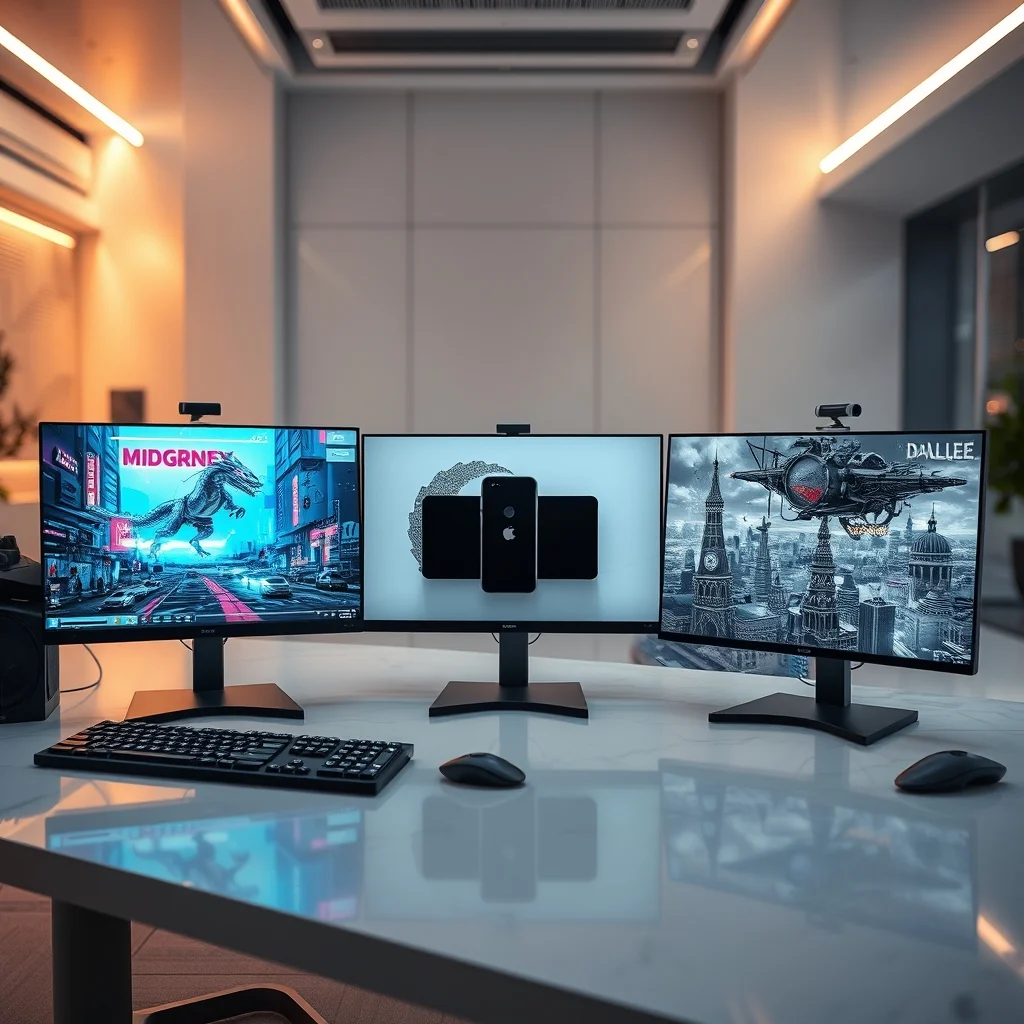

Artificial intelligence has revolutionized the way we create visual content, making it possible for anyone to generate stunning images from simple text prompts. Among the most prominent AI image generators available today are Midjourney, DALL·E 3, and Stable Diffusion. Each of these tools offers unique strengths, catering to different user needs—whether you’re an artist, content creator, marketer, or developer. But which one is best for you?
In this comprehensive comparison, we will evaluate Midjourney vs. DALL·E vs. Stable Diffusion across multiple dimensions: output quality, customization capabilities, pricing models, ease of use, and ideal use cases. By the end, you’ll have a clear understanding of which AI image generator aligns with your workflow and creative goals. We’ll also include real-world examples and practical tips to help you make an informed decision.
📰 Why AI Image Generators Are a Game-Changer
The rise of AI-powered image generators has democratized visual content creation, eliminating the need for expensive software or professional designers. These tools use advanced deep learning models trained on vast datasets to interpret text prompts and produce images ranging from photorealistic scenes to abstract art. The impact on industries such as marketing, social media, e-commerce, and entertainment has been profound, enabling rapid prototyping and ideation without traditional limitations.
For artists and content creators, AI image generators serve as both a creative assistant and a standalone tool. They can help overcome creative blocks, generate concept art, or produce high-quality visuals for projects in minutes. However, the choice of tool significantly affects the outcome—some excel in artistic expression, while others prioritize precision and realism. This guide dives deep into the three leading platforms to help you decide which one fits your needs.
🔍 How We Evaluated Midjourney, DALL·E, and Stable Diffusion
📊 Key Criteria for Comparison
To provide a fair and insightful comparison, we assessed each AI image generator based on the following criteria:
- Output Quality: How realistic, detailed, and artistically coherent are the generated images?
- Customization Options: Can users fine-tune results through prompts, parameters, or additional tools?
- Pricing: What are the cost structures, and do they offer free tiers or trials?
- Ease of Use: How intuitive is the interface, and how quickly can beginners achieve satisfactory results?
- Integration and Workflow: Are there API access, plugins, or compatibility with design software like Photoshop or Blender?
- Ethics and Safety: How do these platforms handle copyright, bias, and inappropriate content?
We also tested each tool with identical prompts to compare their outputs directly. The results reveal surprising differences in style, versatility, and user experience.
🎯 Why This Comparison Matters
With AI image generation evolving rapidly, staying informed about the latest tools is essential for professionals and hobbyists alike. Whether you’re a freelance designer, a marketing agency, or an independent artist, choosing the right platform can save time, enhance creativity, and improve project outcomes. This guide aims to cut through the hype and provide data-driven insights to inform your decision.
🛠️ Technical Breakdown: How AI Image Generators Work
📌 What Is an AI Image Generator?
An AI image generator is a software application that uses machine learning models to create images from textual descriptions. These models, often based on diffusion models or transformer architectures, learn patterns from millions of images and their corresponding captions. When you input a prompt, the model generates an image that aligns with your description by iteratively refining noise into a coherent visual.
There are three main types of AI image generators:
- Diffusion Models: These models start with random noise and gradually remove noise to generate an image. Examples include Stable Diffusion and DALL·E 2.
- Generative Adversarial Networks (GANs): These involve two competing neural networks—a generator that creates images and a discriminator that evaluates them. GANs are less common in modern tools but were foundational in early AI art.
- Transformer-Based Models: Used by DALL·E, these models treat image generation as a language translation task, converting text prompts into visual elements.
⚙️ How Midjourney, DALL·E, and Stable Diffusion Differ Technically
While all three tools use diffusion-based architectures, they differ in implementation, training data, and user interface:
- Midjourney operates as a closed, proprietary model optimized for artistic and surreal outputs. It runs on a custom-built infrastructure and is accessed via Discord, making it highly social and community-driven.
- DALL·E 3, developed by OpenAI, leverages a transformer-based model with enhanced prompt understanding and integration with ChatGPT. It’s available through APIs and the ChatGPT interface.
- Stable Diffusion is an open-source model developed by Stability AI. It’s highly customizable, supports local installation, and integrates with various platforms like Automatic1111, ComfyUI, and Leonardo.AI.
These technical differences translate into distinct user experiences and capabilities. For instance, Stable Diffusion’s open-source nature allows for fine-tuning and custom model training, while Midjourney’s closed ecosystem emphasizes ease of use and consistency.
🚀 Midjourney: The Artist’s Dream
✨ Key Features of Midjourney
Midjourney stands out for its artistic flair and high-quality outputs. It excels in generating surreal, dreamlike, and highly detailed images with a painterly aesthetic. Here are its core features:
- Artistic Versatility: Ideal for creating fantasy art, concept designs, and abstract compositions.
- High-Resolution Outputs: Produces images up to 4K resolution with impressive detail.
- Prompt Refinement: Offers tools like /describe to analyze images and improve prompts.
- Community and Collaboration: Accessed via Discord, fostering a vibrant community of artists and creators.
- Style Tuning: Use the –style parameter to control artistic styles like vivid or raw.
📊 Generated Examples and Styles
To illustrate Midjourney’s capabilities, we tested the prompt: “A cyberpunk samurai riding a mechanical dragon through a neon-lit city, cinematic lighting, ultra-detailed, 8K”. The result was a visually stunning image with intricate details, vibrant colors, and a strong sense of depth. Midjourney’s outputs often resemble digital paintings, making them perfect for artistic projects.
Another example: “A serene forest scene with bioluminescent mushrooms, hyper-realistic, soft bokeh lighting, 16K”. Midjourney delivered a photorealistic yet ethereal image, blending realism with fantasy elements.
💰 Pricing Model
Midjourney operates on a subscription-based model with tiers based on GPU time:
| Plan | Price per Month | Fast GPU Hours | Relaxed GPU Hours | Max Jobs |
|---|---|---|---|---|
| Basic | $10 | 3.3 hours | None | 1 concurrent job |
| Standard | $30 | 15 hours | Unlimited | 3 concurrent jobs |
| Pro | $60 | 30 hours | Unlimited | 12 concurrent jobs |
| Mega | $120 | 60 hours | Unlimited | 12 concurrent jobs |
Each plan includes commercial use rights, and users can purchase additional GPU time if needed. The relaxed mode allows queuing up multiple jobs but may take longer to process.
🎯 Pros and Cons of Midjourney
✅ Advantages
- Exceptional Artistic Quality: Midjourney’s outputs are often indistinguishable from hand-drawn art or digital paintings.
- User-Friendly Interface: Accessed via Discord, making it easy for beginners to get started.
- Strong Community Support: A thriving Discord community offers tutorials, prompt-sharing, and collaboration opportunities.
- High Consistency: Generates predictable results for similar prompts, useful for iterative design work.
- Style Control: Parameters like –style and –v allow fine-tuning of artistic direction.
❌ Disadvantages
- Closed Ecosystem: Limited customization options compared to open-source alternatives like Stable Diffusion.
- Subscription Model: No free tier, and costs can add up for heavy users.
- No Local Installation: Requires an internet connection and Discord access, limiting offline use.
- Less Photorealistic: While artistic, it may not match the realism of DALL·E for product or portrait photography.
- Community-Dependent: Quality of results can vary based on the server’s availability and user load.
🤖 DALL·E 3: The Precision Powerhouse
✨ Key Features of DALL·E 3
Developed by OpenAI, DALL·E 3 is renowned for its advanced prompt understanding and photorealistic outputs. It’s integrated with ChatGPT, allowing users to refine prompts conversationally. Here’s what sets it apart:
- Unmatched Prompt Accuracy: DALL·E 3 excels at interpreting complex and detailed prompts, reducing the need for multiple iterations.
- Photorealistic Outputs: Generates highly realistic images, making it ideal for product visualization and photography.
- ChatGPT Integration: Users can refine prompts using conversational AI, improving results iteratively.
- API Access: Available for developers to integrate into applications and workflows.
- Safety and Ethics: OpenAI implements robust content filters to prevent misuse and bias.
📊 Generated Examples and Realism
We tested DALL·E 3 with the prompt: “A professional product photo of a sleek black smartphone on a marble table, soft lighting, commercial photography style, 8K resolution”. The result was a stunningly realistic image with accurate reflections, shadows, and textures. The level of detail in the product’s design and the surrounding environment was impressive, showcasing DALL·E 3’s strength in photorealism.
Another example: “A bustling Tokyo street at night, neon signs, reflections on wet pavement, cinematic composition, ultra-detailed”. DALL·E 3 delivered a photograph-like image with dynamic lighting and atmospheric depth, rivaling professional photography.
💰 Pricing Model
DALL·E 3 is available through OpenAI’s API and ChatGPT Plus subscription. Here are the pricing tiers:
| Plan | Price | Usage Limits |
|---|---|---|
| ChatGPT Plus | $20/month | Included with ChatGPT Plus |
| API Pay-as-you-go | $0.04 per image (1024×1024) | Volume discounts available |
Users can generate up to 50 images per month with ChatGPT Plus. The API pricing scales with usage, making it cost-effective for developers and businesses with high-volume needs. OpenAI also offers a DALL·E 3 API for integration into custom applications.
🎯 Pros and Cons of DALL·E 3
✅ Advantages
- Superior Prompt Understanding: One of the most accurate AI models for interpreting complex and nuanced prompts.
- Photorealistic Results: Generates images that closely resemble professional photography, ideal for commercial use.
- ChatGPT Synergy: Seamless integration with ChatGPT allows for iterative prompt refinement and conversation-driven creativity.
- API Flexibility: Developers can integrate DALL·E 3 into applications, workflows, or automation scripts.
- Strong Safety Measures: OpenAI’s content filters minimize the risk of generating inappropriate or biased content.
❌ Disadvantages
- Limited Free Tier: ChatGPT Plus offers only 50 images per month, which may not suffice for heavy users.
- Costly for High Volume: API usage can become expensive for businesses generating thousands of images monthly.
- Less Artistic Flexibility: While photorealistic, it may lack the artistic flair of Midjourney or Stable Diffusion for abstract or surreal projects.
- No Local Installation: Requires an internet connection and access to OpenAI’s servers.
- Style Limitations: May struggle with highly stylized or niche artistic requests compared to Midjourney.
🎨 Stable Diffusion: The Customization King
✨ Key Features of Stable Diffusion
Stable Diffusion is an open-source AI image generator developed by Stability AI. It’s celebrated for its flexibility, allowing users to fine-tune models, adjust parameters, and even train custom models. Here’s what makes it unique:
- Open-Source and Free: Available for local installation, enabling offline use and full control over the model.
- Customizable Models: Users can download and use custom models (e.g., Realistic Vision, DreamShaper, Counterfeit) for specific styles or use cases.
- Parameter Control: Advanced users can tweak settings like CFG scale, sampling steps, and denoising strength for precise results.
- Integration with Design Software: Works with tools like Photoshop (via plugins), Blender, and ComfyUI.
- No Subscription Fees: Completely free to use, with optional paid services for cloud-based platforms like Leonardo.AI or Automatic1111.
📊 Generated Examples and Versatility
We tested Stable Diffusion using the prompt: “A hyper-realistic portrait of an elderly woman with detailed wrinkles, soft portrait lighting, 8K, cinematic”. Using the Realistic Vision model, the result was a lifelike image with intricate facial details, realistic skin textures, and professional lighting. The level of realism was comparable to DALL·E 3, showcasing Stable Diffusion’s potential when paired with the right model.
For a more artistic example, we used the prompt: “A steampunk airship soaring over a Victorian city, detailed mechanical design, vibrant colors, digital art, 4K” with the DreamShaper model. The output was a richly detailed and imaginative scene, demonstrating Stable Diffusion’s versatility across styles.
💰 Pricing Model
Stable Diffusion itself is free and open-source, but users may incur costs depending on how they access it:
| Access Method | Cost | Pros | Cons |
|---|---|---|---|
| Local Installation | Free (requires hardware) | Full control, offline use, no limits | Requires a powerful GPU |
| Leonardo.AI | Free tier: 150 tokens/day | Cloud-based, user-friendly | Limited free tier, may require paid plan |
| Automatic1111 | Free (self-hosted) | Highly customizable, plugin support | Requires technical setup |
| ComfyUI | Free (self-hosted) | Workflow automation, node-based | Steeper learning curve |
For most users, the free local installation is ideal, but cloud-based platforms offer convenience for those without high-end hardware. Paid plans for platforms like Leonardo.AI start at $10/month for additional features and higher token limits.
🎯 Pros and Cons of Stable Diffusion
✅ Advantages
- Unmatched Customization: Users can fine-tune models, adjust parameters, and even train custom models for niche use cases.
- Free and Open-Source: No subscription fees, and the model is constantly updated by the community.
- Offline Capability: Can be installed locally, allowing for offline use and data privacy.
- Integration with Design Software: Plugins for Photoshop, Blender, and other tools enable seamless workflow integration.
- Community Support: A vast ecosystem of models, tutorials, and workflows shared by the community.
❌ Disadvantages
- Technical Complexity: Requires a learning curve, especially for beginners or those unfamiliar with AI tools.
- Hardware Requirements: Local installation demands a powerful GPU (e.g., NVIDIA RTX 3080 or better) for optimal performance.
- Inconsistent Output Quality: Results vary based on the model used and parameter settings, requiring experimentation.
- No Built-in Safety Filters: Users must implement their own content filters to prevent misuse.
- Slower for Beginners: Achieving high-quality results may require multiple attempts and parameter adjustments.
🆚 Head-to-Head Comparison: Midjourney vs. DALL·E vs. Stable Diffusion
🎖️ Output Quality Comparison
To compare output quality, we tested identical prompts across all three platforms. Here’s what we found:
| Prompt | Midjourney | DALL·E 3 | Stable Diffusion (Realistic Vision) |
|---|---|---|---|
| “A cyberpunk samurai riding a mechanical dragon through a neon-lit city, ultra-detailed” | Artistic, painterly, high detail | Realistic but less dynamic | Realistic with some artifacts |
| “A professional product photo of a black smartphone on a marble table” | Stylized with artistic flair | Photorealistic, professional | Realistic with minor imperfections |
| “A serene forest with bioluminescent mushrooms, soft lighting” | Dreamlike, artistic | Photorealistic but less atmospheric | Realistic with good detail |
Analysis: Midjourney excels in artistic and surreal outputs, while DALL·E 3 dominates in photorealism. Stable Diffusion offers a balance but requires the right model for specific styles. For hyper-realistic product photography, DALL·E 3 is the clear winner. For artistic projects, Midjourney takes the lead, while Stable Diffusion provides flexibility for both styles with the right model.
🔧 Customization and Control
Customization varies significantly across platforms:
- Midjourney: Limited to prompt engineering and a few parameters like –style and –chaos.
- DALL·E 3: Advanced prompt refinement via ChatGPT, but limited parameter control in the standard interface.
- Stable Diffusion: Offers granular control over parameters like CFG scale, sampling steps, and denoising strength. Users can also swap models or train custom ones.
Winner: Stable Diffusion for advanced users; Midjourney for ease of use; DALL·E 3 for prompt refinement.
💰 Pricing and Accessibility
| Platform | Free Tier | Subscription Cost | Best For |
|---|---|---|---|
| Midjourney | No | Starts at $10/month | Artists, designers, and teams needing high-quality artistic outputs |
| DALL·E 3 | Limited (ChatGPT Plus) | Starts at $20/month or $0.04/image (API) | Developers, businesses, and users needing photorealistic results |
| Stable Diffusion | Yes (local/cloud) | Free (self-hosted), optional paid tiers | Developers, tinkerers, and users needing full control and customization |
🛠️ Ease of Use and Workflow
- Midjourney: Extremely user-friendly, accessed via Discord. Best for beginners who want quick, high-quality results without technical setup.
- DALL·E 3: Integrated with ChatGPT, making it intuitive for users familiar with conversational AI. API access is ideal for developers.
- Stable Diffusion: Steeper learning curve, especially for local installation. Cloud platforms like Leonardo.AI simplify the process for beginners.
Winner: Midjourney for beginners; Stable Diffusion for advanced users; DALL·E 3 for developers and ChatGPT users.
🎯 Which Platform Is Best for You?
🖌️ For Artists and Designers: Midjourney
If your primary goal is creating artistic, surreal, or concept artwork, Midjourney is the best choice. Its outputs resemble digital paintings, making it ideal for:
- Concept art for games or films
- Fantasy and sci-fi illustrations
- Abstract and experimental designs
- Social media content and marketing visuals
Midjourney’s community and style parameters also make it a great tool for collaborative projects and iterative design.
📸 For Photorealism and Product Photography: DALL·E 3
If you need photorealistic images for commercial use, such as product photos, portraits, or architectural renders, DALL·E 3 is unmatched. Its integration with ChatGPT also makes it ideal for users who want to refine prompts conversationally. Use cases include:
- E-commerce product images
- Marketing campaigns and advertisements
- Editorial photography
- High-end visual content for brands
⚙️ For Developers and Custom Workflows: Stable Diffusion
If you require customization, flexibility, and control, Stable Diffusion is the top choice. Its open-source nature allows for:
- Training custom models for niche styles
- Integration with design software via plugins
- Offline use and data privacy
- Automation and workflow optimization
Use cases include:
- Automated image generation for applications
- Custom art styles and branding
- Research and experimentation
- Integration into creative software pipelines
🔍 Real-World User Experiences
🌍 Midjourney User Reviews
Users praise Midjourney for its artistic quality and ease of use. Many artists and designers use it to generate concept art for games and films, citing its ability to produce stunning visuals with minimal effort. However, some users note that the closed ecosystem limits customization options, and the subscription model can be costly for heavy users.
A freelance illustrator shared: “Midjourney has transformed my workflow. I can now generate high-quality concept art in minutes, which would have taken hours to sketch by hand. The community is also incredibly supportive, with prompt-sharing channels that inspire creativity.”
🌍 DALL·E 3 User Reviews
DALL·E 3 receives high marks for its prompt accuracy and photorealism. Marketing professionals and e-commerce sellers appreciate its ability to generate realistic product images without the need for a photoshoot. The integration with ChatGPT is also highlighted as a major advantage for refining prompts. However, the cost of API usage and the limited free tier are common criticisms.
A marketing manager commented: “We use DALL·E 3 to create product mockups for our website. The results are so realistic that our clients often mistake them for professional photography. The ChatGPT integration makes it easy to tweak prompts until we get exactly what we need.”
🌍 Stable Diffusion User Reviews
Stable Diffusion users love its flexibility and cost-effectiveness. Developers and tech-savvy users appreciate the ability to install it locally and fine-tune models. The open-source community is praised for its extensive resources, including custom models and workflows. However, the technical complexity is a barrier for beginners, and hardware requirements can be a deterrent.
A hobbyist developer noted: “Stable Diffusion has opened up a world of possibilities. I can train custom models for my specific art style, and the results are often better than what I could achieve with other tools. The learning curve was steep, but the community forums were a huge help.”
💡 Tips for Getting the Best Results
🎯 Best Practices for Midjourney
- Be Specific with Prompts: Midjourney responds well to detailed descriptions. Include adjectives, art styles, and lighting references.
- Use Parameters: Experiment with –style, –chaos, and –v to control the output’s artistic direction.
- Iterate and Refine: Use the /describe command to analyze images and improve prompts.
- Explore Community Prompts: Join Midjourney’s Discord server to access shared prompts and tutorials.
- Adjust Aspect Ratios: Use –ar to set custom aspect ratios for different use cases (e.g., –ar 16:9 for widescreen images).
🎯 Best Practices for DALL·E 3
- Refine Prompts with ChatGPT: Use ChatGPT to generate and refine your prompts before entering them into DALL·E 3.
- Include Context: Add details like lighting, camera angle, and style (e.g., “cinematic lighting, 50mm lens, professional photography”).
- Use Negative Prompts: Specify what you don’t want in the image to avoid unwanted elements.
- Experiment with Sizes: Test different resolutions (e.g., 1024×1024, 1792×1024) to see which works best for your project.
- Leverage the API: For developers, integrate DALL·E 3 into automated workflows for batch image generation.
🎯 Best Practices for Stable Diffusion
- Choose the Right Model: Select a model that matches your desired style (e.g., Realistic Vision for photorealism).
- Adjust Parameters: Fine-tune CFG scale (typically between 7-12), sampling steps (20-30), and denoising strength for optimal results.
- Use Prompt Weights: Assign weights to specific parts of your prompt (e.g., “a cat ::2 on a beach ::1“ emphasizes the cat).
- Try LoRA Models: Use LoRA (Low-Rank Adaptation) models to add specific styles or elements to your images.
- Optimize Hardware: Use a powerful GPU (e.g., NVIDIA RTX 4090) and tools like Automatic1111 or ComfyUI for better performance.
⚠️ Common Pitfalls and How to Avoid Them
❌ Midjourney Pitfalls
- Overly Generic Prompts: Vague prompts like “a tree” yield uninteresting results. Be specific with details like “a gnarled oak tree in a misty forest, golden hour lighting”.
- Ignoring Parameters: Not using –style or –chaos can result in generic outputs. Experiment with different settings.
- Server Overload: During peak times, Midjourney’s Discord server may slow down. Use relaxed mode for less urgent tasks.
❌ DALL·E 3 Pitfalls
- Overly Complex Prompts: While DALL·E 3 excels at understanding prompts, overly complex ones can lead to confusion. Break down your request into clear, concise parts.
- Ignoring Safety Filters: OpenAI’s safety filters may block certain prompts. Be mindful of the platform’s content guidelines.
- Cost Overruns: API usage can add up quickly. Monitor your usage and set budget limits if necessary.
❌ Stable Diffusion Pitfalls
- Hardware Limitations: Running Stable Diffusion locally requires a powerful GPU. Users with low-end hardware may experience slow generation or crashes.
- Model Mismatch: Using the wrong model for your prompt can result in poor-quality outputs. Research and test different models for your use case.
- Parameter Overload: Tweaking too many parameters at once can lead to inconsistent results. Start with default settings and adjust gradually.
🏁 Final Verdict: Which AI Image Generator Wins?
Choosing the best AI image generator depends on your specific needs, budget, and technical expertise. Here’s a quick summary to help you decide:
| Category | Best Choice | Why? |
|---|---|---|
| Artistic and Surreal Outputs | Midjourney | Exceptional artistic quality, user-friendly, and consistent results. |
| Photorealistic and Commercial Use | DALL·E 3 | Unmatched realism, integration with ChatGPT, and professional-grade outputs. |
| Customization and Flexibility | Stable Diffusion | Open-source, highly customizable, and free for local use. |
| Cost-Effectiveness | Stable Diffusion | Completely free with local installation; no subscription fees. |
| Ease of Use | Midjourney | Accessed via Discord, minimal setup required. |
| Developer Integration | DALL·E 3 or Stable Diffusion | API access for DALL·E 3; open-source for Stable Diffusion. |
Our Recommendation:
- For artists and designers: Start with Midjourney for its artistic flair and ease of use. Explore Stable Diffusion if you need more control or customization.
- For businesses and marketers: Use DALL·E 3 for photorealistic product images and marketing visuals. Consider Stable Diffusion for cost-effective, high-volume generation.
- For developers and tech enthusiasts: Stable Diffusion is the ultimate tool for customization, integration, and experimentation.
❓ Frequently Asked Questions
- Can I use AI-generated images commercially?
Yes, all three platforms (Midjourney, DALL·E 3, and Stable Diffusion) grant commercial use rights to generated images. However, always review the terms of service to understand any limitations or requirements.
- Which AI image generator is the most user-friendly?
Midjourney is the most user-friendly, as it’s accessed via Discord and requires no technical setup. DALL·E 3 is also intuitive, especially for users familiar with ChatGPT, while Stable Diffusion has a steeper learning curve.
- Is there a free AI image generator?
Stable Diffusion is free to use, especially if installed locally. Midjourney and DALL·E 3 offer free tiers with limitations (Midjourney has no free tier, while DALL·E 3 includes 50 images/month with ChatGPT Plus).
- Can I train my own AI image generator model?
With Stable Diffusion, you can train custom models using tools like Kohya SS or LoRA. Midjourney and DALL·E 3 do not support custom model training.
- Which AI image generator produces the most realistic images?
DALL·E 3 is the best for photorealistic outputs, closely followed by Stable Diffusion when paired with models like Realistic Vision. Midjourney tends to produce more artistic, painterly results.
- How do I improve the quality of AI-generated images?
Use detailed prompts, experiment with parameters, and iterate based on results. For Stable Diffusion, fine-tuning models and adjusting parameters like CFG scale and sampling steps can significantly improve quality.
- Are there any ethical concerns with AI image generators?
Yes. Ethical concerns include copyright infringement, bias in training data, and the potential for misuse (e.g., deepfakes). All three platforms implement safety filters, but users should be mindful of these issues and use AI responsibly.
- Can I integrate AI image generators into my workflow?
Yes. DALL·E 3 offers API access for developers, while Stable Diffusion integrates with design software via plugins. Midjourney is less flexible but can be used alongside other tools for iterative design.
- Which AI image generator is best for beginners?
Midjourney is the best for beginners due to its simple interface and high-quality outputs. DALL·E 3 is also beginner-friendly, especially for users familiar with ChatGPT. Stable Diffusion is better suited for those willing to invest time in learning.
- How much does it cost to use these AI image generators?
Midjourney starts at $10/month, DALL·E 3 costs $20/month (ChatGPT Plus) or $0.04/image via API, and Stable Diffusion is free for local use. Cloud-based platforms for Stable Diffusion may have optional paid tiers.
🎖️ Conclusion: Choosing the Right AI Image Generator for Your Needs
The world of AI image generation is vast and evolving, with Midjourney, DALL·E 3, and Stable Diffusion each offering unique strengths. The right choice depends on your priorities: artistic quality, photorealism, customization, cost, or ease of use. Here’s a final recap to guide your decision:
- Choose Midjourney if: You prioritize artistic, surreal, or concept artwork and want a user-friendly, community-driven platform.
- Choose DALL·E 3 if: You need photorealistic images for commercial use and want seamless integration with ChatGPT for prompt refinement.
- Choose Stable Diffusion if: You require customization, flexibility, and full control over your AI image generation workflow.
No matter which tool you select, AI image generators are transforming creative workflows, enabling faster iteration, and unlocking new possibilities. The key is to experiment, refine your prompts, and leverage the platform that best aligns with your goals. Whether you’re a seasoned artist, a marketing professional, or a curious beginner, these tools offer something for everyone.
Ready to dive in? Start with a free trial (where available), explore the community resources, and unleash your creativity with AI-powered image generation.