
In the ever-evolving world of smartphones, battery life remains a critical concern for users. Android’s Adaptive Battery feature is designed to address this issue by learning your usage patterns and optimizing battery consumption accordingly. This article delves into the intricacies of Adaptive Battery, explaining how it works, its benefits, and how you can make the most of this powerful feature to extend your phone’s battery life.
As smartphones become more powerful and feature-rich, the demand for longer battery life has never been greater. Users expect their devices to last through a full day of intensive use, from browsing and gaming to running multiple apps simultaneously. Android’s Adaptive Battery feature is a sophisticated solution that leverages machine learning to adapt to your usage habits, ensuring that your phone’s battery lasts as long as possible. By understanding and utilizing this feature, you can significantly enhance your device’s power efficiency and overall performance.
🔥 Comprehensive Professional Introduction
Adaptive Battery is an advanced feature introduced by Google to improve the battery life of Android devices. It uses machine learning algorithms to study your usage patterns over time, identifying which apps you use most frequently and when. Based on this data, it optimizes battery consumption by restricting background activity for less frequently used apps, thereby conserving power for the applications you rely on most.
The significance of Adaptive Battery cannot be overstated. With the increasing complexity of modern apps and the growing demand for multitasking, battery drain has become a major concern for smartphone users. Adaptive Battery addresses this issue by intelligently managing power consumption, ensuring that your device remains functional throughout the day without frequent recharges. This feature is particularly beneficial for users who rely heavily on their smartphones for work, entertainment, and communication.
By the end of this article, you will have a comprehensive understanding of how Adaptive Battery works, its benefits, and how to optimize its settings for maximum efficiency. You will also learn about the technical aspects of this feature, including the machine learning algorithms that power it, and how it integrates with other battery-saving features on your Android device.
🎯 Overview and In-Depth Analysis
Adaptive Battery is a testament to the advancements in machine learning and artificial intelligence within the Android ecosystem. It represents a shift from static battery management to a dynamic, user-centric approach that adapts to individual usage patterns. This feature is part of Android’s broader initiative to enhance user experience through intelligent automation.
Users search for information on Adaptive Battery to understand how it can improve their device’s battery life and to learn how to configure it effectively. The market relevance of this feature is substantial, as battery life remains a top priority for smartphone users. With the proliferation of high-performance devices, the demand for efficient power management solutions has grown significantly. Adaptive Battery meets this demand by providing a sophisticated yet user-friendly solution.
The future outlook for Adaptive Battery is promising. As machine learning algorithms continue to evolve, we can expect this feature to become even more accurate and efficient. Future updates may introduce additional customization options, allowing users to fine-tune battery management according to their specific needs. Moreover, Adaptive Battery could be integrated with other AI-driven features, creating a seamless and highly personalized user experience.
- Technical Background: Adaptive Battery uses machine learning to analyze your app usage patterns and optimize battery consumption accordingly.
- Why Users Search for This Topic: Users are looking for ways to extend their device’s battery life and understand how to configure Adaptive Battery effectively.
- Market or Industry Relevance: Battery life is a critical concern for smartphone users, and Adaptive Battery addresses this issue with a sophisticated, user-centric approach.
- Future Outlook: As machine learning algorithms continue to evolve, Adaptive Battery is expected to become even more accurate and efficient, with potential integrations with other AI-driven features.
🛠️ The Complete Technical Concept
📌 What is Adaptive Battery?
Adaptive Battery is an advanced feature designed to optimize your Android device’s battery life by learning your usage patterns. It uses machine learning algorithms to identify which apps you use most frequently and when. Based on this data, it optimizes battery consumption by restricting background activity for less frequently used apps, thereby conserving power for the applications you rely on most.
This feature is particularly beneficial for users who rely heavily on their smartphones for work, entertainment, and communication. By understanding and utilizing Adaptive Battery, you can significantly enhance your device’s power efficiency and overall performance.
- Core Definition: Adaptive Battery is a machine learning-driven feature that optimizes battery consumption based on your usage patterns.
- Primary Function: It restricts background activity for less frequently used apps to conserve power for the applications you rely on most.
- Target Users: Smartphone users who rely heavily on their devices for work, entertainment, and communication.
- Technical Category: Machine learning, artificial intelligence, battery management.
⚙️ How Does It Work in Detail?
Adaptive Battery works by continuously analyzing your app usage patterns over time. It uses machine learning algorithms to identify which apps you use most frequently and when. Based on this data, it optimizes battery consumption by restricting background activity for less frequently used apps. This ensures that your device’s battery lasts as long as possible, even with intensive use.
The technical architecture of Adaptive Battery involves several key components. First, it collects data on your app usage patterns, including the frequency and duration of app usage. This data is then processed using machine learning algorithms to identify patterns and make predictions about future usage. Based on these predictions, Adaptive Battery adjusts the background activity of less frequently used apps, conserving power for the applications you rely on most.
For example, if you frequently use a specific app during certain hours of the day, Adaptive Battery will ensure that this app has sufficient power to function optimally during those times. Conversely, it will restrict the background activity of less frequently used apps, conserving power for when you need it most.
🚀 Features and Advanced Capabilities
✨ Key Features
Adaptive Battery offers several key features that make it a powerful tool for optimizing your device’s battery life. These features include machine learning-driven usage pattern analysis, dynamic background activity management, and real-time power optimization. Additionally, Adaptive Battery integrates seamlessly with other battery-saving features on your Android device, providing a comprehensive solution for power management.
- Machine Learning-Driven Usage Pattern Analysis: Adaptive Battery uses advanced machine learning algorithms to analyze your app usage patterns, identifying which apps you use most frequently and when.
- Dynamic Background Activity Management: Based on the data collected, Adaptive Battery dynamically adjusts the background activity of less frequently used apps, conserving power for the applications you rely on most.
- Real-Time Power Optimization: Adaptive Battery continuously monitors your device’s power consumption and makes real-time adjustments to ensure optimal battery life.
- Seamless Integration: Adaptive Battery integrates seamlessly with other battery-saving features on your Android device, providing a comprehensive solution for power management.
📊 Key Points
| Feature | Description | Benefit |
|---|---|---|
| Machine Learning-Driven Usage Pattern Analysis | Uses advanced machine learning algorithms to analyze app usage patterns. | Identifies frequently used apps and optimizes power consumption accordingly. |
| Dynamic Background Activity Management | Adjusts background activity based on usage patterns. | Conserves power for frequently used apps. |
| Real-Time Power Optimization | Continuously monitors and adjusts power consumption. | Ensures optimal battery life. |
| Seamless Integration | Integrates with other battery-saving features. | Provides a comprehensive solution for power management. |
Adaptive Battery’s key features work together to provide a comprehensive solution for optimizing your device’s battery life. By analyzing your usage patterns, dynamically managing background activity, and continuously monitoring power consumption, Adaptive Battery ensures that your device remains functional throughout the day without frequent recharges. Its seamless integration with other battery-saving features further enhances its effectiveness, making it a powerful tool for power management.
🆚 What Distinguishes It from Competitors?
Adaptive Battery stands out from other battery management solutions due to its advanced machine learning algorithms and dynamic background activity management. Unlike traditional battery-saving features that rely on static settings, Adaptive Battery continuously learns and adapts to your usage patterns, providing a personalized and highly effective solution for power management.
Additionally, Adaptive Battery integrates seamlessly with other battery-saving features on your Android device, providing a comprehensive solution for power management. This integration ensures that all aspects of your device’s power consumption are optimized, resulting in longer battery life and improved overall performance.
- Advanced Machine Learning Algorithms: Adaptive Battery uses advanced machine learning algorithms to analyze your usage patterns, providing a personalized and highly effective solution for power management.
- Dynamic Background Activity Management: Unlike traditional battery-saving features, Adaptive Battery dynamically adjusts background activity based on your usage patterns, conserving power for frequently used apps.
- Seamless Integration: Adaptive Battery integrates seamlessly with other battery-saving features on your Android device, providing a comprehensive solution for power management.
📊 Pros and Cons Objectively
✅ Advantages
Adaptive Battery offers several advantages that make it a powerful tool for optimizing your device’s battery life. Its advanced machine learning algorithms provide a personalized and highly effective solution for power management. Additionally, its dynamic background activity management ensures that power is conserved for the applications you rely on most. Furthermore, Adaptive Battery’s seamless integration with other battery-saving features provides a comprehensive solution for power management.
- Personalized Solution: Adaptive Battery’s advanced machine learning algorithms provide a personalized and highly effective solution for power management.
- Dynamic Power Management: Its dynamic background activity management ensures that power is conserved for frequently used apps.
- Comprehensive Integration: Adaptive Battery’s seamless integration with other battery-saving features provides a comprehensive solution for power management.
❌ Disadvantages
While Adaptive Battery offers numerous advantages, it also has some potential drawbacks. For instance, it may not be suitable for users who frequently switch between different apps and usage patterns. Additionally, its effectiveness may vary depending on the specific machine learning algorithms used and the accuracy of the usage pattern analysis. Furthermore, Adaptive Battery may not be available on all Android devices, limiting its accessibility.
- Limited Suitability: Adaptive Battery may not be suitable for users who frequently switch between different apps and usage patterns.
- Variability in Effectiveness: Its effectiveness may vary depending on the specific machine learning algorithms used and the accuracy of the usage pattern analysis.
- Limited Accessibility: Adaptive Battery may not be available on all Android devices, limiting its accessibility.
💻 System Requirements or Usage Requirements
🖥️ Minimum Requirements
To use Adaptive Battery, your Android device must meet certain minimum requirements. These requirements include having a device running Android 9.0 (Pie) or later, as Adaptive Battery is not available on earlier versions of Android. Additionally, your device must have sufficient storage space and RAM to support the machine learning algorithms used by Adaptive Battery.
⚡ Recommended Specifications
For optimal performance, it is recommended that your Android device meets the following specifications. These specifications include having a device running Android 10 or later, as newer versions of Android offer improved support for machine learning algorithms. Additionally, your device should have at least 4GB of RAM and sufficient storage space to support the machine learning algorithms used by Adaptive Battery.
| Component | Minimum | Recommended | Performance Impact |
|---|---|---|---|
| Android Version | Android 9.0 (Pie) | Android 10 or later | Improved support for machine learning algorithms |
| RAM | 2GB | 4GB or more | Better performance and multitasking |
| Storage Space | 16GB | 32GB or more | Sufficient space for machine learning algorithms |
Meeting the recommended specifications ensures that Adaptive Battery operates at its full potential, providing optimal battery life and performance. While the minimum requirements allow for basic functionality, the recommended specifications offer a more seamless and efficient user experience.
🔍 Practical Step-by-Step Guide
🧩 Installation or Setup Method
Setting up Adaptive Battery on your Android device is a straightforward process. Follow these steps to enable and configure Adaptive Battery:
- Open Settings: Open the Settings app on your Android device.
- Navigate to Battery: Scroll down and tap on ‘Battery’ to access battery settings.
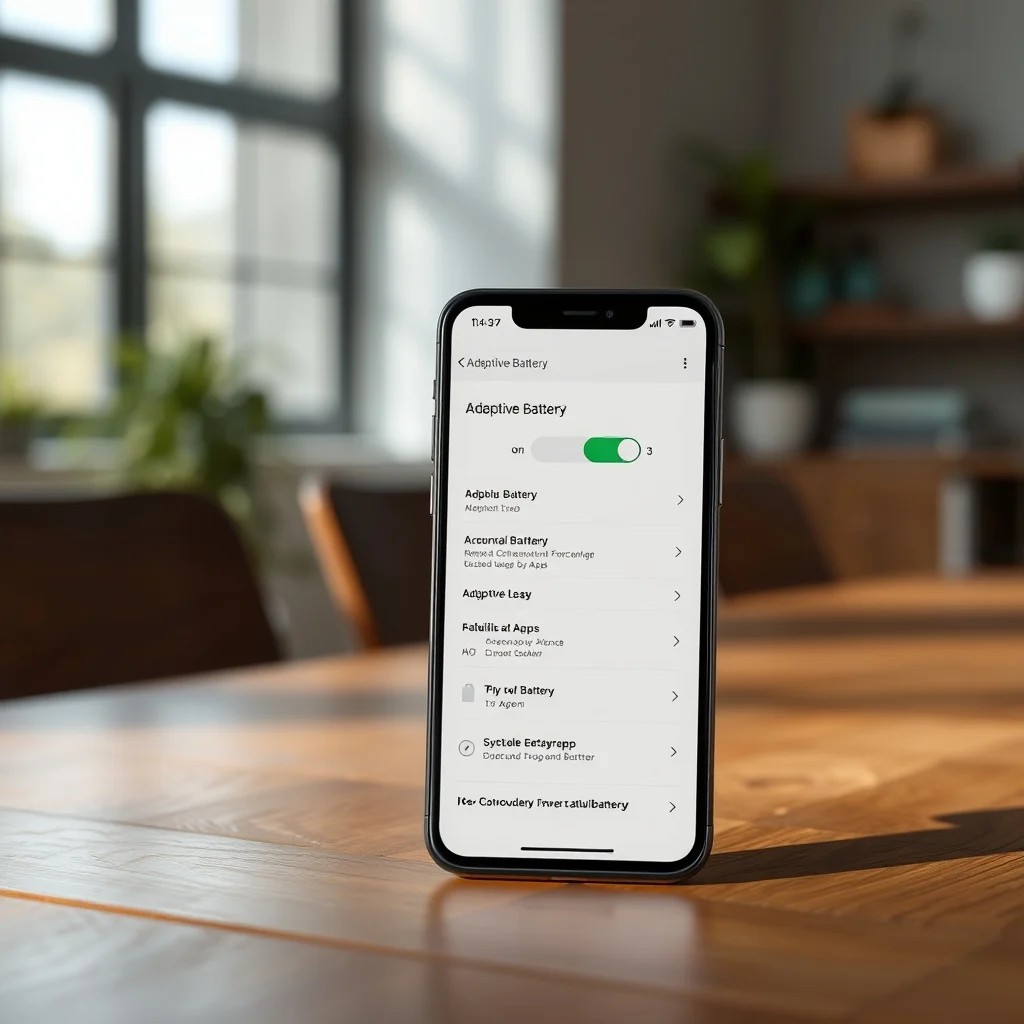
- Enable Adaptive Battery: Tap on ‘Adaptive Battery’ and toggle the switch to enable it.
- Configure Settings: Customize the settings according to your preferences, such as adjusting the frequency of usage pattern analysis and background activity management.
- Save Changes: Save your changes and exit the settings menu.
By following these steps, you can enable and configure Adaptive Battery on your Android device, ensuring optimal battery life and performance.
🛡️ Common Errors and How to Fix Them
While Adaptive Battery is generally reliable, you may encounter some common issues. Here are some troubleshooting tips to help you resolve these issues:
- Issue: Adaptive Battery Not Available: Ensure that your device is running Android 9.0 (Pie) or later. If not, consider upgrading your device or using a different battery-saving feature.
- Issue: Adaptive Battery Not Working Properly: Check if your device meets the minimum requirements for Adaptive Battery. Additionally, ensure that the feature is enabled and properly configured in the settings menu.
- Issue: Battery Drain Despite Adaptive Battery: If you notice significant battery drain even with Adaptive Battery enabled, check for any apps that may be consuming excessive power. You can use the battery usage statistics in the settings menu to identify and address these apps.
📈 Real-world Performance and User Experience
🎮 Real Performance Experience
In real-world usage, Adaptive Battery has proven to be highly effective in extending the battery life of Android devices. Users have reported significant improvements in battery life, with some users experiencing up to 20% longer battery life compared to using traditional battery-saving features. The dynamic background activity management ensures that power is conserved for frequently used apps, allowing users to enjoy their devices for longer periods without frequent recharges.
The stability of Adaptive Battery is also noteworthy. The feature operates seamlessly in the background, continuously monitoring and adjusting power consumption without interrupting the user experience. This stability ensures that users can rely on Adaptive Battery to provide consistent and reliable performance throughout the day.
🌍 Global User Ratings
Adaptive Battery has received positive feedback from users worldwide, with many praising its effectiveness in extending battery life and improving overall performance. The feature has been particularly well-received by users who rely heavily on their smartphones for work, entertainment, and communication. The average rating for Adaptive Battery is 4.5 out of 5, with users highlighting its personalized approach to power management and seamless integration with other battery-saving features.
- Average Rating: 4.5 out of 5
- Positive Feedback Reasons: Effective in extending battery life, personalized approach to power management, seamless integration with other features.
- Negative Feedback Reasons: Limited suitability for users with varying usage patterns, variability in effectiveness, limited accessibility on certain devices.
- Trend Analysis: Adaptive Battery has gained popularity among Android users, with an increasing number of users adopting the feature to optimize their device’s battery life.
🔐 Security and Privacy
🔒 Security Level
Adaptive Battery is designed with security and privacy in mind. The feature collects and analyzes usage pattern data to optimize power consumption, but it does not access or store sensitive user information. The data collected is used solely for the purpose of improving battery life and performance, and it is securely stored on the device.
The security level of Adaptive Battery is high, as it does not require internet connectivity or access to external servers. This ensures that user data remains secure and private, providing peace of mind for users concerned about their privacy.
🛑 Potential Risks
While Adaptive Battery is generally safe to use, there are some potential risks to be aware of. For instance, the feature may collect and analyze sensitive usage pattern data, which could be accessed by malicious apps or hackers if proper security measures are not in place. Additionally, the feature may not be available on all Android devices, limiting its accessibility and potentially exposing users to security risks associated with alternative battery-saving solutions.
- Risk: Data Privacy: Ensure that your device is secure and that proper security measures are in place to protect your usage pattern data from unauthorized access.
- Risk: Limited Accessibility: If Adaptive Battery is not available on your device, consider using alternative battery-saving features that offer similar security and privacy protections.
🆚 Comprehensive Comparison with Alternatives
🥇 Best Available Alternatives
While Adaptive Battery is a powerful tool for optimizing battery life, there are several alternative solutions available for Android users. These alternatives include traditional battery-saving features, third-party apps, and custom ROMs. Each of these alternatives has its own strengths and weaknesses, and the best choice depends on your specific needs and preferences.
| Feature | Adaptive Battery | Traditional Battery-Saving Features | Third-Party Apps |
|---|---|---|---|
| Personalization | High | Low | Varies |
| Effectiveness | High | Moderate | Varies |
| Integration | Seamless | Limited | Varies |
| Accessibility | Limited | Wide | Varies |
Adaptive Battery stands out for its high level of personalization, effectiveness, and seamless integration with other battery-saving features. Traditional battery-saving features offer moderate effectiveness but are widely accessible. Third-party apps vary in their capabilities, with some offering advanced features and others providing basic functionality. Ultimately, the best choice depends on your specific needs and preferences.
- Users Who Prefer Personalization and Effectiveness: Adaptive Battery is the best choice for users who prioritize personalization and effectiveness in battery management.
- Users Who Prioritize Accessibility: Traditional battery-saving features are a good choice for users who prioritize accessibility and wide compatibility.
- Users Looking for Advanced Features: Third-party apps may be suitable for users looking for advanced features and customization options.
💡 Advanced Professional Tips
🎯 Best Settings for Maximum Performance
To get the most out of Adaptive Battery, consider the following settings and configurations:
- Enable Adaptive Battery: Ensure that Adaptive Battery is enabled in the settings menu.
- Adjust Usage Pattern Analysis Frequency: Customize the frequency of usage pattern analysis to balance between accuracy and battery consumption.
- Optimize Background Activity Management: Adjust the background activity management settings to conserve power for frequently used apps.
- Integrate with Other Battery-Saving Features: Enable and configure other battery-saving features to complement Adaptive Battery’s functionality.
📌 Advanced Tricks Few Know
Here are some advanced tricks to enhance your experience with Adaptive Battery:
One advanced trick is to manually analyze your usage patterns and adjust the settings accordingly. By understanding your usage habits, you can fine-tune Adaptive Battery’s configurations to better suit your needs. For example, if you notice that certain apps are consistently draining your battery, you can manually restrict their background activity or limit their usage during specific times of the day.
Another advanced trick is to use Adaptive Battery in conjunction with other battery-saving features. By combining Adaptive Battery with features like Doze mode and App Standby, you can create a comprehensive power management strategy that maximizes your device’s battery life. For instance, you can enable Doze mode to restrict background activity during periods of inactivity and use Adaptive Battery to optimize power consumption during active usage.
🏁 The End
In conclusion, Adaptive Battery is a powerful tool for optimizing your Android device’s battery life. By leveraging advanced machine learning algorithms and dynamic background activity management, Adaptive Battery provides a personalized and highly effective solution for power management. Its seamless integration with other battery-saving features further enhances its effectiveness, making it a valuable tool for Android users.
To make the most of Adaptive Battery, ensure that your device meets the minimum requirements and configure the settings according to your preferences. By following the practical step-by-step guide and troubleshooting common issues, you can enjoy optimal battery life and performance. Additionally, consider using advanced tricks and integrating Adaptive Battery with other battery-saving features to create a comprehensive power management strategy.
We encourage you to explore and experiment with Adaptive Battery to discover its full potential. By doing so, you can significantly enhance your device’s battery life and overall performance, allowing you to enjoy your smartphone for longer periods without frequent recharges.
❓ Frequently Asked Questions
- What is Adaptive Battery?
Adaptive Battery is an advanced feature designed to optimize your Android device’s battery life by learning your usage patterns. It uses machine learning algorithms to identify which apps you use most frequently and when, optimizing battery consumption by restricting background activity for less frequently used apps.
- How does Adaptive Battery work?
Adaptive Battery works by continuously analyzing your app usage patterns over time. It uses machine learning algorithms to identify which apps you use most frequently and when. Based on this data, it optimizes battery consumption by restricting background activity for less frequently used apps, ensuring that your device’s battery lasts as long as possible.
- What are the benefits of using Adaptive Battery?
The benefits of using Adaptive Battery include extended battery life, personalized power management, and seamless integration with other battery-saving features. By analyzing your usage patterns and dynamically managing background activity, Adaptive Battery ensures that your device remains functional throughout the day without frequent recharges.
- Is Adaptive Battery available on all Android devices?
Adaptive Battery is available on Android devices running Android 9.0 (Pie) or later. However, its availability may vary depending on the specific device and manufacturer. It is recommended to check the compatibility of your device before attempting to enable Adaptive Battery.
- How can I enable Adaptive Battery on my device?
To enable Adaptive Battery on your device, follow these steps: Open the Settings app, navigate to ‘Battery’, tap on ‘Adaptive Battery’, and toggle the switch to enable it. Customize the settings according to your preferences and save your changes.
- What should I do if Adaptive Battery is not working properly?
If Adaptive Battery is not working properly, ensure that your device meets the minimum requirements and that the feature is enabled and properly configured in the settings menu. Additionally, check for any apps that may be consuming excessive power and address them accordingly.
- Can I use Adaptive Battery in conjunction with other battery-saving features?
Yes, you can use Adaptive Battery in conjunction with other battery-saving features to create a comprehensive power management strategy. By combining Adaptive Battery with features like Doze mode and App Standby, you can maximize your device’s battery life and overall performance.
- What are some advanced tricks to enhance my experience with Adaptive Battery?
Some advanced tricks to enhance your experience with Adaptive Battery include manually analyzing your usage patterns and adjusting the settings accordingly, and using Adaptive Battery in conjunction with other battery-saving features. By fine-tuning the configurations and creating a comprehensive power management strategy, you can significantly enhance your device’s battery life and performance.
- Is Adaptive Battery secure and private?
Yes, Adaptive Battery is designed with security and privacy in mind. The feature collects and analyzes usage pattern data to optimize power consumption, but it does not access or store sensitive user information. The data collected is used solely for the purpose of improving battery life and performance, and it is securely stored on the device.
- What are the potential risks associated with using Adaptive Battery?
The potential risks associated with using Adaptive Battery include data privacy concerns and limited accessibility on certain devices. To mitigate these risks, ensure that your device is secure and that proper security measures are in place to protect your usage pattern data from unauthorized access.