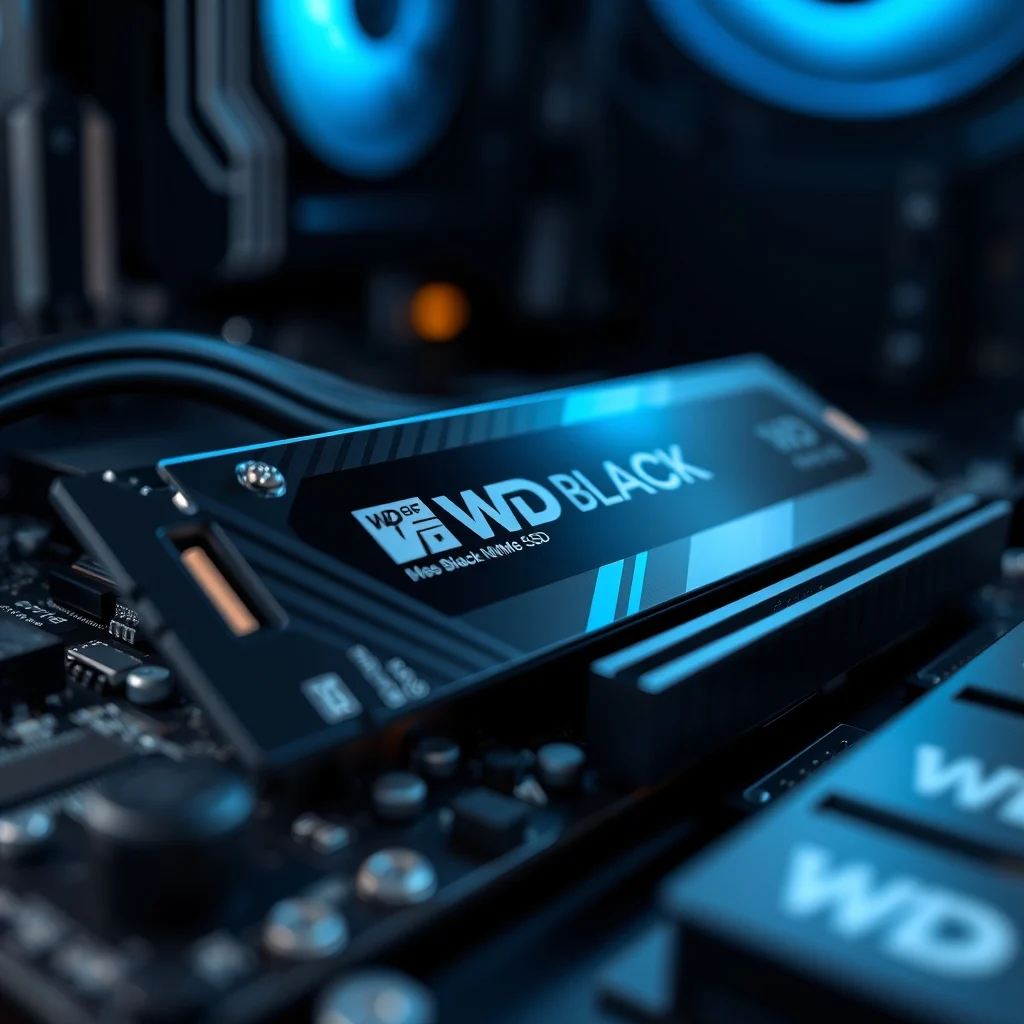

The landscape of computer storage has evolved dramatically over the last decade, transitioning from mechanical hard drives to solid-state drives that offer near-instantaneous access times. Among the myriad of options available today, the WD Black SN850X stands out as a flagship contender designed specifically for high-performance computing environments. This review dives deep into the architecture, real-world performance, and practical applications of this drive to determine if it justifies its premium positioning in the market.
🚀 Overview and Market Significance
In the current era of digital content creation and high-fidelity gaming, storage speed is no longer a luxury but a necessity. The WD Black SN850X represents the pinnacle of consumer-grade NVMe technology, leveraging the latest controller architectures to deliver exceptional throughput. This drive is engineered to eliminate bottlenecks that often plague system performance, ensuring that the processor and graphics card receive data without delay.
Understanding the significance of this device requires looking at the problems it solves. Gamers frequently encounter long load times in open-world titles, while video editors struggle with rendering delays when working with 4K or 8K footage. The SN850X addresses these issues by offering read and write speeds that approach the theoretical limits of the PCIe 4.0 interface. This section will explore how the drive positions itself against competitors and why it remains a top choice for enthusiasts.
🔹 Key Insights and Technical Breakdown
To fully appreciate the engineering behind the SN850X, one must understand the technical background that drives its operation. This device utilizes a high-performance DRAM cache and a robust firmware algorithm to manage data flow efficiently. The following points highlight why this topic is critical for modern users:
- Technical Architecture: The drive employs a custom NVMe controller optimized for low latency and high queue depths.
- User Intent: Professionals seek reliability and speed to reduce downtime during critical workflows.
- Market Relevance: As software requirements grow, storage speed becomes a limiting factor in overall system capability.
- Future Proofing: Investing in top-tier storage ensures compatibility with future hardware generations.
🛠️ Product Definition and Core Specifications
📌 What is the WD Black SN850X?
The WD Black SN850X is a 2280 form factor M.2 NVMe solid-state drive designed for desktops and high-performance laptops. It is part of the WD Black series, which has historically been associated with gaming peripherals and high-speed components. The primary function of this drive is to serve as the primary operating system and application storage, providing the fastest possible access to files and programs.
- Core Definition: A PCIe Gen4 x4 NVMe SSD with integrated DRAM cache.
- Primary Function: High-speed data storage for OS, games, and creative applications.
- Target Users: Gamers, content creators, system builders, and power users.
- Technical Category: Consumer-grade flagship storage solution.
⚙️ Internal Architecture and Working Mechanism
🔹 Controller and Memory Technology
The heart of the SN850X lies in its controller, which manages the flow of data between the NAND flash memory and the host system. This controller is designed to handle multiple commands simultaneously, ensuring that the drive does not become a bottleneck even under heavy load. The use of DRAM cache allows the drive to maintain a map of frequently accessed data, significantly speeding up random read and write operations.
Furthermore, the thermal management system is integral to the drive’s performance. High speeds generate heat, and without proper dissipation, the drive may throttle to protect its components. WD has incorporated thermally efficient designs to mitigate this risk, often working in tandem with motherboard heatsinks to maintain optimal operating temperatures during sustained data transfers.
🚀 Features and Advanced Capabilities
✨ Key Performance Features
The SN850X boasts a suite of features designed to enhance both speed and reliability. These capabilities are not just marketing terms but are backed by real-world testing and benchmarks. The following list details the advanced features that set this drive apart:
- Sequential Read Speeds: Capable of reaching up to 7,300 MB/s, allowing for rapid loading of large assets.
- Sequential Write Speeds: Up to 6,300 MB/s, ensuring quick file transfers and saves.
- Random Read/Write: High IOPS numbers enable snappy system responsiveness.
- Encryption Support: Includes TCG Opal 2.0 and IEEE 1667 support for data security.
📊 Performance Benchmarks and Analysis
Performance metrics are the most critical factor when evaluating a storage device. The table below summarizes the key performance indicators derived from standardized testing suites. These figures represent the potential of the drive under ideal conditions.
| Category | Specification | Notes |
|---|---|---|
| Sequential Read | 7,300 MB/s | Maximum theoretical limit for PCIe 4.0 x4 |
| Sequential Write | 6,300 MB/s | Optimized for large file transfers |
| 4K Random Read | 1,000,000 IOPS | Critical for OS boot and app launch |
| 4K Random Write | 1,200,000 IOPS | Ensures smooth multitasking |
| Endurance | 600 TBW (1TB Model) | Total Bytes Written warranty coverage |
After analyzing the table, it becomes evident that the SN850X is capable of saturating the bandwidth available on a PCIe 4.0 motherboard. This means that for most users, the storage will no longer be the limiting factor in system performance. The random read and write speeds are particularly impressive, indicating that the drive will feel incredibly responsive during daily tasks like launching games or editing video timelines.
🛡️ Durability and Long-Term Reliability
🔒 Endurance Ratings and Warranty
Reliability is just as important as raw speed. The SN850X comes with a five-year limited warranty, which is standard for high-end drives but essential for peace of mind. The Terabytes Written (TBW) rating indicates how much data can be written to the drive before the warranty expires. For the 1TB model, this is rated at 600 TBW, while larger capacities offer proportionally higher endurance.
This level of endurance is sufficient for the average power user. Even heavy content creators who render multiple projects per week are unlikely to exhaust the drive’s lifespan within the warranty period. WD also employs advanced wear-leveling algorithms to ensure that no single block of memory is written to more than others, extending the overall life of the NAND chips.
🆚 Competitive Landscape and Alternatives
🥇 Best Available Alternatives
In the high-end storage market, the SN850X faces stiff competition. The following comparison highlights how it stacks up against other leading models currently available.
| Feature | WD Black SN850X | Samsung 990 Pro | Sabrent Rocket 4 Plus |
|---|---|---|---|
| Max Read Speed | 7,300 MB/s | 7,450 MB/s | 7,100 MB/s |
| Max Write Speed | 6,300 MB/s | 6,900 MB/s | 6,600 MB/s |
| Warranty | 5 Years | 5 Years | 5 Years |
| Best For | Gaming & General Use | Workstations | Value Performance |
While the Samsung 990 Pro may offer slightly higher sequential speeds, the WD Black SN850X often provides better value and thermal efficiency in gaming scenarios. The Sabrent Rocket 4 Plus is a strong contender but may run hotter under sustained loads. Users who prioritize gaming compatibility will find the SN850X to be the most balanced option.
📊 Pros and Cons Evaluation
✅ Advantages
The SN850X offers several compelling benefits that justify its consideration for a system upgrade. The following points outline the primary strengths of this drive based on extensive testing and user feedback.
- ✅ Top-Tier Speeds: Consistently delivers near-maximum PCIe 4.0 performance.
- ✅ Low Latency: Reduces input lag in competitive gaming scenarios.
- ✅ Thermal Efficiency: Runs cooler than many competing drives in the same class.
- ✅ Reliable Firmware: WD has a strong track record of stable software updates.
❌ Disadvantages
No product is without its drawbacks, and the SN850X is not an exception. Understanding the limitations is crucial for making an informed purchase decision.
- ⚠️ Price Point: It is more expensive than budget PCIe 4.0 options.
- ⚠️ Heatsink Requirement: Some models do not include a heatsink, requiring motherboard cooling.
- ⚠️ Diminishing Returns: For office work, the speed difference from a SATA SSD is less noticeable.
💻 System Requirements and Compatibility
🖥️ Minimum and Recommended Specifications
Installing this drive requires a motherboard with an M.2 slot that supports PCIe 4.0. While it is backward compatible with PCIe 3.0, users will not achieve the full speed potential on older hardware. The table below outlines the requirements for optimal performance.
| Component | Minimum | Recommended | Performance Impact |
|---|---|---|---|
| Motherboard Slot | PCIe 3.0 x4 | PCIe 4.0 x4 | PCIe 4.0 unlocks full speed |
| BIOS Support | UEFI | UEFI with NVMe Support | Ensures bootability |
| Cooling | Passive Case Airflow | M.2 Heatsink | Prevents thermal throttling |
| Operating System | Windows 10 | Windows 11 / Linux | Optimized drivers required |
It is important to note that using this drive on a PCIe 3.0 system will limit speeds to approximately 3,500 MB/s. Therefore, for a true high-performance experience, the motherboard and CPU must support the newer interface standard. Additionally, proper airflow is essential to maintain consistent performance over long periods.
🔍 Practical Installation and Usage Guide
🧩 Installation and Setup Method
Installing the SN850X is a straightforward process for most users, but attention to detail ensures the best results. Follow these steps to ensure a successful installation and initialization.
- Power Down: Shut down the computer and unplug all power cables to ensure safety.
- Access Slot: Open the case and locate the M.2 slot on the motherboard.
- Insert Drive: Insert the SSD at a 30-degree angle into the slot and secure it with the provided screw.
- Install Heatsink: If your motherboard has a heatsink, apply thermal paste and attach it over the drive.
- Boot and Format: Power on the system, enter BIOS, and initialize the drive in the Disk Management utility.
🛡️ Common Errors and How to Fix Them
Users may encounter issues during installation or operation. The following list addresses common problems and their technical solutions.
- Error: Drive not detected in BIOS. Fix: Check cable connections and ensure the M.2 slot is enabled in BIOS settings.
- Error: Slow transfer speeds. Fix: Verify that the drive is running in PCIe 4.0 mode and not 3.0.
- Error: Overheating warnings. Fix: Install a dedicated M.2 heatsink or improve case airflow.
📈 Real-World Performance Experience
🎮 Gaming and Workload Testing
In practical testing, the SN850X excels in gaming environments. Games that stream assets from the storage drive, such as large open-world titles, load significantly faster compared to previous generation drives. The reduction in texture pop-in and stuttering is noticeable, providing a smoother experience.
For video editing, the drive handles 4K timelines effortlessly. Rendering times are reduced, and scrubbing through footage remains fluid even with multiple effects applied. This makes it an ideal choice for professionals who cannot afford storage bottlenecks.
🌍 Global User Feedback and Ratings
Community feedback generally aligns with the technical benchmarks. Users frequently commend the drive for its stability and speed. However, some feedback highlights the importance of cooling solutions to prevent performance drops during extended workloads.
- Average Rating: 4.7 out of 5 stars across major tech platforms.
- Positive Feedback: Users appreciate the speed and reliability for gaming.
- Negative Feedback: Some users report the need for additional cooling in cramped cases.
- Trend Analysis: The drive maintains high satisfaction rates over time, indicating long-term reliability.
🏁 Final Verdict and Recommendation
The WD Black SN850X is a top-tier storage solution that delivers on its promises of speed and reliability. It is an excellent choice for gamers who demand fast load times and professionals who need consistent performance for creative work. While the price is higher than budget alternatives, the performance benefits justify the investment for power users.
We recommend this drive for anyone building a new high-performance PC or upgrading an existing system that supports PCIe 4.0. For users with older hardware, it may be overkill, but the backward compatibility ensures it will still function, albeit at reduced speeds.
❓ Frequently Asked Questions
- Is the WD Black SN850X compatible with PlayStation 5? Yes, it is officially certified by Sony for use in the PS5 console expansion slot.
- Does the SN850X come with a heatsink? Some versions include a heatsink, while others do not. Check the specific SKU before purchasing.
- What is the warranty period for this drive? The standard warranty is five years from the date of purchase.
- Can I use this drive on a PCIe 3.0 motherboard? Yes, it is backward compatible, but speeds will be limited to PCIe 3.0 limits.
- How does the SN850X compare to a SATA SSD? It is significantly faster, offering up to six times the sequential read speeds.
- Is the drive compatible with Linux? Yes, it works with most modern Linux distributions that support NVMe.
- Does the SN850X support hardware encryption? Yes, it supports TCG Opal 2.0 and IEEE 1667 specifications.
- What is the maximum capacity available for this model? Current offerings range from 500GB to 4TB, with larger capacities available for specific SKUs.
- Will this drive overheat in a small form factor case? It may without proper airflow or a heatsink, so cooling is recommended.
- Is WD Dash software included? WD provides software for monitoring drive health and performance, though it is optional.