
In today’s fast-paced digital world, our smartphones have become an extension of ourselves. We rely on them for communication, work, entertainment, and so much more. However, this constant connectivity can take a toll on our mental health and productivity. This is where Android’s Digital Wellbeing tools come into play. These tools are designed to help you understand and control your smartphone usage, promoting a healthier and more balanced digital lifestyle.
Digital Wellbeing is a suite of features introduced by Google to help Android users manage their time spent on their devices, reduce distractions, and improve their overall digital health. It includes tools like Dashboard, Wind Down, Focus Mode, and more. These tools are not just about limiting screen time; they are about empowering users to make conscious decisions about their digital habits. Whether you’re a busy professional, a student, or someone who wants to spend less time on your phone, Digital Wellbeing tools can help you achieve your goals.
🎯 Overview and In-Depth Analysis
Android’s Digital Wellbeing tools are a response to the growing concern about the impact of excessive smartphone use on mental health. Studies have shown that too much screen time can lead to anxiety, stress, and even sleep deprivation. Google’s solution is to provide users with insights into their usage patterns and tools to help them manage their time better.
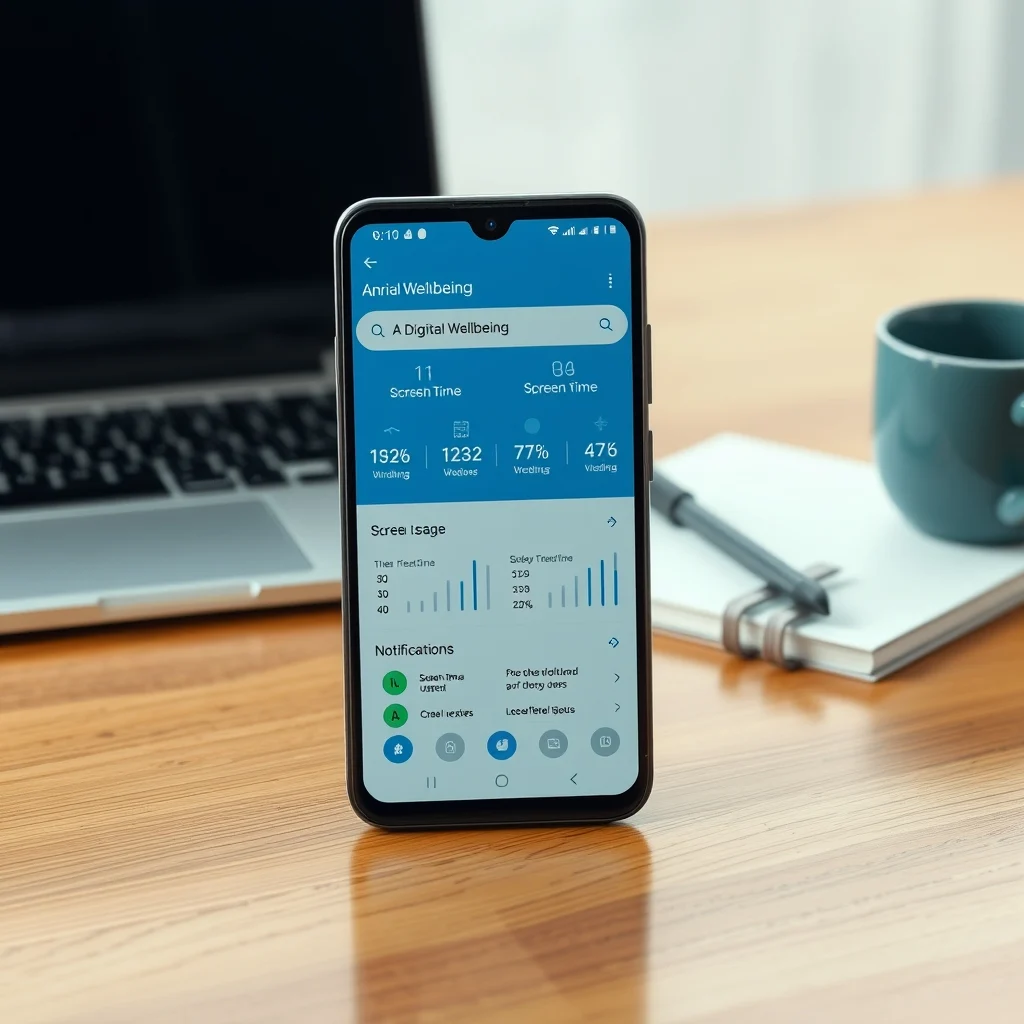
The tools are designed to be non-intrusive yet effective. They provide detailed reports on app usage, notifications, and even how often you unlock your phone. This information is presented in an easy-to-understand format, allowing users to see where they might be spending too much time. The tools also offer features like Focus Mode, which lets you block distracting apps, and Wind Down, which helps you prepare for a good night’s sleep by transitioning your phone into grayscale mode and enabling Do Not Disturb.
Digital Wellbeing tools are not just about limiting screen time; they are about empowering users to make conscious decisions about their digital habits. Whether you’re a busy professional, a student, or someone who wants to spend less time on your phone, Digital Wellbeing tools can help you achieve your goals.
- Technical background: Digital Wellbeing tools are built into the Android operating system and are available on devices running Android 9 Pie and later. They are designed to work seamlessly with the rest of the operating system, providing a cohesive experience.
- Why users search for this topic: As awareness about the impact of excessive smartphone use grows, more users are looking for ways to manage their digital habits. Digital Wellbeing tools offer a solution that is both effective and easy to use.
- Market or industry relevance: The market for digital wellness solutions is growing rapidly. Google’s Digital Wellbeing tools are part of a broader trend towards creating healthier digital habits. They are relevant to anyone who uses a smartphone, making them a significant part of the Android ecosystem.
- Future outlook: As technology continues to evolve, Digital Wellbeing tools are likely to become even more sophisticated. Future updates may include more personalized recommendations and integration with other health and wellness apps.
🛠️ The Complete Technical Concept
📌 What is Android’s Digital Wellbeing?
Android’s Digital Wellbeing is a set of tools designed to help users understand and control their smartphone usage. It includes features like Dashboard, Wind Down, Focus Mode, and more. These tools are built into the Android operating system and are available on devices running Android 9 Pie and later.
- Core definition: Digital Wellbeing is a suite of features designed to help users manage their digital habits.
- Primary function: To provide users with insights into their usage patterns and tools to help them manage their time better.
- Target users: Anyone who uses an Android smartphone and wants to manage their digital habits.
- Technical category: Built-in Android features.
⚙️ How does it work in detail?
Digital Wellbeing tools work by providing users with detailed reports on their app usage, notifications, and even how often they unlock their phone. This information is presented in an easy-to-understand format, allowing users to see where they might be spending too much time. The tools also offer features like Focus Mode, which lets you block distracting apps, and Wind Down, which helps you prepare for a good night’s sleep by transitioning your phone into grayscale mode and enabling Do Not Disturb.
The tools are designed to be non-intrusive yet effective. They provide detailed reports on app usage, notifications, and even how often you unlock your phone. This information is presented in an easy-to-understand format, allowing users to see where they might be spending too much time. The tools also offer features like Focus Mode, which lets you block distracting apps, and Wind Down, which helps you prepare for a good night’s sleep by transitioning your phone into grayscale mode and enabling Do Not Disturb.
🚀 Features and Advanced Capabilities
✨ Key Features
Digital Wellbeing tools offer a range of features designed to help users manage their digital habits. These include:
- Dashboard: Provides detailed reports on app usage, notifications, and how often you unlock your phone.
- Focus Mode: Lets you block distracting apps and notifications.
- Wind Down: Helps you prepare for a good night’s sleep by transitioning your phone into grayscale mode and enabling Do Not Disturb.
- App Timers: Allows you to set time limits for specific apps.
- Bedtime Mode: Helps you establish a bedtime routine by scheduling Do Not Disturb and grayscale mode.
These features are designed to be non-intrusive yet effective. They provide detailed reports on app usage, notifications, and even how often you unlock your phone. This information is presented in an easy-to-understand format, allowing users to see where they might be spending too much time. The tools also offer features like Focus Mode, which lets you block distracting apps, and Wind Down, which helps you prepare for a good night’s sleep by transitioning your phone into grayscale mode and enabling Do Not Disturb.
📊 Key Points
| Feature | Description | Benefits |
|---|---|---|
| Dashboard | Provides detailed reports on app usage, notifications, and how often you unlock your phone. | Helps you understand your usage patterns and identify areas for improvement. |
| Focus Mode | Lets you block distracting apps and notifications. | Helps you stay focused and productive. |
| Wind Down | Helps you prepare for a good night’s sleep by transitioning your phone into grayscale mode and enabling Do Not Disturb. | Promotes better sleep hygiene. |
| App Timers | Allows you to set time limits for specific apps. | Helps you manage your time better and avoid excessive app usage. |
| Bedtime Mode | Helps you establish a bedtime routine by scheduling Do Not Disturb and grayscale mode. | Promotes better sleep habits. |
The table above summarizes the key features of Digital Wellbeing tools and their benefits. These features are designed to help users manage their digital habits and promote a healthier and more balanced digital lifestyle.
🆚 What Distinguishes It from Competitors?
Digital Wellbeing tools are integrated into the Android operating system, making them easily accessible to all Android users. They are designed to be non-intrusive yet effective, providing detailed reports on app usage, notifications, and even how often you unlock your phone. This information is presented in an easy-to-understand format, allowing users to see where they might be spending too much time. The tools also offer features like Focus Mode, which lets you block distracting apps, and Wind Down, which helps you prepare for a good night’s sleep by transitioning your phone into grayscale mode and enabling Do Not Disturb.
Unlike third-party apps, Digital Wellbeing tools are built into the Android operating system, making them more reliable and secure. They are also designed to work seamlessly with the rest of the operating system, providing a cohesive experience. Additionally, Digital Wellbeing tools are free to use, making them accessible to all Android users.
- Analytical comparison: Digital Wellbeing tools offer a comprehensive suite of features designed to help users manage their digital habits. They are integrated into the Android operating system, making them easily accessible and reliable.
- Genuine strengths: The tools provide detailed reports on app usage, notifications, and even how often you unlock your phone. They also offer features like Focus Mode and Wind Down, which help users stay focused and promote better sleep hygiene.
- Strategic positioning: Digital Wellbeing tools are positioned as a solution for users who want to manage their digital habits and promote a healthier and more balanced digital lifestyle. They are designed to be non-intrusive yet effective, making them a valuable tool for anyone who uses a smartphone.
📊 Pros and Cons Objectively
✅ Advantages
Digital Wellbeing tools offer several advantages for users who want to manage their digital habits. These include:
- Comprehensive suite of features: The tools provide detailed reports on app usage, notifications, and even how often you unlock your phone. They also offer features like Focus Mode and Wind Down, which help users stay focused and promote better sleep hygiene.
- Integrated into the Android operating system: The tools are built into the Android operating system, making them easily accessible and reliable. They are also designed to work seamlessly with the rest of the operating system, providing a cohesive experience.
- Free to use: Digital Wellbeing tools are free to use, making them accessible to all Android users.
- Non-intrusive yet effective: The tools are designed to be non-intrusive yet effective, providing detailed reports on app usage, notifications, and even how often you unlock your phone. This information is presented in an easy-to-understand format, allowing users to see where they might be spending too much time.
❌ Disadvantages
While Digital Wellbeing tools offer many advantages, there are also some potential disadvantages to consider. These include:
- Limited customization: The tools offer a limited range of customization options, which may not be sufficient for some users. For example, Focus Mode only allows you to block apps and notifications, and does not offer more advanced features like scheduling or setting time limits.
- Not available on all devices: Digital Wellbeing tools are only available on devices running Android 9 Pie and later. This means that users with older devices may not be able to access these tools.
- May not be sufficient for some users: While Digital Wellbeing tools offer a comprehensive suite of features, they may not be sufficient for users who require more advanced tools for managing their digital habits. In such cases, third-party apps may be a better option.
💻 System Requirements or Usage Requirements
🖥️ Minimum Requirements
Digital Wellbeing tools are built into the Android operating system and are available on devices running Android 9 Pie and later. They are designed to work seamlessly with the rest of the operating system, providing a cohesive experience. The tools do not require any additional hardware or software, making them accessible to all Android users.
⚡ Recommended Specifications
While Digital Wellbeing tools do not require any specific hardware or software, there are some recommended specifications for optimal performance. These include:
- CPU: A modern multi-core processor for smooth performance.
- RAM: At least 2GB of RAM for optimal performance.
- GPU: A modern GPU for smooth graphics rendering.
- Storage: At least 16GB of internal storage for optimal performance.
- Performance expectations: Digital Wellbeing tools are designed to be non-intrusive and should not significantly impact the performance of your device. However, some features like Focus Mode and Wind Down may require more resources, so it is recommended to have a device with modern hardware for optimal performance.
| Component | Minimum | Recommended | Performance Impact |
|---|---|---|---|
| CPU | Any modern multi-core processor | A modern multi-core processor | Smooth performance |
| RAM | 2GB | 4GB or more | Optimal performance |
| GPU | Any modern GPU | A modern GPU | Smooth graphics rendering |
| Storage | 16GB | 32GB or more | Optimal performance |
The table above summarizes the recommended specifications for optimal performance of Digital Wellbeing tools. While the tools do not require any specific hardware or software, having a device with modern hardware can ensure a smooth and seamless experience.
🔍 Practical Step-by-Step Guide
🧩 Installation or Setup Method
Digital Wellbeing tools are built into the Android operating system and do not require any installation or setup. They are automatically available on devices running Android 9 Pie and later. To access the tools, simply open the Settings app on your device and navigate to the Digital Wellbeing section.
Here are the steps to access Digital Wellbeing tools:
- Open the Settings app on your device.
- Navigate to the Digital Wellbeing section. This may be located under a different name depending on your device, such as