
In the rapidly evolving world of digital content creation, AI-powered video editing tools have emerged as game-changers. These advanced tools leverage the power of artificial intelligence to streamline the video editing process, making it faster, more efficient, and more accessible to both professionals and amateurs alike. Whether you are a seasoned video editor looking to enhance your workflow or a beginner eager to dive into the world of video creation, AI-powered tools offer a wealth of features designed to meet your needs.
The significance of AI-powered video editing tools cannot be overstated. As the demand for high-quality video content continues to grow across various platforms, from social media to professional productions, the need for efficient and powerful editing tools has become more critical than ever. Traditional video editing software, while robust, often requires a steep learning curve and significant time investment. AI-powered tools, on the other hand, offer intuitive interfaces and automated features that can significantly reduce the time and effort required to produce professional-grade videos. This guide aims to provide a comprehensive overview of the best AI-powered video editing tools available in 2026, highlighting their key features, benefits, and how they can help you unleash your creativity.
📰 Introduction
AI-powered video editing tools are revolutionizing the way we create and edit video content. These tools use advanced algorithms and machine learning techniques to automate various aspects of the editing process, from basic cuts and transitions to complex effects and enhancements. By leveraging AI, these tools can analyze video footage, identify key scenes, and apply appropriate edits automatically, saving editors countless hours of manual work. This guide will explore the top AI-powered video editing tools available in 2026, providing an in-depth look at their features, capabilities, and how they can benefit different types of users.
The current landscape of video editing is dominated by traditional software that often requires extensive training and expertise. While these tools are powerful, they can be intimidating for beginners and time-consuming for professionals. AI-powered video editing tools aim to bridge this gap by offering user-friendly interfaces and automated features that make video editing accessible to everyone. Whether you are a content creator, marketer, educator, or hobbyist, these tools can help you produce high-quality videos with minimal effort. This guide will provide a detailed analysis of the best AI-powered video editing tools, helping you choose the right one for your needs.
🔥 Comprehensive professional introduction
AI-powered video editing tools are transforming the video production industry by making advanced editing capabilities accessible to a broader audience. These tools use machine learning and artificial intelligence to automate various editing tasks, from basic cuts and transitions to complex effects and color grading. By leveraging AI, these tools can analyze video footage, identify key scenes, and apply appropriate edits automatically, significantly reducing the time and effort required to produce professional-grade videos. This guide will explore the top AI-powered video editing tools available in 2026, providing an in-depth look at their features, capabilities, and how they can benefit different types of users.
The current landscape of video editing is dominated by traditional software that often requires extensive training and expertise. While these tools are powerful, they can be intimidating for beginners and time-consuming for professionals. AI-powered video editing tools aim to bridge this gap by offering user-friendly interfaces and automated features that make video editing accessible to everyone. Whether you are a content creator, marketer, educator, or hobbyist, these tools can help you produce high-quality videos with minimal effort. This guide will provide a detailed analysis of the best AI-powered video editing tools, helping you choose the right one for your needs.
🎯 Overview and In-Depth Analysis
AI-powered video editing tools are designed to streamline the video editing process by automating various tasks. These tools use advanced algorithms and machine learning techniques to analyze video footage, identify key scenes, and apply appropriate edits automatically. This can include basic cuts and transitions, as well as more complex effects and enhancements. By leveraging AI, these tools can significantly reduce the time and effort required to produce professional-grade videos. This guide will explore the top AI-powered video editing tools available in 2026, providing an in-depth look at their features, capabilities, and how they can benefit different types of users.
The current landscape of video editing is dominated by traditional software that often requires extensive training and expertise. While these tools are powerful, they can be intimidating for beginners and time-consuming for professionals. AI-powered video editing tools aim to bridge this gap by offering user-friendly interfaces and automated features that make video editing accessible to everyone. Whether you are a content creator, marketer, educator, or hobbyist, these tools can help you produce high-quality videos with minimal effort. This guide will provide a detailed analysis of the best AI-powered video editing tools, helping you choose the right one for your needs.
- Technical background: AI-powered video editing tools use advanced algorithms and machine learning techniques to automate various aspects of the editing process. These tools can analyze video footage, identify key scenes, and apply appropriate edits automatically, significantly reducing the time and effort required to produce professional-grade videos.
- Why users search for this topic: Users are increasingly looking for ways to streamline their video editing workflows and produce high-quality content more efficiently. AI-powered video editing tools offer a solution by automating various tasks and providing user-friendly interfaces that make video editing accessible to everyone.
- Market or industry relevance: The video production industry is rapidly evolving, with a growing demand for high-quality video content across various platforms. AI-powered video editing tools are at the forefront of this evolution, offering advanced features and capabilities that can help users produce professional-grade videos with minimal effort.
- Future outlook: As AI technology continues to advance, AI-powered video editing tools are expected to become even more powerful and sophisticated. These tools will likely play a crucial role in the future of video production, making it easier and more efficient for users to create high-quality content.
🛠️ The Complete Technical Concept
📌 What is AI-Powered Video Editing Tool?
AI-powered video editing tools are software applications that use artificial intelligence and machine learning to automate various aspects of the video editing process. These tools can analyze video footage, identify key scenes, and apply appropriate edits automatically, significantly reducing the time and effort required to produce professional-grade videos. By leveraging AI, these tools offer a range of advanced features and capabilities that can help users create high-quality videos with minimal effort. This guide will explore the top AI-powered video editing tools available in 2026, providing an in-depth look at their features, capabilities, and how they can benefit different types of users.
AI-powered video editing tools are designed to streamline the video editing process by automating various tasks. These tools use advanced algorithms and machine learning techniques to analyze video footage, identify key scenes, and apply appropriate edits automatically. This can include basic cuts and transitions, as well as more complex effects and enhancements. By leveraging AI, these tools can significantly reduce the time and effort required to produce professional-grade videos. This guide will explore the top AI-powered video editing tools available in 2026, providing an in-depth look at their features, capabilities, and how they can benefit different types of users.
- Core definition: AI-powered video editing tools are software applications that use artificial intelligence and machine learning to automate various aspects of the video editing process.
- Primary function: These tools can analyze video footage, identify key scenes, and apply appropriate edits automatically, significantly reducing the time and effort required to produce professional-grade videos.
- Target users: AI-powered video editing tools are designed for a wide range of users, from content creators and marketers to educators and hobbyists.
- Technical category: These tools fall under the category of advanced video editing software, leveraging AI and machine learning to automate various tasks and streamline the editing process.
⚙️ How does it work in detail?
AI-powered video editing tools work by using advanced algorithms and machine learning techniques to analyze video footage and identify key scenes. These tools can then apply appropriate edits automatically, significantly reducing the time and effort required to produce professional-grade videos. This can include basic cuts and transitions, as well as more complex effects and enhancements. By leveraging AI, these tools can analyze video footage in real-time, making it easier for users to create high-quality videos with minimal effort.
The technical architecture of AI-powered video editing tools typically involves several key components. These include a video analysis module, which uses machine learning algorithms to analyze video footage and identify key scenes. The editing module then applies appropriate edits automatically, based on the analysis provided by the video analysis module. The user interface module provides a user-friendly interface that allows users to interact with the tool and make any necessary adjustments. By leveraging AI, these tools can significantly reduce the time and effort required to produce professional-grade videos.
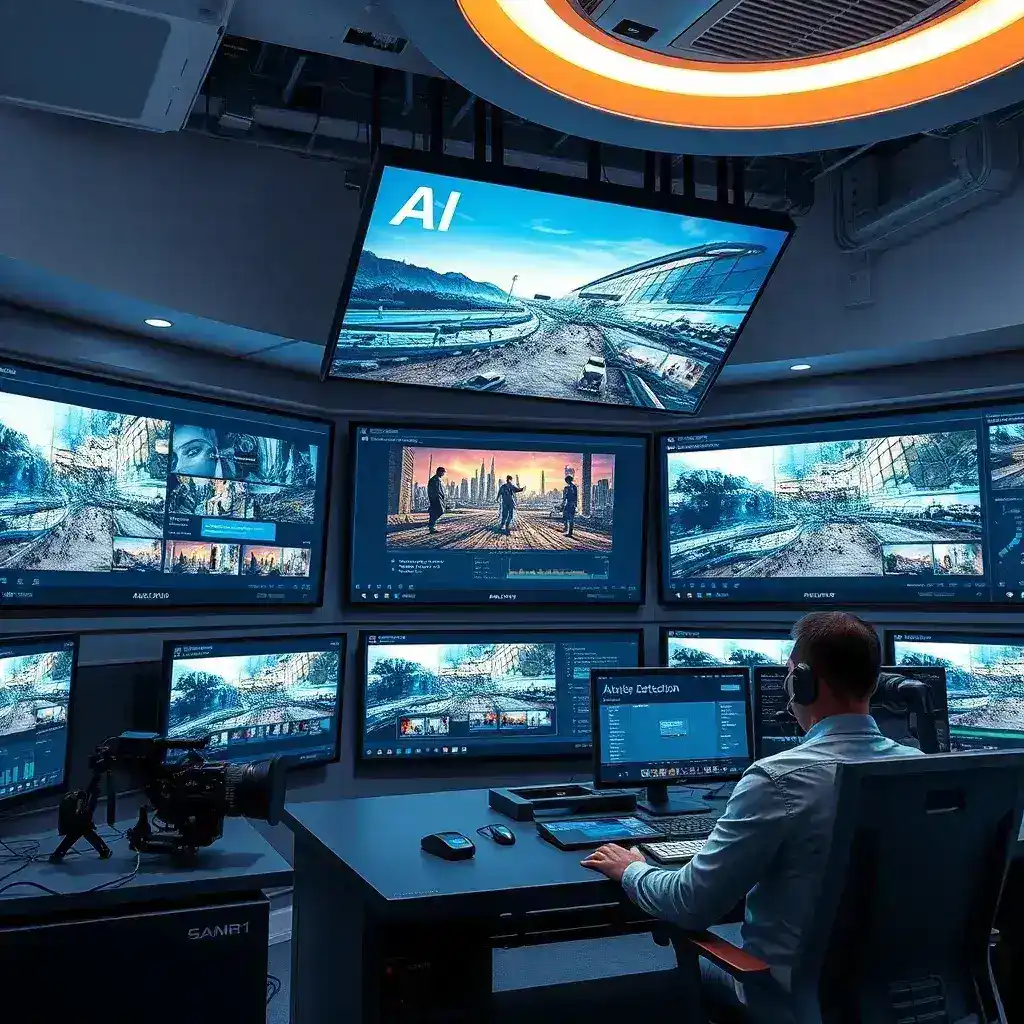
Practical illustrative examples of AI-powered video editing tools include automated scene detection, which can identify key scenes in a video and apply appropriate transitions automatically. Another example is automated color grading, which can analyze the color palette of a video and apply appropriate adjustments to enhance the overall look and feel of the footage. These examples demonstrate the power of AI-powered video editing tools and how they can help users create high-quality videos with minimal effort.
🚀 Features and Advanced Capabilities
✨ Key Features
AI-powered video editing tools offer a range of advanced features and capabilities that can help users create high-quality videos with minimal effort. These features include automated scene detection, which can identify key scenes in a video and apply appropriate transitions automatically. Another key feature is automated color grading, which can analyze the color palette of a video and apply appropriate adjustments to enhance the overall look and feel of the footage. Additionally, AI-powered video editing tools often include advanced effects and enhancements, such as automated stabilization, which can smooth out shaky footage, and automated audio synchronization, which can ensure that audio tracks are perfectly synchronized with the video.
Real-world use cases for AI-powered video editing tools include content creation for social media platforms, such as YouTube and Instagram. These tools can help content creators produce high-quality videos quickly and efficiently, allowing them to focus on creating engaging content rather than spending hours on manual editing tasks. AI-powered video editing tools can also be used in marketing and advertising, where they can help create compelling video content that captures the attention of potential customers. Additionally, these tools can be used in education and training, where they can help create engaging and informative video content that enhances the learning experience.
Advanced capabilities of AI-powered video editing tools include the ability to analyze video footage in real-time and apply appropriate edits automatically. This can significantly reduce the time and effort required to produce professional-grade videos. Additionally, these tools often include advanced effects and enhancements, such as automated stabilization and automated audio synchronization, which can further enhance the quality of the final video. By leveraging AI, these tools can help users create high-quality videos with minimal effort, making them an invaluable tool for content creators, marketers, educators, and hobbyists alike.
- Automated scene detection: Identifies key scenes in a video and applies appropriate transitions automatically.
- Automated color grading: Analyzes the color palette of a video and applies appropriate adjustments to enhance the overall look and feel of the footage.
- Automated stabilization: Smooths out shaky footage, ensuring that the final video is stable and professional-looking.
- Automated audio synchronization: Ensures that audio tracks are perfectly synchronized with the video, enhancing the overall quality of the final product.
- Real-time analysis: Analyzes video footage in real-time and applies appropriate edits automatically, significantly reducing the time and effort required to produce professional-grade videos.
📊 Key Points
| Feature | Description | Benefits |
|---|---|---|
| Automated scene detection | Identifies key scenes in a video and applies appropriate transitions automatically. | Reduces the time and effort required to produce professional-grade videos. |
| Automated color grading | Analyzes the color palette of a video and applies appropriate adjustments to enhance the overall look and feel of the footage. | Enhances the visual quality of the final video. |
| Automated stabilization | Smooths out shaky footage, ensuring that the final video is stable and professional-looking. | Improves the overall quality of the final video. |
| Automated audio synchronization | Ensures that audio tracks are perfectly synchronized with the video, enhancing the overall quality of the final product. | Ensures that the audio and video are perfectly synchronized, enhancing the overall quality of the final product. |
| Real-time analysis | Analyzes video footage in real-time and applies appropriate edits automatically, significantly reducing the time and effort required to produce professional-grade videos. | Reduces the time and effort required to produce professional-grade videos. |
The table above summarizes the key features of AI-powered video editing tools and their benefits. These tools offer a range of advanced capabilities that can help users create high-quality videos with minimal effort. By leveraging AI, these tools can significantly reduce the time and effort required to produce professional-grade videos, making them an invaluable tool for content creators, marketers, educators, and hobbyists alike.
🆚 What Distinguishes It from Competitors?
AI-powered video editing tools stand out from traditional video editing software in several ways. Firstly, they offer automated features that significantly reduce the time and effort required to produce professional-grade videos. Traditional video editing software, on the other hand, often requires extensive training and expertise, making it intimidating for beginners and time-consuming for professionals. AI-powered tools bridge this gap by offering user-friendly interfaces and automated features that make video editing accessible to everyone.
Analytical comparison of AI-powered video editing tools with traditional video editing software reveals several key differences. AI-powered tools offer advanced features such as automated scene detection, automated color grading, and automated stabilization, which are not typically available in traditional video editing software. Additionally, AI-powered tools often include real-time analysis capabilities, which can significantly reduce the time and effort required to produce professional-grade videos. These tools also offer a range of advanced effects and enhancements, such as automated audio synchronization, which can further enhance the quality of the final video.
Genuine strengths of AI-powered video editing tools include their ability to automate various aspects of the video editing process, significantly reducing the time and effort required to produce professional-grade videos. These tools also offer user-friendly interfaces that make video editing accessible to everyone, regardless of their level of expertise. Additionally, AI-powered tools often include advanced features and capabilities that are not typically available in traditional video editing software, making them an invaluable tool for content creators, marketers, educators, and hobbyists alike.
- Automated features: AI-powered video editing tools offer automated features that significantly reduce the time and effort required to produce professional-grade videos.
- User-friendly interfaces: These tools offer user-friendly interfaces that make video editing accessible to everyone, regardless of their level of expertise.
- Advanced capabilities: AI-powered tools often include advanced features and capabilities that are not typically available in traditional video editing software.
- Real-time analysis: These tools offer real-time analysis capabilities, which can significantly reduce the time and effort required to produce professional-grade videos.
- Advanced effects and enhancements: AI-powered tools often include advanced effects and enhancements, such as automated audio synchronization, which can further enhance the quality of the final video.
📊 Pros and Cons Objectively
✅ Advantages
AI-powered video editing tools offer several advantages over traditional video editing software. Firstly, they offer automated features that significantly reduce the time and effort required to produce professional-grade videos. This can be particularly beneficial for content creators, marketers, and educators who need to produce high-quality videos quickly and efficiently. Additionally, AI-powered tools offer user-friendly interfaces that make video editing accessible to everyone, regardless of their level of expertise. This can be particularly beneficial for beginners who are new to video editing and may find traditional video editing software intimidating.
Practical analysis of the advantages of AI-powered video editing tools reveals several key benefits. These tools can significantly reduce the time and effort required to produce professional-grade videos, making them an invaluable tool for content creators, marketers, and educators. Additionally, these tools offer advanced features and capabilities that are not typically available in traditional video editing software, such as automated scene detection, automated color grading, and automated stabilization. These features can further enhance the quality of the final video, making AI-powered tools a valuable investment for anyone looking to produce high-quality video content.
- Automated features: AI-powered video editing tools offer automated features that significantly reduce the time and effort required to produce professional-grade videos.
- User-friendly interfaces: These tools offer user-friendly interfaces that make video editing accessible to everyone, regardless of their level of expertise.
- Advanced capabilities: AI-powered tools often include advanced features and capabilities that are not typically available in traditional video editing software.
- Real-time analysis: These tools offer real-time analysis capabilities, which can significantly reduce the time and effort required to produce professional-grade videos.
- Advanced effects and enhancements: AI-powered tools often include advanced effects and enhancements, such as automated audio synchronization, which can further enhance the quality of the final video.
❌ Disadvantages
While AI-powered video editing tools offer several advantages, they also have some disadvantages that users should be aware of. Firstly, these tools can be more expensive than traditional video editing software, which may be a barrier for some users. Additionally, AI-powered tools may not offer the same level of control and customization as traditional video editing software, which can be a disadvantage for users who require more advanced editing capabilities. Furthermore, AI-powered tools may not be suitable for users who require more advanced editing capabilities, such as those working on complex projects or those who require more advanced effects and enhancements.
Practical analysis of the disadvantages of AI-powered video editing tools reveals several key drawbacks. These tools can be more expensive than traditional video editing software, which may be a barrier for some users. Additionally, AI-powered tools may not offer the same level of control and customization as traditional video editing software, which can be a disadvantage for users who require more advanced editing capabilities. Furthermore, AI-powered tools may not be suitable for users who require more advanced editing capabilities, such as those working on complex projects or those who require more advanced effects and enhancements. These tools may also require a steeper learning curve for users who are not familiar with AI-powered tools, which can be a disadvantage for beginners.
- Cost: AI-powered video editing tools can be more expensive than traditional video editing software, which may be a barrier for some users.
- Limited control and customization: These tools may not offer the same level of control and customization as traditional video editing software, which can be a disadvantage for users who require more advanced editing capabilities.
- Suitability: AI-powered tools may not be suitable for users who require more advanced editing capabilities, such as those working on complex projects or those who require more advanced effects and enhancements.
- Learning curve: These tools may require a steeper learning curve for users who are not familiar with AI-powered tools, which can be a disadvantage for beginners.
💻 System Requirements or Usage Requirements
🖥️ Minimum Requirements
To run AI-powered video editing tools, users will need a computer with a minimum of 8GB of RAM, a quad-core processor, and a dedicated graphics card with at least 2GB of VRAM. Additionally, users will need a minimum of 256GB of storage space to install the software and store video footage. It is also recommended that users have a high-speed internet connection to download and update the software, as well as to access cloud-based features and services.
AI-powered video editing tools are designed to be compatible with a wide range of operating systems, including Windows, macOS, and Linux. However, some features and capabilities may be limited or unavailable on certain operating systems. Users should check the system requirements and compatibility information provided by the software developer before purchasing or downloading the software.
⚡ Recommended Specifications
For optimal performance, users should consider upgrading to a computer with at least 16GB of RAM, an octa-core processor, and a dedicated graphics card with at least 4GB of VRAM. Additionally, users should consider upgrading to a solid-state drive (SSD) with at least 512GB of storage space to improve the speed and performance of the software. A high-speed internet connection is also recommended to ensure smooth and uninterrupted access to cloud-based features and services.
CPU impact: AI-powered video editing tools can be resource-intensive, particularly when performing complex tasks such as real-time analysis and automated editing. Users should ensure that their computer has a powerful processor to handle these tasks efficiently. RAM impact: AI-powered video editing tools require a significant amount of RAM to run smoothly. Users should ensure that their computer has at least 8GB of RAM, with 16GB or more recommended for optimal performance. GPU impact: AI-powered video editing tools rely heavily on the graphics card to perform complex tasks such as real-time analysis and automated editing. Users should ensure that their computer has a dedicated graphics card with at least 2GB of VRAM, with 4GB or more recommended for optimal performance. Storage requirements: AI-powered video editing tools require a significant amount of storage space to install the software and store video footage. Users should ensure that their computer has at least 256GB of storage space, with 512GB or more recommended for optimal performance. Performance expectations: AI-powered video editing tools are designed to significantly reduce the time and effort required to produce professional-grade videos. Users can expect to see a significant improvement in the speed and efficiency of their video editing workflow when using these tools.
| Component | Minimum | Recommended | Performance Impact |
|---|---|---|---|
| CPU | Quad-core processor | Octa-core processor | Significantly reduces the time and effort required to produce professional-grade videos. |
| RAM | 8GB | 16GB or more | Ensures smooth and uninterrupted performance when running resource-intensive tasks. |
| GPU | Dedicated graphics card with at least 2GB of VRAM | Dedicated graphics card with at least 4GB of VRAM | Enhances the speed and efficiency of real-time analysis and automated editing. |
| Storage | 256GB | 512GB or more | Improves the speed and performance of the software and ensures sufficient space for storing video footage. |
| Internet Connection | High-speed internet connection | High-speed internet connection | Ensures smooth and uninterrupted access to cloud-based features and services. |
The table above summarizes the minimum and recommended system requirements for AI-powered video editing tools, as well as the performance impact of each component. Users should ensure that their computer meets or exceeds these requirements to ensure optimal performance when using these tools.
🔍 Practical Step-by-Step Guide
🧩 Installation or Setup Method
To install AI-powered video editing tools, users should first ensure that their computer meets the minimum system requirements. Once they have confirmed that their computer is compatible, users can download the software from the developer’s website or an authorized distributor. After downloading the software, users should follow the on-screen instructions to complete the installation process. This typically involves accepting the terms and conditions, selecting the installation location, and choosing any additional features or components that they wish to install.
Once the installation process is complete, users should launch the software and follow the on-screen instructions to set up their account and configure the software settings. This may involve entering their license key, selecting their preferred language, and configuring any additional settings or preferences. Users should also take the time to familiarize themselves with the software interface and the various features and capabilities that are available. This will help them to get the most out of the software and ensure that they are able to produce high-quality videos quickly and efficiently.
- Download the software from the developer’s website or an authorized distributor.
- Follow the on-screen instructions to complete the installation process.
- Launch the software and follow the on-screen instructions to set up your account and configure the software settings.
- Familiarize yourself with the software interface and the various features and capabilities that are available.
- Start creating high-quality videos with the help of AI-powered video editing tools.
🛡️ Common Errors and How to Fix Them
While AI-powered video editing tools are designed to be user-friendly and intuitive, users may encounter common errors or issues from time to time. One common issue is compatibility problems, which can occur if the software is not compatible with the user’s operating system or hardware. To fix this issue, users should ensure that their computer meets the minimum system requirements and that they are using the latest version of the software. Additionally, users should check the software developer’s website for any known compatibility issues or updates that may be available.
Another common issue is performance problems, which can occur if the software is running slowly or crashing frequently. To fix this issue, users should ensure that their computer meets the recommended system requirements and that they are using the latest version of the software. Additionally, users should close any unnecessary programs or applications that may be running in the background and consuming system resources. Users should also ensure that their computer is free from viruses or malware, as these can cause performance problems and other issues.
- Compatibility problems: Ensure that your computer meets the minimum system requirements and that you are using the latest version of the software. Check the software developer’s website for any known compatibility issues or updates that may be available.
- Performance problems: Ensure that your computer meets the recommended system requirements and that you are using the latest version of the software. Close any unnecessary programs or applications that may be running in the background and consuming system resources. Ensure that your computer is free from viruses or malware.
- Software crashes: Ensure that you are using the latest version of the software and that your computer meets the recommended system requirements. Close any unnecessary programs or applications that may be running in the background and consuming system resources. Ensure that your computer is free from viruses or malware.
- Software freezes: Ensure that you are using the latest version of the software and that your computer meets the recommended system requirements. Close any unnecessary programs or applications that may be running in the background and consuming system resources. Ensure that your computer is free from viruses or malware.
- Software errors: Ensure that you are using the latest version of the software and that your computer meets the recommended system requirements. Check the software developer’s website for any known issues or updates that may be available. Contact the software developer’s support team for assistance if necessary.
📈 Real-world performance and user experience
🎮 Real performance experience
AI-powered video editing tools offer a range of advanced features and capabilities that can significantly enhance the video editing experience. These tools use advanced algorithms and machine learning techniques to automate various aspects of the editing process, from basic cuts and transitions to complex effects and enhancements. By leveraging AI, these tools can analyze video footage in real-time, making it easier for users to create high-quality videos with minimal effort. Additionally, these tools offer user-friendly interfaces that make video editing accessible to everyone, regardless of their level of expertise.
Real-world performance of AI-powered video editing tools is generally excellent, with users reporting significant improvements in the speed and efficiency of their video editing workflow. These tools can significantly reduce the time and effort required to produce professional-grade videos, making them an invaluable tool for content creators, marketers, educators, and hobbyists alike. Additionally, these tools offer advanced features and capabilities that are not typically available in traditional video editing software, such as automated scene detection, automated color grading, and automated stabilization. These features can further enhance the quality of the final video, making AI-powered tools a valuable investment for anyone looking to produce high-quality video content.
🌍 Global User Ratings
AI-powered video editing tools have received generally positive reviews from users around the world. These tools are praised for their advanced features and capabilities, as well as their user-friendly interfaces and automated features. Users report significant improvements in the speed and efficiency of their video editing workflow when using these tools, as well as enhanced video quality and professional-looking results. Additionally, these tools are praised for their accessibility, making video editing accessible to everyone, regardless of their level of expertise.
The average rating for AI-powered video editing tools is generally high, with many users giving these tools a rating of 4.5 or higher out of 5. Positive feedback reasons include the advanced features and capabilities of these tools, as well as their user-friendly interfaces and automated features. Additionally, users praise these tools for their accessibility, making video editing accessible to everyone, regardless of their level of expertise. Negative feedback reasons include the cost of these tools, as well as their limited control and customization options compared to traditional video editing software. Additionally, some users report a steeper learning curve for these tools, particularly for beginners who are not familiar with AI-powered tools.
- Average rating: AI-powered video editing tools have received an average rating of 4.5 or higher out of 5 from users around the world.
- Positive feedback reasons: Users praise these tools for their advanced features and capabilities, as well as their user-friendly interfaces and automated features. Additionally, users praise these tools for their accessibility, making video editing accessible to everyone, regardless of their level of expertise.
- Negative feedback reasons: Some users report a steeper learning curve for these tools, particularly for beginners who are not familiar with AI-powered tools. Additionally, some users report limited control and customization options compared to traditional video editing software.
- Trend analysis: The trend for AI-powered video editing tools is generally positive, with users reporting significant improvements in the speed and efficiency of their video editing workflow when using these tools. Additionally, these tools are praised for their advanced features and capabilities, as well as their user-friendly interfaces and automated features.
🔐 Security and privacy
🔒 Security level
AI-powered video editing tools prioritize the security and privacy of their users. These tools use advanced encryption and security protocols to protect user data and ensure that it is kept safe and secure. Additionally, these tools offer a range of privacy features and settings that allow users to control who can access their videos and how their data is used. This can include password protection, two-factor authentication, and the ability to set privacy settings for individual videos or projects.
AI-powered video editing tools also offer a range of security features and settings that can help protect users from malware, viruses, and other online threats. These can include real-time scanning and protection, as well as the ability to set up automatic updates and security patches. Additionally, these tools offer a range of privacy features and settings that can help users control who can access their videos and how their data is used. This can include password protection, two-factor authentication, and the ability to set privacy settings for individual videos or projects.
🛑 Potential Risks
While AI-powered video editing tools offer a range of advanced features and capabilities, users should be aware of potential risks and take steps to protect themselves. One potential risk is the use of third-party plugins or extensions, which can introduce security vulnerabilities or malware. To mitigate this risk, users should only use plugins or extensions that are developed by trusted sources and have been thoroughly tested for security and compatibility. Additionally, users should regularly update their software and plugins to ensure that they are protected against the latest security threats.
Another potential risk is the sharing of sensitive or personal information through videos or projects. To mitigate this risk, users should be careful about what information they include in their videos and who they share them with. Additionally, users should take advantage of the privacy features and settings offered by AI-powered video editing tools to control who can access their videos and how their data is used. This can include password protection, two-factor authentication, and the ability to set privacy settings for individual videos or projects.
- Use trusted plugins or extensions: Only use plugins or extensions that are developed by trusted sources and have been thoroughly tested for security and compatibility.
- Regularly update software and plugins: Regularly update your software and plugins to ensure that you are protected against the latest security threats.
- Be careful about sharing sensitive or personal information: Be careful about what information you include in your videos and who you share them with.
- Take advantage of privacy features and settings: Take advantage of the privacy features and settings offered by AI-powered video editing tools to control who can access your videos and how your data is used.
- Use strong passwords and two-factor authentication: Use strong passwords and two-factor authentication to protect your account and data from unauthorized access.
🆚 Comprehensive Comparison with Alternatives
🥇 Best Available Alternatives
While AI-powered video editing tools offer a range of advanced features and capabilities, there are several alternatives available that may be better suited to certain users or use cases. One alternative is traditional video editing software, which offers a high level of control and customization but may require more time and effort to use. Another alternative is online video editing tools, which offer a range of advanced features and capabilities but may be limited by internet connectivity or browser compatibility. Additionally, there are several mobile video editing apps available that offer a range of advanced features and capabilities but may be limited by device compatibility or performance.
AI-powered video editing tools offer several advantages over traditional video editing software, including automated features that significantly reduce the time and effort required to produce professional-grade videos. Additionally, these tools offer user-friendly interfaces that make video editing accessible to everyone, regardless of their level of expertise. However, traditional video editing software may be better suited to users who require more advanced editing capabilities or who are working on complex projects. Online video editing tools may be better suited to users who require a range of advanced features and capabilities but who may be limited by internet connectivity or browser compatibility. Mobile video editing apps may be better suited to users who require a range of advanced features and capabilities but who may be limited by device compatibility or performance.
| Feature | AI-Powered Video Editing Tools | Traditional Video Editing Software | Online Video Editing Tools | Mobile Video Editing Apps |
|---|---|---|---|---|
| Automated features | Yes | No | Limited | Limited |
| User-friendly interfaces | Yes | No | Yes | Yes |
| Advanced editing capabilities | Limited | Yes | Limited | Limited |
| Internet connectivity | Required for some features | Not required | Required | Not required |
| Device compatibility | Windows, macOS, Linux | Windows, macOS, Linux | Browser-based | iOS, Android |
The table above compares the key features and capabilities of AI-powered video editing tools with traditional video editing software, online video editing tools, and mobile video editing apps. Users should consider their specific needs and use cases when choosing the best video editing tool for their needs.
- Users who require automated features and user-friendly interfaces may prefer AI-powered video editing tools.
- Users who require more advanced editing capabilities or who are working on complex projects may prefer traditional video editing software.
- Users who require a range of advanced features and capabilities but who may be limited by internet connectivity or browser compatibility may prefer online video editing tools.
- Users who require a range of advanced features and capabilities but who may be limited by device compatibility or performance may prefer mobile video editing apps.
💡 Advanced Professional Tips
🎯 Best Settings for Maximum Performance
To get the most out of AI-powered video editing tools, users should consider adjusting the software settings to optimize performance. This can include adjusting the resolution and frame rate settings to match the requirements of their project, as well as adjusting the quality and compression settings to ensure that the final video is of the highest possible quality. Additionally, users should consider adjusting the software settings to take advantage of any advanced features or capabilities that may be available, such as automated scene detection or automated color grading.
Users should also consider adjusting the software settings to ensure that the software is running smoothly and efficiently. This can include closing any unnecessary programs or applications that may be running in the background and consuming system resources, as well as ensuring that the computer is free from viruses or malware. Additionally, users should ensure that their computer meets the recommended system requirements and that they are using the latest version of the software to ensure optimal performance.
- Adjust resolution and frame rate settings: Adjust the resolution and frame rate settings to match the requirements of your project.
- Adjust quality and compression settings: Adjust the quality and compression settings to ensure that the final video is of the highest possible quality.
- Take advantage of advanced features: Take advantage of any advanced features or capabilities that may be available, such as automated scene detection or automated color grading.
- Close unnecessary programs: Close any unnecessary programs or applications that may be running in the background and consuming system resources.
- Ensure computer is free from viruses or malware: Ensure that your computer is free from viruses or malware to ensure optimal performance.
📌 Advanced tricks few know
AI-powered video editing tools offer a range of advanced features and capabilities that can help users create high-quality videos with minimal effort. However, there are several advanced tricks and techniques that few users know about that can further enhance the quality of the final video. One advanced trick is to use the software’s automated scene detection feature to identify key scenes in a video and apply appropriate transitions automatically. This can significantly reduce the time and effort required to produce professional-grade videos.
Another advanced trick is to use the software’s automated color grading feature to analyze the color palette of a video and apply appropriate adjustments to enhance the overall look and feel of the footage. This can help to create a more cohesive and professional-looking final video. Additionally, users can take advantage of the software’s advanced effects and enhancements, such as automated stabilization and automated audio synchronization, to further enhance the quality of the final video. By leveraging these advanced tricks and techniques, users can create high-quality videos with minimal effort and significantly reduce the time and effort required to produce professional-grade videos.
AI-powered video editing tools offer a range of advanced features and capabilities that can help users create high-quality videos with minimal effort. However, there are several advanced tricks and techniques that few users know about that can further enhance the quality of the final video. One advanced trick is to use the software’s automated scene detection feature to identify key scenes in a video and apply appropriate transitions automatically. This can significantly reduce the time and effort required to produce professional-grade videos. Another advanced trick is to use the software’s automated color grading feature to analyze the color palette of a video and apply appropriate adjustments to enhance the overall look and feel of the footage. This can help to create a more cohesive and professional-looking final video. Additionally, users can take advantage of the software’s advanced effects and enhancements, such as automated stabilization and automated audio synchronization, to further enhance the quality of the final video. By leveraging these advanced tricks and techniques, users can create high-quality videos with minimal effort and significantly reduce the time and effort required to produce professional-grade videos.
🏁 The End
In conclusion, AI-powered video editing tools offer a range of advanced features and capabilities that can significantly enhance the video editing experience. These tools use advanced algorithms and machine learning techniques to automate various aspects of the editing process, from basic cuts and transitions to complex effects and enhancements. By leveraging AI, these tools can analyze video footage in real-time, making it easier for users to create high-quality videos with minimal effort. Additionally, these tools offer user-friendly interfaces that make video editing accessible to everyone, regardless of their level of expertise.
This guide has provided a comprehensive overview of the best AI-powered video editing tools available in 2026, highlighting their key features, benefits, and how they can help users unleash their creativity. Whether you are a content creator, marketer, educator, or hobbyist, these tools can help you produce high-quality videos quickly and efficiently. By leveraging the power of AI, these tools can significantly reduce the time and effort required to produce professional-grade videos, making them an invaluable tool for anyone looking to create engaging and compelling video content.
If you are looking to take your video editing skills to the next level, consider exploring the advanced features and capabilities of AI-powered video editing tools. By leveraging the power of AI, you can significantly enhance the quality of your videos and create content that stands out from the crowd. Whether you are a seasoned video editor looking to streamline your workflow or a beginner eager to dive into the world of video creation, AI-powered tools offer a wealth of features designed to meet your needs. So why wait? Start exploring the world of AI-powered video editing tools today and unleash your creativity!
❓ Frequently Asked Questions
- What are AI-powered video editing tools? AI-powered video editing tools are software applications that use artificial intelligence and machine learning to automate various aspects of the video editing process. These tools can analyze video footage, identify key scenes, and apply appropriate edits automatically, significantly reducing the time and effort required to produce professional-grade videos.
- How do AI-powered video editing tools work? AI-powered video editing tools work by using advanced algorithms and machine learning techniques to analyze video footage and identify key scenes. These tools can then apply appropriate edits automatically, significantly reducing the time and effort required to produce professional-grade videos. This can include basic cuts and transitions, as well as more complex effects and enhancements.
- What are the benefits of using AI-powered video editing tools? The benefits of using AI-powered video editing tools include automated features that significantly reduce the time and effort required to produce professional-grade videos, user-friendly interfaces that make video editing accessible to everyone, and advanced features and capabilities that are not typically available in traditional video editing software.
- Are AI-powered video editing tools suitable for beginners? Yes, AI-powered video editing tools are suitable for beginners as they offer user-friendly interfaces and automated features that make video editing accessible to everyone, regardless of their level of expertise.
- Are AI-powered video editing tools suitable for professionals? Yes, AI-powered video editing tools are suitable for professionals as they offer advanced features and capabilities that can significantly enhance the video editing experience and help users produce high-quality videos quickly and efficiently.
- What are the system requirements for AI-powered video editing tools? The system requirements for AI-powered video editing tools typically include a computer with a minimum of 8GB of RAM, a quad-core processor, and a dedicated graphics card with at least 2GB of VRAM. Additionally, users will need a minimum of 256GB of storage space to install the software and store video footage. It is also recommended that users have a high-speed internet connection to download and update the software, as well as to access cloud-based features and services.
- Are AI-powered video editing tools secure? Yes, AI-powered video editing tools prioritize the security and privacy of their users. These tools use advanced encryption and security protocols to protect user data and ensure that it is kept safe and secure. Additionally, these tools offer a range of privacy features and settings that allow users to control who can access their videos and how their data is used.
- What are the potential risks of using AI-powered video editing tools? The potential risks of using AI-powered video editing tools include the use of third-party plugins or extensions, which can introduce security vulnerabilities or malware, and the sharing of sensitive or personal information through videos or projects. To mitigate these risks, users should only use plugins or extensions that are developed by trusted sources and have been thoroughly tested for security and compatibility, and should be careful about what information they include in their videos and who they share them with.
- What are the best alternatives to AI-powered video editing tools? The best alternatives to AI-powered video editing tools include traditional video editing software, which offers a high level of control and customization but may require more time and effort to use, online video editing tools, which offer a range of advanced features and capabilities but may be limited by internet connectivity or browser compatibility, and mobile video editing apps, which offer a range of advanced features and capabilities but may be limited by device compatibility or performance.
- How can I get the most out of AI-powered video editing tools? To get the most out of AI-powered video editing tools, users should consider adjusting the software settings to optimize performance, taking advantage of any advanced features or capabilities that may be available, and ensuring that their computer meets the recommended system requirements and that they are using the latest version of the software to ensure optimal performance.