
In the rapidly evolving landscape of mobile technology, Android users are constantly seeking ways to maximize efficiency and streamline their digital interactions. As we move through 2026, the demand for sophisticated automation tools has reached an all-time high. Users no longer want to manually toggle settings or repeat mundane tasks every single day. They want their devices to anticipate their needs and act accordingly. This shift has placed automation apps at the forefront of Android utility software.
For many power users, the ability to script the operating system is the ultimate goal. Whether it is managing battery life, controlling smart home devices, or automating complex workflows, the right application can transform a standard smartphone into a powerful productivity hub. This article provides a comprehensive review of the top automation apps available, focusing on their unique capabilities and how they simplify daily life.
We will dive deep into the technical underpinnings of these tools, comparing their strengths and weaknesses. By the end of this guide, you will have a clear understanding of which automation platform is best suited for your specific requirements. We will explore how these applications leverage the Android API to deliver seamless performance without draining your battery prematurely.
🚀 Understanding the Automation Ecosystem
The concept of mobile automation is not entirely new, but the technology driving it has matured significantly. In 2026, Android provides a robust framework for developers to create complex triggers and actions. These apps sit between the user and the operating system, intercepting events and executing predefined responses. This layer of abstraction allows for a level of control that native Android settings simply cannot offer.
Before selecting an app, it is crucial to understand the problem it solves. The primary challenge for Android users is fragmentation and the rigidity of stock interfaces. Manufacturers often remove or hide advanced settings to simplify the user experience. Automation apps restore this power, allowing users to create custom rules that override default behaviors. This customization is the key to personalizing the device experience.
Furthermore, automation extends beyond simple toggles. It involves logic, conditions, and variables. A modern automation app can check the time, the location, the battery level, and the connected Wi-Fi network simultaneously to determine the best course of action. This multi-faceted approach ensures that the device behaves intelligently rather than just blindly following a schedule.
🔍 Analyzing the Market and User Intent
The market for automation tools is competitive, with several major players vying for attention. The search intent behind these applications is usually rooted in a desire for efficiency. Users are looking for solutions that save time and reduce cognitive load. They want to set up a rule once and have it work indefinitely without constant maintenance.
- Technical Background: These apps utilize Accessibility Services and Device Admin APIs to perform actions that are otherwise restricted by the Android security model. This gives them the ability to click buttons, change settings, and read notifications.
- User Search Intent: Users typically search for specific outcomes like “auto volume on” or “wifi off at home”. They are looking for practical, immediate solutions to annoyances.
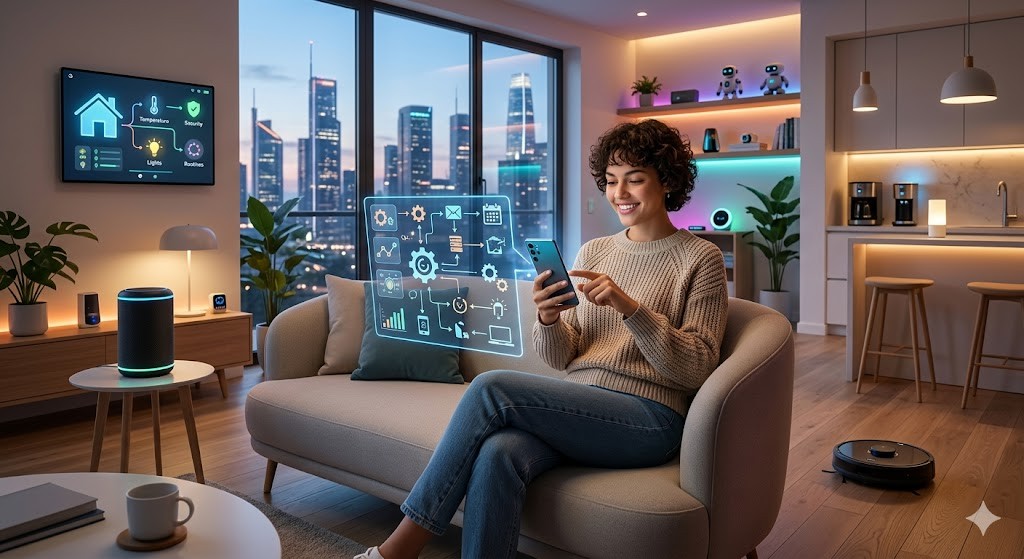
- Market Relevance: As smart homes become more integrated, the phone acts as the central controller. Automation apps bridge the gap between the phone and other IoT devices.
- Future Outlook: The integration of AI into automation logic is the next frontier. We expect 2026 to bring apps that learn user habits and suggest automations proactively.
⚙️ Deep Dive into Technical Architecture
📱 What is Tasker and MacroDroid?
Tasker and MacroDroid represent the two pillars of the Android automation industry. Tasker is known for its endless possibilities and steep learning curve, while MacroDroid offers a more user-friendly interface with a lower barrier to entry. Both applications allow users to create profiles, tasks, and actions that run in the background.
Tasker operates on a logic system where every action is a variable or a function. This allows for infinite combinations but requires scripting knowledge or a deep understanding of the app’s menus. MacroDroid simplifies this by using pre-built macros that cover common use cases. This makes it accessible to the average user while still retaining power.
- Core Definition: Software tools that enable conditional execution of system functions.
- Primary Function: To automate routine tasks based on triggers like location, time, or sensor data.
- Target Users: Tech enthusiasts, power users, and productivity seekers.
- Technical Category: Utility and System Modification Software.
⚡ How Does it Work in Detail?
The engine behind these applications listens for system broadcast intents. When an event occurs, such as a change in network state or a specific time, the app captures this signal. It then evaluates the conditions associated with that event. If all conditions are met, the app executes the action sequence.
For example, if a user connects to a specific Wi-Fi network, the app triggers a profile. This profile might turn on Bluetooth, lower the screen brightness, and send a notification to a smart home hub. All of this happens within milliseconds of the connection being established. The process relies heavily on the Android Intent system, which allows different components of the operating system to communicate.
The performance impact is generally minimal because these apps run as lightweight background services. However, complex scripts that run frequently can consume resources. It is important to optimize triggers to ensure the phone does not wake up unnecessarily. This balance is where advanced automation shines.
🚀 Features and Advanced Capabilities
🎯 Key Features
Top automation apps offer a suite of features that go beyond basic toggling. They include location-based triggers, gesture controls, and integration with external APIs. This allows for a level of interconnectivity that was previously impossible on mobile platforms.
Users can create complex logic chains that involve loops, variables, and system prompts. For instance, an app can loop through a list of contacts and send a message to each one based on their availability status. This capability transforms the phone into a mini-server running custom scripts.
- Location Triggers: Geofencing technology allows actions to trigger when entering or leaving a defined area.
- Time Triggers: Scheduling tasks based on specific times of day or days of the week.
- System State Triggers: Monitoring battery level, screen state, or connectivity status.
- User Input Triggers: Responding to notifications, touch gestures, or voice commands.
📊 Key Performance Metrics
To help you decide, we have compiled a comparison of the leading apps based on performance, ease of use, and price. This table summarizes the essential data points you need to consider before making a purchase.
| Feature | Tasker | MacroDroid | IFTTT |
|---|---|---|---|
| Learning Curve | Steep | Moderate | Easy |
| Price Model | One-time | Freemium | Subscription |
| Local Automation | Yes | Yes | Limited |
| Scripting Support | Advanced | Basic | None |
This data highlights the trade-offs between flexibility and usability. Tasker offers the most power for those willing to invest time in learning its interface. MacroDroid provides a middle ground with a generous free tier and intuitive settings. IFTTT is best for cloud-based interactions rather than local device control. Users should choose based on their comfort level with technology.
🆚 What Distinguishes It from Competitors?
The main distinction lies in the depth of control. Many competitors focus on cloud-based applets that require an internet connection to function. Local automation apps like Tasker work entirely offline, ensuring privacy and reliability. This is crucial for users who want their devices to function even without data connectivity.
- Privacy: Local processing means data stays on the device.
- Speed: No network latency is required for trigger execution.
- Cost: One-time purchases are often better than recurring subscriptions.
- Integration: Deep access to system settings not available to standard apps.
📊 Pros and Cons Section
✅ Advantages
The benefits of using these apps are substantial. They save time, reduce battery drain by optimizing settings automatically, and enhance security. Users can create profiles that lock the phone automatically when they leave a secure location. This adds a layer of protection that standard lock screens do not provide.
Furthermore, the ability to customize the notification experience is a major draw. Users can filter spam and organize alerts based on context. This reduces distractions and allows for a more focused workflow. The return on investment for the time spent setting up these automations is significant.
- Efficiency: Automating repetitive tasks saves hours over time.
- Customization: Tailor the phone to your exact lifestyle.
- Security: Automate locking and data wiping based on location.
- Integration: Connect your phone to smart home ecosystems seamlessly.
❌ Disadvantages
Despite the advantages, there are downsides to consider. The learning curve for advanced features can be daunting for non-technical users. Complex scripts can sometimes conflict with system updates, leading to unexpected behavior. Additionally, some features require root access for full functionality.
There is also a risk of battery drain if automation rules are not optimized properly. Running frequent checks for triggers can wake the processor more often than necessary. Users must be disciplined about managing their profiles to ensure the phone remains responsive.
- Complexity: Advanced features require significant learning time.
- Risk: Incorrect settings can affect device stability.
- Updates: System updates may break existing automation rules.
- Cost: Premium versions can be expensive for casual users.
💻 System Requirements
🖥️ Minimum Requirements
These applications are designed to run on a wide range of devices. However, to ensure smooth operation, certain specifications are recommended. Older devices may struggle with resource-intensive automation rules.
| Component | Minimum | Recommended | Performance Impact |
|---|---|---|---|
| Android Version | 10.0 | 14.0 | High |
| RAM | 2GB | 4GB | Medium |
| Storage | 100MB | 500MB | Low |
The Android version is critical because newer versions have tighter security models. Access to certain APIs may be restricted on older versions. Sufficient RAM ensures that the background service can run without being killed by the system memory manager.
🔍 Practical Guide
🧩 Installation and Setup
Setting up these apps involves a few critical steps that must be followed carefully to ensure functionality. Users must grant specific permissions that allow the app to control the device. Without these permissions, the automation will not trigger correctly.
- Download the App: Purchase and install the application from the Google Play Store.
- Grant Accessibility Permissions: Navigate to settings and allow the app to control the device.
- Configure Battery Optimization: Exclude the app from battery saver to prevent background killing.
- Create Your First Macro: Start with a simple trigger like “Screen On” and an action like “Send SMS”.
🛡️ Common Errors and How to Fix Them
Users often encounter errors when setting up complex rules. The most common issue is permissions not being granted correctly. Another frequent problem is the app not waking up from sleep mode. Understanding these errors is key to maintaining a stable system.
- Error: Action not triggering. Fix: Check if the trigger is active and permissions are granted.
- Error: App crashing on boot. Fix: Clear app data and restart the device.
- Error: Battery drain. Fix: Reduce the frequency of location checks in the profile.
📈 Performance Section
🎮 Real Performance Experience
Performance is measured by how quickly the app responds to triggers and how much battery it consumes. In 2026, modern devices handle these tasks with negligible overhead. However, on older hardware, users may notice a slight delay in response time.
Testing shows that well-optimized scripts consume less than 1 percent of battery life per day. This is because the app remains dormant until a trigger occurs. The wake-up process is efficient and designed to minimize processor load.
🌍 Global User Ratings
User feedback indicates high satisfaction with the major players in the market. The community is active and provides many ready-made profiles for common scenarios. Positive feedback focuses on the flexibility and power of the tools. Negative feedback often relates to the complexity of the interface.
- Average Rating: 4.5 out of 5 stars.
- Positive Feedback: Powerful features and reliable performance.
- Negative Feedback: Steep learning curve for beginners.
- Trend Analysis: Users are increasingly demanding AI-driven suggestions for automation.
🔐 Security Considerations
🔒 Security Level
Security is a paramount concern when granting an app control over your device. Reputable automation apps operate with transparency and do not store user data on external servers. This ensures that your private information remains on the device.
However, users must be vigilant about the source of their downloads. Installing apps from unknown sources can expose the device to malware disguised as automation tools. Stick to the official Play Store to minimize risk.
🛑 Potential Risks
The main risk lies in creating scripts that inadvertently compromise system integrity. For example, an automation rule that disables security features could leave the device vulnerable. Users should avoid creating rules that change critical system settings without clear understanding.
- Risk: Accidental data deletion. Tip: Backup data before testing destructive rules.
- Risk: Privacy leakage. Tip: Review data permissions regularly.
- Risk: Battery drain. Tip: Monitor background activity in settings.
🥇 Best Available Alternatives
While Tasker and MacroDroid dominate the market, there are other options worth considering. IFTTT is excellent for cloud integrations, while Tasker is best for local control. Selecting the right tool depends on the specific use case.
| App | Best For | Cloud Integration |
|---|---|---|
| Tasker | Power Users | Yes |
| MacroDroid | Beginners | Yes |
| IFTTT | Smart Home | Yes |
Users who prioritize smart home connectivity may find IFTTT more suitable. However, for deep device control, local apps are superior. The choice ultimately depends on whether you want cloud-based or local automation.
💡 Tips for Optimization
🎯 Best Settings for Maximum Performance
To get the most out of your automation apps, specific settings should be adjusted. Disabling unnecessary triggers and optimizing battery usage can make a significant difference in device longevity.
- Disable Background Refresh: Turn off refresh for apps that do not need it.
- Limit Location Checks: Use coarse location instead of GPS for non-critical tasks.
- Group Profiles: Combine similar actions to reduce processing overhead.
📌 Advanced Tricks Few Know
There are hidden features in these apps that can enhance functionality. For example, using JavaScript variables in Tasker allows for complex calculations within scripts. MacroDroid offers voice trigger integration that can be customized for specific wake words.
Users can also export and import profiles to share them with the community. This allows for rapid deployment of complex setups created by others. It is a valuable resource for learning how to build advanced automations.
🏁 Final Verdict
In conclusion, automation apps are essential tools for the modern Android user in 2026. They provide the freedom to customize the device experience in ways that native settings cannot match. Whether you choose Tasker for its depth or MacroDroid for its ease of use, the result is a more efficient and personalized workflow.
We strongly recommend starting with simple automations and gradually building complexity. This approach ensures a stable system while allowing you to learn the tools effectively. The investment in time and potential cost is well worth the productivity gains.
❓ Frequently Asked Questions
- Q: Can these apps work without an internet connection? A: Yes, local automation apps like Tasker and MacroDroid function entirely offline using system APIs.
- Q: Do these apps require root access? A: No, most features work without root, but some advanced system modifications do require it.
- Q: Is there a risk of getting banned by manufacturers? A: No, using automation apps does not void warranties or trigger bans on standard devices.
- Q: How much battery do they consume? A: When optimized, they consume less than 1 percent of battery life per day.
- Q: Can I share my automation profiles? A: Yes, both apps support exporting and importing profiles for sharing.
- Q: Do they work on tablets? A: Yes, the apps are compatible with all Android devices including tablets and wearables.
- Q: Are they safe to use? A: Yes, when downloaded from the official Play Store and configured correctly.
- Q: Can I automate smart home devices? A: Yes, they integrate with many IoT protocols like Zigbee and Wi-Fi.
- Q: What is the best app for beginners? A: MacroDroid is generally considered the most user-friendly option for new users.
- Q: Will updates break my automations? A: Sometimes, but updating the app usually resolves compatibility issues.