
In today’s hyper-connected world, the constant ping of notifications and the pull of endless scrolling have fundamentally altered how we interact with our devices. Android has recognized this shift and introduced a robust suite of features designed to help users regain control over their digital habits. Digital Wellbeing on Android is not merely a collection of settings; it is a comprehensive ecosystem of tools that empower users to understand their usage patterns, set boundaries, and create a healthier relationship with technology.
📱 Understanding Digital Wellbeing on Android
The concept of Digital Wellbeing extends beyond simple screen time tracking. It represents a holistic approach to managing the time we spend on our phones and apps. The goal is to reduce distraction, improve focus, and ensure that technology serves us rather than controlling us. Android’s implementation of this feature is deeply integrated into the operating system, making it accessible without requiring third-party applications.
This system works by monitoring app usage data locally on the device. It analyzes how long you spend on specific applications, how often you unlock your phone, and how many notifications you receive. By aggregating this data, Android provides insights that allow you to make informed decisions about your usage. The platform encourages mindfulness by presenting this information in a clear, actionable dashboard.
When you first access the Digital Wellbeing settings, you will see a summary of your daily activity. This includes total screen time, number of unlocks, and app usage distribution. The data is refreshed every 24 hours, providing a clear picture of your habits. Understanding these metrics is the first step toward making positive changes. Without data, it is difficult to justify the need for change or measure progress over time.
🛠️ Core Features and Functionality
📊 App Timers and Limits
One of the most powerful features within Digital Wellbeing is the ability to set app timers. This feature allows you to restrict the amount of time you can spend on specific applications each day. For example, if you find yourself spending too much time on social media, you can set a timer of one hour. Once the time is up, the app icon will fade out, and you will be unable to open it until the next day.
Setting these limits requires discipline and honesty. When you set a timer, you are essentially making a contract with yourself. If you ignore the limit, you lose the effectiveness of the tool. The system provides a warning before the timeout occurs, giving you a chance to finish your current task. This grace period is crucial for preventing frustration and ensuring that critical tasks are not interrupted.
- ✅ Prevents mindless scrolling by enforcing hard stops
- 🎯 Encourages intentional usage of high-distraction apps
- ⚠️ Cannot be bypassed without resetting to maintain integrity
🧩 Focus Mode
Focus Mode is designed to help you concentrate on the tasks that matter most. When activated, this feature pauses non-essential apps, preventing notifications from interrupting your workflow. You select which apps you want to pause, such as games or social media platforms, while allowing communication apps like messaging or email to remain active.
Activating Focus Mode creates a distraction-free environment that is essential for deep work. It is particularly useful during work hours, study sessions, or when you need to complete a complex project. The feature integrates seamlessly with the Do Not Disturb mode, ensuring that your phone remains quiet while you are focused. This combination creates a powerful shield against the constant pull of digital interruptions.
📈 Analyzing Usage Patterns
🔍 Dashboard Insights
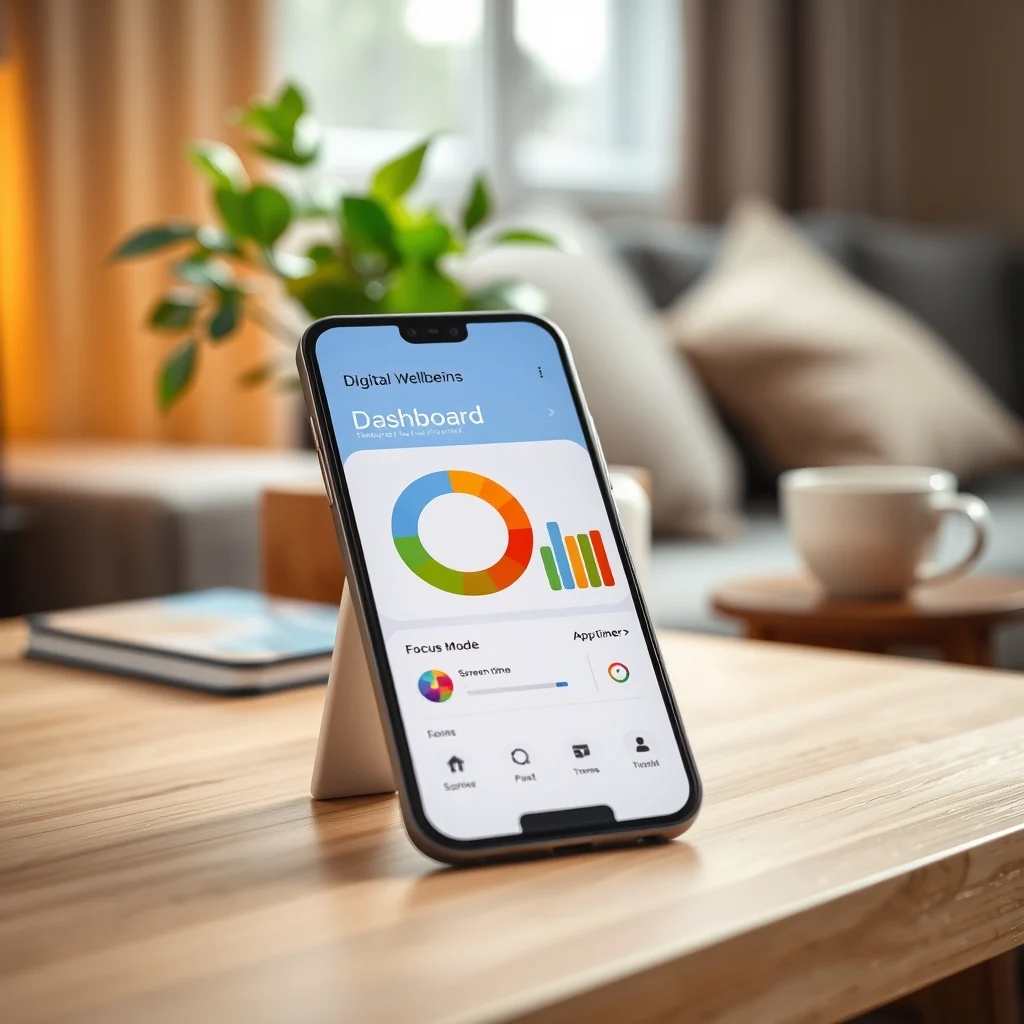
The Digital Wellbeing dashboard provides a visual representation of your phone usage. It categorizes apps by time spent and shows which ones are the most distracting. This visual data is critical for understanding your habits. For instance, you might discover that you spend more time on a messaging app than you realized, or that a specific game consumes a significant portion of your free time.
By reviewing this dashboard regularly, you can identify triggers for excessive usage. You might notice that you check your phone most frequently in the morning or right before bed. Recognizing these patterns allows you to adjust your environment or routines to minimize unnecessary screen time. The insights are presented in a way that is easy to understand, using charts and graphs to visualize the data clearly.
🌍 Notification Management
Notifications are a major source of distraction on smartphones. Digital Wellbeing allows you to manage these interruptions effectively. You can choose to silence notifications from specific apps or categories during certain hours. This feature helps you stay focused without completely disconnecting from important information.
Effective notification management is about prioritizing what truly matters. By turning off non-essential notifications, you reduce the cognitive load on your brain. You stop reacting to every ping and start responding only to what is important. This shift in behavior can significantly improve your productivity and reduce stress levels associated with constant connectivity.
⚙️ Technical Implementation and Architecture
The Digital Wellbeing system relies on Android’s built-in usage stats API. This API collects data on app foreground time, launch counts, and notification events. The data is processed locally on the device to ensure privacy. No usage data is sent to Google servers without explicit user consent. This local processing model is essential for maintaining user trust and ensuring data security.
The system uses efficient background processes to gather data without draining battery life. It optimizes resource usage by batching data collection and processing it during idle times. This ensures that the monitoring tools do not negatively impact the performance of your device. The architecture is designed to be lightweight and unobtrusive, running silently in the background.
- ✅ Local data processing ensures privacy and security
- 🎯 Optimized resource usage prevents battery drain
- ⚠️ Requires usage access permissions for accurate tracking
🆚 Competitive Differentiation
While other platforms offer similar features, Android’s implementation stands out due to its deep integration with the operating system. Unlike third-party apps that require additional permissions and resources, Digital Wellbeing is part of the core system. This means it is more reliable and less prone to crashes or compatibility issues.
Furthermore, Android allows for granular control over settings that other platforms may not offer. You can customize timers, notifications, and focus modes to fit your specific needs. This level of customization empowers users to create a digital environment that aligns with their personal goals. The flexibility of the system makes it a powerful tool for digital detoxification.
📊 Key Metrics and Performance
| Feature | Functionality | Best Use Case |
|---|---|---|
| App Timers | Restrict app usage time | Social Media & Games |
| Focus Mode | Pause non-essential apps | Work & Study Sessions |
| Dashboard | Track usage statistics | Weekly Review & Analysis |
| Bedtime Mode | Schedule Do Not Disturb | Night Time & Sleep |
The effectiveness of these tools is measured by user adoption and behavior change. Studies have shown that users who actively engage with Digital Wellbeing features report lower stress levels and better sleep quality. The ability to track progress over time is a key driver of motivation. Seeing the numbers go down can be a powerful incentive to maintain healthy habits.
🛡️ Security and Privacy Considerations
Privacy is a paramount concern when using tools that monitor device usage. Android addresses this by keeping data local. The usage statistics are stored on the device and are not shared with Google unless the user enables specific backup features. This ensures that your digital habits remain private and secure.
Additionally, the system requires explicit permissions to access usage data. You must grant these permissions manually during the setup process. This transparency allows you to understand exactly what data is being collected and why. It also gives you the power to revoke access if you choose to stop using the features.
🔧 Troubleshooting Common Issues
🐛 Usage Data Not Updating
If you notice that your usage statistics are not updating correctly, it may be due to a permissions issue. Ensure that Digital Wellbeing has the necessary access to usage data in the settings menu. Sometimes, a simple restart of the device can resolve caching issues that prevent data from refreshing.
- ✅ Check permissions in the Digital Wellbeing settings
- 🎯 Restart the device to clear temporary caches
- ⚠️ Update the system to the latest version
🔒 Focus Mode Not Pausing Apps
If Focus Mode is not working as expected, verify that the apps you want to pause are correctly selected. Some apps may run in the background even when paused. Ensure that you have granted the necessary permissions for the system to control app behavior. In some cases, third-party launchers may interfere with this functionality.
🎯 Advanced Configuration Tips
To maximize the effectiveness of Digital Wellbeing, you should configure the settings to match your specific lifestyle. For students, setting strict timers on entertainment apps during study hours can improve academic performance. For professionals, Focus Mode during work hours can enhance productivity and reduce anxiety.
You can also use the Bedtime Mode feature to schedule Do Not Disturb automatically. This ensures that your phone silences notifications at night, promoting better sleep hygiene. By scheduling these features, you remove the need for manual intervention and create a consistent routine.
- ✅ Automate schedules for recurring activities
- 🎯 Customize exceptions for urgent communications
- ⚠️ Test settings before relying on them heavily
🏁 Final Verdict
Digital Wellbeing on Android represents a significant step forward in mobile technology. It empowers users to take control of their digital lives and make conscious choices about how they spend their time. The integration of these tools into the operating system ensures that they are accessible to all users without the need for additional software.
By utilizing the features available, you can significantly reduce distractions and improve your overall well-being. The effort required to set up these tools is minimal compared to the benefits gained. It is highly recommended that every Android user explore these settings and customize them to fit their needs.
❓ Frequently Asked Questions
- Can I reset my app timers? Yes, you can reset your timers at any time within the Digital Wellbeing settings. This allows for flexibility if you need to extend your usage on a specific day.
- Does Digital Wellbeing affect battery life? No, the system is optimized to use minimal resources. It runs in the background without significantly impacting battery performance.
- Can I share my usage data? You can export your usage data, but it is stored locally by default. Sharing requires explicit action from you.
- Is Focus Mode compatible with all apps? Most apps are supported, but some system apps may not be pausable for security reasons.
- How do I enable Digital Wellbeing? It is enabled by default on most Android devices. You can access it through the Settings menu under Digital Wellbeing.
- Can I set timers for specific times of day? Yes, you can schedule timers to activate during specific hours or days of the week.
- Does it work on all Android phones? It is available on most modern Android devices running Android 9.0 or higher.
- Can I bypass the app timers? No, once a timer is reached, the app cannot be opened until the reset point.
- Is the data accurate? The data is based on foreground usage and is generally accurate, though background activity may vary.
- Can I use these features with third-party launchers? Some launchers may interfere with the system features, so it is best to use the default launcher for full functionality.