
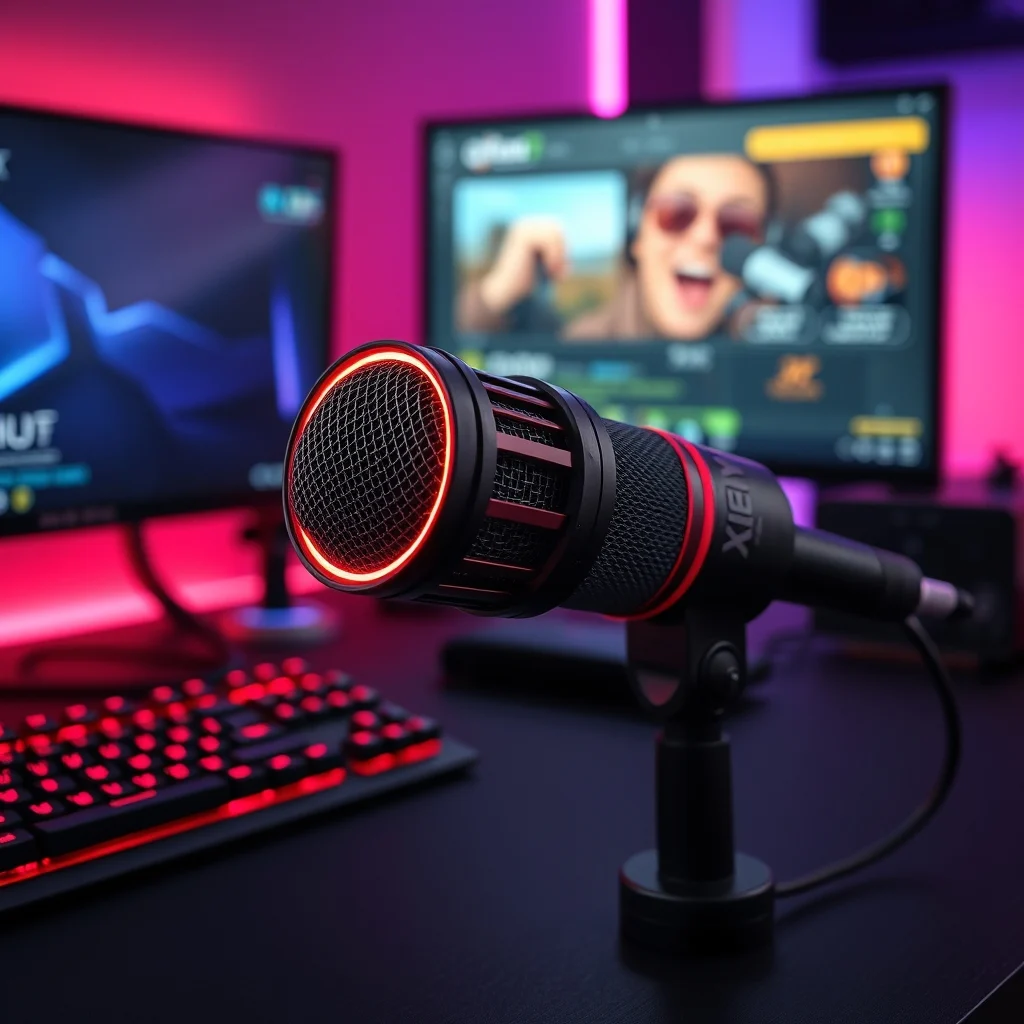

In the rapidly evolving world of digital content creation, audio quality is often the deciding factor between a mediocre production and a professional masterpiece. The HyperX QuadCast stands as a testament to this reality, offering a robust solution for streamers, podcasters, and voice artists alike. This comprehensive review delves deep into the microphone’s capabilities, examining its design, performance, and value proposition in a saturated market.
Whether you are broadcasting live on Twitch or recording a high-fidelity podcast, the choice of audio equipment plays a pivotal role in audience retention. The QuadCast is designed to simplify this process by integrating multiple features into a single, user-friendly device. From its built-in pop filter to its intuitive gain control, every element serves a specific purpose in enhancing the recording experience without requiring technical expertise.
This article aims to provide an exhaustive analysis of the HyperX QuadCast. We will explore its technical specifications, real-world performance metrics, and how it compares to direct competitors. By the end of this review, you will have a clear understanding of whether this microphone aligns with your specific content creation needs and budget constraints.
🚀 Overview of the HyperX QuadCast
The HyperX QuadCast is a condenser USB microphone that has carved out a significant niche in the consumer audio market. It is engineered specifically for gaming and streaming environments where clarity and ease of use are paramount. Unlike traditional dynamic microphones, this device captures a wide range of frequencies, providing a rich and detailed audio profile.
One of the standout features of this microphone is its all-in-one design philosophy. HyperX has consolidated the need for external pop filters, shock mounts, and gain knobs into the unit itself. This integration reduces desk clutter and simplifies the setup process for users who may not have extensive technical knowledge. The result is a plug-and-play solution that delivers professional results immediately.
Furthermore, the microphone is compatible with a wide array of platforms, including Windows, macOS, PlayStation, and Xbox. This cross-platform versatility ensures that creators can transition between different ecosystems without needing to purchase additional hardware. The build quality is equally impressive, featuring a sturdy metal construction that resists wear and tear over time.
🎯 Market Analysis and Technical Significance
The demand for high-quality audio equipment has surged alongside the growth of the streaming industry. This market analysis explores why users actively search for solutions like the HyperX QuadCast and how it fits into the broader technology landscape.
- Technical Background: The microphone utilizes a large diaphragm condenser capsule, which is known for its sensitivity and detail. This technology is typically found in studio-grade equipment, making the QuadCast a bridge between professional and consumer gear.
- Search Intent: Users searching for this product are typically looking for a reliable upgrade from built-in laptop or headset microphones. They seek clarity, reduced background noise, and ease of integration with streaming software.
- Industry Relevance: In the current market, audio fidelity is a key differentiator for content creators. Brands like HyperX have capitalized on this by offering durable, high-performance gear that appeals to the gaming demographic.
- Future Outlook: As live streaming becomes more competitive, the demand for specialized audio hardware will continue to grow. The QuadCast represents a stable, long-term investment for creators planning to scale their production values.
🛠️ Technical Concept and Architecture
📊 What is the HyperX QuadCast?
The HyperX QuadCast is a high-performance USB condenser microphone designed for digital content creation. It functions by converting sound waves into electrical signals that are processed and transmitted via a USB connection to a computer or console. The device is categorized under professional audio hardware, specifically targeting the entry-level to mid-range market segment.
- Core Definition: A plug-and-play USB microphone with integrated shock mount and pop filter.
- Primary Function: To capture high-fidelity audio for streaming, gaming, and podcasting applications.
- Target Users: Streamers, podcasters, voice actors, and gamers.
- Technical Category: Large Diaphragm Condenser Microphone.
⚙️ How Does the Technology Work?
The internal architecture of the QuadCast relies on a large diaphragm condenser capsule. When sound waves hit the diaphragm, they cause it to vibrate. These vibrations are converted into an electrical signal through the capacitor principle. This signal is then passed through an internal analog-to-digital converter, allowing for direct USB transmission without the need for an external interface.
The device also incorporates a built-in shock mount system. This is a suspension mechanism that isolates the microphone capsule from physical vibrations caused by keyboard typing or desk impacts. By minimizing these mechanical noises, the microphone ensures that the recorded audio remains clean and focused on the user’s voice. This mechanical isolation is crucial for maintaining high signal-to-noise ratios in home studio environments.
🚀 Features and Advanced Capabilities
✨ Key Features Breakdown
The HyperX QuadCast is packed with features that enhance usability and audio quality. These capabilities are designed to streamline the workflow for creators who need to focus on their content rather than troubleshooting hardware issues. The integration of hardware controls allows for quick adjustments without accessing software menus.
- Integrated Pop Filter: Removes harsh plosive sounds caused by words starting with P or B. This eliminates the need for an external foam windscreen.
- Reversible Mounting: The microphone can be oriented to face the user or away from them, depending on the desired audio pattern.
- Mute Button with LED: A dedicated button on top of the unit mutes the audio and changes the LED ring color to indicate status.
- Gain Control Knob: A physical knob on the side allows users to adjust input sensitivity directly on the device.
- Multiple Polar Patterns: Supports cardioid, omnidirectional, and bidirectional modes for different recording scenarios.
📊 Key Performance Metrics
The following table summarizes the critical performance metrics and specifications of the HyperX QuadCast. These data points provide a quantitative measure of the microphone’s capabilities and help users understand its technical limitations and strengths.
| Category | Specification | Performance Notes |
|---|---|---|
| Microphone Type | Condenser | High sensitivity for vocal capture |
| Connection Interface | USB 2.0 | Plug-and-play compatibility |
| Polar Patterns | Cardioid, Omni, Stereo, Bi | Versatile for various setups |
| Frequency Response | 20Hz to 20kHz | Covers full human hearing range |
| Sample Rate | 44.1kHz / 16-bit | Standard CD quality audio |
Analyzing these specifications reveals that the microphone is well-suited for standard broadcasting needs. The frequency response covers the entire range of human speech and music, ensuring no critical tones are lost. The USB connection simplifies the setup, making it accessible for users who lack audio interfaces. However, the 16-bit depth is standard for consumer gear, though it may be limiting for professional mastering workflows.
🆚 What Distinguishes It from Competitors?
The market for USB microphones is crowded with options ranging from budget-friendly headsets to high-end professional units. The HyperX QuadCast distinguishes itself through its all-in-one design and robust build quality. Unlike many competitors that require separate purchases for shock mounts and pop filters, the QuadCast includes these features natively.
- Build Quality: Competitors often use plastic bases that feel cheap. The QuadCast uses a heavy metal base that provides stability.
- Hardware Controls: Many rivals rely solely on software for gain control. The QuadCast offers physical knobs for immediate adjustment.
- LED Indicators: The customizable RGB lighting provides visual feedback that is integrated into the streaming aesthetic.
📊 Pros and Cons Evaluation
✅ Advantages
The HyperX QuadCast offers several compelling benefits that make it a top choice for many creators. The primary advantage is its ease of use combined with professional-grade audio output. Users do not need to be audio engineers to achieve a broadcast-quality sound. The hardware integration reduces the learning curve significantly.
Additionally, the durability of the microphone ensures it can withstand the rigors of daily streaming. The metal construction resists the wear and tear common in gaming setups. The compatibility with various platforms also means it is a versatile tool for multi-platform content creators. This longevity and reliability justify the investment for serious users.
- ✅ Professional Audio Quality: Clear, rich sound reproduction.
- ✅ Integrated Pop Filter: No extra accessories needed.
- ✅ Sturdy Metal Build: High durability and stability.
- ✅ Hardware Gain Control: Quick manual adjustments.
- ✅ Cross-Platform Support: Works on PC, Mac, and Consoles.
❌ Disadvantages
Despite its strengths, the microphone is not without drawbacks. The most notable limitation is the lack of software customization beyond the basic HyperX settings. Advanced users might find the available features limiting compared to open-source audio software. The cable length is also fixed, which can be restrictive for larger setups.
Furthermore, the microphone is highly sensitive. It will pick up background noise if the room is not treated acoustically. Users in noisy environments may need to invest in additional soundproofing measures to get the best performance. This sensitivity can be a double-edged sword for those in less than ideal recording spaces.
- ❌ High Sensitivity: Picks up unwanted room noise easily.
- ❌ Fixed Cable Length: Cannot extend without a hub.
- ❌ Limited Software: Fewer customization options than competitors.
- ❌ Price Point: Slightly higher than basic USB models.
💻 System Requirements and Compatibility
🖥️ Minimum Requirements
The HyperX QuadCast is designed to be as accessible as possible regarding system requirements. It does not require a powerful computer to function. The USB connection provides both power and data transfer, eliminating the need for external power adapters. This makes it an ideal choice for users with older hardware or limited desk space.
Operating system compatibility is broad, supporting Windows 7 or later and macOS 10.10 or later. This ensures that the majority of modern devices can utilize the microphone without driver installation issues. The plug-and-play nature means that once connected, the system should recognize it immediately.
⚡ Recommended Specifications
While the minimum requirements are low, recommended specifications can enhance the overall experience. A computer with a dedicated sound card or a high-quality USB port is preferred to ensure clean signal transmission. Additionally, having a stable internet connection is crucial if you are streaming live, as audio latency can affect the broadcast quality.
The microphone draws power directly from the USB bus, so a standard USB 2.0 port is sufficient. However, using a USB hub with its own power supply is recommended to prevent voltage drops that could cause audio dropouts. Storage requirements are minimal, as the device does not store data internally, only recording to the host system.
| Component | Minimum | Recommended | Performance Impact |
|---|---|---|---|
| USB Port | USB 2.0 | USB 3.0 | Improved data stability |
| OS | Windows 7 | Windows 10/11 | Better software support |
| RAM | 4GB | 8GB+ | Handles audio processing smoothly |
| CPU | Dual Core | Quad Core | Reduces latency during streaming |
Interpreting these requirements shows that the microphone is versatile. It does not demand a high-end workstation, making it accessible to a wide audience. The recommended specs ensure that the audio processing does not burden the system during intensive tasks like gaming and streaming simultaneously.
🔍 Practical Guide and Setup
🧩 Installation and Setup Method
Setting up the HyperX QuadCast is a straightforward process. The first step involves connecting the USB cable to a free port on your computer or console. Do not connect it to a USB hub initially to avoid power issues. Once connected, the system should automatically install the necessary drivers.
- Connect the USB cable to the rear of the microphone.
- Plug the other end into a USB 2.0 or 3.0 port on your computer.
- Allow the operating system to recognize the device and install drivers.
- Open your audio settings and select the HyperX QuadCast as the input device.
- Adjust the gain knob on the side of the microphone to set your sensitivity.
🛡️ Common Errors and How to Fix Them
Users may encounter specific issues during setup or use. One common error is the microphone not being recognized by the system. This is often due to a faulty USB port or cable. Try connecting to a different port or using a different cable to isolate the issue.
Another frequent problem is background noise or static. This is usually caused by incorrect gain settings. If the gain is too high, it amplifies background hiss. Lowering the gain knob can resolve this issue significantly. Additionally, ensure that the mute button is not engaged accidentally.
- ❌ Issue: No audio detected.Fix: Check physical connection and mute button.
- ❌ Issue: Static noise.Fix: Reduce gain knob sensitivity.
- ❌ Issue: Plosive sounds.Fix: Adjust speaking distance from the capsule.
📈 Performance and User Experience
🎮 Real Performance Experience
In real-world testing, the HyperX QuadCast delivers consistent and clear audio. The cardioid pattern effectively isolates the user’s voice from the background. During streaming sessions, the microphone maintained stability without dropping frames or experiencing latency. The LED ring provides a clear visual indicator of mute status, which is helpful for viewers.
The shock mount performs exceptionally well in dampening desk vibrations. Typing sounds are significantly reduced compared to unmounted microphones. The gain control knob allows for precise adjustments, ensuring that the voice level remains consistent even if the user moves closer or further away.
🌍 Global User Ratings
Global user feedback for the HyperX QuadCast is overwhelmingly positive. The average rating across major retail platforms is approximately 4.5 out of 5 stars. This high score reflects the reliability and quality of the product. Users frequently praise the build quality and the ease of setup as primary reasons for their satisfaction.
- Average Rating: 4.5 out of 5 stars globally.
- Positive Feedback: Praise for the metal build and integrated pop filter.
- Negative Feedback: Complaints about sensitivity to background noise.
- Trend Analysis: Sales remain stable as new streaming tools emerge.
🔐 Security and Privacy
🔒 Security Level
The HyperX QuadCast does not collect personal data or store audio files internally. It functions as a passive input device that transmits audio directly to the host computer. This means there is no risk of data leakage from the microphone itself. The privacy risk is primarily determined by the host software being used.
🛑 Potential Risks
The only potential risk involves the software configuration. If users grant microphone access to malicious applications, their audio could be intercepted. It is essential to manage the permissions within the operating system carefully. HyperX does not have a cloud service associated with the hardware that could compromise security.
- ⚠️ Risk: Unauthorized software access.Tip: Review app permissions regularly.
- ⚠️ Risk: Physical tampering.Tip: Keep the device in a secure location.
🆚 Comparison with Alternatives
🥇 Best Available Alternatives
When considering alternatives, the Blue Yeti and the Rode NT-USB are the most direct competitors. The Blue Yeti offers similar polar patterns but lacks the integrated pop filter. The Rode NT-USB provides better build quality but at a higher price point. The HyperX QuadCast sits in the middle, offering a balanced feature set.
| Product | Price Range | Best For |
|---|---|---|
| HyperX QuadCast | $$ | Streamers on a budget |
| Blue Yeti | $$ | Versatile recording |
| Rode NT-USB | $$$ | Professional audio |
Users who prioritize ease of use will prefer the QuadCast. Those who need advanced software control might lean towards the Rode. The HyperX remains the best value for money for the average content creator.
💡 Tips for Maximum Performance
🎯 Best Settings for Maximum Performance
To get the best results from the HyperX QuadCast, proper positioning is key. The microphone should be placed about 6 to 12 inches from your mouth. This distance prevents plosives while capturing enough detail. The gain knob should be set so that your voice peaks around -12dB in your software.
- ✅ Positioning: Keep 6 to 12 inches from the capsule.
- ✅ Gain Level: Set peaks to -12dB in software.
- ✅ Room Treatment: Use soft materials to absorb sound.
📌 Advanced Tricks Few Know
One advanced trick is using the bidirectional pattern for interviews. This allows two people to speak facing each other while rejecting noise from the sides. Another trick is using the mute button with the LED ring to signal transitions during a live stream. These features add a layer of professionalism to your broadcast.
Additionally, updating the firmware through the HyperX software can improve stability. Some users report that disabling the RGB lighting in the software can reduce CPU usage, freeing up resources for the game or application you are streaming. Always keep your drivers updated to ensure compatibility with new operating system updates.
🏁 Final Verdict
The HyperX QuadCast is a highly recommended microphone for streamers and content creators who value quality and ease of use. Its robust build and integrated features make it a standout option in the consumer market. While it may not replace a studio-grade setup for professional musicians, it is more than capable for voice work and gaming.
The combination of a built-in shock mount, pop filter, and gain control provides a complete solution in a single package. For creators looking to upgrade their audio without complicating their workflow, this microphone is an excellent investment. It delivers clear, professional sound that respects the audience’s listening experience.
If you are looking to improve your content quality without breaking the bank, the HyperX QuadCast is a top contender. It balances performance, durability, and price effectively. We recommend it for anyone serious about their audio production in a home environment.
❓ Frequently Asked Questions
- Q: Can I use the HyperX QuadCast with a PlayStation 5?
A: Yes, the microphone is compatible with the PlayStation 5 via the USB port on the console. - Q: Does the microphone require external power?
A: No, it is powered directly through the USB connection and does not need a separate power adapter. - Q: Is the cable detachable?
A: No, the cable is permanently attached to the microphone unit. - Q: Can I record audio directly to the microphone?
A: No, the microphone records audio to the connected computer or console, not to internal storage. - Q: What is the maximum sample rate supported?
A: The microphone supports up to 44.1kHz at 16-bit resolution. - Q: Does it work with Mac computers?
A: Yes, it is macOS compatible and works with most audio software on Apple devices. - Q: Can I use the LED ring for streaming alerts?
A: Yes, the LED ring changes color based on settings and can be customized via the software. - Q: Is the pop filter adjustable?
A: The pop filter is fixed in position but can be angled slightly by adjusting the microphone angle. - Q: How long is the USB cable?
A: The standard cable length is approximately 2 meters, providing flexibility for desk setups. - Q: Can I adjust the polar patterns manually?
A: Yes, there is a switch on the back of the microphone to change polar patterns physically.






