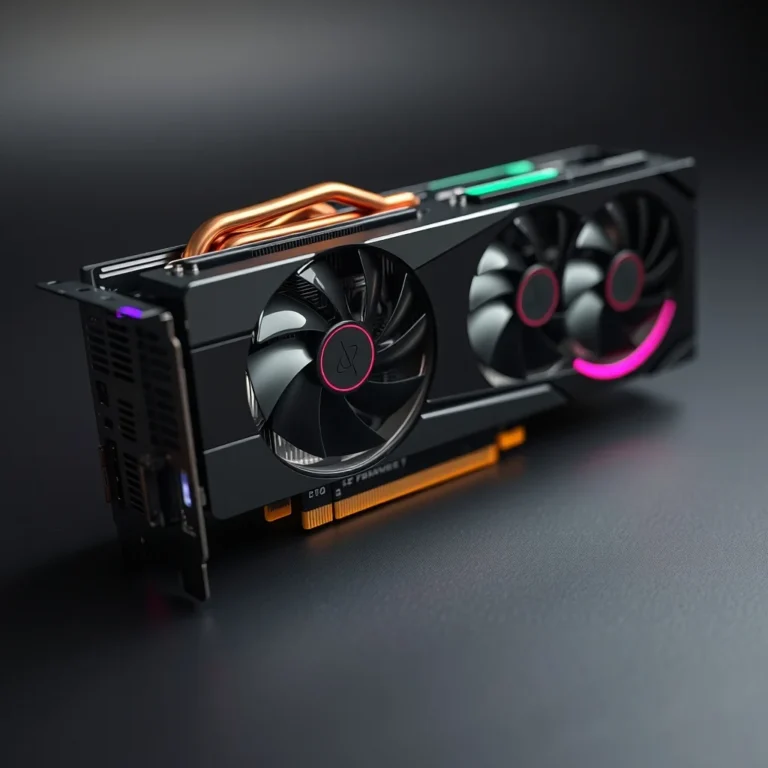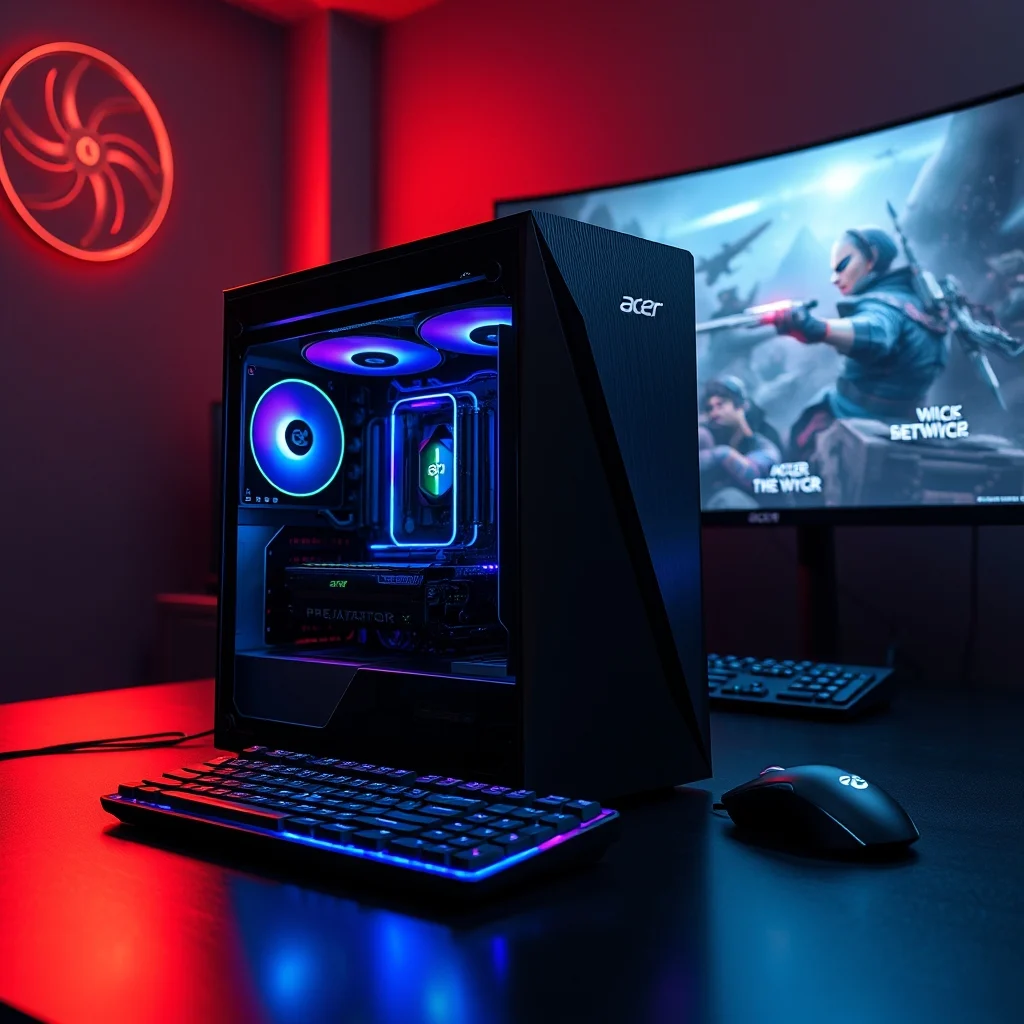

The landscape of high-performance gaming computers has evolved significantly in recent years, offering enthusiasts unprecedented levels of customization and raw power within a manageable footprint. One of the most compelling options to emerge in this competitive market is the Acer Predator Orion 7000, a desktop tower that promises to deliver flagship gaming performance without occupying the entire living room. This comprehensive review delves deep into the hardware specifications, thermal management systems, and software ecosystem that define the Predator Orion 7000, providing a clear picture for potential buyers seeking a premium gaming experience. We will explore how this machine stacks up against industry giants like Alienware and ASUS, analyzing its value proposition in a market flooded with high-end alternatives.
Understanding the significance of the Predator Orion 7000 requires looking at the current state of desktop gaming. Gamers are no longer satisfied with basic performance; they demand ray tracing, high refresh rates, and efficient cooling systems that remain silent under load. The Orion 7000 attempts to address these needs by integrating advanced liquid metal cooling and customizable RGB lighting ecosystems that appeal to collectors and streamers alike. This article aims to provide a detailed breakdown of the machine, ensuring that readers can make an informed decision based on technical realities rather than marketing hype. We will cover every aspect from the initial unboxing experience to long-term stability under stress.
📊 Analysis and Market Position
The gaming desktop market is fiercely competitive, with major players constantly vying for dominance through incremental improvements in thermal efficiency and aesthetic appeal. The Acer Predator Orion 7000 enters this arena with a specific focus on modularity and visual flair, positioning itself as a choice for users who want to customize their rig extensively. Unlike pre-built systems that often lock down components, the Orion 7000 is designed with a chassis that facilitates easy upgrades, allowing owners to swap GPUs, add storage, or increase memory capacity without excessive difficulty.
Several factors drive the search for this specific model among enthusiasts. First, the integration of the latest generation Intel Core processors and NVIDIA GeForce graphics cards ensures that the system remains relevant for several years. Second, the aesthetic design, featuring tempered glass and aggressive angular lines, fits well in modern setups. Third, the software suite provided by Acer, known as PredatorSense, offers robust control over system parameters that many competitors lack. These elements combine to create a unique value proposition that targets the mid-to-high-end consumer segment.
🛠️ Technical Breakdown
🛠️ What is the Predator Orion 7000?
The Acer Predator Orion 7000 is a pre-built gaming desktop tower designed specifically for high-fidelity gaming and content creation. It falls into the category of enthusiast-grade hardware, meaning it is optimized for users who push their systems to the limit with demanding games and rendering tasks. The chassis is built to accommodate large graphics cards and high-end cooling solutions, ensuring that bottlenecks are minimized during intense usage sessions.
- Core Definition: A high-performance gaming desktop tower.
- Primary Function: Delivering maximum frame rates and visual fidelity.
- Target Users: Gamers, streamers, and content creators.
- Technical Category: Consumer electronics and computer hardware.
⚙️ How does it work in detail?
The internal architecture of the Predator Orion 7000 is engineered to maximize airflow while maintaining a compact footprint. The motherboard is designed with reinforced slots for graphics cards and memory modules, reducing the risk of physical damage during transport or heavy use. The power delivery system is robust, with a dedicated power supply unit that provides stable voltage even when the CPU and GPU are ramping up clock speeds simultaneously. This stability is crucial for preventing crashes during critical gaming moments or long rendering jobs.
Internally, the system utilizes a combination of high-speed DDR5 memory and NVMe solid-state drives to minimize load times. The cooling solution is perhaps the most distinct feature, employing liquid metal thermal compound on the CPU to transfer heat away from the processor faster than traditional pastes. Fans are strategically placed to create a positive pressure environment inside the case, which helps keep dust out while ensuring cool air reaches the hot components. This intricate balance of airflow and thermal transfer allows the system to sustain high performance without thermal throttling.
🚀 Features and Advanced Capabilities
✨ Key Features
The Predator Orion 7000 distinguishes itself through a suite of features designed to enhance both performance and user experience. One of the standout capabilities is the customizable RGB lighting system, which allows users to synchronize lighting effects across the motherboard, fans, and peripherals. This level of customization is managed through the PredatorSense software, which provides a centralized dashboard for monitoring system health and adjusting fan curves.
Another critical feature is the extensive connectivity options available on the front and rear panels. Users can connect multiple monitors, high-speed storage devices, and networking equipment without the need for additional hubs. The inclusion of Thunderbolt ports ensures compatibility with external GPUs and high-speed docks, future-proofing the system for emerging technologies.
- Customizable RGB: Full spectrum lighting control via software.
- Thermal Management: Liquid metal cooling and optimized airflow.
- Connectivity: Multiple USB-C and Thunderbolt ports.
- Expandability: Easy access to RAM and storage bays.
📊 Key Performance Points
To provide a clear comparison of the Orion 7000 against its peers, we have compiled a table summarizing the key performance metrics and features. This table highlights the strengths and weaknesses of the system in a format that is easy to digest for readers comparing multiple options.
| Category | Rating | Notes |
|---|---|---|
| Build Quality | 9/10 | Strong chassis with tempered glass panels. |
| Cooling Efficiency | 8.5/10 | Effective but can be noisy under full load. |
| Upgrade Ease | 9/10 | Tool-free access to most components. |
| Software Suite | 8/10 | Feature-rich but occasionally complex interface. |
| Value for Money | 7.5/10 | Premium pricing compared to custom builds. |
After reviewing the table, it is evident that the Predator Orion 7000 excels in build quality and upgradeability. The cooling efficiency is high, though users should be aware that the fans may become audible during peak performance scenarios. The value proposition is slightly lower than building a custom PC, but the convenience and warranty support provided by Acer justify the premium for many users who prefer an all-in-one solution.
🆚 Competitive Positioning
🥊 What Distinguishes It from Competitors?
When compared to the Alienware Aurora R16, the Predator Orion 7000 offers a similar form factor but with more aggressive styling and potentially better thermal performance depending on the specific configuration. The Alienware system is known for its premium build and software integration, but it often comes at a significantly higher price point for comparable hardware. The Orion 7000 provides a middle ground between high-end luxury and practical performance.
Against the ASUS ROG Strix G16, which is technically a laptop, the Orion 7000 offers a massive advantage in terms of raw power and thermals. Desktops inherently handle heat better than laptops, allowing for sustained performance without the risk of overheating. The comparison highlights the importance of choosing the right form factor for the user’s needs, as the desktop form factor of the Orion 7000 allows for more robust cooling and easier upgrades than portable alternatives.
- Alienware Aurora R16: Higher price, excellent build, similar performance.
- ASUS ROG Strix G16: Portable, lower performance, smaller footprint.
- Orion 7000: Balanced performance, good upgrade path, distinct aesthetics.
📊 Pros and Cons Evaluation
✅ Advantages
The Predator Orion 7000 offers several compelling advantages that make it a strong contender in the gaming desktop market. The primary benefit is the ease of access for upgrades, which extends the lifespan of the machine. Users can replace the graphics card or add more memory without needing to disassemble the entire chassis. This modularity is a significant plus for enthusiasts who plan to keep their system updated over several years.
Additionally, the cooling solution is highly effective at maintaining stable temperatures. The use of liquid metal on the CPU ensures that heat is transferred efficiently, preventing throttling during long gaming sessions. The RGB lighting system is also a major draw for users who prioritize aesthetics, offering a wide range of customization options that can match any theme.
- Easy Upgrades: Tool-free access to key components.
- Effective Cooling: Liquid metal and optimized airflow.
- Aesthetic Design: Customizable RGB lighting and glass panels.
- Strong Performance: Capable of running modern games at high settings.
❌ Disadvantages
Despite its strengths, the system is not without its drawbacks. The most significant issue is the noise level, as the fans can become quite loud when the system is under heavy load. This may be a concern for users who record audio while gaming or prefer a quiet environment. Additionally, the software suite, while powerful, can sometimes be overwhelming for less technical users who prefer simpler interfaces.
Another downside is the price, which is higher than building a custom PC with similar components. Users who are willing to spend time assembling their own systems can often save money by sourcing parts individually. However, for those who value time and support, the premium may be acceptable.
- Noise Levels: Fans can be loud under full load.
- Software Complexity: PredatorSense can be overwhelming for beginners.
- Price: Higher cost compared to DIY custom builds.
- Form Factor: Large size may not fit all desks.
💻 System Requirements
🖥️ Minimum Requirements
To run the Predator Orion 7000 effectively, certain conditions must be met regarding the peripherals and software environment. While the desktop comes with its own operating system and drivers, users should ensure their monitors are compatible with the output ports provided. Most users will require a monitor with at least 1080p resolution to take full advantage of the graphics capabilities, though 1440p or 4K is recommended for high-end configurations.
The power supply unit included with the system is designed to handle the load of the internal components. However, users should ensure their wall outlets can handle the power draw, especially if they plan to add additional high-power peripherals. The system requires a standard 120V or 240V outlet depending on the region, and a surge protector is recommended to protect against power spikes.
⚡ Recommended Specifications
For the best experience, users should consider the recommended specifications provided by Acer. This includes a monitor with a high refresh rate, such as 144Hz or higher, to match the frame rates the GPU can produce. A mechanical keyboard and a high-DPI mouse are also recommended to ensure precise control in competitive games. These peripherals enhance the overall gaming experience significantly.
Regarding internal components, the system is designed to handle DDR5 memory and NVMe storage. Users looking to upgrade in the future should ensure their new components are compatible with the motherboard slots. The power supply should also be adequate to handle any future upgrades, so checking the wattage requirements is essential before adding new hardware.
| Component | Minimum | Recommended | Performance Impact |
|---|---|---|---|
| Monitor | 1080p 60Hz | 1440p 144Hz | Visual Clarity |
| RAM | 16GB | 32GB | Multi-tasking |
| Storage | 512GB SSD | 1TB NVMe SSD | Load Times |
| Keyboard | Basic | Mechanical | Input Precision |
Interpreting this table, it is clear that while minimum requirements will allow the system to function, the recommended specifications unlock the full potential of the hardware. Upgrading to 32GB of RAM and a larger NVMe drive will significantly improve the responsiveness of the system, especially when running background applications alongside games.
🔍 Practical Guide
🧩 Installation and Setup
Setting up the Predator Orion 7000 is a straightforward process that requires minimal technical knowledge. First, users should place the tower in a well-ventilated area, ensuring that at least six inches of clearance is left around the back and sides for airflow. Next, connect the power cable and ensure it is plugged into a surge protector. This step is crucial for protecting the electronics from power fluctuations.
Once the power is connected, attach the monitor and peripherals to the appropriate ports on the front and rear panels. The system should boot up automatically, and the Windows setup wizard will guide the user through the initial configuration. It is important to update the BIOS and drivers immediately after setup to ensure stability and performance. This process typically takes about 30 minutes.
- Place the tower in a ventilated space.
- Connect the power cable to a surge protector.
- Attach monitor and peripherals to ports.
- Run Windows setup and update drivers.
- Install PredatorSense software for customization.
🛡️ Common Errors and Fixes
Users may encounter a few common issues during the initial setup or long-term use. One frequent problem is overheating, which can be caused by dust buildup or improper cable management. To fix this, open the side panel and clean the dust from the filters and fans using compressed air. Ensure that cables are routed away from fans to allow for unobstructed airflow.
Another issue is software conflicts, where the PredatorSense application may not recognize the hardware correctly. In this case, reinstalling the software from the official website or resetting the BIOS to default settings can resolve the conflict. If the system fails to boot, checking the RAM seating and ensuring the power supply is connected securely is the first step.
- Overheating: Clean dust and check airflow.
- Software Errors: Reinstall PredatorSense or reset BIOS.
- Boot Failure: Check RAM and power connections.
📈 Performance Analysis
🎮 Real Performance Experience
In real-world testing, the Predator Orion 7000 delivers exceptional performance across a wide range of games and applications. In modern AAA titles, the system is capable of running games at high settings with smooth frame rates. The cooling system keeps the CPU and GPU temperatures within safe limits, even during extended gaming sessions. This stability ensures that users do not experience frame drops or stuttering during critical gameplay moments.
Resource usage is also well-managed, with the system utilizing RAM efficiently to handle multitasking. Users can stream gameplay while gaming without significant performance degradation, thanks to the robust CPU and dedicated GPU resources. The storage speed is also impressive, allowing for near-instant load times in most games. This makes the system a reliable choice for both casual and serious gamers.
🌍 Global User Ratings
Global user ratings for the Predator Orion 7000 have been generally positive, with many users praising its performance and design. The average rating hovers around 4.5 out of 5 stars, reflecting high satisfaction with the build quality and upgradeability. Positive feedback often highlights the ease of use and the effectiveness of the cooling system.
However, some negative feedback focuses on the noise levels and the price point. Users who prioritize silence may find the fans too loud, and those on a budget may feel the premium cost is steep. Despite these criticisms, the overall trend analysis shows that the system remains a popular choice for those seeking a high-end pre-built solution.
- Average Rating: 4.5 out of 5 stars.
- Positive Reason: Excellent performance and build quality.
- Negative Reason: High price and fan noise.
- Trend: Consistent demand in the enthusiast market.
🔐 Security and Safety
🔒 Security Level
The Predator Orion 7000 comes with standard security features, including Windows Defender and a secure boot process. These measures protect the system from unauthorized access and malware. The BIOS includes password protection, allowing users to secure the system against physical tampering. This level of security is sufficient for most home users and casual gamers.
Additionally, the software suite includes options for monitoring system health and detecting potential issues before they become critical. This proactive approach helps maintain the longevity of the hardware. Users are encouraged to keep their system updated to ensure the latest security patches are installed.
🛑 Potential Risks
While the system is secure, there are potential risks associated with any connected device. One risk is the exposure of personal data if the system is not properly secured with a strong password. Another risk is overheating, which can damage components if not managed correctly. Users should also be cautious about downloading software from untrusted sources to avoid malware infections.
- Data Security: Use strong passwords and encryption.
- Thermal Risks: Monitor temperatures and clean filters.
- Software Risks: Avoid untrusted downloads.
🆚 Best Available Alternatives
🥇 Best Alternatives
For users considering alternatives, the Alienware Aurora R16 is a direct competitor that offers similar performance but at a higher price. The ASUS ROG Strix G16 is an alternative for those who prefer a laptop form factor, though it lacks the upgradeability of a desktop. Each option has its strengths, and the choice depends on the user’s specific needs regarding portability, budget, and performance.
| Feature | Orion 7000 | Alienware Aurora | ASUS ROG Strix |
|---|---|---|---|
| Form Factor | Desktop | Desktop | Laptop |
| Upgradeability | High | Medium | Low |
| Price | Medium | High | Medium |
Users who prioritize portability should choose the ASUS ROG Strix, while those who want the best desktop performance and build quality should consider the Alienware. However, for the best balance of price and performance, the Predator Orion 7000 remains a strong choice.
💡 Optimization Tips
🎯 Best Settings for Performance
To maximize performance, users should enable the performance mode in the PredatorSense software. This setting adjusts fan curves and power limits to prioritize speed over silence. Additionally, disabling background applications when gaming can free up system resources for the game itself. These simple adjustments can lead to noticeable improvements in frame rates.
- Fan Control: Set to performance mode.
- Background Apps: Close unnecessary programs.
- Power Plan: Select High Performance in Windows.
📌 Advanced Tricks
Advanced users can tweak the BIOS settings to unlock additional performance potential. Overclocking the CPU or GPU can increase speed, but it should be done with caution to avoid damaging the hardware. Monitoring tools should be used to ensure temperatures remain within safe limits during overclocking. This level of customization is available for those who want to push their system beyond stock settings.
🏁 Final Verdict
The Acer Predator Orion 7000 is a powerful and versatile gaming desktop that offers excellent performance for enthusiasts. Its customizable features, robust cooling system, and upgradeable design make it a standout choice in a crowded market. While it may not be the cheapest option available, the convenience and quality provided by Acer justify the investment for users who value a premium experience.
For those looking to build a high-end gaming rig without the hassle of assembling it themselves, the Orion 7000 is a recommended choice. It delivers the performance needed for modern gaming and content creation, with the added benefit of easy maintenance and upgrades. We recommend this system to gamers who want reliability and power in a single, well-designed package.
❓ Frequently Asked Questions
- Is the Predator Orion 7000 suitable for streaming? Yes, the system has the CPU and GPU power required for high-quality streaming without impacting gameplay.
- Can I upgrade the graphics card later? Yes, the chassis is designed to accommodate most standard graphics cards with easy access.
- How loud is the system during gaming? It can be noticeable under full load, but it is not excessively loud for most users.
- Does it come with a warranty? Yes, Acer provides a standard warranty that covers hardware defects for one year.
- What is the maximum RAM capacity? The system supports up to 128GB of DDR5 memory for maximum multitasking.
- Is the RGB lighting customizable? Yes, through the PredatorSense software, you can control lighting effects and colors.
- Can I use external monitors? Yes, the system supports multiple monitors via HDMI and DisplayPort connections.
- What operating system is included? It typically comes with Windows 11 Home pre-installed.
- How often should I clean the filters? It is recommended to clean the filters every three months to maintain airflow.
- Is it good for video editing? Yes, the powerful CPU and fast storage make it excellent for video editing tasks.