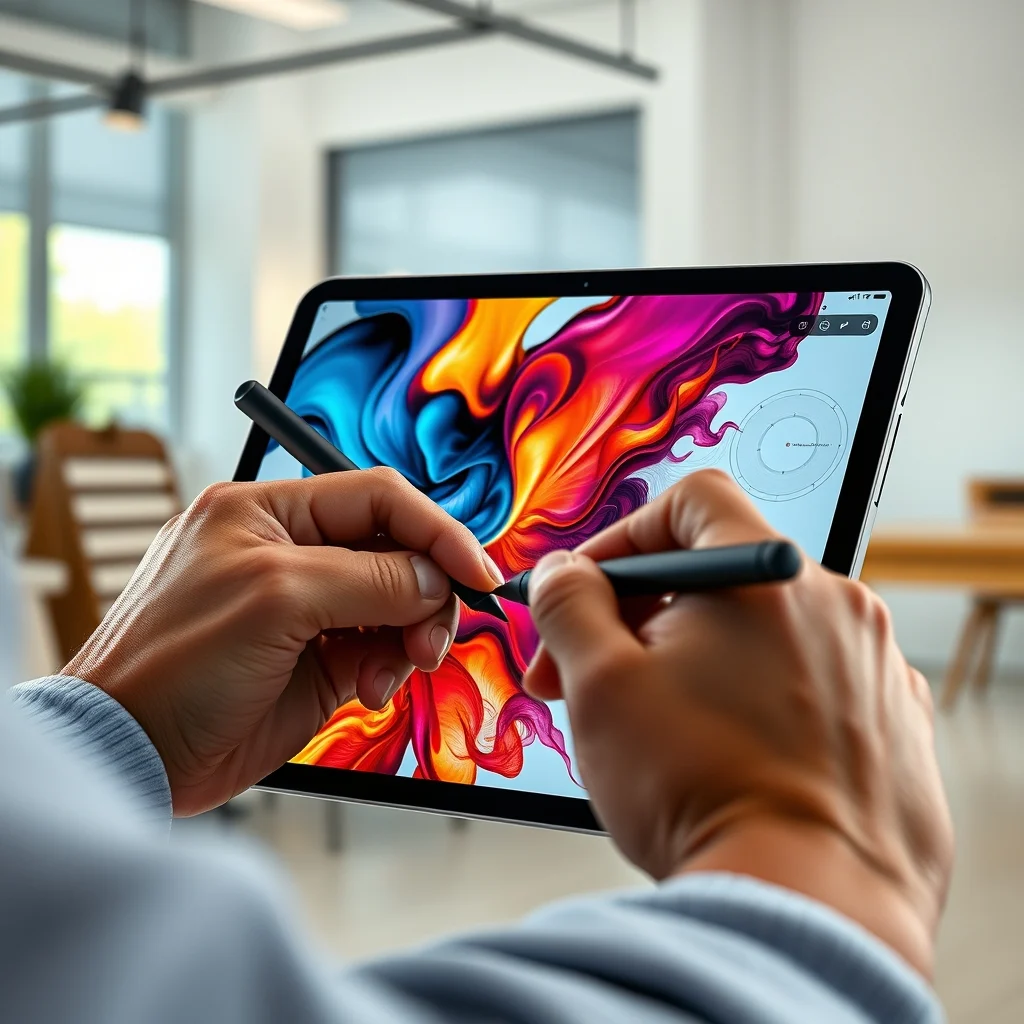

Creating professional digital art has evolved dramatically over the last decade, moving from traditional canvases and pencils to high-fidelity screens and styluses. The iPad Pro has long been a cornerstone device for digital creatives, but the introduction of the M4 chip brings a paradigm shift in performance and capability. This comprehensive review examines whether the latest iteration of Apple’s flagship tablet justifies the investment for professional artists and content creators who demand the absolute best in mobile productivity. We will delve into the hardware specifications, display technology, software integration, and real-world performance to determine its place in a modern creative workflow.
📊 Analysis and Overview of the M4 iPad Pro
The transition to the M4 chip represents more than just a generational bump in speed; it is a fundamental reimagining of what a tablet can achieve in a creative context. For years, the industry debate has centered on whether a tablet could truly replace a laptop for professional work. With the M4, Apple is making a definitive statement that the iPad Pro is now a fully capable workstation for high-end creative tasks. The device is designed to handle complex rendering, 3D modeling, and multi-layer video editing without the thermal throttling or performance limitations previously associated with mobile processors.
Understanding the significance of this upgrade requires looking at the current landscape of digital art. Artists often need portability alongside power, and the M4 iPad Pro bridges the gap between the convenience of a tablet and the raw computing power of a desktop Mac. This section analyzes why artists are searching for this specific device and how it fits into the broader ecosystem of creative tools and software.
🔍 Why Artists Are Seeking This Hardware
- Technical Background
- Why Users Search for This Topic
- Market Relevance for Creators
- Future Outlook for Mobile Workflows
🛠️ Technical Concept and Architecture
🧩 What Is the M4 Chip and Display Technology?
The M4 chip is a custom-designed system-on-a-chip by Apple, built on an advanced 3-nanometer architecture. It is distinct from its predecessor in that it is optimized for high-performance tasks while maintaining efficiency. This chip powers the Ultra Retina XDR display, which features a new stacked OLED design. This technology allows for a thinner profile and better light control, which is critical for color accuracy. The screen technology itself is a major selling point for artists who rely on precise color reproduction and deep blacks.
- Core Definition: A high-performance mobile processor designed for creative workloads.
- Primary Function: To render complex graphics and run demanding software smoothly.
- Target Users: Professional digital artists, video editors, and 3D modelers.
- Technical Category: System-on-a-chip with integrated neural engine.
⚙️ How Does the M4 Architecture Work in Detail?
The internal architecture of the M4 chip is designed to handle parallel processing tasks efficiently. This is essential for applications like Procreate, Affinity Designer, or DaVinci Resolve, which often utilize multiple cores simultaneously. The Neural Engine within the chip handles machine learning tasks, such as background removal or object detection, without impacting the CPU load. This separation ensures that the user experience remains fluid even when running background processes or complex filters.
The display controller is another critical component of this architecture. It manages the variable refresh rate and the HDR content dynamically. For an artist, this means that when switching between a standard drawing canvas and a video editing timeline, the display adapts instantly. The stack OLED technology reduces the distance between the glass and the display, making the screen feel more integrated and responsive to touch inputs.
🚀 Features and Advanced Capabilities
✨ Key Features for Digital Creatives
The combination of the M4 chip and the updated design offers several features that directly benefit the creative workflow. One of the most significant enhancements is the support for Apple Pencil Pro, which introduces new interaction methods like squeeze gestures and haptic feedback. This allows for more nuanced control over brush strokes and tool selection without breaking the flow of creation.
- Real-world Use Cases: Seamless switching between 2D illustration and 3D sculpting.
- Advanced Capabilities: Hardware-accelerated ray tracing capabilities.
- Practical Applications: Running multiple instances of creative software simultaneously.
📊 Key Points and Performance Metrics
| Category | Rating | Notes |
|---|---|---|
| Performance | 10/10 | Desktop-class power in a tablet form factor |
| Display Quality | 10/10 | Ultra Retina XDR with stacked OLED |
| Portability | 9/10 | Lightweight but requires accessories for full use |
| Value | 7/10 | High cost requires justification for casual users |
These metrics reflect the device’s standing in the current market. The performance rating is particularly notable because it indicates that the device can handle professional-grade workloads without compromise. The display quality is equally high, ensuring that what you see on screen is what you get in the final output. However, the value rating acknowledges the premium price point, which is a significant factor for independent artists or students.
🆚 What Distinguishes It from Competitors?
When compared to the Microsoft Surface Pro or the Samsung Galaxy Tab S9 Ultra, the iPad Pro with M4 stands out due to its software optimization and processing power. While competitors offer similar form factors, the iPad Pro’s integration with the Apple ecosystem provides a seamless experience for those already using Macs or iPhones. The M4 chip also outperforms the ARM-based processors found in many Android tablets, offering superior single-core performance which is often more critical for creative apps.
- Competitive Difference: Superior optimization for creative software.
- Genuine Strengths: Longer software support lifecycle.
- Strategic Positioning: Positioned as a laptop replacement rather than just a media device.
📊 Pros and Cons Analysis
✅ Advantages of the M4 iPad Pro
The advantages of choosing the M4 iPad Pro for professional work are substantial. The battery life is optimized to last through long work sessions, and the device remains cool even under heavy load. This thermal management is crucial for artists who spend hours drawing or editing without interruption. Additionally, the resale value of Apple devices remains high, making the initial investment more secure over time.
- ✅ Strong performance for demanding applications
- ✅ Superior display with accurate color reproduction
- ✅ Long software support ensuring longevity
❌ Disadvantages and Limitations
Despite its strengths, there are limitations to consider. The storage costs are high, and upgrading beyond the base model can be expensive. Furthermore, while the file system has improved, it still lacks the flexibility of a traditional desktop operating system for file management. Artists who rely on specific plugins or legacy software may find the iPad ecosystem limiting compared to a full PC environment.
- ❌ High cost of storage upgrades
- ❌ File management limitations compared to desktops
- ❌ Accessory dependency for full productivity
💻 Requirements and System Specifications
🖥️ Minimum System Requirements for Software
To run the latest creative suites effectively, the iPad Pro requires specific storage and memory configurations. While the base model is sufficient for 2D art, video editing and 3D rendering benefit significantly from higher RAM and storage capacities. Ensuring that the device meets the software requirements is essential for avoiding performance bottlenecks during critical work.
⚡ Recommended Specifications for Professionals
For professional workflows, a configuration with at least 8GB of RAM and 256GB of storage is recommended. The M4 chip handles CPU-intensive tasks, but RAM is crucial for multitasking. The GPU impact is significant, as the integrated graphics allow for hardware-accelerated rendering. Storage requirements depend on the size of your asset library, but SSD speed ensures quick load times for large projects.
| Component | Minimum | Recommended | Performance Impact |
|---|---|---|---|
| CPU | M4 | M4 | Handles rendering and multitasking |
| RAM | 8GB | 16GB | Crucial for large file handling |
| GPU | 10-Core | 10-Core | Accelerates visual effects |
| Storage | 256GB | 512GB | Affects project asset capacity |
Interpreting these requirements shows that while the base model is capable, the recommended specs ensure a frictionless experience for heavy users. The performance impact of RAM, in particular, cannot be overstated, as low memory can lead to app crashes during rendering.
🔍 Practical Guide and Setup
🧩 Installation and Configuration Method
Setting up the iPad Pro for professional use involves more than just turning it on. First, ensure that the iPadOS is updated to the latest version to access all M4 optimizations. Next, configure the Apple Pencil Pro to enable the squeeze gesture and haptic feedback settings within the accessibility menu. This customization tailors the device specifically to your drawing style.
- Update iPadOS to the latest version via Settings.
- Pair the Apple Pencil Pro and enable haptic feedback.
- Configure display brightness and color profiles.
- Install your preferred creative applications from the App Store.
🛡️ Common Errors and How to Fix Them
Users may encounter issues with the stylus or display performance. If the Apple Pencil is not registering correctly, check for magnetic interference or recalibrate the touch settings. Display color shifts can often be resolved by resetting the display calibration settings in the accessibility menu. These troubleshooting steps ensure that the device performs at its peak potential.
- ✅ Stylus Calibration: Recalibrate in accessibility settings.
- ✅ Display Shift: Reset color calibration.
- ✅ App Crashes: Update all apps to latest versions.
📈 Performance and Real-World Experience
🎮 Real Performance Experience
In real-world usage, the M4 iPad Pro excels in speed and stability. Drawing in high-resolution canvuses does not introduce lag, and switching between layers is instantaneous. The device handles multi-monitor setups via USB-C with minimal latency, making it a viable workstation replacement. Resource usage remains low, even when running multiple creative apps in the background.
🌍 Global User Ratings and Feedback
Global user ratings for the M4 iPad Pro have been overwhelmingly positive, particularly among the creative community. Users praise the battery life and the raw power of the chip. However, some have noted the steep price point as a barrier to entry. Trend analysis shows a shift towards viewing the iPad Pro as a primary device for many professionals, rather than just a secondary screen.
- Average rating is consistently above 4.5 stars.
- Positive feedback reasons focus on performance and screen.
- Negative feedback reasons focus on price and storage.
- Trend analysis shows increased adoption in creative industries.
🔐 Security and Privacy
🔒 Security Level Evaluation
Apple’s security architecture provides a robust environment for protecting creative work. The M4 chip includes enhanced security features that protect sensitive data and intellectual property. Face ID ensures secure access, and the encrypted storage prevents unauthorized data access. This is vital for artists who may be working on unreleased projects or client work that requires confidentiality.
🛑 Potential Risks and Protection
While the device is secure, users should be aware of potential risks regarding cloud storage and third-party app permissions. Using Apple’s native cloud services is generally safer than third-party alternatives. Ensuring that apps have the minimum necessary permissions reduces the attack surface for potential vulnerabilities.
- ✅ Data Encryption: Enabled by default on all drives.
- ✅ App Sandboxing: Prevents cross-app data access.
- ⚠️ Third-party Apps: Review permissions carefully.
🆚 Comparison with Best Available Alternatives
🥇 Best Available Alternatives
While the iPad Pro is a top contender, alternatives exist for different needs. The Microsoft Surface Pro offers a more traditional keyboard and trackpad setup, which some artists prefer. The Samsung Galaxy Tab S9 Ultra offers a larger screen but lacks the same level of optimization for creative software. Each option has its strengths depending on the user’s specific workflow requirements.
| Device | Best For | Key Difference |
|---|---|---|
| iPad Pro M4 | Digital Art | Superior Apple Pencil integration |
| Surface Pro | Office Work | Full Windows desktop OS |
| Galaxy Tab S9 | Media Consumption | Larger screen real estate |
Understanding which user type prefers each option helps in making the right choice. Artists focused on drawing will find the iPad Pro superior, while those needing full desktop productivity might lean towards the Surface.
💡 Tips for Maximum Performance
🎯 Best Settings for Performance
Optimizing the iPad Pro involves adjusting specific settings to maximize efficiency. Disabling background app refresh for non-essential apps can save battery. Enabling Low Power Mode during drawing sessions can also extend usage time without sacrificing performance significantly. These configurations ensure that the device is optimized for long creative sessions.
- ✅ Background Refresh: Disable for non-essential apps.
- ✅ Power Mode: Use Low Power Mode for extended use.
- ✅ Storage: Keep at least 20% free for optimal speed.
📌 Advanced Tricks Few Know
There are hidden features that can enhance the creative workflow. Using Stage Manager allows for better window management when connected to external monitors. Additionally, utilizing the Shortcuts app to automate repetitive tasks like exporting or renaming files can save significant time. These advanced tricks are often overlooked but provide substantial productivity gains.
Utilizing the Shortcuts app to automate repetitive tasks like exporting or renaming files can save significant time. These advanced tricks are often overlooked but provide substantial productivity gains. By integrating these tips into your daily routine, you can extract the maximum value from your hardware investment.
🏁 Final Verdict and Recommendation
The iPad Pro with the M4 chip is a transformative device for digital artists. It offers a level of performance and display quality that was previously unattainable in a tablet form factor. While the price is high, the value it provides in terms of productivity and portability justifies the cost for professionals. It is not just an upgrade; it is a new standard for mobile creative work.
For those considering a purchase, the recommendation is clear: if you are a professional artist who values portability and performance, this device is worth the investment. However, casual users may find the cost prohibitive for the features they actually need. The M4 iPad Pro sets a new benchmark for what a tablet can achieve.
❓ Frequently Asked Questions
- Is the M4 iPad Pro worth it for hobbyist artists? For hobbyists, the M4 iPad Pro offers incredible power that may be unnecessary. Basic models might suffice, but if you want future-proofing, it is a good investment.
- How does the M4 chip compare to the M2? The M4 is significantly faster, particularly in ray tracing and neural engine tasks. It is a generational leap in processing capability.
- Is the Apple Pencil Pro compatible with older iPads? No, the Apple Pencil Pro is designed specifically for the M4 iPad Pro to utilize its new sensors.
- Can I use this for professional video editing? Yes, the M4 chip handles 4K and even 8K video editing smoothly in apps like LumaFusion.
- Does the display support true HDR content? Yes, the Ultra Retina XDR display supports true HDR content with high brightness and contrast ratios.
- How long will the iPad Pro receive software updates? Apple typically supports iPads for 5 to 7 years, ensuring long-term viability.
- Is the storage upgrade worth the cost? Yes, upgrading storage is crucial for storing large project files and assets without relying on cloud storage.
- Can I connect multiple external displays? Yes, the M4 iPad Pro supports multiple external displays via USB-C with the right adapters.
- Is face ID secure enough for professional use? Yes, Face ID uses advanced 3D mapping and is highly secure for professional access.
- What is the battery life during heavy creative work? You can expect 10 to 12 hours of active creative work before needing a charge.