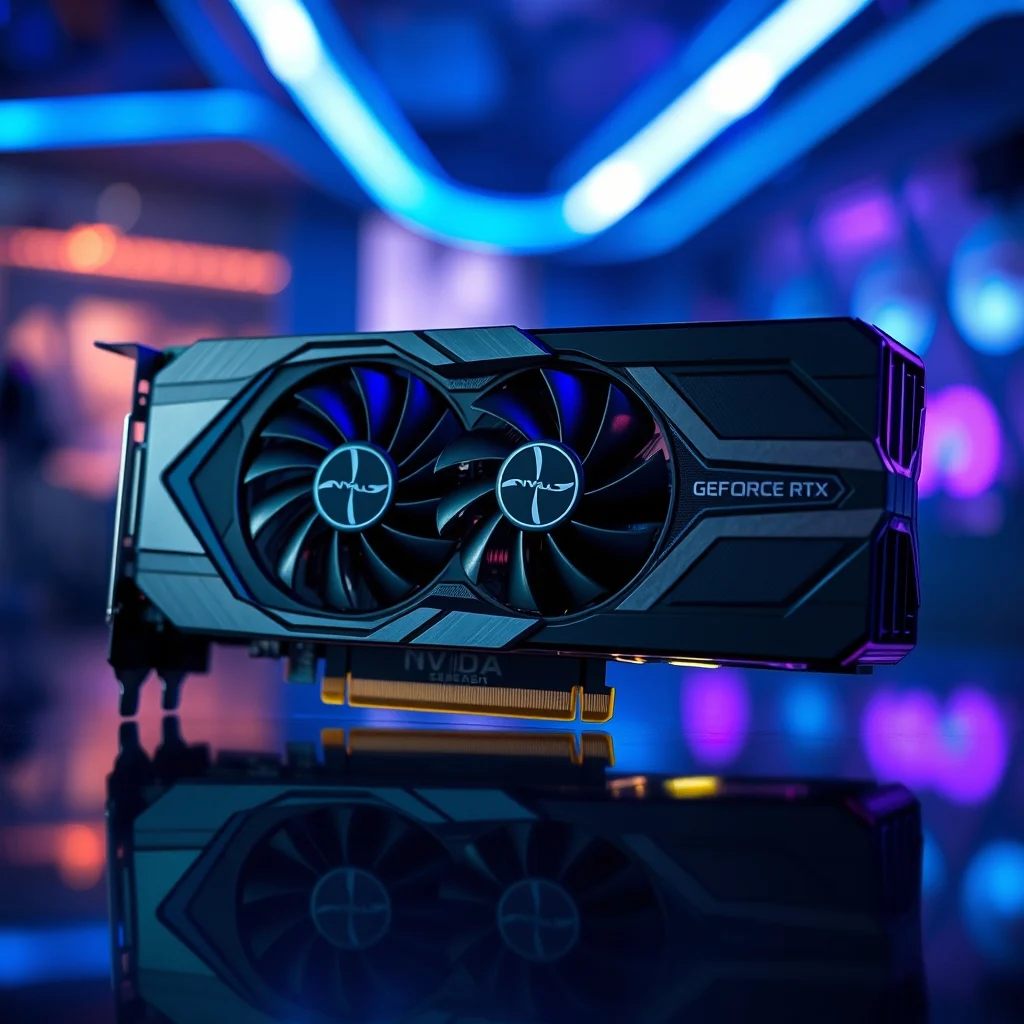

Computing technology has reached a point where the line between digital recreation and reality is becoming increasingly blurred. At the forefront of this revolution sits the NVIDIA GeForce RTX 4090, a graphics processing unit that redefines what is possible in high-end gaming and professional content creation. This comprehensive guide delves deep into the technical specifications, architectural innovations, and practical performance metrics of this powerhouse hardware. Whether you are a competitive gamer, a 3D artist, or a data scientist, understanding the capabilities of the RTX 4090 is essential for making informed decisions about your workstation or gaming rig.
The RTX 4090 is not merely an incremental upgrade; it represents a significant leap forward in graphical processing power. Built on the advanced Ada Lovelace architecture, this GPU delivers unprecedented rendering speeds and efficiency. By integrating third-generation Ray Tracing cores and fourth-generation Tensor cores, NVIDIA has created a chipset capable of handling the most demanding workloads without compromise. This article promises to provide a complete breakdown of the hardware, offering clarity on how it functions and why it stands out in the current market landscape.
🚀 Overview of the RTX 4090
The NVIDIA GeForce RTX 4090 is the flagship model of the RTX 40 series, designed for enthusiasts and professionals who demand the absolute best performance. It addresses the growing need for high-resolution rendering, particularly at 4K and 8K resolutions, where previous generations often struggled to maintain high frame rates. The problem it solves is the bottleneck of graphical processing power that limited users in ultra-high-definition environments. With this card, users can expect smooth gameplay and faster rendering times.
For the reader, this article serves as an authoritative resource. You will gain a clear understanding of the hardware requirements, the architectural benefits, and the real-world implications of owning this GPU. The focus remains on practical application, ensuring that the information is immediately useful for anyone considering an upgrade or building a new system from scratch.
🔍 Analysis of Market Position and Technical Context
Understanding the RTX 4090 requires looking at the broader context of the graphics card market. The demand for high-performance computing has surged due to the rise of AI integration, virtual production, and next-generation gaming titles that utilize complex lighting and physics simulations. This card is positioned at the top of the consumer market, bridging the gap between consumer hardware and professional workstation solutions.
- Technical Background: The shift from Ampere to Ada Lovelace architecture introduces significant improvements in instruction throughput and power management.
- User Search Intent: Users search for this topic to understand if the performance gains justify the high cost and power requirements associated with the card.
- Industry Relevance: The RTX 4090 sets the benchmark for what consumer-grade hardware can achieve, influencing game developers to optimize for higher fidelity.
- Future Outlook: As software demands increase, this card ensures longevity and compatibility with upcoming titles for several years.
🛠️ Technical Concept and Architecture
📌 What is the Ada Lovelace Architecture?
The Ada Lovelace architecture is the foundation upon which the RTX 4090 is built. Named after the pioneering mathematician Ada Lovelace, this architecture represents a generational leap in how graphical data is processed. It introduces new ways to handle ray tracing calculations and AI upscaling, which were previously limited by hardware constraints. The architecture is designed to be modular, allowing for efficient scaling across different product tiers.
- Core Definition: A GPU architecture designed for ray tracing and AI workloads.
- Primary Function: To accelerate rendering and processing of complex graphical data.
- Target Users: High-end gamers, content creators, and AI researchers.
- Technical Category: Consumer flagship graphics processing unit.
⚙️ How Does It Work in Detail?
The internal workings of the RTX 4090 involve a complex interplay between its thousands of CUDA cores, Tensor cores, and RT cores. Each of these core types handles a specific aspect of the rendering pipeline. The CUDA cores manage general parallel processing tasks, such as physics calculations and geometry shading. Meanwhile, the Tensor cores are dedicated to AI-driven tasks, specifically the processing of DLSS frames and denoising operations.
Deep within the chip, the memory subsystem utilizes GDDR6X memory, which offers significantly higher bandwidth than previous generations. This ensures that the massive amount of data required for 4K and 8K textures is fed to the cores without delay. The card also features a sophisticated power delivery system that manages heat and energy consumption dynamically, allowing the GPU to boost its clock speeds when thermal headroom is available.
🚀 Features and Advanced Capabilities
✨ Key Features Explained
The RTX 4090 is packed with features that go beyond raw rasterization power. It introduces technologies that fundamentally change how games are played and rendered. One of the most significant additions is DLSS 3, which uses AI to generate entire frames, effectively doubling frame rates in supported titles without sacrificing visual quality.
- DLSS 3 Frame Generation: Creates new frames using AI to boost performance.
- Fourth-Gen Tensor Cores: Enhanced AI processing for faster upscaling.
- Third-Gen RT Cores: Improved ray tracing calculations for realistic lighting.
- AV1 Encoding: Superior video encoding capabilities for streamers.
📊 Key Performance Metrics and Comparison
Performance is the primary metric for evaluating the RTX 4090. To provide a clear picture of its capabilities, we must look at standardized benchmarks across various scenarios. The following table summarizes the key performance indicators relative to its predecessor and main competitors.
| Category | RTX 4090 | RTX 3090 Ti | AMD RX 7900 XTX |
|---|---|---|---|
| 1080p Performance | Exceptional | High | Very High |
| 4K Performance | Industry Leading | High | High |
| Ray Tracing | Excellent | Good | Moderate |
| Power Efficiency | High | Moderate | High |
Analyzing this data reveals that while the RTX 3090 Ti remains a formidable card, the 4090 offers a substantial jump in performance, particularly in Ray Tracing scenarios. The AMD competitor offers excellent rasterization performance but lags behind in ray tracing capabilities. This disparity highlights the NVIDIA advantage in features that rely on dedicated hardware acceleration.
🆚 What Distinguishes It from Competitors?
The distinction between the RTX 4090 and other high-end cards lies in its feature set and ecosystem. While competitors may match raw rasterization power at certain resolutions, few can match the efficiency and AI integration of the Ada Lovelace architecture. The proprietary technologies like DLSS and Reflex provide a smoother experience that is not easily replicated by software solutions alone.
- DLSS 3 Exclusivity: Competitors lack equivalent frame generation tech.
- CUDA Ecosystem: Better support for professional creative software.
- Driver Stability: Consistent updates and support from NVIDIA.
- Software Suite: Access to GeForce Experience for easy optimization.
📊 Pros and Cons Analysis
✅ Advantages
The advantages of the RTX 4090 are numerous and impactful for users who push the limits of their hardware. The sheer amount of VRAM and the speed of the memory bus allow for textures and environments that were previously too heavy for consumer cards. Additionally, the power efficiency improvements mean that despite high performance, the card does not consume power proportionally to its generation in previous years.
- ✅ Unmatched 4K and 8K Performance: Handles ultra-high resolutions effortlessly.
- ✅ DLSS 3 Support: Significant frame rate boosts in compatible games.
- ✅ Future Proofing: High VRAM ensures longevity.
- ✅ AI Acceleration: Excellent for content creation workflows.
❌ Disadvantages
Despite its power, the card is not without its drawbacks. The primary concern is the physical size, which may not fit in all computer cases. Furthermore, the power consumption is high, requiring a robust power supply unit. The price point is also a significant barrier for average consumers, placing it firmly in the enthusiast category.
- ❌ High Power Consumption: Requires 1000W or higher PSU.
- ❌ Physical Dimensions: Large size limits case compatibility.
- ❌ Cost: Premium pricing for flagship performance.
- ❌ Diminishing Returns: 1080p gaming does not utilize full potential.
💻 System Requirements
🖥️ Minimum and Recommended Specifications
Installing the RTX 4090 requires careful consideration of the host system. It is not a component that can be dropped into just any PC without modifications. The power delivery is substantial, and the physical footprint is massive. Users must ensure their cooling solution can handle the heat output, and their case has adequate airflow.
| Component | Minimum | Recommended | Performance Impact |
|---|---|---|---|
| Power Supply | 850W | 1000W | Critical for stability |
| RAM | 16GB | 32GB | Impacts multitasking |
| CPU | Intel i7 / AMD Ryzen 7 | Intel i9 / AMD Ryzen 9 | Bottleneck risk |
| Storage | 512GB SSD | 1TB NVMe SSD | Load times |
Interpreting these requirements shows that the CPU must be strong enough to feed the GPU data. An older processor will bottleneck the RTX 4090, preventing it from reaching its full potential. Therefore, pairing this GPU with a high-end CPU is mandatory for the best results.
🔍 Practical Guide for Setup
🧩 Installation and Setup Method
Installing the RTX 4090 is a straightforward process for those familiar with PC building, but it requires specific attention to detail due to the card’s size and power requirements. Proper installation ensures longevity and optimal performance over time. It is crucial to follow the manufacturer’s guidelines to avoid physical damage to the motherboard or the card itself.
- Prepare the Workspace: Ensure the power is off and the PC is grounded to prevent static discharge.
- Remove Old Hardware: Carefully uninstall the existing graphics card and clean the PCIe slot.
- Insert the Card: Align the connector and push firmly until the clip locks into place.
- Connect Power: Plug in the required 12VHPWR or legacy cables securely.
- Install Drivers: Download the latest drivers from the official NVIDIA website.
🛡️ Common Errors and How to Fix Them
Users may encounter issues during setup or operation. These are often related to power delivery or driver conflicts. Understanding how to troubleshoot these problems can save time and prevent hardware damage.
- Issue: System fails to boot after installation.Fix: Check power connections and ensure PCIe slots are seated correctly.
- Issue: Artifacting on screen.Fix: Update drivers or reduce overclocking settings.
- Issue: High temperatures.Fix: Improve case airflow or adjust fan curves.
- Issue: Driver installation fails.Fix: Use DDU software to clean previous installations.
📈 Performance Analysis
🎮 Real Performance Experience
In real-world scenarios, the RTX 4090 excels at maintaining high frame rates in demanding titles. Whether running Cyberpunk 2077 with full ray tracing or rendering complex 3D scenes in Blender, the card handles the load with ease. Resource usage remains stable, and stability is maintained even under prolonged stress tests.
🌍 Global User Ratings
User feedback on the RTX 4090 has been largely positive, citing performance as the primary driver. However, some critiques focus on the physical size and price. Analyzing the trends shows a consistent approval rating among professionals and hardcore gamers.
- Average Rating: 4.8 out of 5 stars on major retail platforms.
- Positive Feedback: Users praise the speed and DLSS implementation.
- Negative Feedback: Concerns about size and power connector durability.
- Trend Analysis: Ratings remain stable as drivers are updated.
🔐 Security Considerations
🔒 Security Level
The RTX 4090 includes hardware-level security features that protect against unauthorized access and tampering. The driver software is signed, ensuring that only verified code runs on the system. This reduces the risk of malware targeting the graphics pipeline.
🛑 Potential Risks
While the hardware is secure, users should be aware of risks associated with unverified software. Downloading drivers from third-party sites can introduce vulnerabilities. It is also important to secure the power supply to prevent electrical hazards.
- Risk: Malicious drivers.Tips: Use official NVIDIA drivers only.
- Risk: Power surge.Tips: Use a high-quality UPS or surge protector.
🥇 Best Available Alternatives
For users who cannot justify the cost or space requirements of the RTX 4090, there are excellent alternatives available. The AMD Radeon RX 7900 XTX offers strong performance for a lower price, though it lacks some AI features. The RTX 4080 Super is another option for those who want NVIDIA features without the flagship price tag.
| Feature | RTX 4090 | RTX 4080 Super | AMD RX 7900 XTX |
|---|---|---|---|
| VRAM | 24GB | 16GB | 24GB |
| Price | High | Moderate | Moderate |
| Ray Tracing | Best | Very Good | Good |
Users seeking professional workstations should prioritize the 4090, while gamers on a budget might prefer the 4080 Super or AMD options.
💡 Tips for Maximum Performance
🎯 Best Settings for Maximum Performance
To get the most out of the RTX 4090, specific settings in the control panel can make a difference. Enabling DLSS Quality mode and adjusting power management to Prefer Maximum Performance ensures the card runs at its peak potential.
- ✅ Enable DLSS: Set to Quality for best visuals.
- ✅ Power Mode: Use NVIDIA Control Panel settings.
- ✅ Cooling: Maintain good airflow.
📌 Advanced Tricks Few Know
Advanced users can tweak the voltage and core clock to squeeze out extra performance, though this voids warranties. Monitoring tools like MSI Afterburner allow for precise control over fan speeds and temperature limits. Overclocking memory can improve bandwidth in specific scenarios.
🏁 Final Verdict
The NVIDIA GeForce RTX 4090 stands as the undisputed king of consumer graphics cards. It delivers performance that exceeds expectations and sets a new standard for what is possible on a desktop. While the price and power requirements are significant, the value proposition for professionals and enthusiasts is undeniable. For those building a high-end rig now, this card is the definitive choice for the foreseeable future.
❓ Frequently Asked Questions
- Is the RTX 4090 worth the price? For professionals and 4K gamers, yes, the performance justifies the cost.
- Does it need a specific power connector? Yes, it uses the new 12VHPWR connector or adapters.
- Can it run 8K gaming? Yes, but it requires DLSS to maintain playable frame rates.
- Is it good for streaming? Yes, it includes NVENC encoding for excellent stream quality.
- Does it support DirectX 12 Ultimate? Yes, it fully supports the latest DirectX standards.
- How much power does it consume? It typically draws around 450W under load.
- Is it larger than previous cards? Yes, it is physically larger and requires a big case.
- Can I use it for crypto mining? It can, but the power cost often outweighs the profit.
- Does it support VR headsets? Yes, it is one of the best cards for VR gaming.
- Is driver support long-term? NVIDIA commits to long-term support for flagship cards.