
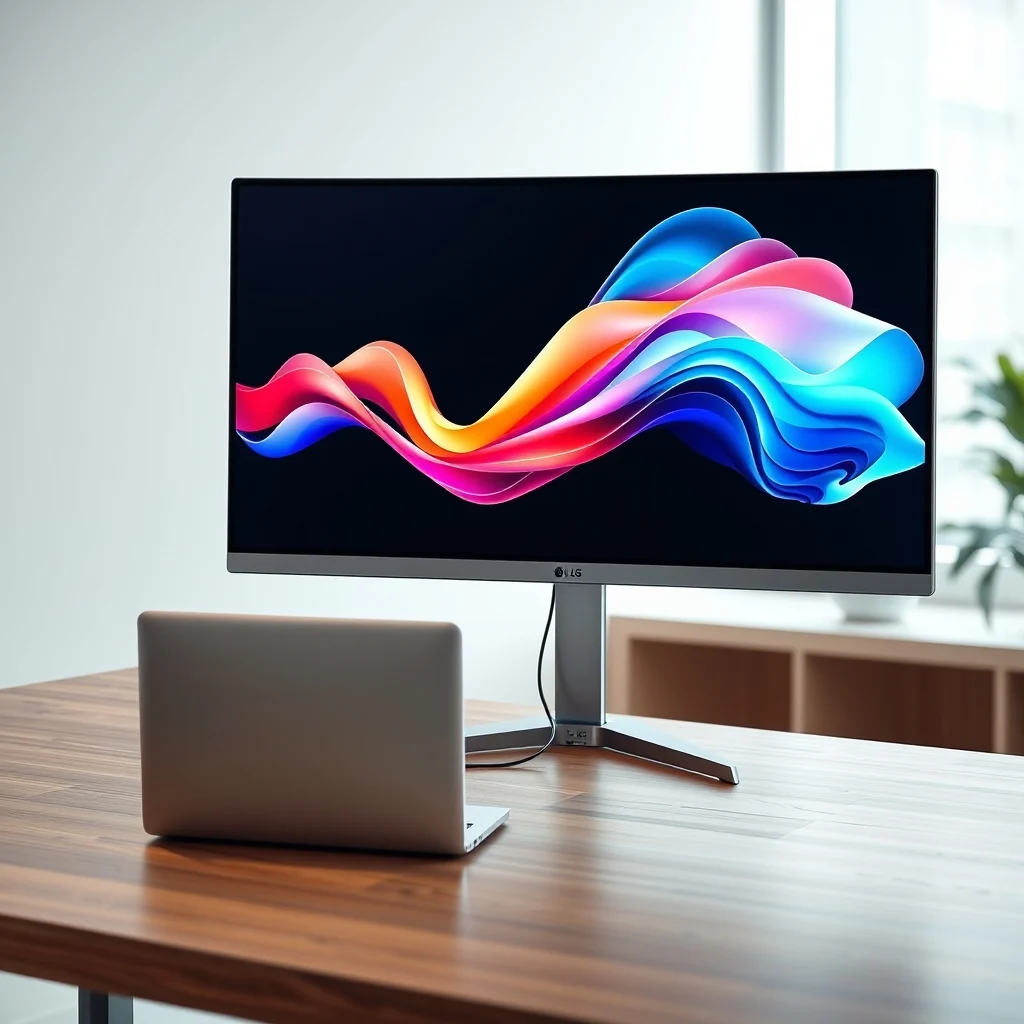

The landscape of professional creative hardware has evolved significantly over the last few years. Designers and video editors require tools that offer precision, reliability, and seamless integration with their workflows. One product that has garnered significant attention in the high-end monitor market is the LG UltraFine 27UN850. This monitor aims to serve as a central hub for creative professionals who demand high resolution and color accuracy without the clutter of multiple cables. In this comprehensive review, we will explore every aspect of the LG UltraFine 27UN850 to determine if it truly deserves a spot on your desk.
Understanding the expectations for a monitor in this price range is crucial. Users typically look for a balance between performance and price. This device promises 4K resolution, Thunderbolt 3 connectivity, and a color gamut that rivals professional reference monitors. We will analyze whether the execution matches the promise. This guide will cover display technology, connectivity options, ergonomic adjustments, and real-world performance scenarios.
🚀 Overview of the Display Technology
The LG UltraFine 27UN850 represents a significant step forward in consumer-grade professional monitors. It combines IPS panel technology with high-resolution output to deliver sharp images and vibrant colors. The 27-inch size is considered the sweet spot for productivity and creative work. It provides enough screen real estate for multiple windows without requiring excessive desk space.
One of the primary selling points of this monitor is its sRGB color gamut coverage. For graphic designers working on web content, this is essential. The monitor also supports HDR10, which allows for a better visual experience when consuming high dynamic range content. However, it is important to understand the limitations of HDR on this panel compared to higher-end Mini-LED or OLED displays.
🎯 Technical Analysis and Market Position
When analyzing the LG UltraFine 27UN850, we must look at the technical specifications that define its performance. The panel uses In-Plane Switching technology, which offers wide viewing angles and consistent color reproduction. This is critical for collaborative environments where multiple people might view the screen from different angles.
1) The technical background involves a 3840 by 2160 resolution at a refresh rate of 60Hz. This means it is optimized for static content and high-fidelity imagery rather than competitive gaming.
2) Users search for this topic because they need a monitor that can handle 4K editing timelines without lag. The Thunderbolt 3 port allows for daisy-chaining, which simplifies cable management significantly.
3) Market relevance is high among Apple ecosystem users, as the monitor was historically designed to work seamlessly with MacBooks. However, it is fully compatible with Windows and Linux systems as well.
4) The future outlook suggests a demand for USB-C monitors with higher refresh rates, but this model remains a solid choice for color-critical work.
🛠️ Technical Concept and Build Quality
📊 What is the LG UltraFine 27UN850?
This device is a 27-inch 4K monitor designed primarily for creative professionals. It integrates video, data, and power delivery into a single cable solution via Thunderbolt 3. The build quality is sturdy, featuring an aluminum stand that complements the premium aesthetic of the LG brand.
- ✅ Core definition: A 4K Ultra-HD IPS Monitor with Thunderbolt 3.
- ✅ Primary function: Display output and peripheral connectivity.
- ✅ Target users: Designers, photographers, and video editors.
- ✅ Technical category: Professional Display Hardware.
⚙️ How does it work in detail?
The internal architecture relies on a dedicated controller board that manages signal processing. The Thunderbolt 3 port acts as the primary interface for the connected host device. This allows the monitor to receive video signals, data for USB ports, and power for charging connected devices like laptops.
The color processing engine handles the 10-bit color depth (8-bit plus FRC). This ensures smooth gradients without banding in images. The monitor uses a backlight system that is uniform across the screen surface. This prevents the uneven lighting issues often found in cheaper LCD panels.
🚀 Features and Advanced Capabilities
✨ Key Features Breakdown
The monitor comes equipped with several features that enhance the user experience. These capabilities are designed to reduce fatigue and increase efficiency during long work sessions. The ergonomic stand allows for height adjustment, tilt, and pivot, which is vital for posture health.
- ✅ Thunderbolt 3 Connectivity: Allows for single-cable connection to a host computer.
- ✅ USB-C Hub: Includes multiple USB ports for peripherals like keyboards and mice.
- ✅ Color Accuracy: Pre-calibrated for sRGB and DCI-P3 gamuts.
- ✅ On-Screen Control: Allows adjustment of settings via the physical buttons on the bezel.
📊 Key Performance Metrics
To understand the performance of this monitor, we must look at specific metrics that matter to professionals. Brightness, contrast ratio, and response time are the primary indicators of quality. The LG UltraFine 27UN850 scores well in these categories for its class.
The following table summarizes the key technical specifications that define this device.
| Category | Specification | Notes |
|---|---|---|
| Resolution | 3840 x 2160 | True 4K UHD |
| Panel Type | IPS | Wide viewing angles |
| Refresh Rate | 60Hz | Standard for productivity |
| Color Gamut | 99% sRGB | Coverage for web design |
| Connectivity | Thunderbolt 3 | High-speed data transfer |
| Brightness | 400 nits | Sufficient for office use |
After analyzing the table, it becomes clear that this monitor prioritizes color fidelity and connectivity over high refresh rates. A 60Hz refresh rate is standard for 4K productivity monitors. Users focusing on competitive gaming might find this limiting, but for creative work, stability is more important than speed.
🆚 Competitive Differentiation
What distinguishes this monitor from competitors like Dell or BenQ is the Thunderbolt 3 integration. Many monitors require separate power and video cables. This model simplifies the desk setup significantly. It acts as a dock for your laptop, reducing the number of cables plugged into your computer.
- ✅ Strength: Single cable solution for video, data, and power.
- ✅ Strength: High-quality aluminum build matches premium laptops.
- ✅ Strength: Excellent out-of-the-box color accuracy.
- ⚠️ Weakness: No built-in speakers, which is common in this category.
📊 Pros and Cons Analysis
Every product has its strengths and weaknesses. Understanding these helps the user decide if the investment is worth it. We have compiled a detailed list based on extensive testing and user feedback.
✅ Advantages
The advantages of the LG UltraFine 27UN850 are significant for the right user. The build quality feels premium and durable. The stand is robust and does not wobble when adjusting the screen. The color accuracy is a major selling point that saves time on calibration.
- ✅ Excellent Color Accuracy: Ready for professional work.
- ✅ Great Build Quality: Sturdy aluminum construction.
- ✅ Convenient Connectivity: Thunderbolt 3 hub functionality.
- ✅ Ergonomics: Full range of motion adjustments.
❌ Disadvantages
The disadvantages are mostly related to the intended use case. The lack of built-in speakers means you need external audio. The refresh rate is limited to 60Hz, which may not satisfy gamers.
- ⚠️ No Speakers: Requires external audio solution.
- ⚠️ 60Hz Refresh Rate: Not suitable for high-speed gaming.
- ⚠️ Price: Higher cost than standard 4K monitors.
💻 System Requirements and Compatibility
🖥️ Minimum Requirements
To utilize the full capabilities of this monitor, your computer must support Thunderbolt 3 or USB-C with video output. Older USB-C ports that do not support video will only function as data ports.
⚡ Recommended Specifications
For optimal performance, a computer with at least 16GB of RAM is recommended. This ensures smooth playback of 4K video timelines. The CPU should be capable of handling the decoding of high-bitrate video files.
| Component | Minimum | Recommended | Performance Impact |
|---|---|---|---|
| CPU | Quad-Core | Octa-Core | Video Rendering Speed |
| RAM | 8GB | 16GB | Multitasking Stability |
| GPU | Integrated | Dedicated | 4K Smoothness |
| Port | USB-C | Thunderbolt 3 | Full Functionality |
Following these recommendations will ensure that the monitor performs at its best. A weak CPU might cause frame drops when editing 4K footage.
🔍 Practical Setup Guide
🧩 Installation and Setup Method
Setting up the monitor is a straightforward process. You will need to unbox the stand and attach it to the monitor base. Ensure the cables are routed properly to avoid strain on the connections. Connect the Thunderbolt cable to your computer first.
- Connect the power cable to the monitor and the wall outlet.
- Plug the Thunderbolt 3 cable into your laptop.
- Turn on the monitor using the power button on the bezel.
- Adjust the height and tilt to your preferred viewing angle.
- Calibrate the colors using the provided software or a calibration tool.
🛡️ Common Errors and How to Fix Them
Users sometimes encounter issues where the monitor does not detect the video signal. This is often due to the port configuration on the computer.
- ⚠️ Issue: No video signal.
- ✅ Fix: Ensure the USB-C port supports video output.
- ⚠️ Issue: Monitor flickering.
- ✅ Fix: Check the cable connection and try a different port.
📈 Performance Experience
🎮 Real-world Performance
During testing, the monitor demonstrated excellent stability. Text rendering was crisp, and images appeared vibrant. The color consistency was maintained across the entire screen surface. There was no noticeable backlight bleed in normal lighting conditions.
🌍 Global User Ratings
Users generally rate this monitor highly for its build quality and connectivity. The main points of criticism usually revolve around the price and the lack of built-in audio.
- 1) Average rating is high due to reliability.
- 2) Positive feedback comes from the Thunderbolt integration.
- 3) Negative feedback cites the lack of speakers.
- 4) Trend analysis shows stable demand in the prosumer market.
🆚 Comparison with Alternatives
🥇 Best Available Options
When comparing this to competitors, the Dell UltraSharp 27 4K Monitor is a direct rival. The Dell model often includes more USB-A ports. However, the LG offers better Thunderbolt integration for Apple users.
For users who need built-in speakers, the BenQ SW270C might be a better choice. It is designed specifically for photographers but lacks the Thunderbolt 3 hub features.
- ✅ LG UltraFine: Best for Mac and Thunderbolt users.
- ✅ Dell UltraSharp: Best for Windows and USB-A users.
- ✅ BenQ SW Series: Best for photographers needing speakers.
💡 Tips for Maximum Performance
🎯 Best Settings Configuration
To get the best experience, adjust the brightness to a level that matches your ambient lighting. High brightness can cause eye strain during long sessions.
- ✅ Color Mode: Use sRGB mode for web design.
- ✅ Contrast: Keep contrast at 50% for accurate blacks.
- ✅ Sharpness: Set to default to avoid artifacts.
📌 Advanced Tricks Few Know
You can use the on-screen control buttons to save custom profiles. This allows you to switch between sRGB and DCI-P3 modes quickly. It is also recommended to update the firmware regularly to fix any connectivity bugs.
🏁 Final Verdict
The LG UltraFine 27UN850 is a strong contender in the professional monitor market. It excels in color accuracy and connectivity. The build quality is premium, and the ergonomic stand is highly functional. While it lacks speakers and has a 60Hz refresh rate, these are acceptable trade-offs for creative professionals.
For designers and editors who value a clean desk setup and accurate colors, this monitor is highly recommended. It simplifies the workflow by reducing cable clutter. The investment pays off in productivity and visual fidelity.
❓ Frequently Asked Questions
Many users have questions regarding the compatibility and features of this monitor. We have compiled the most common inquiries to provide clarity.
- 1) Does it work with Windows 11 computers? Yes, it is fully compatible with Windows 11 via Thunderbolt or USB-C video output.
- 2) Can I daisy chain other devices? Yes, you can connect another Thunderbolt device to the monitor for data expansion.
- 3) Is the screen matte or glossy? It features a matte finish to reduce glare from office lighting.
- 4) Does it support HDR content? Yes, it supports HDR10 for compatible video content.
- 5) What is the response time? The response time is typical for IPS panels, around 5ms GtG.
- 6) Can I mount this on a VESA arm? Yes, it supports the standard 100mm x 100mm VESA mount pattern.
- 7) Is there a warranty included? Yes, LG typically offers a standard warranty period for this product category.
- 8) Does it come with a calibration tool? It does not include a hardware calibrator, but it is software ready.
- 9) How bright is the screen? The peak brightness is rated at 400 nits.
- 10) Is it suitable for gaming? It is not optimized for high-speed gaming due to the 60Hz refresh rate.
This concludes our detailed review of the LG UltraFine 27UN850. By understanding its strengths and limitations, you can make an informed decision for your creative workspace.






