
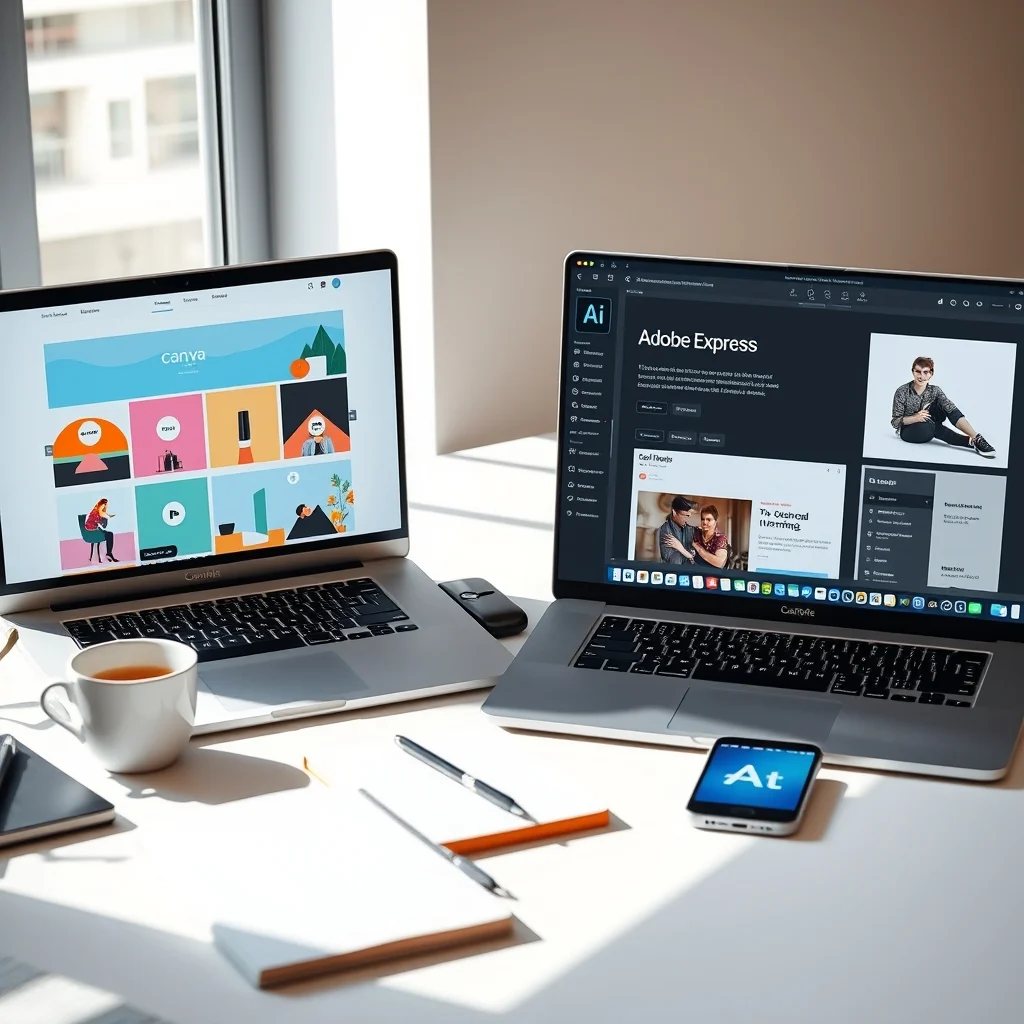

In the rapidly evolving landscape of digital design, choosing the right tool can make or break your creative workflow. For beginners and non-designers, the options often boil down to two massive players: Canva and Adobe Express. Both platforms promise ease of use, stunning templates, and powerful features without the steep learning curve of professional software like Adobe Photoshop. However, understanding the nuances between them is crucial for making an informed decision that aligns with your specific needs.
This comprehensive review dives deep into the usability, features, pricing structures, and template libraries of both tools. We aim to provide clear insights into which platform stands as the superior choice for those just starting their design journey. Whether you are a social media manager, a small business owner, or a student, this guide will help you navigate the features and limitations of each option to find your perfect design partner.
🚀 Overview of the Design Landscape
Design technology has democratized creativity, allowing anyone to produce professional-looking graphics with minimal effort. Canva has led this revolution for years, offering a drag-and-drop interface that feels intuitive to everyone. Adobe Express, the newer challenger from the software giant Adobe, aims to bring similar accessibility while leveraging Adobe’s extensive asset library and AI capabilities. Both tools operate in the cloud, meaning no heavy downloads are required, and they offer mobile apps for design on the go.
Understanding the core philosophy of each tool is the first step. Canva focuses heavily on community, collaboration, and ease of use, making it the go-to for quick social media posts and presentations. Adobe Express integrates deeply with the Adobe ecosystem, offering seamless transitions for users who might eventually want to upgrade to full Adobe Creative Cloud applications. The choice between them often depends on your long-term goals and how much you value integration with other Adobe products.
📊 Usability and Interface Analysis
🎯 Intuitive Navigation and Learning Curve
When evaluating usability, the learning curve is the most significant factor for beginners. Canva is widely renowned for its simplicity. The interface is clean, with a left-hand sidebar containing all main tools. Adding elements is as simple as clicking and dragging, which reduces friction for new users significantly.
Adobe Express has a similarly clean interface but feels slightly more structured. It utilizes a grid-based design that encourages alignment and precision. While both are easy to pick up, Canva often wins on pure speed for simple tasks. However, Adobe Express provides more granular control over typography and layout once you understand the basics. Both platforms offer guided tutorials within the app to help you start immediately.
- Canva: Drag-and-drop simplicity with a focus on speed.
- Adobe Express: Structured layout tools with AI guidance.
- Navigation: Both offer cloud-based access without installation.
- Mobile Apps: Both have robust mobile applications for iOS and Android.
💻 User Interface Differences
The visual design of the interface plays a role in user fatigue. Canva uses a softer color palette with rounded buttons, which feels friendly and approachable. Adobe Express uses a more corporate, blue-and-white palette that aligns with the rest of the Adobe Creative Cloud suite.
If you are already familiar with Adobe products, the switch to Express is seamless. If you are a total novice, Canva’s lack of complex menus can be less intimidating. Both interfaces support keyboard shortcuts for power users, but the mouse and touch interactions are optimized for everyone. The responsive design ensures that switching between a desktop browser and a tablet app does not break your workflow.
🎨 Features and Functionalities
🎨 Template Variety and Quality
Templates are the backbone of these tools for beginners. Canva boasts over 250,000 free templates and millions more with a Pro subscription. The variety covers social media, marketing materials, presentations, and printables. The quality is generally high, and the customization options are extensive.
Adobe Express offers thousands of professionally designed templates as well. A key advantage is the integration of Adobe Stock images directly into the templates. This means you can swap placeholder images for high-quality stock photos without leaving the editor. While the total number of templates might be slightly lower than Canva, the quality is often sharper and more aligned with professional branding standards.
- Canva: Massive library with community-driven designs.
- Adobe Express: High-quality stock integration and professional presets.
- Customization: Both allow full color and text changes.
- Categories: Both cover social media, video, and documents.
🤖 AI Tools and Automation
Artificial Intelligence is reshaping design, and both platforms have integrated AI tools to speed up workflows. Canva offers Magic Resize, which adjusts a design to fit different dimensions instantly. It also has Magic Write for text generation.
Adobe Express leverages Adobe Firefly, a generative AI model. This allows users to generate images from text prompts directly in the editor. It also has text effects that use AI to create realistic shadows and textures. For users who need to create unique assets from scratch without using stock photos, Adobe Express has a slight edge in generative capabilities.
💰 Pricing and Value Comparison
💵 Free Plan Limitations
Both platforms offer robust free plans that are sufficient for casual users. Canva’s free plan includes access to hundreds of thousands of templates and basic design tools. You can download designs in standard formats like PNG and JPG without watermarks.
Adobe Express also allows free usage with access to thousands of templates and basic editing features. However, some premium stock photos and fonts are locked behind a paywall. Both services offer a free trial for their premium tiers, allowing you to test features before committing financially.
💼 Premium Subscription Tiers
Canva Pro costs approximately $12.99 per month or $119.99 per year. It unlocks the entire library of premium assets, background removal, and advanced collaboration features.
Adobe Express Premium is part of the Adobe Creative Cloud All Apps plan or available separately depending on the region. It offers access to the full stock library and advanced AI features. The pricing is competitive, but Canva often feels more affordable for individual freelancers compared to the broader Adobe ecosystem.
| Feature | Canva Pro | Adobe Express Premium |
|---|---|---|
| Price (Monthly) | $12.99 | $19.99 |
| Asset Library | 100M+ Images | 200M+ Images |
| AI Tools | Magic Studio | Firefly AI |
| Storage | 1TB | 100GB |
The table above highlights the key differences in pricing and storage. Canva offers more storage space for free and Pro users, which is beneficial for managing large amounts of design files. Adobe offers a larger stock library, which is crucial for commercial projects requiring specific imagery.
🔥 Performance and Technical Stability
💾 Rendering Speed and Reliability
Performance is critical when working with large images or complex designs. Canva handles multiple layers well, but very heavy projects can sometimes lag on slower browsers.
Adobe Express is optimized for Adobe’s cloud infrastructure and generally handles high-resolution exports smoothly. Both tools auto-save your work constantly, ensuring you do not lose progress. For most beginners, the performance difference is negligible unless you are working on 4K video or massive print layouts.
- Canva: Fast for standard graphics, occasional lag on heavy projects.
- Adobe Express: Optimized for high-res exports and complex compositions.
- Auto-Save: Both platforms ensure data safety.
- Browser Support: Both work best on Chrome and Edge.
👁️ Real-World Usage Experience
🌐 Collaboration Features
Teamwork is essential for many businesses. Canva excels here with dedicated team workspaces. You can assign roles, set brand kits, and collaborate in real-time without permission issues.
Adobe Express also supports team collaboration, but it is often better suited for users already in the Adobe ecosystem. Real-time co-editing is available, but the permission settings are slightly more rigid than Canva’s flexible team management.
📱 Social Media Integration
Canva integrates directly with major social platforms like Instagram, Facebook, and TikTok. You can schedule posts directly from the editor.
Adobe Express offers scheduling as well, but it is often tied to the Adobe Creative Cloud ecosystem. For pure social media management, Canva’s native integration feels more seamless for direct posting.
👶 Pros and Cons Breakdown
🎉 Advantages of Canva
Canva is the king of ease. Its primary advantage is how quickly a user can go from idea to finished graphic. The sheer volume of templates means you rarely start from scratch. The free plan is generous, allowing users to create value without spending money. Brand kits in the Pro version ensure consistency across all your marketing materials.
- Speed: Extremely fast turnaround for designs.
- Templates: Largest library in the industry.
- Collaboration: Best-in-class team features.
- Cost: Affordable Pro pricing for individuals.
⛔ Disadvantages of Canva
Canva is not suitable for high-end print work that requires precise color management. The free version limits access to premium assets, which can be frustrating. Additionally, the design tools are less flexible than professional software, limiting creative freedom for advanced users.
- Print Quality: Less precise color control.
- Flexibility: Limited advanced editing tools.
- Export: Some formats require Pro.
🎉 Advantages of Adobe Express
Adobe Express brings professional-grade quality to a simple interface. The integration with Adobe Stock means you have access to millions of high-quality images. The AI tools are powerful, allowing for generative fills and text effects that look professional. It is the better choice if you plan to move into full Adobe Creative Cloud later.
- Quality: Professional asset integration.
- AI: Advanced generative AI features.
- Integration: Seamless with other Adobe apps.
- Typography: Superior font management.
⛔ Disadvantages of Adobe Express
The learning curve is slightly steeper than Canva for absolute beginners. The pricing can be higher depending on the plan you need. Some features are locked behind the Creative Cloud subscription, which can be confusing for new users.
- Cost: Can be more expensive.
- Complexity: Slightly more features to learn.
- Ecosystem: Better for Adobe users.
🔮 Security and Privacy Considerations
🔒 Data Protection Standards
Both platforms adhere to strict data protection standards like GDPR and CCPA. They use encryption for files stored in the cloud. For business users, Canva offers Enterprise security features including SAML SSO and advanced admin controls.
Adobe Express benefits from Adobe’s long-standing reputation in security. Files are stored on secure servers with regular audits. Both platforms allow you to keep designs private or share them publicly with specific permissions.
- Encryption: Both use TLS for data in transit.
- Privacy: Both allow private project storage.
- Compliance: GDPR and CCPA compliant.
- Enterprise: Canva offers advanced admin controls.
🤝 Comparison with Competitors
🌟 Best Available Alternatives
While Canva and Adobe Express are the leaders, other tools exist. Adobe Photoshop offers full control but has a steep learning curve. Figma is excellent for UI design but less so for print. VistaCreate is a cheaper alternative to Canva but has fewer features.
For beginners, the choice remains between Canva and Adobe Express. If you need general marketing graphics, Canva is the default. If you need high-end imagery and AI generation, Adobe Express is superior.
| Tool | Best For | Difficulty |
|---|---|---|
| Canva | Social Media & Marketing | Beginner |
| Adobe Express | Professional Assets & AI | Intermediate |
| Photoshop | Advanced Editing | Expert |
This comparison clarifies where each tool fits in the broader design market. Canva dominates the beginner space, while Adobe Express bridges the gap to professional work.
💡 Tips for Maximum Performance
🎯 Best Settings for Beginners
To get the most out of either tool, start by setting up a Brand Kit. This saves your colors and fonts for quick access. Use the AI tools early to generate ideas rather than building from scratch. Always export in the correct resolution for your target platform.
- Brand Kit: Save your logo and colors.
- AI Usage: Use generative tools for backgrounds.
- Export: Match resolution to the platform.
- Organization: Use folders to manage projects.
💎 Advanced Tricks
For Canva, use the background remover on the Pro plan to isolate subjects quickly. For Adobe Express, utilize the resize tool to adapt one design for multiple social channels. Both platforms allow you to save custom templates for recurring tasks.
🏁 Final Verdict
Both Canva and Adobe Express are excellent choices for beginners in 2026. Canva wins on simplicity, template volume, and collaboration features. It is the best choice for social media managers and small business owners who need speed. Adobe Express wins on asset quality, AI integration, and future scalability for professional work.
If you are just starting out and need to create content fast, Canva is the winner. If you care about high-quality stock images and are willing to learn a bit more, Adobe Express is the better long-term investment. Both tools offer free trials, so testing them personally is the best way to decide.
💬 Frequently Asked Questions
- Is Canva free to use? Yes, Canva has a robust free plan that covers most basic design needs without payment.
- What is the best tool for social media? Canva is generally preferred for social media due to its specific templates and scheduling features.
- Can I use Adobe Express without an Adobe account? You can sign up with an email, but linking it to an Adobe ID unlocks more features.
- Does Canva have a video editor? Yes, Canva includes a built-in video editor for creating short clips and reels.
- Is Adobe Express suitable for print? Yes, but professional print work might require Adobe Photoshop for higher precision.
- Can I collaborate with a team on Canva? Yes, Canva Pro allows real-time collaboration with team members and permission controls.
- Which tool has better AI features? Adobe Express currently offers more advanced generative AI tools powered by Firefly.
- Can I export my designs as PDF? Both tools support PDF export for both print and digital documents.
- Is there a mobile app for both? Yes, both platforms offer fully functional mobile apps for iOS and Android.
- Which one is better for beginners? Canva is often considered more beginner-friendly due to its simpler interface and massive template library.






