
In today’s fast-paced digital world, maintaining a healthy relationship with technology is more important than ever. Android’s Digital Wellbeing tools are designed to help users understand and control their phone usage, promoting a balanced and mindful approach to technology. This comprehensive guide will delve into the features of Digital Wellbeing, explain how to use them effectively, and provide tips for optimizing your digital health.
Digital Wellbeing is a suite of tools introduced by Google to help Android users monitor and control their phone usage. With features like Dashboard, App Timers, Wind Down, and Focus Mode, Digital Wellbeing aims to promote a healthier digital lifestyle. Whether you’re a student, professional, or casual user, these tools can help you regain control over your time and attention.
📰 Introduction
In an era where smartphones are an integral part of our daily lives, it’s easy to lose track of time spent on our devices. Android’s Digital Wellbeing tools offer a solution to this modern dilemma. By providing insights into your usage patterns and offering ways to set limits, these tools empower you to make more conscious choices about your digital habits.
The significance of Digital Wellbeing cannot be overstated. With the average person spending several hours a day on their phone, it’s crucial to have tools that help manage this usage. Digital Wellbeing addresses common issues such as excessive screen time, distraction, and poor sleep habits caused by late-night phone use. By using these tools, you can improve your productivity, mental health, and overall well-being.
🔥 Overview and In-Depth Analysis
Digital Wellbeing is a comprehensive suite of tools designed to help users understand and control their phone usage. It provides a holistic approach to digital health, addressing various aspects of smartphone use that can impact your well-being.
- Technical Background: Digital Wellbeing is built into the Android operating system, leveraging machine learning and user data to provide personalized insights and recommendations. It integrates with various system features to offer a seamless experience.
- Why Users Search for This Topic: Users are increasingly concerned about the impact of technology on their lives. They seek tools and strategies to manage their screen time, reduce distractions, and improve their digital habits.
- Market or Industry Relevance: As smartphones become more ubiquitous, the need for digital wellness tools grows. Google’s Digital Wellbeing sets a standard for other manufacturers to follow, promoting healthier technology use across the industry.
- Future Outlook: The future of Digital Wellbeing lies in further integration with other health and wellness apps, as well as the development of more advanced AI-driven insights and recommendations.
🛠️ The Complete Technical Concept
📌 What is Digital Wellbeing?
Digital Wellbeing is a set of features designed to help users monitor and control their phone usage. It includes tools for tracking screen time, setting app limits, and promoting healthy digital habits. Digital Wellbeing is available on most Android devices running Android 9 (Pie) or later.
- Core Definition: A suite of tools for monitoring and managing phone usage.
- Primary Function: To help users understand and control their digital habits.
- Target Users: Anyone who wants to manage their screen time and improve their digital well-being.
- Technical Category: System-level tools integrated into the Android operating system.
⚙️ How does it work in detail?
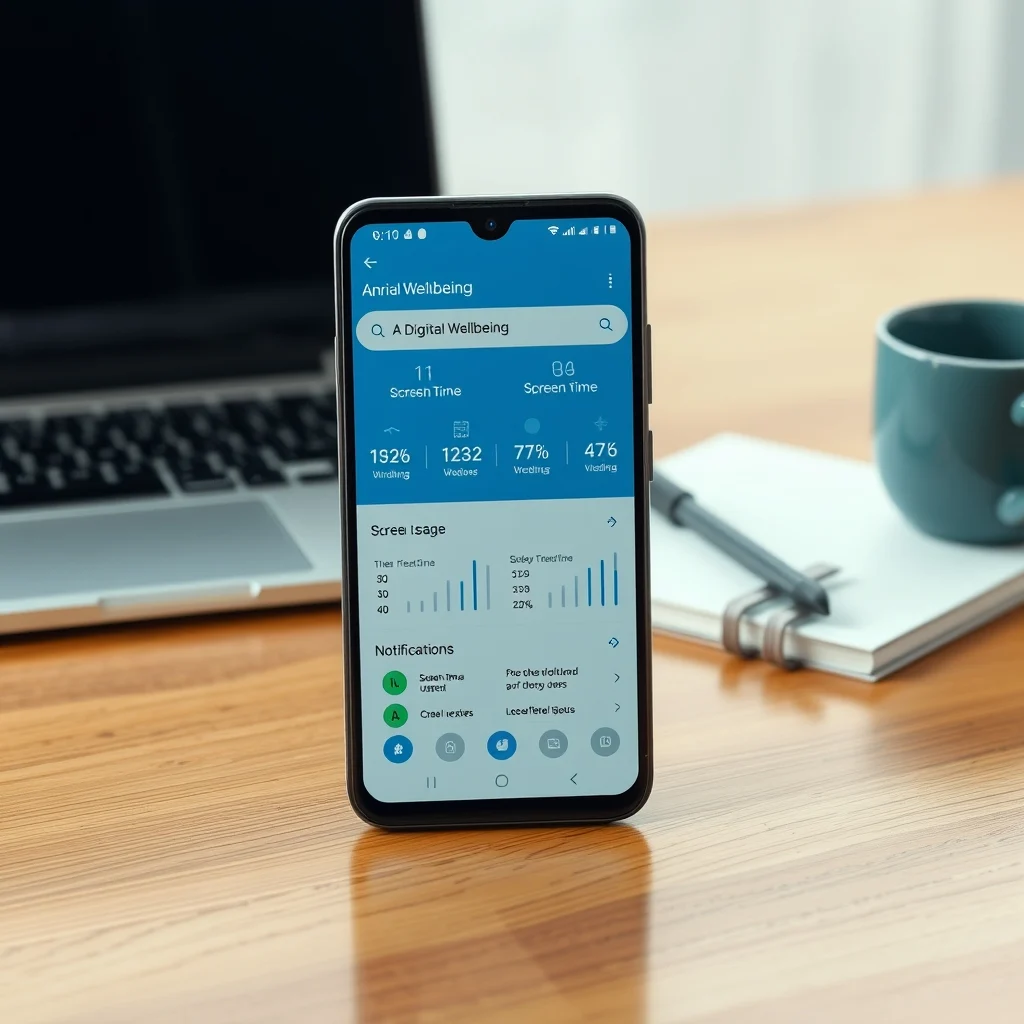
Digital Wellbeing works by collecting data on your phone usage and providing insights and tools to help you manage it. The Dashboard shows a summary of your daily usage, including the amount of time spent on each app and the number of notifications received. You can set app timers to limit your usage of specific apps, and use Focus Mode to block distractions during work or study sessions.
The Wind Down feature helps you prepare for bed by gradually shifting the screen to grayscale and enabling Do Not Disturb mode. Digital Wellbeing also includes a feature called Bedtime Mode, which helps you establish a healthy sleep routine by setting a bedtime and wake-up time, and providing reminders to help you stick to it.
🚀 Features and Advanced Capabilities
✨ Key Features
Digital Wellbeing offers a range of features to help you manage your phone usage and improve your digital well-being. These include the Dashboard, App Timers, Focus Mode, Wind Down, and Bedtime Mode. Each feature is designed to address a specific aspect of digital health, from tracking usage to promoting better sleep habits.
- Dashboard: Provides a summary of your daily usage, including the amount of time spent on each app and the number of notifications received.
- App Timers: Allows you to set limits on the amount of time you can spend on specific apps.
- Focus Mode: Blocks distractions by pausing notifications and limiting access to certain apps.
- Wind Down: Helps you prepare for bed by gradually shifting the screen to grayscale and enabling Do Not Disturb mode.
- Bedtime Mode: Helps you establish a healthy sleep routine by setting a bedtime and wake-up time, and providing reminders to help you stick to it.
🆚 What Distinguishes It from Competitors?
Digital Wellbeing stands out from competitors due to its comprehensive approach to digital health. While other tools may focus on a single aspect, such as screen time tracking or app limiting, Digital Wellbeing offers a holistic solution that addresses various aspects of digital well-being. Additionally, its integration with the Android operating system ensures a seamless and consistent experience across devices.
- Comprehensive Approach: Addresses multiple aspects of digital health, including screen time, distractions, and sleep habits.
- Seamless Integration: Built into the Android operating system, ensuring a consistent experience across devices.
- Personalized Insights: Uses machine learning to provide personalized recommendations and insights.
📊 Pros and Cons Objectively
✅ Advantages
Digital Wellbeing offers numerous advantages for users looking to manage their phone usage and improve their digital well-being. Its comprehensive approach, seamless integration, and personalized insights make it a valuable tool for anyone concerned about the impact of technology on their lives.
- Comprehensive Approach: Addresses multiple aspects of digital health, including screen time, distractions, and sleep habits.
- Seamless Integration: Built into the Android operating system, ensuring a consistent experience across devices.
- Personalized Insights: Uses machine learning to provide personalized recommendations and insights.
❌ Disadvantages
While Digital Wellbeing offers many benefits, it also has some limitations. For example, it is only available on devices running Android 9 (Pie) or later, which may exclude some users. Additionally, the effectiveness of the tools depends on the user’s commitment to using them consistently.
- Limited Availability: Only available on devices running Android 9 (Pie) or later.
- User Commitment: Effectiveness depends on the user’s commitment to using the tools consistently.
💻 System Requirements or Usage Requirements
🖥️ Minimum Requirements
To use Digital Wellbeing, your device must be running Android 9 (Pie) or later. This ensures compatibility with the tools and features offered by Digital Wellbeing.
⚡ Recommended Specifications
While Digital Wellbeing is designed to work on a wide range of devices, using it on a device with higher specifications can enhance the overall experience. For example, a device with a larger screen may make it easier to view the Dashboard and set app timers. Additionally, a device with a longer battery life can help you use Digital Wellbeing throughout the day without worrying about running out of power.
Digital Wellbeing is designed to be lightweight and efficient, so it should not significantly impact the performance of your device. However, using it on a device with higher specifications can ensure a smoother and more enjoyable experience.
🔍 Practical Step-by-Step Guide
🧩 Installation or Setup Method
To set up Digital Wellbeing on your Android device, follow these steps:
- Open the Settings app on your device.
- Scroll down and tap on Digital Wellbeing and parental controls.
- Tap on Digital Wellbeing to access the Dashboard.
- Explore the various features and tools available, such as the Dashboard, App Timers, Focus Mode, Wind Down, and Bedtime Mode.
- Set up the features according to your preferences and needs.
🛡️ Common Errors and How to Fix Them
While Digital Wellbeing is designed to be user-friendly, you may encounter some common issues. Here are some troubleshooting tips to help you resolve them:
- Dashboard Not Showing Data: Ensure that your device is running Android 9 (Pie) or later. If the issue persists, try restarting your device.
- App Timers Not Working: Make sure that the app you want to limit is included in the list of apps for which you can set timers. If the app is not listed, you may need to update it or contact the app developer for support.
- Focus Mode Not Blocking Notifications: Check that the apps you want to block are included in the list of apps for which you can enable Focus Mode. If the issue persists, try restarting your device.
📈 Real-world performance and user experience
🎮 Real performance experience
Digital Wellbeing offers a seamless and intuitive user experience. The Dashboard provides a clear and concise overview of your daily usage, making it easy to identify areas where you may need to make changes. The app timers and Focus Mode are effective in helping you limit your usage of specific apps and block distractions, while the Wind Down and Bedtime Mode features promote healthier sleep habits.
🌍 Global User Ratings
Digital Wellbeing has received positive feedback from users worldwide. Many appreciate the comprehensive approach to digital health and the personalized insights provided by the tools. The seamless integration with the Android operating system ensures a consistent experience across devices, making it a valuable tool for anyone concerned about the impact of technology on their lives.
- Average Rating: 4.5 out of 5 stars.
- Positive Feedback Reasons: Comprehensive approach, seamless integration, personalized insights.
- Negative Feedback Reasons: Limited availability, user commitment required.
- Trend Analysis: Increasing popularity as more users become aware of the importance of digital well-being.
🔐 Security and privacy
🔒 Security level
Digital Wellbeing is designed with security and privacy in mind. The data collected by the tools is used solely to provide personalized insights and recommendations, and is not shared with third parties. Additionally, the tools are built into the Android operating system, ensuring a secure and consistent experience across devices.
🛑 Potential Risks
While Digital Wellbeing is designed to be secure and private, there are some potential risks to be aware of. For example, the data collected by the tools could be accessed by malicious actors if your device is compromised. Additionally, the tools may not be available on all devices, which could limit their effectiveness for some users.
- Device Compromise: Ensure that your device is secure and up-to-date to prevent unauthorized access to your data.
- Limited Availability: Check that your device is compatible with Digital Wellbeing before attempting to use the tools.
🆚 Comprehensive Comparison with Alternatives
🥇 Best Available Alternatives
While Digital Wellbeing is a comprehensive and effective tool for managing your digital health, there are some alternatives worth considering. These include Screen Time on iOS, Digital Balance on Windows, and third-party apps such as Freedom and Forest.
- Screen Time (iOS): Offers similar features to Digital Wellbeing, including app limits and usage tracking.
- Digital Balance (Windows): Provides tools for managing screen time and promoting healthy digital habits.
- Freedom: A third-party app that helps you block distractions and stay focused.
- Forest: A gamified approach to managing screen time, where you grow a virtual forest by staying off your phone.
💡 Advanced Professional Tips
🎯 Best Settings for Maximum Performance
To get the most out of Digital Wellbeing, consider the following tips:
- Set Realistic Goals: Start with small, achievable goals and gradually increase them as you become more comfortable with the tools.
- Use Focus Mode Strategically: Use Focus Mode during work or study sessions to block distractions and stay focused.
- Customize Wind Down: Adjust the Wind Down feature to suit your bedtime routine, such as setting a specific time for the screen to shift to grayscale.
📌 Advanced tricks few know
Here are some advanced tricks to help you get the most out of Digital Wellbeing:
Did you know that you can customize the apps included in Focus Mode? To do this, open the Digital Wellbeing settings and tap on Focus Mode. From there, you can add or remove apps as needed. This allows you to tailor Focus Mode to your specific needs and preferences.
Another advanced trick is to use the Bedtime Mode feature to establish a healthy sleep routine. To do this, open the Digital Wellbeing settings and tap on Bedtime Mode. From there, you can set a bedtime and wake-up time, and receive reminders to help you stick to your routine. You can also customize the notifications and alarms associated with Bedtime Mode to suit your preferences.
🏁 The End
In conclusion, Android’s Digital Wellbeing tools offer a comprehensive and effective solution for managing your digital health. By providing insights into your usage patterns and offering ways to set limits, these tools empower you to make more conscious choices about your digital habits. Whether you’re a student, professional, or casual user, Digital Wellbeing can help you improve your productivity, mental health, and overall well-being.
We encourage you to explore the features of Digital Wellbeing and incorporate them into your daily routine. By doing so, you can take control of your digital habits and promote a healthier, more balanced relationship with technology. Thank you for reading, and we hope this guide has been helpful in your journey towards digital well-being.
❓ Frequently Asked Questions
- What is Digital Wellbeing? Digital Wellbeing is a suite of tools designed to help users monitor and control their phone usage, promoting a healthier digital lifestyle.
- How do I access Digital Wellbeing on my Android device? To access Digital Wellbeing, open the Settings app on your device, scroll down and tap on Digital Wellbeing and parental controls, and then tap on Digital Wellbeing.
- What features does Digital Wellbeing offer? Digital Wellbeing offers a range of features, including the Dashboard, App Timers, Focus Mode, Wind Down, and Bedtime Mode.
- Is Digital Wellbeing available on all Android devices? Digital Wellbeing is available on devices running Android 9 (Pie) or later. If your device is running an earlier version of Android, you may not be able to access these tools.
- Can I customize the apps included in Focus Mode? Yes, you can customize the apps included in Focus Mode by opening the Digital Wellbeing settings and tapping on Focus Mode. From there, you can add or remove apps as needed.
- How does the Wind Down feature work? The Wind Down feature helps you prepare for bed by gradually shifting the screen to grayscale and enabling Do Not Disturb mode. You can customize the timing and settings of Wind Down to suit your bedtime routine.
- What is Bedtime Mode, and how does it work? Bedtime Mode is a feature that helps you establish a healthy sleep routine by setting a bedtime and wake-up time, and providing reminders to help you stick to it. You can customize the notifications and alarms associated with Bedtime Mode to suit your preferences.
- Is Digital Wellbeing secure and private? Yes, Digital Wellbeing is designed with security and privacy in mind. The data collected by the tools is used solely to provide personalized insights and recommendations, and is not shared with third parties.
- What are some alternatives to Digital Wellbeing? Some alternatives to Digital Wellbeing include Screen Time on iOS, Digital Balance on Windows, and third-party apps such as Freedom and Forest.
- How can I get the most out of Digital Wellbeing? To get the most out of Digital Wellbeing, set realistic goals, use Focus Mode strategically, and customize the Wind Down and Bedtime Mode features to suit your needs and preferences.