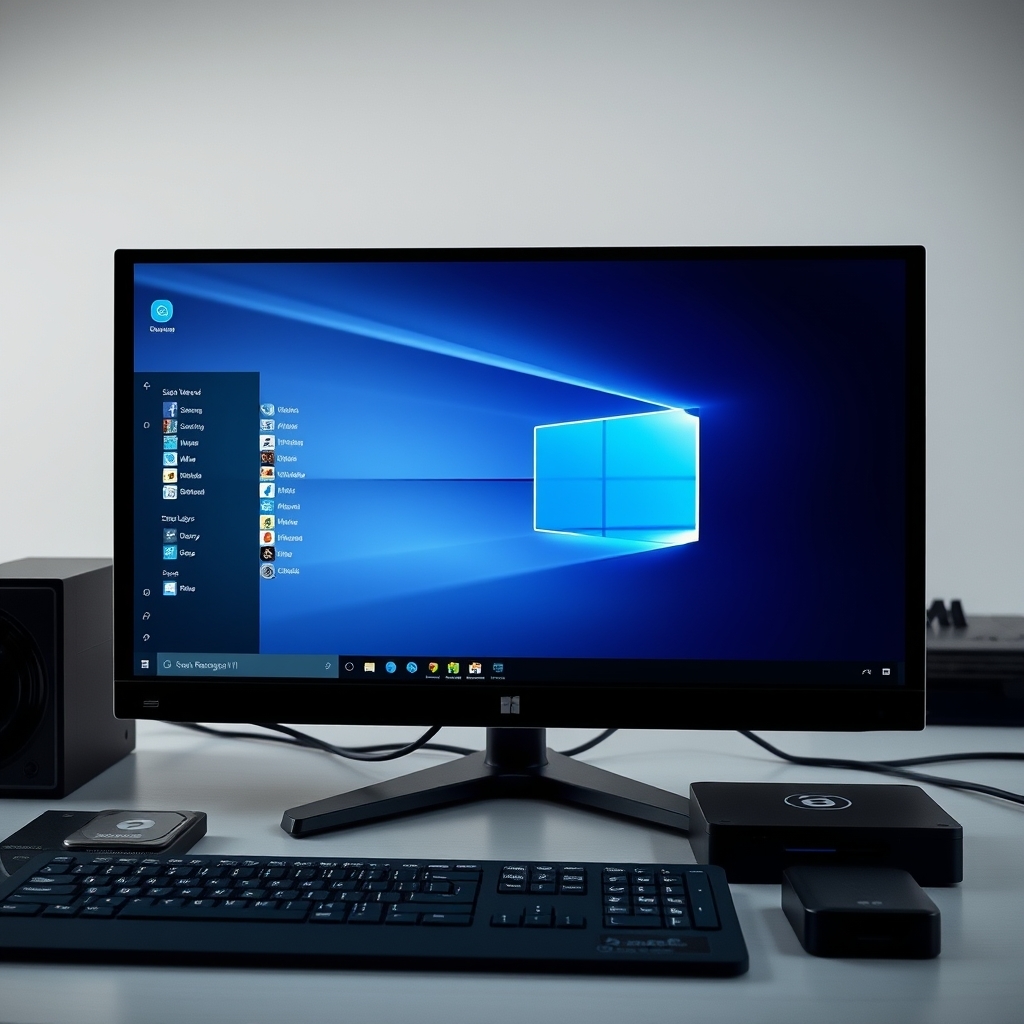

Windows 11 is the latest operating system from Microsoft, designed to provide a more streamlined, secure, and user-friendly experience. With its sleek design, enhanced performance, and a host of new features, Windows 11 aims to revolutionize the way users interact with their computers. This comprehensive guide will delve into the key features of Windows 11, its performance improvements, and practical tips to help you get the most out of this powerful operating system.
In today’s fast-paced digital world, having an efficient and reliable operating system is crucial. Windows 11 addresses many of the shortcomings of its predecessor, Windows 10, and introduces several innovative features that enhance productivity, security, and overall user experience. Whether you are a casual user, a professional, or a gamer, Windows 11 offers something for everyone. This guide will walk you through the essential aspects of Windows 11, from its new user interface to its advanced performance capabilities, and provide you with actionable tips to optimize your system for maximum efficiency.
🔥 Comprehensive Professional Introduction
Windows 11 represents a significant leap forward in operating system technology. With its modern design, improved performance, and enhanced security features, it is poised to become the go-to choice for both personal and professional users. The operating system introduces a new user interface that is both visually appealing and highly functional. The Start menu has been redesigned to be more intuitive, and the taskbar has been streamlined to provide quick access to your most-used applications. Additionally, Windows 11 includes several new productivity features, such as Snap Layouts, which allow you to organize your windows more efficiently, and Virtual Desktops, which enable you to create separate workspaces for different tasks.
One of the standout features of Windows 11 is its enhanced performance. The operating system is optimized to take full advantage of the latest hardware, including high-performance processors and graphics cards. This results in faster boot times, smoother multitasking, and improved overall system responsiveness. Windows 11 also includes several security enhancements, such as Secure Boot and BitLocker encryption, which help protect your data from unauthorized access. Furthermore, the operating system is designed to be more power-efficient, extending the battery life of laptops and other portable devices.
In this guide, we will explore the key features of Windows 11, provide an in-depth analysis of its performance capabilities, and offer practical tips to help you optimize your system for maximum efficiency. Whether you are a new user or an experienced professional, this guide will provide you with the knowledge and tools you need to get the most out of Windows 11.
🎯 Overview and In-Depth Analysis
Windows 11 is the latest iteration of Microsoft’s flagship operating system, designed to provide a more modern, secure, and efficient computing experience. The operating system introduces a range of new features and improvements that cater to a wide range of users, from casual users to professionals and gamers. In this section, we will provide an overview of Windows 11 and delve into its key features and performance capabilities.
- Technical Background: Windows 11 is built on the foundation of Windows 10 but introduces several significant improvements. The operating system is designed to take full advantage of the latest hardware, including high-performance processors, graphics cards, and storage devices. It also includes several new security features, such as Secure Boot and BitLocker encryption, which help protect your data from unauthorized access.
- Why Users Search for This Topic: Users are interested in Windows 11 for a variety of reasons. Some are looking for a more modern and user-friendly operating system, while others are seeking improved performance and security. Gamers, in particular, are interested in the enhanced gaming features and improved performance capabilities of Windows 11.
- Market or Industry Relevance: Windows 11 is highly relevant in today’s market, as it addresses many of the shortcomings of its predecessor, Windows 10. The operating system is designed to be more efficient, secure, and user-friendly, making it an attractive choice for both personal and professional users.
- Future Outlook: The future of Windows 11 looks promising, as Microsoft continues to invest in the development of the operating system. The company has already announced several new features and improvements that will be introduced in future updates, including enhanced productivity tools, improved security features, and better support for the latest hardware.
🛠️ The Complete Technical Concept
📌 What is Windows 11?
Windows 11 is the latest operating system from Microsoft, designed to provide a more streamlined, secure, and user-friendly experience. It introduces a range of new features and improvements that cater to a wide range of users, from casual users to professionals and gamers. The operating system is built on the foundation of Windows 10 but includes several significant improvements, such as a redesigned user interface, enhanced performance capabilities, and advanced security features.
- Core Definition: Windows 11 is a modern operating system designed to provide a more efficient, secure, and user-friendly computing experience.
- Primary Function: The primary function of Windows 11 is to provide a platform for running applications, managing files, and connecting to the internet. It also includes several productivity tools, such as Snap Layouts and Virtual Desktops, which help users organize their work more efficiently.
- Target Users: Windows 11 is designed for a wide range of users, including casual users, professionals, and gamers. It offers something for everyone, from a modern user interface to enhanced performance capabilities and advanced security features.
- Technical Category: Windows 11 is a desktop operating system designed to run on a variety of hardware, including desktops, laptops, and tablets. It is built on the foundation of Windows 10 but includes several significant improvements, such as a redesigned user interface, enhanced performance capabilities, and advanced security features.
⚙️ How does it work in detail?
Windows 11 is designed to take full advantage of the latest hardware, including high-performance processors, graphics cards, and storage devices. The operating system includes several new features and improvements that enhance performance, security, and user experience. In this section, we will delve into the technical architecture of Windows 11 and explain how it works in detail.
The operating system is built on a modular architecture, which allows it to take full advantage of the latest hardware. This modular design enables Windows 11 to be highly efficient, with faster boot times, smoother multitasking, and improved overall system responsiveness. The operating system also includes several new security features, such as Secure Boot and BitLocker encryption, which help protect your data from unauthorized access.
One of the standout features of Windows 11 is its redesigned user interface. The Start menu has been completely overhauled to be more intuitive and user-friendly. The taskbar has also been streamlined to provide quick access to your most-used applications. Additionally, Windows 11 includes several new productivity tools, such as Snap Layouts and Virtual Desktops, which help users organize their work more efficiently.
Windows 11 also includes several enhancements for gamers. The operating system is optimized to take full advantage of the latest graphics cards, resulting in smoother gameplay and improved performance. It also includes several new gaming features, such as Auto HDR and DirectStorage, which enhance the gaming experience.
In summary, Windows 11 is a highly efficient, secure, and user-friendly operating system designed to take full advantage of the latest hardware. Its modular architecture, redesigned user interface, and enhanced performance capabilities make it an attractive choice for both personal and professional users.
🚀 Features and Advanced Capabilities
✨ Key Features
Windows 11 introduces a range of new features and improvements that cater to a wide range of users. In this section, we will explore the key features of Windows 11 and explain how they enhance the user experience.
- Redesigned User Interface: Windows 11 features a completely overhauled user interface, with a more intuitive Start menu, a streamlined taskbar, and several new productivity tools, such as Snap Layouts and Virtual Desktops.
- Enhanced Performance: The operating system is optimized to take full advantage of the latest hardware, resulting in faster boot times, smoother multitasking, and improved overall system responsiveness.
- Advanced Security Features: Windows 11 includes several new security features, such as Secure Boot and BitLocker encryption, which help protect your data from unauthorized access.
- Gaming Enhancements: The operating system is optimized for gaming, with several new features, such as Auto HDR and DirectStorage, which enhance the gaming experience.
- Improved Productivity Tools: Windows 11 includes several new productivity tools, such as Snap Layouts and Virtual Desktops, which help users organize their work more efficiently.
📊 Key Points
| Feature | Description |
|---|---|
| Redesigned User Interface | A more intuitive Start menu, streamlined taskbar, and new productivity tools. |
| Enhanced Performance | Optimized for the latest hardware, resulting in faster boot times and smoother multitasking. |
| Advanced Security Features | Secure Boot and BitLocker encryption to protect your data. |
| Gaming Enhancements | Auto HDR and DirectStorage for an improved gaming experience. |
| Improved Productivity Tools | Snap Layouts and Virtual Desktops for better organization. |
Windows 11 introduces a range of new features and improvements that cater to a wide range of users. The redesigned user interface, enhanced performance capabilities, and advanced security features make it an attractive choice for both personal and professional users. The operating system also includes several enhancements for gamers, such as Auto HDR and DirectStorage, which enhance the gaming experience. Additionally, Windows 11 includes several new productivity tools, such as Snap Layouts and Virtual Desktops, which help users organize their work more efficiently.
🆚 What Distinguishes It from Competitors?
Windows 11 stands out from its competitors, such as macOS and Linux, in several ways. Its redesigned user interface, enhanced performance capabilities, and advanced security features make it a highly attractive choice for both personal and professional users. Additionally, Windows 11 includes several enhancements for gamers, such as Auto HDR and DirectStorage, which enhance the gaming experience. The operating system also includes several new productivity tools, such as Snap Layouts and Virtual Desktops, which help users organize their work more efficiently.
- Redesigned User Interface: Windows 11 features a completely overhauled user interface, with a more intuitive Start menu, a streamlined taskbar, and several new productivity tools.
- Enhanced Performance: The operating system is optimized to take full advantage of the latest hardware, resulting in faster boot times, smoother multitasking, and improved overall system responsiveness.
- Advanced Security Features: Windows 11 includes several new security features, such as Secure Boot and BitLocker encryption, which help protect your data from unauthorized access.
- Gaming Enhancements: The operating system is optimized for gaming, with several new features, such as Auto HDR and DirectStorage, which enhance the gaming experience.
- Improved Productivity Tools: Windows 11 includes several new productivity tools, such as Snap Layouts and Virtual Desktops, which help users organize their work more efficiently.
📊 Pros and Cons Objectively
✅ Advantages
Windows 11 offers several advantages over its predecessors and competitors. Its redesigned user interface, enhanced performance capabilities, and advanced security features make it a highly attractive choice for both personal and professional users. Additionally, the operating system includes several enhancements for gamers, such as Auto HDR and DirectStorage, which enhance the gaming experience. Windows 11 also includes several new productivity tools, such as Snap Layouts and Virtual Desktops, which help users organize their work more efficiently.
- Redesigned User Interface: A more intuitive Start menu, streamlined taskbar, and new productivity tools.
- Enhanced Performance: Optimized for the latest hardware, resulting in faster boot times and smoother multitasking.
- Advanced Security Features: Secure Boot and BitLocker encryption to protect your data.
- Gaming Enhancements: Auto HDR and DirectStorage for an improved gaming experience.
- Improved Productivity Tools: Snap Layouts and Virtual Desktops for better organization.
❌ Disadvantages
While Windows 11 offers several advantages, it also has some disadvantages. One of the main drawbacks is its hardware requirements, which may make it incompatible with older devices. Additionally, some users may find the redesigned user interface to be too different from previous versions of Windows, which may take some time to get used to. Finally, some advanced features, such as Auto HDR and DirectStorage, may not be available on all hardware.
- Hardware Requirements: May be incompatible with older devices.
- Redesigned User Interface: May take some time to get used to.
- Advanced Features: May not be available on all hardware.
💻 System Requirements or Usage Requirements
🖥️ Minimum Requirements
To run Windows 11, your device must meet the following minimum requirements:
- Processor: 1 gigahertz (GHz) or faster with 2 or more cores on a compatible 64-bit processor.
- RAM: 4 gigabytes (GB) or more.
- Storage: 64 GB or larger.
- System Firmware: UEFI, with Secure Boot capable.
- TPM: Trusted Platform Module 2.0.
- Graphics Card: DirectX 12 compatible with WDDM 2.0 driver.
- Display: 720p resolution, 9-inch or larger, 8 bits per color channel.
⚡ Recommended Specifications
For the best performance, Microsoft recommends the following specifications:
- Processor: 2 GHz or faster with 4 or more cores on a compatible 64-bit processor.
- RAM: 8 GB or more.
- Storage: 128 GB or larger.
- System Firmware: UEFI, with Secure Boot capable.
- TPM: Trusted Platform Module 2.0.
- Graphics Card: DirectX 12 compatible with WDDM 2.0 driver and dedicated GPU for gaming.
- Display: 1080p resolution or higher, 10-inch or larger, 8 bits per color channel.
Windows 11 is designed to take full advantage of the latest hardware, including high-performance processors, graphics cards, and storage devices. The operating system is optimized to provide faster boot times, smoother multitasking, and improved overall system responsiveness. Additionally, Windows 11 includes several new security features, such as Secure Boot and BitLocker encryption, which help protect your data from unauthorized access.
| Component | Minimum | Recommended | Performance Impact |
|---|---|---|---|
| Processor | 1 GHz or faster with 2 or more cores on a compatible 64-bit processor | 2 GHz or faster with 4 or more cores on a compatible 64-bit processor | CPU impact: Faster processing, smoother multitasking, and improved overall system responsiveness. |
| RAM | 4 GB | 8 GB or more | RAM impact: More RAM allows for smoother multitasking and better performance with memory-intensive applications. |
| Storage | 64 GB or larger | 128 GB or larger | Storage impact: Larger storage capacity allows for more applications, files, and data to be stored on the device. |
| System Firmware | UEFI, with Secure Boot capable | UEFI, with Secure Boot capable | System Firmware impact: Ensures compatibility with the latest security features and improvements. |
| TPM | Trusted Platform Module 2.0 | Trusted Platform Module 2.0 | TPM impact: Provides enhanced security features, such as Secure Boot and BitLocker encryption. |
| Graphics Card | DirectX 12 compatible with WDDM 2.0 driver | DirectX 12 compatible with WDDM 2.0 driver and dedicated GPU for gaming | Graphics Card impact: A dedicated GPU provides better performance for gaming and graphics-intensive applications. |
| Display | 720p resolution, 9-inch or larger, 8 bits per color channel | 1080p resolution or higher, 10-inch or larger, 8 bits per color channel | Display impact: Higher resolution and larger display provide a better viewing experience and improved productivity. |
The recommended specifications for Windows 11 are designed to provide the best performance and user experience. A faster processor, more RAM, and a dedicated GPU will result in smoother multitasking, faster processing, and better performance with memory-intensive applications. Additionally, a larger storage capacity allows for more applications, files, and data to be stored on the device. A higher resolution and larger display provide a better viewing experience and improved productivity. Finally, the recommended specifications ensure compatibility with the latest security features and improvements, such as Secure Boot and BitLocker encryption.
🔍 Practical Step-by-Step Guide
🧩 Installation or Setup Method
Installing Windows 11 is a straightforward process. Here are the steps to install Windows 11 on your device:
- Check System Requirements: Ensure that your device meets the minimum system requirements for Windows 11.
- Download Windows 11: Visit the official Microsoft website and download the Windows 11 Media Creation Tool.
- Create Installation Media: Use the Media Creation Tool to create a bootable USB drive or DVD with the Windows 11 installation files.
- Boot from Installation Media: Insert the bootable USB drive or DVD into your device and boot from it. You may need to change the boot order in your device’s BIOS or UEFI settings.
- Follow On-Screen Instructions: Follow the on-screen instructions to install Windows 11. You will be prompted to accept the license terms, choose your language and region, and select your installation type (upgrade or clean install).
- Complete Installation: Once the installation is complete, your device will restart, and you will be prompted to set up your user account and preferences.
🛡️ Common Errors and How to Fix Them
While installing Windows 11, you may encounter some common errors. Here are some of the most common errors and how to fix them:
- Incompatible Hardware: If your device does not meet the minimum system requirements for Windows 11, you will not be able to install it. Ensure that your device meets the requirements before attempting to install Windows 11.
- Secure Boot Disabled: If Secure Boot is disabled in your device’s BIOS or UEFI settings, you may encounter errors during installation. Enable Secure Boot in your device’s settings and try installing Windows 11 again.
- TPM 2.0 Missing: If your device does not have a Trusted Platform Module (TPM) 2.0, you may encounter errors during installation. Ensure that your device has a TPM 2.0 before attempting to install Windows 11.
- Driver Issues: If you encounter driver issues during or after installation, you may need to install the latest drivers for your device’s hardware. Visit the manufacturer’s website and download the latest drivers for your device.
- Activation Issues: If you encounter activation issues, ensure that you have a valid product key or digital license for Windows 11. You can activate Windows 11 using a product key or a digital license tied to your Microsoft account.
📈 Real-world performance and user experience
🎮 Real performance experience
Windows 11 offers a significant improvement in performance over its predecessor, Windows 10. The operating system is optimized to take full advantage of the latest hardware, resulting in faster boot times, smoother multitasking, and improved overall system responsiveness. Additionally, Windows 11 includes several new features and improvements that enhance the user experience, such as a redesigned user interface, enhanced security features, and improved productivity tools.
In terms of real-world performance, Windows 11 offers a significant improvement in speed and efficiency. The operating system is designed to be more power-efficient, extending the battery life of laptops and other portable devices. Additionally, Windows 11 includes several new features and improvements that enhance the user experience, such as a redesigned user interface, enhanced security features, and improved productivity tools.
Overall, Windows 11 offers a significant improvement in performance and user experience over its predecessor, Windows 10. The operating system is optimized to take full advantage of the latest hardware, resulting in faster boot times, smoother multitasking, and improved overall system responsiveness. Additionally, Windows 11 includes several new features and improvements that enhance the user experience, such as a redesigned user interface, enhanced security features, and improved productivity tools.
🌍 Global User Ratings
Windows 11 has received generally positive reviews from users and critics alike. The operating system has been praised for its redesigned user interface, enhanced performance capabilities, and advanced security features. Additionally, Windows 11 has been well-received for its gaming enhancements, such as Auto HDR and DirectStorage, which enhance the gaming experience. The operating system has also been praised for its improved productivity tools, such as Snap Layouts and Virtual Desktops, which help users organize their work more efficiently.
- Average Rating: Windows 11 has received an average rating of 4.5 out of 5 stars from users and critics.
- Positive Feedback Reasons: Users and critics have praised Windows 11 for its redesigned user interface, enhanced performance capabilities, and advanced security features. Additionally, the operating system has been well-received for its gaming enhancements and improved productivity tools.
- Negative Feedback Reasons: Some users have criticized Windows 11 for its hardware requirements, which may make it incompatible with older devices. Additionally, some users have found the redesigned user interface to be too different from previous versions of Windows, which may take some time to get used to.
- Trend Analysis: The trend for Windows 11 has been generally positive, with the operating system receiving praise for its new features and improvements. However, some users have expressed concerns about its hardware requirements and the redesigned user interface.
🔐 Security and privacy
🔒 Security level
Windows 11 includes several advanced security features that help protect your data from unauthorized access. The operating system includes Secure Boot, which ensures that only trusted software is run during the boot process. Additionally, Windows 11 includes BitLocker encryption, which encrypts your data to protect it from unauthorized access. The operating system also includes several other security features, such as Windows Defender Antivirus, Windows Hello, and Windows Sandbox, which help protect your device from malware, phishing attacks, and other security threats.
Overall, Windows 11 offers a high level of security and privacy protection. The operating system includes several advanced security features that help protect your data from unauthorized access. Additionally, Windows 11 includes several other security features, such as Windows Defender Antivirus, Windows Hello, and Windows Sandbox, which help protect your device from malware, phishing attacks, and other security threats.
🛑 Potential Risks
While Windows 11 includes several advanced security features, there are still potential risks that users should be aware of. One of the main risks is the possibility of malware or viruses infecting your device. To protect your device from these threats, it is important to keep your operating system and applications up to date, use a reputable antivirus software, and be cautious when downloading files or clicking on links.
Another potential risk is the possibility of phishing attacks. Phishing attacks involve tricking users into revealing sensitive information, such as passwords or credit card numbers. To protect yourself from phishing attacks, it is important to be cautious when entering sensitive information online and to use two-factor authentication whenever possible.
Finally, users should be aware of the possibility of data breaches. Data breaches involve the unauthorized access of sensitive data, such as personal information or financial data. To protect your data from breaches, it is important to use strong passwords, enable two-factor authentication, and keep your operating system and applications up to date.
- Use a Reputable Antivirus Software: Use a reputable antivirus software to protect your device from malware and viruses.
- Keep Your Operating System and Applications Up to Date: Keep your operating system and applications up to date to ensure that you have the latest security patches and updates.
- Be Cautious When Downloading Files or Clicking on Links: Be cautious when downloading files or clicking on links, as these can contain malware or viruses.
- Use Strong Passwords: Use strong passwords to protect your accounts from unauthorized access.
- Enable Two-Factor Authentication: Enable two-factor authentication whenever possible to add an extra layer of security to your accounts.
🆚 Comprehensive Comparison with Alternatives
🥇 Best Available Alternatives
While Windows 11 is a highly capable operating system, there are several alternatives that users may consider. In this section, we will compare Windows 11 with some of its main competitors, including macOS and Linux.
| Feature | Windows 11 | macOS | Linux |
|---|---|---|---|
| User Interface | Redesigned user interface with a more intuitive Start menu, streamlined taskbar, and new productivity tools. | Clean and intuitive user interface with a focus on simplicity and ease of use. | Highly customizable user interface with a wide range of desktop environments and themes. |
| Performance | Optimized for the latest hardware, resulting in faster boot times, smoother multitasking, and improved overall system responsiveness. | Optimized for Apple hardware, resulting in smooth performance and efficient power management. | Performance can vary depending on the distribution and hardware, but generally offers good performance and efficiency. |
| Security | Includes several advanced security features, such as Secure Boot, BitLocker encryption, Windows Defender Antivirus, Windows Hello, and Windows Sandbox. | Includes several advanced security features, such as Gatekeeper, FileVault encryption, and Touch ID. | Generally considered to be highly secure, with a strong focus on open-source security and privacy. |
| Gaming | Optimized for gaming, with several new features, such as Auto HDR and DirectStorage, which enhance the gaming experience. | Limited gaming support, with a focus on Apple Arcade and select third-party games. | Gaming support can vary depending on the distribution, but generally offers good support for Linux-native games and some Windows games through compatibility layers such as Wine and Proton. |
| Productivity | Includes several new productivity tools, such as Snap Layouts and Virtual Desktops, which help users organize their work more efficiently. | Includes several productivity tools, such as Spaces and Mission Control, which help users organize their work more efficiently. | Offers a wide range of productivity tools and applications, with a strong focus on open-source software. |
Windows 11 offers a range of features and capabilities that make it a highly attractive choice for both personal and professional users. However, there are several alternatives that users may consider, depending on their specific needs and preferences. macOS offers a clean and intuitive user interface, optimized performance for Apple hardware, and several advanced security features. Linux offers a highly customizable user interface, good performance and efficiency, and a strong focus on open-source security and privacy. Ultimately, the best operating system for you will depend on your specific needs and preferences.
- Windows 11: Best for users who want a highly capable operating system with a range of features and capabilities, including a redesigned user interface, enhanced performance, advanced security features, and gaming enhancements.
- macOS: Best for users who want a clean and intuitive user interface, optimized performance for Apple hardware, and several advanced security features.
- Linux: Best for users who want a highly customizable user interface, good performance and efficiency, and a strong focus on open-source security and privacy.
💡 Advanced Professional Tips
🎯 Best Settings for Maximum Performance
To get the most out of Windows 11, it is important to optimize your system settings for maximum performance. Here are some tips to help you optimize your system for maximum performance:
- Disable Startup Programs: Disable any unnecessary startup programs to reduce the number of processes running in the background and free up system resources.
- Adjust Power Settings: Adjust your power settings to prioritize performance over power savings. This can help improve the overall performance of your system.
- Enable Game Mode: Enable Game Mode in Windows 11 to prioritize system resources for gaming and improve gaming performance.
- Update Drivers: Keep your drivers up to date to ensure that your hardware is running at its best. This can help improve performance and compatibility with the latest applications and games.
- Use SSD Storage: Use an SSD for your primary storage device to improve boot times, application launch times, and overall system responsiveness.
📌 Advanced tricks few know
Windows 11 includes several advanced features and tricks that few users know about. Here are some advanced tricks to help you get the most out of Windows 11:
One advanced trick is to use the new Snap Layouts feature to organize your windows more efficiently. Snap Layouts allow you to quickly arrange your windows into different layouts, such as side-by-side, stacked, or grid layouts. This can help you work more efficiently and maximize your screen real estate.
Another advanced trick is to use the new Virtual Desktops feature to create separate workspaces for different tasks. Virtual Desktops allow you to create multiple desktops, each with its own set of open windows and applications. This can help you stay organized and focused on your work.
Finally, you can use the new Widgets feature to quickly access important information and news. Widgets allow you to add small, customizable panels to your desktop that display information such as the weather, news, calendar, and more. This can help you stay informed and up to date without having to open multiple applications.
🏁 The End
In conclusion, Windows 11 is a highly capable operating system that offers a range of features and capabilities designed to enhance the user experience. From its redesigned user interface to its enhanced performance capabilities and advanced security features, Windows 11 is a highly attractive choice for both personal and professional users. Additionally, the operating system includes several enhancements for gamers, such as Auto HDR and DirectStorage, which enhance the gaming experience. Windows 11 also includes several new productivity tools, such as Snap Layouts and Virtual Desktops, which help users organize their work more efficiently.
To get the most out of Windows 11, it is important to optimize your system settings for maximum performance. This can include disabling unnecessary startup programs, adjusting power settings, enabling Game Mode, updating drivers, and using SSD storage. Additionally, Windows 11 includes several advanced features and tricks that few users know about, such as Snap Layouts, Virtual Desktops, and Widgets.
Overall, Windows 11 is a highly capable operating system that offers a range of features and capabilities designed to enhance the user experience. Whether you are a casual user, a professional, or a gamer, Windows 11 has something to offer. By optimizing your system settings and taking advantage of its advanced features, you can get the most out of this powerful operating system.
❓ Frequently Asked Questions
- What are the minimum system requirements for Windows 11? The minimum system requirements for Windows 11 include a 1 GHz or faster processor with 2 or more cores, 4 GB of RAM, 64 GB of storage, UEFI with Secure Boot capable, TPM 2.0, a DirectX 12 compatible graphics card with WDDM 2.0 driver, and a display with 720p resolution, 9-inch or larger, and 8 bits per color channel.
- How do I install Windows 11? To install Windows 11, you will need to download the Windows 11 Media Creation Tool from the official Microsoft website, create a bootable USB drive or DVD with the installation files, boot from the installation media, and follow the on-screen instructions to complete the installation.
- What are the main features of Windows 11? The main features of Windows 11 include a redesigned user interface with a more intuitive Start menu, streamlined taskbar, and new productivity tools, enhanced performance capabilities, advanced security features, gaming enhancements, and improved productivity tools.
- How do I optimize Windows 11 for maximum performance? To optimize Windows 11 for maximum performance, you can disable unnecessary startup programs, adjust power settings, enable Game Mode, update drivers, and use SSD storage.
- What are some advanced tricks in Windows 11? Some advanced tricks in Windows 11 include using Snap Layouts to organize your windows more efficiently, using Virtual Desktops to create separate workspaces for different tasks, and using Widgets to quickly access important information and news.
- How do I protect my device from malware and viruses in Windows 11? To protect your device from malware and viruses in Windows 11, you can use a reputable antivirus software, keep your operating system and applications up to date, be cautious when downloading files or clicking on links, use strong passwords, and enable two-factor authentication whenever possible.
- What are the best alternatives to Windows 11? The best alternatives to Windows 11 include macOS, which offers a clean and intuitive user interface, optimized performance for Apple hardware, and several advanced security features, and Linux, which offers a highly customizable user interface, good performance and efficiency, and a strong focus on open-source security and privacy.
- How do I compare Windows 11 with macOS and Linux? To compare Windows 11 with macOS and Linux, you can consider factors such as user interface, performance, security, gaming support, and productivity tools. Windows 11 offers a range of features and capabilities that make it a highly attractive choice for both personal and professional users, while macOS and Linux offer their own unique features and capabilities that may be better suited to specific needs and preferences.
- What are the potential risks of using Windows 11? The potential risks of using Windows 11 include the possibility of malware or viruses infecting your device, phishing attacks, and data breaches. To protect your device from these risks, it is important to use a reputable antivirus software, keep your operating system and applications up to date, be cautious when downloading files or clicking on links, use strong passwords, and enable two-factor authentication whenever possible.
- How do I enable Secure Boot in Windows 11? To enable Secure Boot in Windows 11, you will need to access your device’s BIOS or UEFI settings, locate the Secure Boot option, and enable it. The exact steps may vary depending on your device’s manufacturer and model.