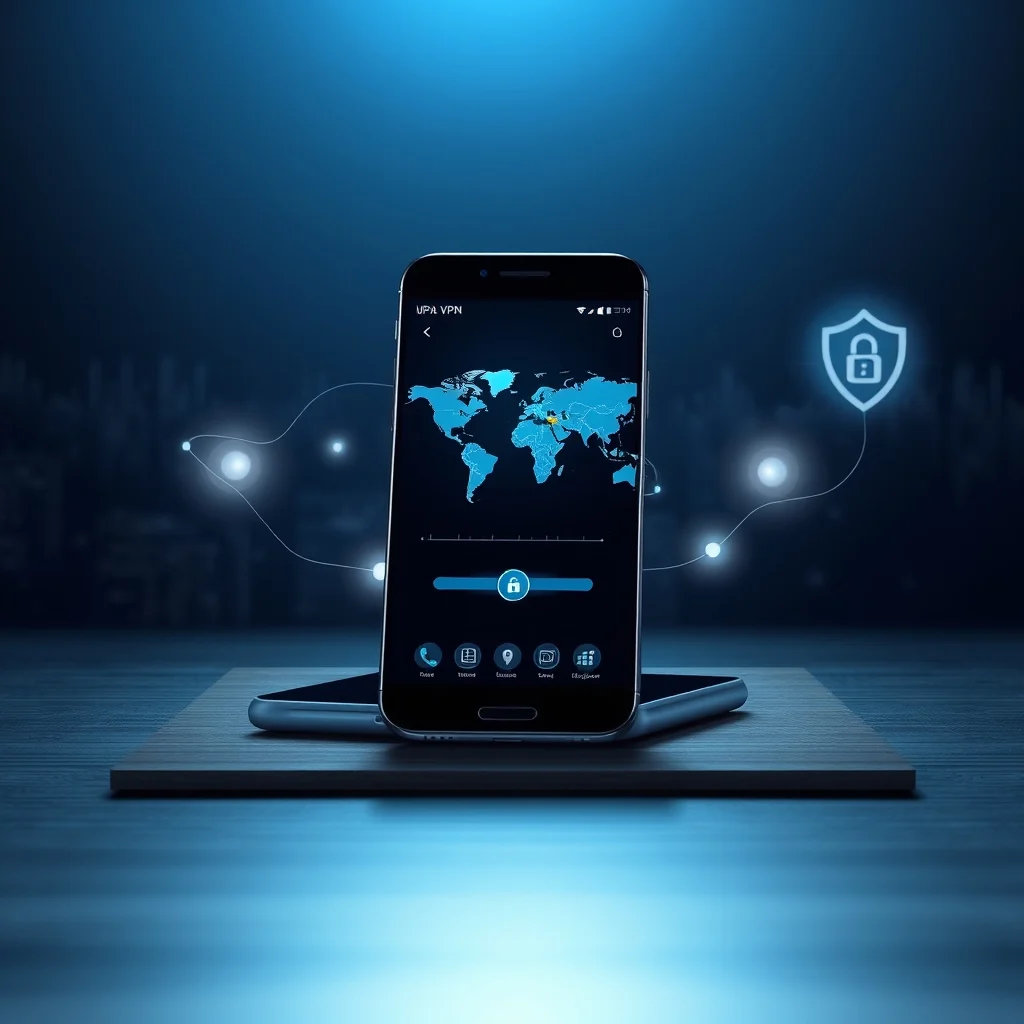

In today’s digital age, maintaining privacy and security online is more critical than ever. With cyber threats, data breaches, and invasive surveillance on the rise, using a Virtual Private Network (VPN) has become essential for Android users. A reliable VPN not only encrypts your internet traffic but also masks your IP address, allowing you to browse the web anonymously and securely.
Whether you’re accessing public Wi-Fi, streaming content, or conducting sensitive transactions, a VPN ensures your data remains protected from prying eyes. However, with countless VPN apps available on the Google Play Store, choosing the right one can be overwhelming. Some prioritize speed, while others focus on robust security protocols or user-friendly interfaces.
In this comprehensive guide, we will review and compare the best VPN apps for Android in 2026, highlighting their key features, security protocols, and user reviews. By the end, you’ll have a clear understanding of which VPN best suits your needs—whether you’re a privacy-conscious individual, a frequent traveler, or a streaming enthusiast.
🔍 Why Do You Need a VPN on Your Android Device?
A VPN, or Virtual Private Network, creates a secure and encrypted connection between your device and the internet. This tunnel prevents hackers, ISPs, and even governments from monitoring your online activities. Here are some compelling reasons why every Android user should consider using a VPN:
- ✅ Enhanced Privacy: Your real IP address is hidden, making it difficult for websites to track your location and browsing habits.
- 🎯 Secure Data Transmission: Encrypts your internet traffic, safeguarding sensitive information such as passwords and credit card details.
- ⚠️ Bypass Geo-Restrictions: Access streaming services, websites, or apps that are blocked in your region.
- 🔒 Protection from Cyber Threats: Shields you from malware, phishing attacks, and other online dangers.
- 🏆 Anonymity: Prevents third parties from logging your online activity, ensuring complete anonymity.
📊 Key Features to Look for in an Android VPN
Not all VPNs are created equal. When selecting a VPN for your Android device, consider the following critical features to ensure you get the best possible protection and performance:
📌 Essential VPN Features
A high-quality VPN should offer a combination of speed, security, and usability. Below are the most important features to evaluate:
- – ✅ Strong Encryption: Look for VPNs that use AES-256 encryption, the gold standard for security.
- – 🎯 No-Logs Policy: Ensure the VPN does not store your browsing history or personal data.
- – ⚠️ Kill Switch: Automatically disconnects your internet if the VPN connection drops, preventing data leaks.
- – 🔒 DNS Leak Protection: Prevents your DNS requests from being exposed to your ISP.
- – 🏆 Multiple Server Locations: More server options mean better speed and the ability to bypass geo-blocks.
- – 💻 User-Friendly Interface: A well-designed app makes it easier to connect and configure your VPN.
- – 🔥 Fast Connection Speeds: Slow speeds can ruin your browsing experience, especially for streaming or gaming.
- – 🛡️ Advanced Security Protocols: Protocols like OpenVPN, WireGuard, and IKEv2/IPsec offer different levels of security and speed.
- – 📱 Compatibility: Ensure the VPN works seamlessly across all your devices, including smartphones, tablets, and computers.
- – 💰 Value for Money: Compare pricing plans to find a VPN that fits your budget without compromising on features.
🎯 Top 10 Best VPN Apps for Android in 2026
After extensive research and testing, we’ve compiled a list of the top 10 VPN apps for Android in 2026. Each VPN has been evaluated based on its features, security protocols, user reviews, and overall performance. Let’s dive into the details:
| Rank | VPN Name | Main Feature | Best For | Price (Monthly) |
|---|---|---|---|---|
| 1 | NordVPN | Double VPN & CyberSec | Privacy & Security | $11.99 |
| 2 | ExpressVPN | Blazing-Fast Speeds | Streaming & Gaming | $12.95 |
| 3 | Surfshark | Unlimited Devices | Families & Multi-Device Users | $2.49 |
| 4 | CyberGhost | Optimized for Streaming | Streaming & Torrenting | $2.75 |
| 5 | Private Internet Access (PIA) | Customizable Security | Tech-Savvy Users | $2.03 |
| 6 | ProtonVPN | Free Plan Available | Privacy-Focused Users | Free / $4.99 |
| 7 | IPVanish | Great for Kodi & Firestick | Media Streamers | $3.99 |
| 8 | VyprVPN | Chameleon Protocol | Bypassing Censorship | $8.33 |
| 9 | 10GB Free Data | Budget Users | $5.75 | |
| 10 | Astrill VPN | Stealth VPN Mode | Censorship Circumvention | $10.00 |
Each of these VPNs offers unique strengths, catering to different user needs. Below, we’ll explore their features, pros, cons, and ideal use cases in detail to help you make an informed decision.
🥇 1. NordVPN: The Ultimate Privacy Shield
NordVPN is widely regarded as one of the best VPNs for Android, thanks to its robust security features and user-friendly interface. It uses military-grade encryption and offers a variety of advanced features, including Double VPN and CyberSec, which blocks ads and malware.
✨ Key Features of NordVPN
- – ✅ Double VPN: Encrypts your data twice for enhanced security.
- – 🎯 CyberSec: Blocks ads, trackers, and malicious websites.
- – ⚠️ No-Logs Policy: Independently audited to ensure no user data is stored.
- – 🔒 Threat Protection: Scans downloads for malware and blocks intrusive ads.
- – 🏆 Over 5,500 Servers: Located in 59+ countries, providing excellent global coverage.
- – 💻 Kill Switch: Automatically disconnects your internet if the VPN connection fails.
- – 🔥 Fast Speeds: Optimized servers for streaming and gaming.
✅ Advantages of NordVPN
NordVPN excels in several areas, making it a top choice for security-conscious users. Its Double VPN feature is particularly noteworthy, as it routes your traffic through two separate servers for added encryption. Additionally, the CyberSec tool effectively blocks ads and malware, enhancing your overall browsing experience.
The app is intuitive and easy to use, with a clean interface that allows even beginners to navigate effortlessly. NordVPN also offers a 30-day money-back guarantee, giving users ample time to test its features risk-free.
❌ Disadvantages of NordVPN
While NordVPN is an excellent VPN, it does have a few drawbacks. For instance, its pricing can be higher than some competitors, especially for the monthly plan. Additionally, while its speeds are generally fast, users may experience slower connections during peak hours due to server congestion.
🥈 2. ExpressVPN: Blazing-Fast Speeds for Streaming and Gaming
ExpressVPN is renowned for its exceptional speed and reliability, making it a favorite among streaming enthusiasts and gamers. It offers a vast network of servers in 94 countries, ensuring users can bypass geo-restrictions with ease.
✨ Key Features of ExpressVPN
- – ✅ Lightway Protocol: A proprietary protocol that ensures faster and more secure connections.
- – 🎯 Split Tunneling: Allows you to route some traffic through the VPN while excluding other apps.
- – ⚠️ No-Logs Policy: Audited by third-party firms to confirm its privacy claims.
- – 🔒 Network Lock (Kill Switch):b> Prevents data leaks if the VPN connection drops.
- – 🏆 94 Country Locations: One of the largest server networks available.
- – 💻 24/7 Customer Support: Live chat and email support for immediate assistance.
- – 🔥 Fastest Speeds: Consistently ranks among the fastest VPNs in speed tests.
✅ Advantages of ExpressVPN
ExpressVPN is the go-to choice for users who prioritize speed and streaming capabilities. Its Lightway protocol ensures minimal lag, making it ideal for gaming and 4K streaming. The VPN also offers excellent customer support, with 24/7 live chat assistance available.
The app is compatible with all major platforms, including Android, iOS, Windows, and macOS. Additionally, ExpressVPN provides a 30-day money-back guarantee, allowing users to test its features without commitment.
❌ Disadvantages of ExpressVPN
Despite its many strengths, ExpressVPN has a few limitations. Its pricing is on the higher side compared to other VPNs, which may deter budget-conscious users. Additionally, while its speeds are impressive, the number of simultaneous connections is limited to five devices per account.
🥉 3. Surfshark: Unlimited Devices and Affordable Pricing
Surfshark stands out for its affordability and unlimited device connections, making it an excellent choice for families and multi-device users. It offers a robust set of features, including strong encryption, a no-logs policy, and advanced security tools.
✨ Key Features of Surfshark
- – ✅ Unlimited Devices: Connect as many devices as you want on a single subscription.
- – 🎯 CleanWeb: Blocks ads, trackers, and malicious websites.
- – ⚠️ Camouflage Mode: Hides the fact that you’re using a VPN, bypassing restrictions in restrictive regions.
- – 🔒 No-Logs Policy: Independently audited to ensure user privacy.
- – 🏆 3,200+ Servers: Located in 65+ countries for global coverage.
- – 💻 MultiHop: Routes your traffic through multiple servers for added security.
- – 🔥 Affordable Pricing: One of the most budget-friendly premium VPNs available.
✅ Advantages of Surfshark
Surfshark is an ideal choice for users who need a VPN for multiple devices. Its unlimited device connections policy allows you to secure your entire household without additional costs. The VPN also offers a 30-day money-back guarantee, making it a risk-free option.
Additionally, Surfshark’s Camouflage Mode is highly effective in bypassing VPN detection, making it suitable for users in countries with strict internet censorship.
❌ Disadvantages of Surfshark
While Surfshark is an excellent VPN, it does have some drawbacks. Its server network is smaller than some competitors, which may result in slower speeds during peak times. Additionally, its customer support, while responsive, is not as comprehensive as ExpressVPN’s.
🔄 How Do VPNs Work on Android? A Technical Breakdown
Understanding how VPNs work on Android can help you make a more informed decision when choosing a service. At its core, a VPN creates a secure tunnel between your device and a remote server operated by the VPN provider. Here’s a step-by-step breakdown of how this process works:
📌 The VPN Connection Process
When you activate a VPN on your Android device, the following steps occur:
- Initiation: You open the VPN app and select a server location. The app then sends a request to the VPN server to establish a connection.
- Encryption: Your data is encrypted using a secure protocol (e.g., OpenVPN, WireGuard, or IKEv2/IPsec) before being transmitted.
- Tunneling: Your encrypted data is sent through a secure tunnel to the VPN server. This tunnel prevents ISPs, hackers, or other third parties from intercepting your traffic.
- Server Processing: The VPN server decrypts your data and forwards it to its intended destination (e.g., a website or streaming service).
- Response Return: The destination server sends its response back to the VPN server, which then encrypts the data and sends it back to your device.
- Decryption: Your device decrypts the data, allowing you to access the content securely.
🔍 Security Protocols Explained
VPNs use various security protocols to encrypt your data. Each protocol has its strengths and weaknesses in terms of speed, security, and compatibility. Here’s a breakdown of the most common protocols:
- – ✅ OpenVPN: A widely used, open-source protocol known for its strong security and reliability. It is compatible with most devices and operating systems, including Android.
- – 🎯 WireGuard: A modern, lightweight protocol that offers faster speeds and lower latency compared to OpenVPN. It is becoming increasingly popular due to its efficiency.
- – ⚠️ IKEv2/IPsec: A robust protocol developed by Microsoft and Cisco, ideal for mobile devices. It is known for its stability and ability to reconnect quickly after a network drop.
- – 🔒 L2TP/IPsec: A slower but widely supported protocol. It is less secure than OpenVPN or WireGuard but still provides decent protection.
- – 🏆 SSTP: A protocol developed by Microsoft, primarily used on Windows. It offers good security but is less compatible with non-Windows devices.
🛠️ How to Choose the Best VPN for Your Android Device
Selecting the right VPN for your Android device depends on your specific needs. Whether you prioritize speed, security, or affordability, there’s a VPN that’s perfect for you. Here’s a step-by-step guide to help you make the best choice:
📌 Step 1: Identify Your Primary Use Case
Before you start comparing VPNs, ask yourself what you need the VPN for. Your primary use case will help narrow down your options:
- – ✅ Privacy and Anonymity: If you’re concerned about online surveillance or data collection, choose a VPN with a strict no-logs policy and advanced encryption.
- – 🎯 Streaming and Unblocking: If you want to access geo-restricted content, select a VPN with a large server network and fast speeds.
- – ⚠️ Torrenting and P2P Sharing: If you frequently download torrents, opt for a VPN with P2P-optimized servers and no bandwidth limits.
- – 🔒 Gaming: Gamers should prioritize VPNs with low latency and fast speeds to avoid lag.
- – 💻 Multi-Device Use: If you need to secure multiple devices, choose a VPN that allows unlimited or multiple simultaneous connections.
📌 Step 2: Check the VPN’s Logging Policy
A VPN’s logging policy determines whether it stores your browsing data. A no-logs VPN is essential for maintaining true anonymity. Look for VPNs that have been independently audited to confirm their claims.
📌 Step 3: Evaluate Server Network and Locations
The size and distribution of a VPN’s server network play a crucial role in its performance. A larger server network means better speeds, more options for bypassing geo-restrictions, and lower chances of server congestion.
Check if the VPN offers servers in the locations you need. For example, if you want to access US Netflix, ensure the VPN has servers in the United States.
📌 Step 4: Consider Speed and Performance
Speed is a critical factor, especially if you plan to use the VPN for streaming, gaming, or downloading large files. Look for VPNs that offer:
- – ✅ Fast connection speeds: Check independent speed test results to gauge performance.
- – 🎯 Optimized servers: Some VPNs have dedicated servers for streaming or torrenting.
- – ⚠️ Low latency: Important for gaming to avoid lag and delays.
📌 Step 5: Review Security Features
A VPN should offer more than just encryption. Look for additional security features such as:
- – ✅ Kill Switch: Automatically disconnects your internet if the VPN connection drops, preventing data leaks.
- – 🎯 DNS Leak Protection: Ensures your DNS requests are not exposed to your ISP.
- – ⚠️ Split Tunneling: Allows you to route some traffic through the VPN while excluding other apps or websites.
- – 🔒 Multi-Factor Authentication (MFA): Adds an extra layer of security to your VPN account.
📌 Step 6: Compare Pricing and Plans
VPN pricing varies widely, from free options to premium services costing over $10 per month. Here’s what to consider:
- – ✅ Free VPNs: Often come with limitations like data caps, slower speeds, or fewer server options. They may also log and sell user data.
- – 🎯 Budget VPNs: Affordable premium VPNs like Surfshark and Private Internet Access offer excellent value for money.
- – ⚠️ Premium VPNs: High-end VPNs like ExpressVPN and NordVPN offer top-tier features but come at a higher cost.
Most premium VPNs offer discounts for long-term subscriptions (e.g., annual or biennial plans). Compare pricing to find the best deal.
📌 Step 7: Test the VPN Before Committing
Many VPNs offer a free trial or money-back guarantee, allowing you to test their features before committing. Take advantage of these offers to ensure the VPN meets your expectations in terms of speed, security, and usability.
🚀 Setting Up a VPN on Your Android Device: A Step-by-Step Guide
Setting up a VPN on your Android device is a straightforward process. Below, we’ll walk you through the steps to install and configure a VPN using the most popular methods.
📌 Method 1: Using the VPN Provider’s Official App
Most VPN providers offer dedicated Android apps that simplify the setup process. Here’s how to install and configure a VPN using an official app:
- Download the VPN App: Open the Google Play Store on your Android device and search for your chosen VPN (e.g., NordVPN, ExpressVPN). Download and install the app.
- Launch the App: Open the VPN app and create an account if you don’t already have one. Most VPNs offer a free trial or money-back guarantee.
- Log In: Sign in to your account using your credentials.
- Grant Permissions: The app may request permission to set up a VPN connection. Tap Allow to grant the necessary permissions.
- Connect to a Server: Tap the Connect button to establish a VPN connection. You can select a server manually or let the app choose the best one for you.
- Enable Additional Features: If your VPN offers additional features like a kill switch or split tunneling, enable them in the app’s settings.
- Start Browsing Securely: Once connected, your internet traffic is encrypted, and your IP address is masked.
📌 Method 2: Manual VPN Setup Using Android’s Built-In VPN Settings
If your VPN provider doesn’t offer an official app or you prefer a manual setup, you can configure a VPN using Android’s built-in settings. Here’s how:
- Obtain VPN Details: From your VPN provider, obtain the following details:
- – Server address (e.g., us123.nordvpn.com)
- – VPN protocol (e.g., OpenVPN, IKEv2/IPsec)
- – Username and password (if required)
- – Pre-shared key (if required)
- Open Settings: Go to Settings > Network & Internet > VPN.
- Add a VPN: Tap the + icon or Add VPN to create a new VPN profile.
- Enter VPN Details: Fill in the required fields with the information provided by your VPN provider. Choose the appropriate protocol (e.g., PPTP, L2TP/IPsec, IKEv2/IPsec, or OpenVPN).
- Save the VPN Profile: Tap Save to store the VPN configuration.
- Connect to the VPN: Select the VPN profile you just created and tap Connect. Enter your username and password if required.
⚠️ Common VPN Mistakes and How to Avoid Them
Even with a reliable VPN, users can make mistakes that compromise their privacy or performance. Below are some common VPN mistakes and how to avoid them:
📌 Mistake 1: Choosing a VPN with a Weak Logging Policy
Some VPNs claim to have a no-logs policy but may still store minimal data, such as connection timestamps. To avoid this:
- – ✅ Choose a VPN with a proven no-logs policy: Look for VPNs that have been independently audited or are based in privacy-friendly jurisdictions.
- – 🎯 Read the privacy policy: Carefully review the VPN’s privacy policy to understand what data, if any, is collected.
📌 Mistake 2: Not Enabling the Kill Switch
The kill switch is a critical feature that prevents data leaks if your VPN connection drops. Many users overlook this setting, leaving their data exposed.
To enable the kill switch:
- – ✅ Open your VPN app’s settings: Look for options like Network Lock or Kill Switch.
- – 🎯 Enable the feature: Toggle the switch to activate the kill switch.
📌 Mistake 3: Using a Free VPN with Data Caps
Free VPNs often come with limitations such as data caps, slower speeds, or fewer server options. Additionally, some free VPNs may log and sell your data to third parties.
To avoid these issues:
- – ✅ Opt for a premium VPN: Investing in a reliable VPN ensures better security and performance.
- – 🎯 Use free trials or money-back guarantees: Many premium VPNs offer free trials or money-back guarantees, allowing you to test their features risk-free.
📌 Mistake 4: Selecting a Server in the Wrong Location
Choosing a server too far from your physical location can result in slower speeds and increased latency. To optimize your VPN experience:
- – ✅ Select a server close to your location: This reduces latency and improves speed.
- – 🎯 Use a server optimized for your needs: Some VPNs offer servers optimized for streaming, torrenting, or gaming.
📌 Mistake 5: Ignoring DNS Leaks
A DNS leak occurs when your DNS requests are exposed to your ISP, even when using a VPN. This can reveal your browsing activity and compromise your privacy.
To check for and prevent DNS leaks:
- – ✅ Use a DNS leak test tool: Websites like DNSLeakTest.com or ipleak.net can help you identify DNS leaks.
- – 🎯 Enable DNS leak protection: Most premium VPNs include DNS leak protection in their settings. Enable this feature to prevent leaks.
🔐 Security Tips for Using VPNs on Android
While a VPN provides an additional layer of security, it’s essential to follow best practices to maximize your online safety. Below are some security tips to keep in mind when using a VPN on your Android device:
📌 Tip 1: Keep Your VPN App Updated
VPN providers regularly release updates to patch security vulnerabilities and improve performance. Always keep your VPN app updated to the latest version to ensure optimal protection.
📌 Tip 2: Use a Strong Password for Your VPN Account
A weak password can compromise your VPN account, allowing unauthorized users to access your data. To secure your account:
- – ✅ Create a strong, unique password: Use a combination of uppercase and lowercase letters, numbers, and special characters.
- – 🎯 Enable two-factor authentication (2FA): Add an extra layer of security to your VPN account.
📌 Tip 3: Avoid Public Wi-Fi Without a VPN
Public Wi-Fi networks are hotspots for cybercriminals looking to intercept your data. Always use a VPN when connected to public Wi-Fi to encrypt your traffic and protect your privacy.
📌 Tip 4: Enable HTTPS Everywhere
While a VPN encrypts your internet traffic, enabling HTTPS Everywhere ensures that websites use secure connections. This adds an extra layer of protection against hackers and data breaches.
📌 Tip 5: Regularly Clear Your Browsing Data
Clearing your browsing data, including cookies and cache, helps prevent websites from tracking your online activity. Most browsers offer a Clear Browsing Data option in their settings.
🆚 VPNs vs. Proxies vs. Tor: Which is Best for Privacy?
VPNs, proxies, and Tor are all tools that can help protect your privacy online, but they work in different ways. Understanding their differences can help you choose the best option for your needs.
📌 VPNs: The Gold Standard for Privacy
VPNs create a secure, encrypted tunnel between your device and a remote server, masking your IP address and encrypting your data. They are widely regarded as the most reliable method for maintaining online privacy and security.
✅ Pros of VPNs:
- Fully encrypts your internet traffic.
- Masks your IP address.
- Works with all apps and websites.
- Offers additional features like kill switches and split tunneling.
❌ Cons of VPNs:
- May slow down your internet speed.
- Some VPNs log user data (choose a no-logs VPN to avoid this).
- Premium VPNs can be expensive.
📌 Proxies: Lightweight but Limited
Proxies route your internet traffic through a remote server, masking your IP address. However, they do not encrypt your data, making them less secure than VPNs.
✅ Pros of Proxies:
- Lightweight and fast.
- Easy to set up.
- Free options available.
❌ Cons of Proxies:
- Does not encrypt your data.
- Only works with specific apps or websites.
- May log your browsing activity.
📌 Tor: The Ultimate Anonymity Tool
Tor (The Onion Router) is a free, open-source network that routes your internet traffic through multiple servers, making it nearly impossible to trace your online activity. However, Tor has significant drawbacks, including slow speeds and limited functionality.
✅ Pros of Tor:
- Provides the highest level of anonymity.
- Free to use.
- Works in highly restrictive regions.
❌ Cons of Tor:
- Extremely slow speeds.
- Does not work well with streaming or torrenting.
- Complex setup process.
💡 Tips for Maximizing Your VPN Experience on Android
Getting the most out of your VPN requires more than just installing the app and connecting to a server. Below are some tips to optimize your VPN experience on Android:
📌 Tip 1: Choose the Right Server Location
Selecting a server in the right location can significantly impact your VPN’s performance. Here are some tips for choosing the best server:
- – ✅ For Speed: Choose a server close to your physical location to minimize latency.
- – 🎯 For Streaming: Select a server in the country where your desired streaming service is available (e.g., US for Netflix).
- – ⚠️ For Torrenting: Use P2P-optimized servers to maximize download speeds.
- – 🔒 For Privacy: Choose servers in privacy-friendly jurisdictions (e.g., Switzerland, Panama).
📌 Tip 2: Use Split Tunneling for Selective Traffic Routing
Split tunneling allows you to route some of your internet traffic through the VPN while excluding other apps or websites. This is useful if you only want to protect specific activities, such as online banking or streaming.
To enable split tunneling:
- – ✅ Open your VPN app’s settings: Look for options like Split Tunneling or Bypass VPN.
- – 🎯 Select apps to exclude: Choose which apps or websites should bypass the VPN.
📌 Tip 3: Enable Threat Protection Features
Many premium VPNs offer additional security features like ad blockers, malware scanners, and tracker blockers. Enabling these features can enhance your online safety.
For example:
- – ✅ NordVPN’s CyberSec: Blocks ads, trackers, and malicious websites.
- – 🎯 ExpressVPN’s Threat Manager: Prevents trackers and malware from infecting your device.
📌 Tip 4: Regularly Update Your VPN App
VPN providers frequently release updates to patch security vulnerabilities and improve performance. Always keep your VPN app updated to the latest version to ensure optimal protection.
❓ Frequently Asked Questions About VPNs on Android
Here are answers to some of the most common questions about using VPNs on Android devices:
- Is using a VPN on Android legal?
Yes, using a VPN on Android is legal in most countries. However, some countries, such as China, Iran, and North Korea, restrict or ban VPN usage. Always check your local laws before using a VPN.
- Can a VPN slow down my internet speed?
Yes, a VPN can slow down your internet speed due to encryption overhead and server distance. However, premium VPNs like ExpressVPN and NordVPN are optimized for speed and offer minimal impact on performance.
- Do free VPNs offer the same security as premium VPNs?
No, free VPNs often lack advanced security features, have data caps, and may log and sell user data. For reliable privacy and security, it’s best to use a premium VPN.
- Can I use a VPN to access Netflix or other geo-restricted content?
Yes, a VPN can help you bypass geo-restrictions and access content that is not available in your region. However, not all VPNs work with streaming services, as they often block VPN servers. Choose a VPN with a proven track record of unblocking Netflix and other platforms.
- How do I know if my VPN is working?
You can check if your VPN is working by visiting a website like ipleak.net or DNSLeakTest.com. These tools will show your IP address and DNS requests to confirm that your VPN is masking your real location.
- Can I use a VPN for torrenting on Android?
Yes, many VPNs support torrenting and P2P sharing. However, not all VPNs allow torrenting, and some may throttle your speed. Choose a VPN with P2P-optimized servers and a no-logs policy for the best experience.
- What is the best VPN protocol for Android?
The best VPN protocol depends on your needs. For speed, WireGuard is an excellent choice. For security, OpenVPN and IKEv2/IPsec are highly recommended. Avoid older protocols like PPTP, as they offer weak encryption.
- Can I use a VPN on my Android TV?
Yes, many VPNs offer apps for Android TV or support manual setup via a router. Check your VPN provider’s website for instructions on how to configure the VPN on your Android TV.
- How many devices can I connect to a VPN simultaneously?
This depends on your VPN provider. Some VPNs, like Surfshark, allow unlimited device connections, while others limit you to 5 or 6 devices. Check your VPN’s pricing plan for details.
- What should I do if my VPN connection keeps dropping?
If your VPN connection keeps dropping, try the following:
- – Switch to a different server or protocol.
- – Restart your router and device.
- – Check your internet connection for stability issues.
- – Update your VPN app to the latest version.
- – Contact your VPN provider’s customer support for assistance.
🏁 Final Verdict: Which VPN is Best for Your Android Device?
Choosing the right VPN for your Android device depends on your specific needs, whether it’s privacy, speed, streaming, or affordability. Based on our in-depth analysis, here’s a quick recap of the best VPNs for different use cases:
📌 Best for Privacy and Security: NordVPN
NordVPN is the top choice for users who prioritize privacy and security. Its Double VPN feature, CyberSec ad blocker, and strict no-logs policy make it one of the most secure VPNs available. While it may be slightly more expensive than some competitors, its robust features justify the cost.
📌 Best for Streaming and Speed: ExpressVPN
ExpressVPN is ideal for users who want fast speeds and reliable streaming capabilities. Its Lightway protocol ensures minimal lag, and its vast server network allows you to bypass geo-restrictions with ease. However, its higher price point may deter budget-conscious users.
📌 Best Budget-Friendly VPN: Surfshark
Surfshark offers an unbeatable combination of affordability and unlimited device connections. Its CleanWeb feature blocks ads and trackers, and its Camouflage Mode helps bypass VPN detection in restrictive regions. If you need a VPN for your entire household, Surfshark is an excellent choice.
📌 Best for Torrenting: CyberGhost
CyberGhost is optimized for torrenting and P2P sharing, with dedicated servers and a no-logs policy. Its user-friendly interface and affordable pricing make it a great option for users who frequently download torrents.
📌 Best Free VPN: ProtonVPN
ProtonVPN offers a free plan with unlimited data, making it a great option for users on a tight budget. While its free plan has limited server options, it provides robust security features and a strict no-logs policy. For more advanced features, consider upgrading to its premium plan.
In conclusion, the best VPN for your Android device depends on your priorities. Whether you need top-tier security, blazing-fast speeds, or budget-friendly pricing, there’s a VPN that’s perfect for you. Take advantage of free trials and money-back guarantees to test these VPNs before committing to a subscription.
By following the tips and recommendations in this guide, you can confidently choose a VPN that meets your needs and enhances your online privacy and security. Start your journey to a safer, more private internet experience today!
🔥 Bonus: Quick Comparison Table of Top VPNs
| VPN | Security Features | Speed | Server Network | Price (Monthly) | Best For |
|---|---|---|---|---|---|
| NordVPN | Double VPN, CyberSec, AES-256 | ⭐⭐⭐⭐⭐ | 5,500+ servers in 59+ countries | $11.99 | Privacy & Security |
| ExpressVPN | Lightway Protocol, Threat Manager, AES-256 | ⭐⭐⭐⭐⭐ | 3,000+ servers in 94+ countries | $12.95 | Streaming & Gaming |
| Surfshark | CleanWeb, Camouflage Mode, AES-256 | ⭐⭐⭐⭐ | 3,200+ servers in 65+ countries | $2.49 | Budget Users & Families |
| CyberGhost | No-Logs Policy, P2P Servers, AES-256 | ⭐⭐⭐⭐ | 7,400+ servers in 90+ countries | $2.75 | Streaming & Torrenting |
| Private Internet Access | Customizable Encryption, MACE Ad Blocker | ⭐⭐⭐⭐ | 35,000+ servers in 78+ countries | $2.03 | Tech-Savvy Users |
This table provides a quick overview of the top VPNs for Android in 2026. Use it as a reference when choosing the VPN that best fits your needs.
With the right VPN, you can enjoy a safer, more private, and unrestricted internet experience on your Android device. Start exploring your options today and take control of your online privacy!