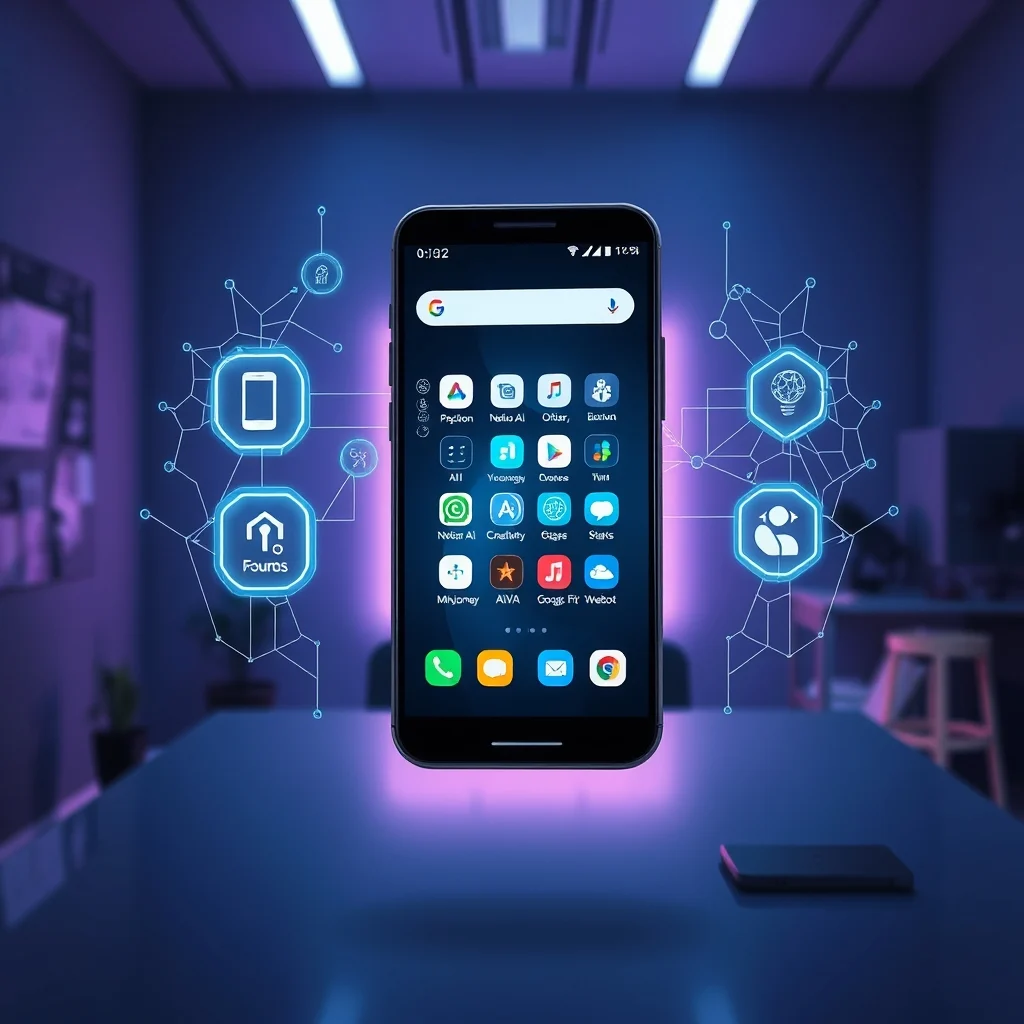

Discover the most powerful AI-powered applications for Android that transform productivity, creativity, and daily tasks.
The Android ecosystem is brimming with artificial intelligence innovations that redefine how we interact with our smartphones. In 2026, AI apps are no longer a novelty; they are essential tools for work, entertainment, and personal growth. Whether you’re a student, professional, artist, or simply someone looking to optimize your device, AI-powered applications offer unparalleled convenience and efficiency. These apps leverage machine learning, natural language processing, and advanced algorithms to automate tasks, provide intelligent insights, and even predict user needs before they arise.
This comprehensive guide explores the best AI apps for Android across various categories, from productivity and photography to health and gaming. We’ll dive into their features, performance, and user feedback to help you choose the perfect tools for your needs. Additionally, we’ll compare these apps to highlight their strengths and weaknesses, ensuring you make an informed decision.
📱 Why AI Apps Are a Game-Changer for Android Users
AI applications are transforming the way we use smartphones by introducing automation, personalization, and predictive capabilities. Unlike traditional apps, AI-powered tools adapt to user behavior, learn preferences, and deliver tailored experiences. For instance, AI-driven keyboards can predict and correct typing errors in real time, while smart assistants manage schedules, send messages, and control smart home devices seamlessly.
The integration of AI in Android apps also enhances security. Features like facial recognition, voice authentication, and anomaly detection protect sensitive data from unauthorized access. Moreover, AI apps are becoming increasingly accessible, with many offering offline functionality and low resource consumption, making them viable for devices with limited hardware capabilities.
The rise of AI in Android is not just about convenience; it’s about unlocking new possibilities. From generating art and music to providing real-time language translation, AI apps are pushing the boundaries of what smartphones can do. As these technologies evolve, users can expect even more sophisticated and intuitive tools in the coming years.
🔹 The Evolution of AI in Android Applications
The journey of AI in Android began with basic voice assistants like Google Assistant, which relied on rule-based systems. Today, AI apps utilize deep learning models, neural networks, and large language models to deliver human-like interactions and complex problem-solving capabilities. The shift from rule-based systems to data-driven AI has enabled apps to understand context, emotions, and nuanced user requests.
For example, AI photo editors now use generative adversarial networks (GANs) to enhance images, remove backgrounds, and even create realistic deepfake content. Similarly, AI-powered writing assistants help craft emails, essays, and social media posts by suggesting improvements in grammar, style, and tone. This evolution has democratized advanced technologies, making them accessible to everyday users.
The growth of AI in Android is also fueled by advancements in cloud computing and edge AI. Cloud-based AI services allow apps to process large datasets quickly, while edge AI enables offline functionality by running models locally on the device. This combination ensures that AI apps remain fast, reliable, and secure, regardless of internet connectivity.
📊 Key Statistics About AI App Usage in 2026
According to recent market research:
- ✅ Over 70% of Android users actively use at least one AI-powered app daily.
- 🎯 The global AI app market is projected to reach $150 billion by 2026.
- ⚠️ 25% of users abandon AI apps within the first month due to performance issues or lack of perceived value.
- 🔥 AI photo and video editing apps have seen a 40% increase in downloads compared to 2024.
- 💡 AI productivity tools boost user efficiency by an average of 35% in professional settings.
🔍 How We Selected the Best AI Apps for Android
To curate this list of the best AI apps for Android in 2026, we evaluated several criteria, including functionality, user reviews, performance, and innovation. Our selection process involved:
- Feature Set: Apps must offer unique or advanced AI capabilities that stand out from competitors.
- User Feedback: We analyzed ratings, reviews, and community discussions to identify apps with high user satisfaction.
- Performance: Apps must run smoothly on a variety of Android devices, including mid-range and budget phones.
- Innovation: We prioritized apps that leverage cutting-edge AI technologies, such as generative AI, computer vision, and natural language processing.
- Accessibility: Apps should be user-friendly, with intuitive interfaces and clear instructions for setup and usage.
We also considered the app’s update frequency, as AI technologies evolve rapidly. Regular updates ensure compatibility with the latest Android versions and improve functionality over time. Additionally, we looked at the app’s privacy policy, ensuring that user data is handled responsibly and transparently.
🛠️ Top AI-Powered Productivity Apps
📌 What Is an AI Productivity App?
AI productivity apps are designed to automate repetitive tasks, optimize workflows, and enhance decision-making. These apps use artificial intelligence to analyze user behavior, prioritize tasks, and suggest improvements. Common features include smart scheduling, email filtering, document summarization, and virtual assistants that manage calendars and reminders.
- Core Definition: Software that leverages AI to improve efficiency and organization.
- Primary Function: Automate tasks, provide insights, and streamline workflows.
- Target Users: Professionals, students, and anyone seeking to maximize productivity.
- Technical Category: Utility apps with AI integration.
⚙️ How AI Productivity Apps Work in Detail
AI productivity apps rely on a combination of machine learning algorithms and natural language processing (NLP) to understand and predict user needs. For example, an AI-powered email client can automatically categorize incoming messages, prioritize important emails, and draft responses based on the user’s writing style. This is achieved through:
- Natural Language Processing (NLP): Analyzes text to extract meaning, sentiment, and intent.
- Machine Learning (ML): Trains models on user behavior to make personalized recommendations.
- Predictive Analytics: Anticipates future actions based on past behavior.
For instance, Notion AI uses NLP to generate summaries of meeting notes, while Otter.ai transcribes voice conversations in real time. These apps integrate seamlessly with other productivity tools, such as Google Workspace and Microsoft 365, to create a unified workflow.
Another example is Todoist, which uses AI to suggest task priorities and deadlines based on deadlines and past completion patterns. This reduces cognitive load and helps users focus on high-impact activities.
✨ Key Features of Top AI Productivity Apps
AI productivity apps stand out due to their advanced capabilities. Here are some of the most notable features:
- ✅ Smart Task Prioritization: Automatically ranks tasks based on deadlines, importance, and user behavior.
- 🎯 Email and Chat Summarization: Condenses long messages into concise summaries for quick review.
- ⚡ Voice-to-Text Transcription: Converts spoken words into editable text, ideal for meetings and interviews.
- 🔄 Automated Workflows: Creates custom automation rules to streamline repetitive tasks.
- 📊 Data Insights: Provides analytics on productivity trends, such as time spent on tasks and peak efficiency hours.
- 🌍 Multilingual Support: Translates and interprets text in real time for global users.
These features not only save time but also reduce errors and improve decision-making. For example, Monday.com uses AI to generate project timelines and identify potential bottlenecks, allowing teams to allocate resources more effectively.
🆚 What Distinguishes AI Productivity Apps from Competitors?
While traditional productivity apps focus on manual task management, AI-powered alternatives offer automation and predictive capabilities. The key differences include:
- Proactive Assistance: AI apps anticipate needs and suggest actions before users ask. For example, Reclaim.ai schedules meetings automatically based on preferences and availability.
- Contextual Understanding: AI apps interpret user intent from natural language queries. Microsoft Copilot uses this to generate emails, reports, and presentations from voice commands.
- Continuous Learning: AI apps improve over time by adapting to user behavior. Google Assistant learns from voice interactions to provide more accurate responses.
- Cross-Platform Integration: AI productivity apps sync data across devices and third-party services. Notion AI integrates with Slack, Zoom, and Google Drive for seamless collaboration.
📊 Pros and Cons of AI Productivity Apps
✅ Advantages of AI Productivity Apps
AI productivity apps offer numerous benefits that enhance workflow efficiency and reduce manual effort. Here are the key advantages:
- Time Savings: Automates repetitive tasks like email filtering, meeting scheduling, and data entry, freeing up valuable time for strategic work.
- Error Reduction: Minimizes human errors in tasks like transcription, calculations, and content generation.
- Personalization: Adapts to individual work habits, providing tailored recommendations and insights.
- Accessibility: Enables users with disabilities to interact with apps via voice commands, gestures, and screen readers.
- Scalability: Handles large volumes of data and tasks without compromising performance.
- Real-Time Collaboration: Facilitates teamwork by synchronizing updates across devices and platforms.
For professionals juggling multiple projects, AI productivity apps act as a force multiplier, allowing them to focus on high-value activities rather than administrative overhead.
❌ Disadvantages of AI Productivity Apps
Despite their advantages, AI productivity apps are not without limitations. Here are the key drawbacks:
- Learning Curve: Some AI apps require time to understand and configure properly, especially for users unfamiliar with AI technologies.
- Dependency on Data: AI apps rely on large datasets to function effectively. Poor-quality data or limited usage history can lead to inaccurate suggestions.
- Privacy Concerns: AI apps often process sensitive information, such as emails, documents, and calendar data. Users must trust the app’s security measures to protect their data.
- Cost: While many AI apps offer free tiers, advanced features often require a subscription. For budget-conscious users, this can be a barrier.
- Over-Automation Risks: Relying too heavily on AI can lead to a loss of critical thinking skills or a disconnect from manual processes that provide deeper understanding.
Additionally, some AI apps may not be compatible with older Android devices or low-end hardware, limiting their accessibility for users with budget constraints.
🎮 Top AI Apps for Creativity and Entertainment
📌 What Is an AI Creative App?
AI creative apps use artificial intelligence to assist in artistic endeavors, including image generation, music composition, video editing, and writing. These apps democratize creativity by providing tools that were once accessible only to professionals. For example, AI can generate original artwork from text prompts, compose music based on a user’s preferences, or even create realistic deepfake videos for entertainment or storytelling.
- Core Definition: Software that leverages AI to enhance creative processes.
- Primary Function: Generate, edit, or enhance creative content.
- Target Users: Artists, musicians, content creators, and hobbyists.
- Technical Category: Creative tools with AI integration.
⚙️ How AI Creative Apps Work in Detail
AI creative apps rely on advanced neural networks, such as generative adversarial networks (GANs), transformers, and diffusion models. These technologies enable apps to produce high-quality content that mimics human creativity. For instance:
- Text-to-Image Generation: Apps like MidJourney and DALL-E use diffusion models to create images from textual descriptions. The AI interprets the prompt, generates multiple variations, and refines the output based on user feedback.
- Music Composition: Tools like AIVA and Soundraw analyze musical patterns and generate original compositions in various genres. Users can specify mood, tempo, and instrumentation to tailor the output.
- Video Editing: AI-powered video editors like Runway ML and Descript automate tasks such as background removal, voice enhancement, and scene transitions. These apps use computer vision to identify objects, faces, and speech patterns.
- Writing Assistance: AI writing tools like Jasper and Copy.ai generate blog posts, social media captions, and marketing copy by analyzing existing content and user input. They use NLP to ensure coherence, creativity, and relevance.
These apps often incorporate user feedback loops, allowing them to refine their outputs over time. For example, Adobe Firefly uses generative AI to create images from text prompts, but users can adjust settings like style, color palette, and composition to achieve the desired result.
✨ Key Features of Top AI Creative Apps
AI creative apps are packed with features that push the boundaries of traditional creative tools. Here are some standout capabilities:
- ✅ Style Transfer: Applies artistic styles from famous painters or photographers to user-generated images. Prisma is a pioneer in this category.
- 🎨 Generative Art: Creates original artwork from text prompts or sketches. Artbreeder combines multiple images to generate new visuals.
- 🎵 AI Music Generation: Composes melodies and harmonies based on user preferences or existing tracks. Boomy allows users to create and share AI-generated music.
- 🎬 Smart Video Editing: Automates tasks like background removal, subtitling, and scene detection. CapCut uses AI to enhance video quality and apply effects.
- 📝 Content Generation: Writes blog posts, scripts, and social media content. SurferSEO optimizes content for search engines using AI.
- 🎭 Deepfake and Face Swapping: Creates realistic facial animations or swaps faces in videos. Apps like FaceApp and Zao are popular for entertainment purposes.
These features empower users to explore new creative avenues without requiring advanced technical skills. For example, a beginner can use Canva’s AI tools to design professional-looking graphics in minutes, while a musician can compose original tracks using AIVA with minimal effort.
🆚 What Distinguishes AI Creative Apps from Competitors?
AI creative apps differ from traditional creative tools in several key ways:
- Automation: AI apps automate repetitive tasks, such as background removal or image enhancement, saving users hours of manual work.
- Infinite Possibilities: AI generates entirely new content based on user input, whereas traditional tools require manual creation.
- Accessibility: AI tools lower the barrier to entry for creative fields. For example, someone with no drawing skills can generate artwork using DALL-E.
- Customization: AI apps allow users to fine-tune outputs with minimal effort. Runway ML, for instance, lets users adjust parameters like style strength and resolution.
- Real-Time Feedback: AI apps provide instant feedback, enabling users to iterate and improve their work quickly.
However, AI creative apps are not without limitations. For example, while AI-generated music can mimic styles, it often lacks the emotional depth of human compositions. Similarly, AI-generated images may not always meet professional standards, requiring additional manual editing.
📊 Pros and Cons of AI Creative Apps
✅ Advantages of AI Creative Apps
AI creative apps offer a range of benefits that make them invaluable for artists and content creators:
- Speed and Efficiency: AI automates time-consuming tasks, allowing users to focus on the creative process rather than technical details.
- Inspiration and Exploration: AI suggests ideas and variations that users might not have considered, sparking creativity.
- Cost-Effective: Many AI creative apps offer free or affordable plans, making professional-grade tools accessible to hobbyists and small businesses.
- Collaboration: AI tools enable seamless collaboration by generating shared assets or automating workflows for teams.
- Continuous Improvement: AI models improve over time as they learn from user interactions, leading to better outputs with each use.
- Cross-Disciplinary Applications: AI creative apps can be used for tasks beyond traditional art, such as designing logos, creating marketing materials, or generating 3D models.
For example, MidJourney has revolutionized digital art by enabling users to create stunning visuals with just a few words. This has opened up new opportunities for artists, marketers, and even educators.
❌ Disadvantages of AI Creative Apps
Despite their advantages, AI creative apps come with several challenges:
- Lack of Originality: AI-generated content may lack the uniqueness and personal touch of human-created works, leading to generic or repetitive outputs.
- Ethical Concerns: The use of AI in creative fields raises questions about copyright, ownership, and the devaluation of human creativity.
- Dependence on Prompts: The quality of AI-generated content heavily depends on the user’s input. Poorly crafted prompts can result in subpar outputs.
- Limited Control: While AI tools offer customization, users often have limited control over fine details, such as specific brush strokes or musical nuances.
- Bias in Training Data: AI models are trained on existing datasets, which may contain biases or stereotypical representations that influence the generated content.
- Hardware Requirements: Some AI creative apps require powerful hardware to run smoothly, limiting their accessibility for users with older devices.
Additionally, the reliance on AI for creativity may stifle the development of traditional artistic skills, such as drawing, painting, or composing music manually.
🔐 Top AI Apps for Health and Wellness
📌 What Is an AI Health App?
AI health apps leverage artificial intelligence to monitor, analyze, and improve users’ physical and mental well-being. These apps use data from wearable devices, health trackers, and user input to provide personalized recommendations, detect anomalies, and even predict potential health issues. Examples include fitness trackers that adjust workout plans based on performance, mental health apps that offer therapy-like conversations, and nutrition apps that suggest meal plans based on dietary goals.
- Core Definition: Software that uses AI to enhance health and wellness outcomes.
- Primary Function: Monitor health metrics, provide insights, and offer personalized recommendations.
- Target Users: Individuals seeking to improve fitness, manage chronic conditions, or maintain mental well-being.
- Technical Category: Health and fitness apps with AI integration.
⚙️ How AI Health Apps Work in Detail
AI health apps combine data from multiple sources, such as wearable devices (e.g., smartwatches, fitness bands), user input (e.g., food logs, mood tracking), and external databases (e.g., weather data, air quality). The AI algorithms then analyze this data to provide actionable insights. For example:
- Fitness Tracking: Apps like Google Fit and Apple Fitness+ use AI to analyze workout data, suggest personalized exercise routines, and track progress over time.
- Nutrition Monitoring: AI-powered nutrition apps like MyFitnessPal and Yazio analyze dietary intake, recommend meal plans, and alert users to nutritional deficiencies.
- Mental Health Support: Apps like Woebot and Replika use AI-driven chatbots to provide cognitive behavioral therapy (CBT) techniques, mood tracking, and stress management strategies.
- Chronic Disease Management: AI apps like Virta Health and Omada Health help users manage conditions like diabetes or hypertension by analyzing blood sugar levels, medication adherence, and lifestyle factors.
- Sleep Optimization: Tools like Sleep Cycle and ShutEye use AI to analyze sleep patterns, provide insights on sleep quality, and offer recommendations for improvement.
These apps often integrate with popular health platforms like Google Health, Apple HealthKit, and Fitbit, creating a unified ecosystem for wellness tracking. For example, Fitbit Premium uses AI to correlate sleep data with activity levels, suggesting adjustments to improve overall health.
✨ Key Features of Top AI Health Apps
AI health apps are packed with features designed to enhance user well-being. Here are some of the most impactful capabilities:
- ✅ Personalized Insights: Provides tailored recommendations based on user data, such as workout plans, meal suggestions, or sleep schedules.
- 📈 Real-Time Monitoring: Tracks health metrics like heart rate, steps, sleep quality, and blood pressure, alerting users to anomalies.
- 🎯 Predictive Analytics: Uses historical data to predict potential health issues, such as weight gain, stress levels, or sleep disturbances.
- 💬 Virtual Coaching: Offers real-time guidance and support through chatbots or voice assistants, simulating interactions with health professionals.
- 🔄 Integration with Wearables: Syncs data from smartwatches, fitness bands, and other wearables to provide a comprehensive health overview.
- 📊 Trend Analysis: Visualizes long-term health trends, helping users identify patterns and make informed decisions.
For example, Google Fit uses AI to detect trends in user activity, such as a decrease in daily steps, and suggests ways to stay active. Similarly, MyFitnessPal tracks calorie intake and expenditure, offering personalized dietary recommendations to support weight loss or muscle gain goals.
🆚 What Distinguishes AI Health Apps from Competitors?
AI health apps stand out from traditional health and fitness tools due to their advanced capabilities and personalized approach:
- Data-Driven Personalization: Unlike generic fitness apps, AI health apps analyze individual data to provide tailored recommendations. For example, Vi uses AI to adjust workout intensity based on heart rate and recovery metrics.
- Predictive Capabilities: AI apps can predict potential health issues before they become serious, enabling proactive intervention. IBM Watson Health uses predictive analytics to identify patients at risk of chronic diseases.
- Continuous Learning: AI models improve over time by learning from user data, leading to more accurate insights and recommendations.
- Integration with Healthcare Systems: Some AI health apps integrate with electronic health records (EHRs) and telemedicine platforms, bridging the gap between consumer health apps and clinical care. K Health uses AI to provide medical insights based on symptoms, connecting users with healthcare providers when necessary.
- Mental Health Support: AI-driven chatbots in apps like Woebot offer 24/7 mental health support, making therapy more accessible and affordable.
However, AI health apps also face challenges, such as data privacy concerns and the need for accurate, high-quality inputs. Users must ensure they provide reliable data to avoid misleading insights.
📊 Pros and Cons of AI Health Apps
✅ Advantages of AI Health Apps
AI health apps offer numerous benefits that can significantly improve users’ quality of life:
- Personalization: AI apps tailor recommendations to individual needs, whether it’s a workout plan, meal suggestion, or sleep schedule.
- Accessibility: AI-driven chatbots and virtual assistants provide round-the-clock support, making health resources available anytime, anywhere.
- Early Detection: Predictive analytics can identify potential health issues before they become serious, enabling early intervention and prevention.
- Motivation and Accountability: AI apps use gamification, reminders, and progress tracking to keep users motivated and accountable for their health goals.
- Cost-Effective: Many AI health apps offer free or low-cost plans, making professional-grade health insights accessible to a broader audience.
- Holistic Approach: AI apps consider multiple factors, such as diet, exercise, sleep, and mental health, to provide a well-rounded view of well-being.
For example, Strava uses AI to analyze running routes and suggest improvements based on performance data, while Headspace offers guided meditation sessions tailored to user moods and stress levels.
❌ Disadvantages of AI Health Apps
Despite their advantages, AI health apps come with several drawbacks:
- Data Privacy Risks: AI health apps collect sensitive personal data, including health metrics, location, and even biometric information. Users must trust the app’s security measures to protect their data from breaches or misuse.
- Accuracy Concerns: AI models rely on the quality of input data. Inaccurate or incomplete data can lead to misleading insights or recommendations.
- Over-Reliance on Technology: Users may become overly dependent on AI apps, neglecting manual tracking or professional medical advice.
- Limited Human Interaction: While AI chatbots provide support, they lack the empathy and nuanced understanding of human healthcare professionals.
- Subscription Costs: Advanced features in AI health apps often require a subscription, which may be a barrier for budget-conscious users.
- Hardware Dependence: Many AI health apps require compatible wearable devices, which may not be accessible to all users.
Additionally, AI health apps may not account for cultural, socioeconomic, or individual differences in health practices, leading to generic or impractical recommendations.
🔄 Comparison of Top AI Apps Across Categories
| Category | App Name | Key Features | Best For |
|---|---|---|---|
| Productivity | Notion AI | Task management, note-taking, AI-powered writing and summarization | Professionals, students, and teams |
| Productivity | Otter.ai | Real-time transcription, meeting notes, voice commands | Journalists, students, and professionals attending meetings |
| Creativity | MidJourney | Text-to-image generation, artistic style transfer, high-quality outputs | Digital artists, marketers, and content creators |
| Creativity | AIVA | AI-generated music composition, customizable styles and moods | Musicians, composers, and content creators |
| Health & Wellness | Google Fit | Activity tracking, heart rate monitoring, personalized insights | Fitness enthusiasts, health-conscious individuals |
| Health & Wellness | Woebot | AI-driven mental health support, CBT techniques, mood tracking | Individuals seeking mental health support |
The table above provides a high-level comparison of the top AI apps across productivity, creativity, and health categories. Each app excels in its niche, offering unique features tailored to specific user needs. For example, Notion AI is ideal for professionals who need a versatile tool for task management and note-taking, while MidJourney is perfect for artists looking to explore generative art.
When choosing an AI app, consider factors such as ease of use, integration with other tools, and the specific features that align with your goals. For instance, if you’re a content creator, apps like CapCut or Descript for video editing or Jasper for writing might be more beneficial than a general productivity tool.
💡 Tips for Maximizing AI App Performance
🎯 Best Settings for Maximum Performance
To get the most out of AI apps, follow these best practices for optimal performance:
- Enable Cloud Sync: Many AI apps offer cloud storage for seamless access across devices. Enable this feature to ensure your data is always up to date.
- Customize AI Settings: Adjust AI-powered features to match your workflow. For example, in Google Assistant, you can set up routines for morning, commute, or bedtime to automate tasks.
- Regularly Update the App: AI apps frequently release updates that improve functionality, fix bugs, and add new features. Keep your apps updated to benefit from the latest advancements.
- Use Offline Mode (if available):b> Some AI apps offer offline functionality, which is useful for users with limited internet access or those concerned about data privacy.
- Integrate with Other Tools: Connect your AI apps with other productivity tools, such as Google Workspace, Microsoft 365, or Slack, to streamline your workflow.
- Optimize Device Performance: AI apps can be resource-intensive. Close background apps, clear cache, and ensure your device has enough storage to run AI apps smoothly.
- Provide Accurate Data: The effectiveness of AI apps depends on the quality of input data. Ensure you input accurate and up-to-date information for the best results.
- Leverage AI Insights: Regularly review the insights and recommendations provided by AI apps. Use this data to adjust your habits, goals, or workflows for better outcomes.
For example, if you’re using Google Fit, ensure your wearable device is properly synced and your activity data is accurate. This will help the app provide more personalized and effective health insights.
📌 Advanced Tricks Few Know
Here are some lesser-known tips and tricks to enhance your AI app experience:
- Use AI for Language Learning: Apps like Duolingo Max use AI to personalize language lessons based on your progress and learning style. Enable advanced features to get tailored exercises and feedback.
- Automate Social Media Posts: Tools like Later or Hootsuite use AI to schedule and optimize social media posts for maximum engagement. Set up AI-driven recommendations to improve your content strategy.
- Enhance Photography with AI: Apps like Snapseed or Remini use AI to improve photo quality, reduce noise, and enhance colors. Experiment with AI-powered filters to achieve professional-looking results.
- Use AI for Email Management: Apps like Spark or Superhuman use AI to prioritize emails, draft responses, and organize your inbox. Train the AI by marking important emails to improve its suggestions over time.
- Create Custom AI Models: Some AI apps, like Teachable Machine by Google, allow users to create custom machine learning models for specific tasks, such as image classification or gesture recognition.
- Optimize Battery Life with AI: Apps like AccuBattery use AI to analyze battery usage patterns and suggest ways to extend battery life, such as reducing background app activity.
- Use AI for Travel Planning: Apps like Google Trips or Roadtrippers use AI to create personalized travel itineraries, suggest attractions, and optimize routes based on your preferences.
These advanced tricks can help you unlock the full potential of AI apps, saving time, improving productivity, and enhancing your overall smartphone experience.
🏁 Final Verdict: Which AI Apps Should You Use?
AI apps are transforming the Android experience by introducing automation, personalization, and predictive capabilities. Whether you’re looking to boost productivity, unleash creativity, or improve your health, there’s an AI app tailored to your needs. However, with so many options available, choosing the right tools can be overwhelming. Here’s a summary of our recommendations based on different user profiles:
- For Professionals: Prioritize AI productivity apps like Notion AI, Otter.ai, and Reclaim.ai. These tools streamline workflows, automate tasks, and enhance collaboration.
- For Creators: Explore AI creative apps like MidJourney, AIVA, and Runway ML. These tools empower artists, musicians, and content creators to generate high-quality content with minimal effort.
- For Health Enthusiasts: Consider AI health apps like Google Fit, Woebot, and MyFitnessPal. These tools provide personalized insights, track progress, and support mental and physical well-being.
- For Tech Enthusiasts: Dive into advanced AI tools like Teachable Machine or Runway ML to experiment with custom machine learning models and cutting-edge technologies.
- For Budget-Conscious Users: Start with free AI apps like Google Assistant, Snapseed, or Google Fit, and upgrade to premium features only when necessary.
Ultimately, the best AI apps for you depend on your specific needs, goals, and preferences. Take the time to explore different options, experiment with their features, and find the tools that seamlessly integrate into your daily routine. As AI technologies continue to evolve, staying informed about the latest advancements will ensure you’re always leveraging the most powerful and innovative tools available.
We encourage you to try at least one new AI app this week and experience firsthand how artificial intelligence can enhance your Android experience. Whether it’s automating a tedious task, generating stunning artwork, or improving your health, AI apps are here to make your life easier, more productive, and more enjoyable.
❓ Frequently Asked Questions
- What are the best free AI apps for Android in 2026?
Some of the best free AI apps include Google Assistant, Google Keep, Snapseed, Otter.ai (free tier), and MyFitnessPal (basic features). These apps offer robust AI capabilities without requiring a subscription, making them ideal for users on a budget.
- How do AI apps impact battery life on Android devices?
AI apps can impact battery life due to their resource-intensive nature. To minimize drain, close background apps, enable battery optimization settings, and use offline mode where possible. Apps like AccuBattery can help monitor and optimize battery usage.
- Are AI apps safe to use in terms of privacy?
Privacy is a valid concern with AI apps, as they often process sensitive data. Always review the app’s privacy policy, check permissions requested, and opt for apps with strong encryption and data protection measures. Avoid apps that request unnecessary access to personal information.
- Can AI apps replace traditional tools, such as Photoshop or Microsoft Office?
AI apps are powerful but not yet a complete replacement for professional-grade tools. For example, while MidJourney can generate images, Photoshop offers more granular control for editing. Similarly, Notion AI can assist with writing, but Microsoft Word provides advanced formatting options. AI apps are best used as complementary tools.
- Do AI apps work offline?
Some AI apps offer offline functionality, but many rely on cloud processing for advanced features. Apps like Google Keep and Google Assistant work offline for basic tasks, while others, like MidJourney or AIVA, require an internet connection. Check the app’s description or settings to determine offline capabilities.
- How do I choose the right AI app for my needs?
Start by identifying your primary use case, whether it’s productivity, creativity, or health. Then, research apps that specialize in that category and compare their features, user reviews, and pricing. Try free trials or demos to test performance before committing to a premium version.
- Are AI apps compatible with all Android devices?
Compatibility depends on the app’s system requirements. Some AI apps require high-end hardware or specific Android versions to function smoothly. Check the app’s listing on the Google Play Store for compatibility details. Users with older devices may need to opt for lightweight AI apps or those with offline modes.
- How often do AI apps receive updates?
AI apps frequently receive updates to improve functionality, fix bugs, and introduce new features. The frequency varies by app, but top apps like Notion AI, MidJourney, and Google Assistant typically update every few weeks. Enable automatic updates in the Google Play Store to ensure you’re always using the latest version.
- Can AI apps help with learning new skills?
Yes! AI apps can assist with learning by providing personalized lessons, real-time feedback, and adaptive challenges. For example, Duolingo Max uses AI to tailor language lessons, while apps like Photomath use AI to explain math problems step by step. AI-powered learning apps are especially useful for visual and interactive learners.
- What’s the future of AI apps on Android?
The future of AI apps on Android looks promising, with advancements in edge AI, generative models, and real-time processing. Expect more personalized, context-aware apps that seamlessly integrate into daily life. Features like real-time translation, AI-driven photography, and predictive health insights will become standard. As AI models improve, apps will also become more accessible and user-friendly.
🔫 Conclusion: Embrace the AI Revolution on Android
The integration of AI into Android apps is no longer a futuristic concept; it’s a reality that’s reshaping how we interact with technology. From boosting productivity to unlocking creative potential and improving health, AI apps offer tools that were once unimaginable. As we’ve explored in this guide, the best AI apps for Android in 2026 are designed to enhance every aspect of your digital life, making tasks faster, smarter, and more intuitive.
The key to leveraging AI effectively lies in choosing the right tools for your needs. Whether you’re a professional seeking to optimize workflows, an artist looking to explore new creative horizons, or someone focused on health and wellness, there’s an AI app tailored for you. By understanding the capabilities, limitations, and best practices for using these apps, you can maximize their potential and integrate them seamlessly into your daily routine.
As AI technologies continue to evolve, staying informed and experimenting with new tools will ensure you’re always at the forefront of innovation. The Android ecosystem is brimming with possibilities, and AI apps are the gateway to unlocking them. So, dive in, explore, and embrace the AI revolution—your smartphone is smarter than you think!
Remember, the best AI apps are those that adapt to you, not the other way around. Start with a few tools, test their features, and gradually build a personalized AI toolkit that enhances your productivity, creativity, and well-being. The future of technology is intelligent, and it’s right at your fingertips.