
In the rapidly evolving landscape of digital content management, a significant shift is taking place that is reshaping how organizations build and deliver content across the web. The traditional Content Management System, once the staple for every website and blog, is facing a formidable challenger known as the Headless CMS. This technology disconnects the content repository from the presentation layer, offering unprecedented flexibility and control to developers and businesses alike.
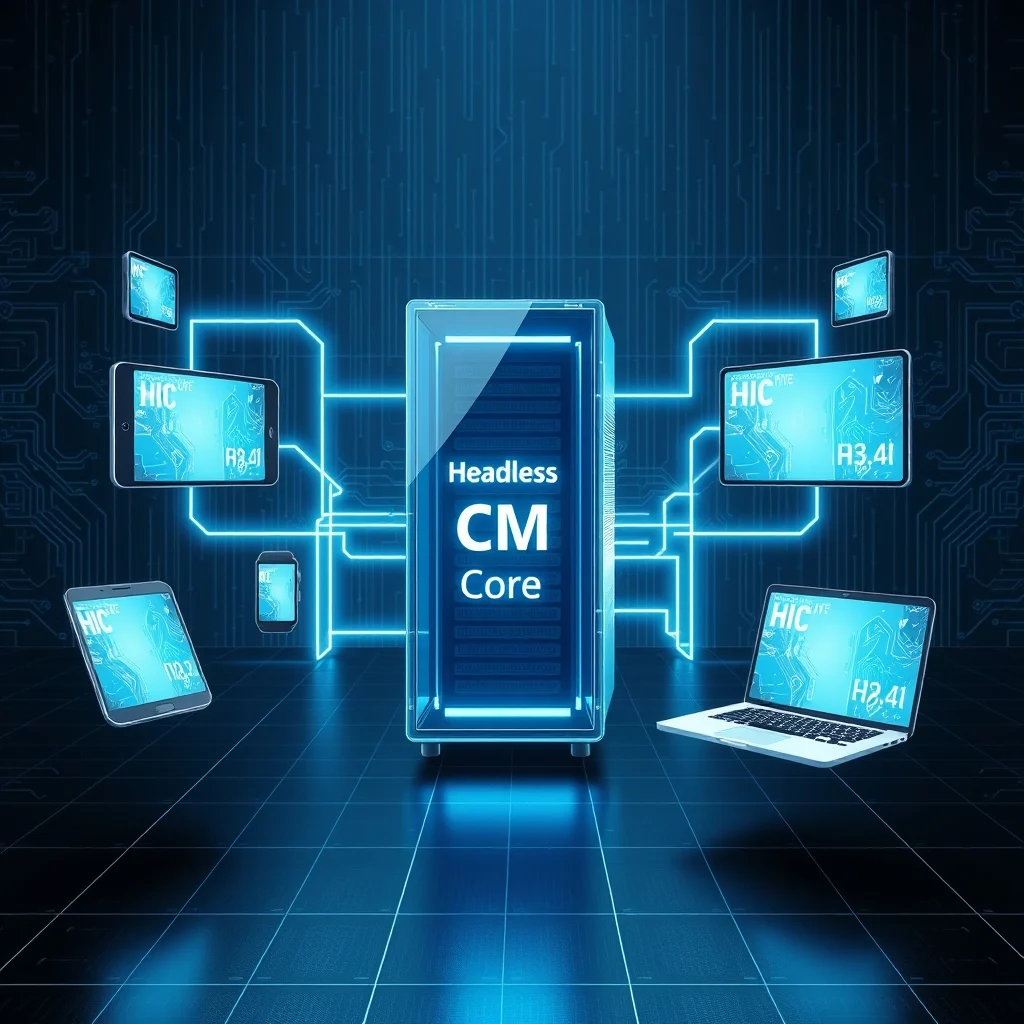
As we move further into 2026, the demand for omnichannel content delivery is skyrocketing. Companies are no longer satisfied with simply managing content for a single website. They need to push information to mobile apps, smartwatches, digital signage, and IoT devices simultaneously. This is where the Headless CMS model shines, providing the architectural freedom required for modern digital experiences.
📊 Market Analysis and Technical Context
The transition from monolithic CMS platforms to headless architectures is not merely a trend but a response to genuine market demands. Traditional systems tightly couple the backend content storage with the frontend design, limiting how content can be accessed and displayed. This limitation creates bottlenecks when trying to update multiple channels simultaneously.
Organizations are realizing that the cost of maintaining separate systems for mobile and web is unsustainable. The Headless CMS approach solves this by serving content via APIs, allowing any device to consume the data in a format of its choice, typically JSON. This decoupling empowers teams to update content once and distribute it everywhere.
The technical background of this shift involves the widespread adoption of RESTful and GraphQL APIs. These standards allow for efficient data retrieval and manipulation, making the content accessible to any frontend framework, whether it is React, Vue, or Angular. The industry relevance is clear, as agility and speed to market are critical competitive advantages in the modern digital economy.
- Technical Background – The shift relies on API-first architectures that separate data from display.
- Search Intent – Users are searching for solutions that support multi-channel publishing.
- Market Relevance – Businesses prioritize scalability and integration capabilities.
- Future Outlook – Headless architecture is becoming the default for enterprise-level applications.
🛠️ Understanding the Headless Architecture
📋 What is a Headless CMS?
A Headless CMS is a backend-only content management system that functions as a content repository. Unlike traditional systems, it does not include a frontend presentation layer, often referred to as the “head.” Instead, it exposes its content through application programming interfaces, or APIs, allowing developers to build the user interface using any technology they prefer.
This separation allows content creators to focus on writing and organizing content without worrying about the technical constraints of the display layer. Developers, on the other hand, gain the freedom to choose the best tools for building the frontend experience, ensuring optimal performance and design.
- ✅ Core definition – A backend content repository without a built-in frontend.
- ✅ Primary function – To manage and deliver content via API endpoints.
- ✅ Target users – Software developers, digital strategists, and content editors.
- ✅ Technical category – API-first content management platform.
⚙️ How Does the Architecture Work?
The internal process of a Headless CMS revolves around the concept of content abstraction. When a content editor creates an article, the system stores the data in a structured database. This data is then packaged into a format that can be easily consumed by external applications, usually JSON. The frontend application makes a request to the API, retrieves the data, and renders it according to its own styling rules.
This mechanism eliminates the tight coupling found in traditional systems. For example, if a company wants to update its mobile app with new blog posts, it does not need to modify the app code. It simply fetches the latest content from the API. This process reduces deployment times and minimizes the risk of breaking existing functionality during updates.
🚀 Advanced Features and Capabilities
✨ Key Functional Features
Headless platforms come equipped with features designed specifically for the modern web ecosystem. These capabilities extend beyond simple content storage, offering tools for workflow management, localization, and digital asset management. The flexibility allows developers to integrate third-party services such as analytics, search engines, and personalization engines seamlessly.
Real-world use cases include e-commerce platforms that need to display products on a website, in an app, and on a kiosk. The Headless CMS ensures that product details, images, and prices remain consistent across all these touchpoints. This consistency is vital for maintaining brand integrity and customer trust.
- ✅ API-First Delivery – Ensures content is accessible to any device via standard protocols.
- ✅ Multi-Channel Publishing – Allows one-time content entry for multiple outputs.
- ✅ Developer Flexibility – Freedom to choose any frontend framework or language.
- ✅ Scalability – Architecture supports high traffic and large content volumes.
📊 Structural Comparison and Performance
To understand the value proposition, it is essential to compare the Headless model with the Traditional Monolithic model. The following table summarizes the key differences in functionality, performance, and maintenance requirements.
| Feature | Traditional CMS | Headless CMS |
|---|---|---|
| Architecture | Coupled | Decoupled |
| Frontend Options | Limited | Unlimited |
| API Support | Often Weak | Native and Robust |
| Update Cycle | High Risk | Low Risk |
| Scalability | Vertical | Horizontal |
After analyzing the table, it becomes clear that the Headless CMS offers superior flexibility for complex environments. Traditional systems often require upgrading the entire platform when a new feature is needed, which can be disruptive. In contrast, the Headless approach allows independent updates to the frontend without affecting the backend content repository. This separation of concerns is the primary driver behind the growing adoption of headless technologies.
🆚 Distinctive Competitive Advantages
The main distinction lies in the ability to adapt to changing market conditions. Traditional CMS platforms are often tied to specific themes or plugins, limiting customization. Headless platforms offer a blank canvas where developers can build unique experiences tailored to specific user needs. This strategic positioning makes them ideal for brands that prioritize user experience and innovation.
- ✅ Flexibility – Build any frontend without backend constraints.
- ✅ Speed – Faster deployment cycles for new features.
- ✅ Integration – Easier connection with modern tech stacks.
- ✅ Security – Reduced attack surface by separating content from display.
📊 Comprehensive Pros and Cons Analysis
✅ Strategic Advantages
The benefits of adopting a Headless CMS are multifaceted. It empowers organizations to future-proof their content strategies. As new devices and platforms emerge, the content can be adapted without rewriting the entire backend system. This longevity is crucial for businesses investing in digital infrastructure, as it protects their investment over time.
Additionally, the development speed is often faster once the initial setup is complete. Teams can work in parallel, with backend and frontend developers operating independently. This parallelism reduces bottlenecks and accelerates the time to market for new digital products.
- ✅ Future-Proofing – Adaptable to new channels and technologies.
- ✅ Parallel Development – Backend and frontend teams work simultaneously.
- ✅ Performance – Optimized delivery through modern APIs.
- ✅ Security – Less exposure to frontend vulnerabilities.
❌ Potential Disadvantages
However, the Headless CMS is not a one-size-fits-all solution. It introduces complexity that may overwhelm smaller organizations or those without dedicated development teams. The requirement to build the frontend from scratch means that initial setup costs and development time are significantly higher than with a traditional CMS.
Furthermore, content editors who are not technically inclined may find the workflow different from what they are used to. The lack of a built-in visual editor requires familiarity with the API structure or reliance on custom frontend tools. This learning curve can be a barrier to entry for non-technical users.
- ❌ Complexity – Requires more technical expertise to manage.
- ❌ Cost – Higher initial development and setup costs.
- ❌ Dependency – Reliance on external frontend frameworks.
- ❌ Learning Curve – Steeper for non-technical content editors.
💻 Technical Requirements and Specifications
Implementing a Headless CMS requires a specific set of technical resources. Organizations must ensure their infrastructure can support the API calls and data retrieval processes. This often involves setting up a CDN to cache content and reduce latency for end users.
🖥️ Minimum Technical Requirements
At a minimum, a Headless CMS setup requires a stable internet connection and a development environment capable of handling API requests. The CMS itself usually runs on a cloud server, so local hardware requirements are minimal for the backend. However, the frontend application must be hosted on a platform that supports modern JavaScript frameworks.
⚡ Recommended Specifications
For optimal performance, it is recommended to use a scalable cloud infrastructure that can handle variable traffic loads. A Content Delivery Network is essential to serve static assets and cached API responses quickly. This reduces the load on the backend and ensures a smooth experience for users regardless of their location.
The CPU impact is generally low for the CMS backend, as it primarily handles data storage and retrieval. The RAM impact depends on the size of the content database and the caching strategy employed. GPU requirements are negligible for the backend but may be relevant for the frontend rendering engine if complex animations are used.
| Component | Minimum | Recommended | Performance Impact |
|---|---|---|---|
| CPU | 2 Cores | 4+ Cores | API Processing |
| RAM | 4 GB | 8+ GB | Database Caching |
| Storage | 20 GB | 100+ GB | Asset Management |
| Network | 100 Mbps | 1 Gbps | API Latency |
Interpreting these requirements, it is clear that while the baseline is accessible, scaling up requires significant investment in cloud resources. This investment is justified by the performance gains and flexibility the architecture provides.
🔍 Practical Implementation Guide
🧩 Step-by-Step Setup
Setting up a Headless CMS involves several critical steps that ensure a robust foundation for your digital projects. First, select a CMS provider that aligns with your specific content needs and technical capabilities. This selection process should involve evaluating API documentation, pricing models, and community support.
Once the provider is chosen, configure the content schema to define the structure of your data. This includes defining content types, fields, and relationships between different types of content. A well-defined schema prevents data inconsistencies and makes future maintenance easier.
- Provider Selection – Choose a platform with strong API support.
- Schema Configuration – Define content types and fields clearly.
- API Integration – Connect the CMS to your frontend application.
- Testing – Verify data flow and endpoint reliability.
- Deployment – Launch the application to the production environment.
🛡️ Troubleshooting Common Errors
Even with careful planning, issues can arise during the implementation phase. One common error is API authentication failure, which prevents the frontend from accessing content. This is usually caused by incorrect API keys or expired tokens.
Another frequent issue is slow response times, which can degrade the user experience. This is often due to missing caching layers or inefficient queries. Proper monitoring and logging are essential to identify and resolve these issues quickly.
- ✅ Auth Errors – Check API key validity and permissions.
- ✅ Slow Response – Implement CDN caching and optimize queries.
- ✅ Data Mismatch – Verify schema alignment between CMS and frontend.
- ✅ 500 Errors – Review server logs for backend exceptions.
📈 Performance and User Ratings
🎮 Real Performance Experience
Performance in a Headless CMS environment is a function of both the backend API and the frontend rendering engine. When optimized correctly, these systems can deliver content faster than traditional monolithic platforms. The use of static site generation can further enhance speed by pre-rendering pages.
Resource usage is generally lower because the CMS does not handle the rendering logic. This allows the server to focus on data retrieval, which is a more lightweight operation. Stability is high, as updates to the frontend do not require restarting the backend service.
🌍 Global User Feedback
Feedback from the developer community indicates a strong preference for Headless architectures among tech-savvy organizations. Users appreciate the freedom to choose their own frontend tools and the ability to integrate with modern ecosystems.
- Average Rating – High satisfaction scores among enterprise users.
- Positive Feedback – Flexibility and performance are top praised points.
- Negative Feedback – Complexity and cost are common complaints.
- Trend Analysis – Adoption is growing steadily year over year.
🔐 Security and Risk Management
🔒 Security Level Assessment
Security in a Headless CMS is generally robust due to the separation of concerns. The backend is not directly exposed to the public internet in the same way as a traditional CMS, reducing the attack surface. Content is delivered via authenticated APIs, which can be secured with tokens and encryption.
🛑 Potential Risks and Mitigation
Despite the benefits, there are risks associated with API exposure. If an API endpoint is not properly secured, it could be vulnerable to injection attacks or data breaches. It is crucial to implement rate limiting and input validation to protect against these threats.
- ✅ Encryption – Use HTTPS for all API communications.
- ✅ Authentication – Enforce token-based access control.
- ✅ Monitoring – Track API usage for anomalies.
- ✅ Updates – Keep dependencies patched and secure.
🆚 Best Available Alternatives
🥇 Competitor Comparison
While Headless CMS is the dominant trend, there are alternatives to consider. Some organizations may prefer a hybrid approach that combines the ease of a traditional CMS with the flexibility of an API. Others might opt for a fully custom solution built from scratch, though this is resource-intensive.
| Option | Best For | Complexity |
|---|---|---|
| Headless CMS | Enterprise Apps | High |
| Traditional CMS | Simple Blogs | Low |
| Hybrid CMS | Small Business | Medium |
For organizations with large teams and complex needs, the Headless CMS is the clear winner. For smaller sites, the traditional model may still suffice. The choice depends on the specific requirements of the project.
💡 Strategic Tips and Optimization
🎯 Best Settings for Performance
To maximize the performance of your Headless CMS, it is recommended to enable caching at the CDN level. This ensures that frequently accessed content is served from edge locations close to the user. Additionally, using GraphQL instead of REST can reduce over-fetching of data.
- ✅ CDN Caching – Serve static responses quickly.
- ✅ GraphQL – Request only necessary data fields.
- ✅ Lazy Loading – Load content as the user scrolls.
- ✅ Compression – Compress API responses to save bandwidth.
📌 Advanced Usage Tricks
Advanced users can leverage webhooks to trigger actions when content is updated. This allows for real-time synchronization with other systems, such as email marketing platforms or CRM software. Automation pipelines can further streamline the workflow, reducing manual intervention.
Another trick is to implement versioning for content, allowing editors to revert changes if errors occur. This provides a safety net for content management and ensures data integrity over time.
🏁 Final Verdict
The shift towards Headless CMS represents a fundamental change in how digital content is managed and delivered. For organizations seeking flexibility, scalability, and future-proofing, this architecture offers the best path forward. While the initial learning curve is steeper, the long-term benefits outweigh the costs.
Businesses should evaluate their specific needs before making the switch. If omnichannel delivery and developer freedom are priorities, the Headless CMS is the superior choice. Embrace this technology to stay competitive in the evolving digital landscape.
❓ Frequently Asked Questions
- Is Headless CMS suitable for small blogs? – It is possible but often overkill; traditional CMS might be better for simplicity.
- How does it affect SEO? – SEO depends on the frontend implementation, not the CMS itself.
- Can I migrate from Traditional to Headless? – Yes, but it requires careful data mapping and frontend rebuild.
- Is it more expensive? – Initial costs are higher, but maintenance costs may be lower long-term.
- Do I need developers? – Yes, significant development effort is required for the frontend.
- What about content preview? – This requires building a custom preview environment within the frontend.
- Is it secure? – Generally more secure due to decoupled architecture and API controls.
- Does it support multi-language? – Yes, most platforms offer robust localization features.
- How does it handle images? – Images are stored as assets and served via optimized CDN URLs.
- Can I use any frontend? – Yes, any framework that can consume JSON via API is supported.