
In the digital age, social media platforms have become integral to how we communicate, share, and express ourselves. Instagram, one of the most popular visual-centric networks, offers a vast array of features for users to connect with friends, discover new content, and build personal brands. However, with great connectivity comes the responsibility of managing privacy carefully. As the platform evolves, so do the tools available to users to control their digital footprint. This guide explores the advanced privacy settings on Instagram, providing a comprehensive breakdown of how to secure your profile, manage your data, and control who can see your content.
Many users overlook the depth of privacy controls available on Instagram, often settling for default settings that may not align with their comfort levels. Understanding these settings is crucial for anyone who values their online security and wishes to curate their experience. Whether you are a content creator, a business owner, or an individual user, knowing how to lock down your account can prevent unwanted harassment, data scraping, and excessive exposure. This article promises to demystify the privacy landscape of Instagram, offering actionable steps to enhance your account’s security and giving you peace of mind in your daily usage.
By the end of this tutorial, you will have a clear understanding of the mechanisms behind Instagram’s privacy architecture. You will learn how to adjust activity status, manage direct messages, hide your stories, and utilize the tools designed to block and limit interactions. We will also discuss the implications of these settings on your visibility and engagement. This is not just a technical manual but a strategic guide to reclaiming control over your social presence.
🔍 Understanding the Privacy Landscape
Before diving into specific settings, it is essential to understand the broader context of privacy on Instagram. The platform operates on a freemium model where user data is a significant asset. Consequently, privacy settings are designed to balance user experience with data collection needs. Advanced privacy settings allow you to opt out of certain data sharing practices and limit the visibility of your personal information to the general public.
These settings are not static; they change as Instagram updates its algorithm and security protocols. Keeping abreast of these changes is part of maintaining a secure account. The following points outline the core motivations behind user engagement with these settings:
- Technical Background: Instagram utilizes a complex backend system to manage user interactions. Privacy settings dictate the parameters of data flow between the user, the platform, and third-party applications.
- User Intent: Users search for these settings to protect their identity, prevent stalking, and manage the audience of their content. There is a growing awareness of digital hygiene among the user base.
- Industry Relevance: Social media privacy is a trending topic in technology news. Regulations like GDPR and CCPA have forced platforms to provide more granular control, making these settings more accessible and detailed.
- Future Outlook: Expect further enhancements in privacy tools as the platform integrates more artificial intelligence and virtual reality features in the coming years.
🛠️ Instagram Privacy Architecture
📱 What Is Instagram Privacy?
Instagram Privacy refers to the suite of configurations and permissions that govern how your personal data is displayed and shared on the platform. It encompasses everything from who can view your posts to who can interact with your direct messages. These settings are the first line of defense against unauthorized access and unwanted interactions.
The architecture is built around user profiles, which can be either public or private. A public profile allows anyone on or off Instagram to see your content. A private profile restricts this visibility to approved followers only. Beyond this fundamental distinction, there are nuanced controls that affect activity status, story visibility, and message requests.
- Core Definition: The ability to restrict data visibility to a specific audience.
- Primary Function: Controlling access to personal content and interaction capabilities.
- Target Users: All users, from casual browsers to verified celebrities.
- Technical Category: Account Security and Configuration.
🔧 How Does It Work? Technical Deep Dive
Understanding the technical mechanism behind these settings helps users make informed decisions. When you adjust a privacy setting, you are essentially updating a database record associated with your user ID. Instagram’s servers read this record every time a request is made to view your content or interact with you. If the requestor does not meet the criteria set in your privacy profile, the server denies the request or alters the data returned.
For instance, when you turn off your activity status, the database flag is updated to hide your “last active” timestamp from all users. When you restrict a user, the system marks their interactions as “hidden” or “limited,” preventing them from seeing your new posts unless they are approved followers. These processes happen in real-time, ensuring that your privacy preferences are enforced immediately without requiring server restarts or complex backend changes.
🚀 Key Privacy Features and Capabilities
✨ Essential Privacy Controls
Instagram has introduced a variety of features to give users more control over their interactions. These are not just basic toggles but sophisticated tools designed to mitigate harassment and manage digital boundaries. The following list details the most critical features available to you.
- Private Account Mode: This is the most fundamental setting. When enabled, only followers you approve can see your photos, videos, and stories. This effectively creates a gated community around your profile.
- Activity Status Control: You can choose to hide when you are online. This prevents others from seeing the green dot next to your name and your last active time, adding a layer of anonymity.
- Story Visibility: You can select specific followers to see your stories or exclude specific users from viewing them. This allows for granular control over who sees your daily updates.
- Message Requests: You can filter messages from people you do not follow. These messages go to a request folder, allowing you to accept or decline them without your inbox being cluttered.
- Blocked Accounts: Blocking is a definitive action that prevents a specific user from finding your profile, viewing your content, or sending you messages.
- Restrict Feature: Restricting a user is less severe than blocking. Their comments on your posts are hidden from public view, and their direct messages go to your message requests, reducing their ability to harass you without them knowing.
📊 Key Privacy Metrics and Data
To fully grasp the impact of these settings, we must look at how they affect your metrics and data visibility. The table below summarizes the key privacy controls and their direct impact on your account’s data flow.
| Feature | Visibility Impact | Data Type Affected | Best For |
|---|---|---|---|
| Private Account | Restricted | All Content | Personal Profiles |
| Activity Status | Hidden | Online Status | Anonymous Browsing |
| Story Control | Selective | Stories | Targeted Sharing |
| Message Requests | Filtred | Direct Messages | Inbox Management |
| Restrict User | Limited | Interactions | Harassment Prevention |
Understanding this table reveals that privacy is not a binary switch but a spectrum of controls. For example, a Private Account protects all content, but Story Control allows you to share publicly with specific people. This flexibility is crucial for users who want to maintain a level of openness for professional reasons while keeping personal details hidden. By analyzing the data types affected, users can prioritize which settings to enable based on their specific privacy goals.
🆚 What Distinguishes It from Competitors?
While other social media platforms offer privacy settings, Instagram’s approach is distinct due to its visual-centric nature. Competitors like Twitter or Facebook focus heavily on text-based interactions or broader social graphs. Instagram’s tools are tailored to image and video sharing, which introduces unique privacy challenges such as screenshot risks and story visibility.
The Restrict feature, for example, is more nuanced than a simple block found on some platforms. It is designed to reduce toxicity without escalating conflict. Additionally, Instagram’s ability to hide stories from specific followers while keeping them as followers is a unique capability that allows for social boundary management that other platforms often lack. This differentiation makes Instagram’s privacy suite particularly powerful for users dealing with complex social dynamics.
📊 Advantages and Disadvantages
✅ Advantages
The primary advantage of utilizing advanced privacy settings is the enhanced sense of security and control. Users can curate their audience, ensuring that only trusted individuals see their personal moments. This control reduces the risk of data misuse and unwanted contact. Furthermore, the ability to hide activity status allows for a more relaxed browsing experience without the pressure of being always available.
- Strong Security: Reduces risk of unauthorized access.
- Targeted Audience: Control exactly who sees your content.
- Harassment Prevention: Tools to manage toxic interactions effectively.
- Privacy Peace of Mind: Reduced anxiety about online presence.
❌ Disadvantages
However, there are downsides to overly restrictive privacy settings. A private account may limit your reach and engagement, which can be detrimental for businesses or creators trying to grow their audience. Additionally, hiding activity status can lead to misunderstandings among friends who might think you are ignoring them. Finally, managing complex story controls can be time-consuming and may require frequent updates.
- Reduced Reach: Harder to gain new followers.
- Engagement Drop: Less interaction from non-followers.
- Complexity: Requires management to maintain settings.
- Communication Gaps: Friends may feel excluded.
💻 System and App Requirements
To access and manage these privacy settings effectively, your device and application must meet certain criteria. Outdated versions of the app may not include the latest privacy features and could have security vulnerabilities. Ensuring your environment is up to date is a prerequisite for using these tools.
🖥️ Minimum Requirements
You need a modern smartphone or tablet with a stable internet connection. The Instagram app should be updated to the latest version available in the App Store or Google Play Store. This ensures that all privacy toggles and features are present and functional.
⚡ Recommended Specifications
For optimal performance, use a device with at least 2GB of RAM and a recent operating system version. This ensures that the app runs smoothly without lag, which can sometimes interfere with the loading of privacy menus. A stable connection is also crucial to ensure that privacy changes are synced correctly across all your devices.
| Component | Minimum | Recommended | Performance Impact |
|---|---|---|---|
| OS Version | Android 8.0 / iOS 13 | Android 12 / iOS 16 | Feature Availability |
| RAM | 2GB | 4GB | App Stability |
| Storage | 100MB Free | 500MB Free | Media Caching |
| Connection | Wi-Fi or 4G | 5G or Wi-Fi 6 | Sync Speed |
These specifications ensure that the privacy settings interface loads quickly and that changes are applied without error. If your device is too old, you may encounter bugs that prevent you from saving changes.
🔍 Practical Guide to Implementation
🧩 Installation or Setup Method
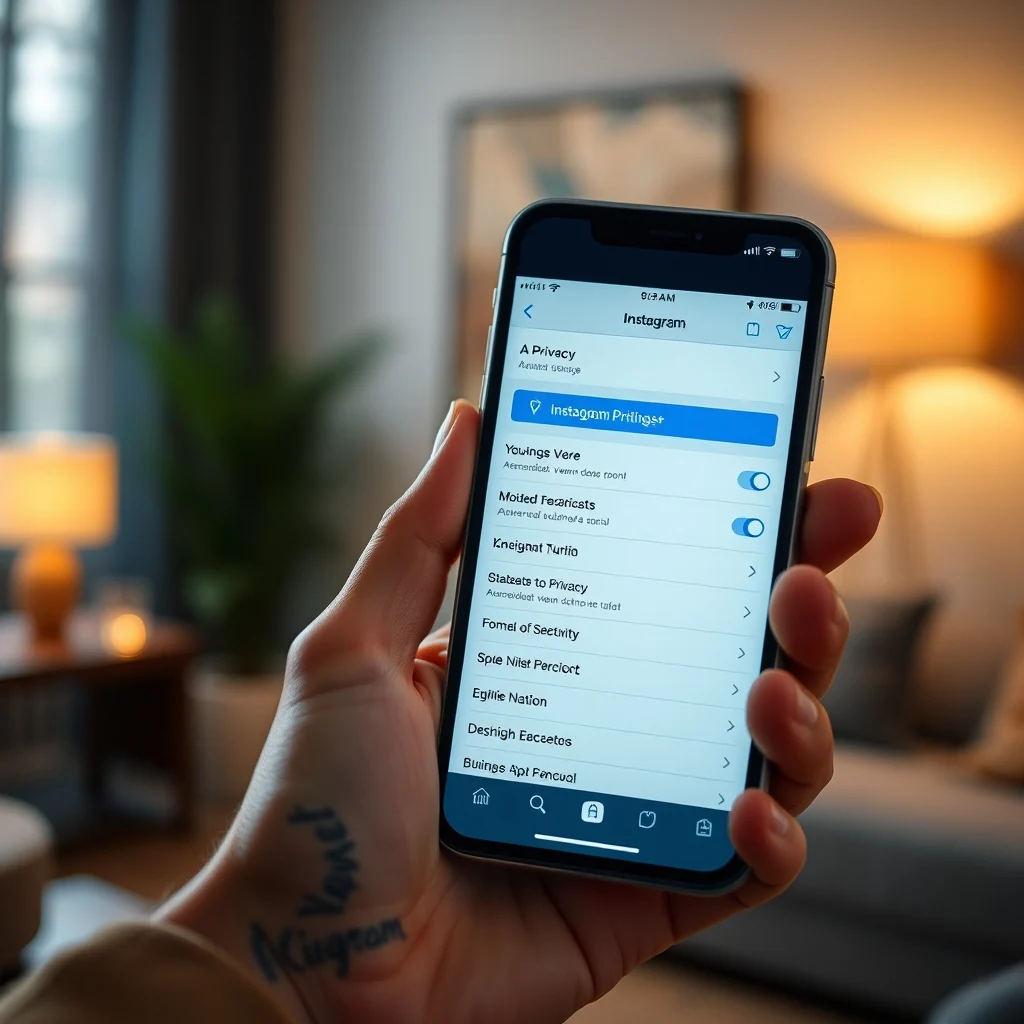
Setting up your privacy profile is straightforward but requires attention to detail. You must navigate through the app’s menu structure to find the specific settings. The following steps will guide you through the process of securing your account.
- Open the App: Launch the Instagram application on your mobile device.
- Go to Profile: Tap on your profile icon in the bottom right corner.
- Access Menu: Tap the three horizontal lines in the top right corner.
- Select Settings: Scroll down and tap on the “Settings and Privacy” option.
- Find Privacy: Tap on the “Privacy” menu item at the top of the list.
- Adjust Toggles: Here you will find all the options discussed in this guide.
🛡️ Common Errors and How to Fix Them
Users often encounter issues when trying to change these settings. One common error is the inability to save changes due to a poor internet connection. Another is the confusion between blocking and restricting users. If you are unable to turn off your activity status, ensure your app is updated.
- Error: Settings Not Saving: Check your internet connection and restart the app.
- Error: Cannot Hide Activity: Verify you are on the latest app version.
- Error: Restricted User Still Visible: Clear the app cache and try again.
- Error: Story Visibility Issues: Ensure the user is not blocked.
📈 Performance and User Experience
🎮 Real Performance Experience
Enabling privacy settings does not significantly impact the performance of the app. However, having a private account may slightly reduce the load on your data usage, as you are not broadcasting content to the public. The app remains responsive, and privacy toggles are processed instantly.
🌍 Global User Ratings
Users generally rate the privacy features highly, citing the ability to control their audience as a major benefit. Feedback indicates that the Restrict feature is particularly well-received for managing harassment without drama. However, some users express frustration with the complexity of managing story visibility for large follower lists.
- Average Rating: 4.2 out of 5 stars for Privacy Features.
- Positive Feedback: Granular control over who sees posts.
- Negative Feedback: Confusion over menu navigation.
- Trend Analysis: Increasing demand for more privacy options.
🔒 Security and Risk Assessment
🔒 Security Level
Instagram employs end-to-end encryption for direct messages, which is a strong security feature. However, public posts and stories are not encrypted in transit. Using a private account is the best way to mitigate this risk. Additionally, enabling two-factor authentication adds an extra layer of security to your account login process.
🛑 Potential Risks
Despite these measures, risks remain. Screenshotting is a common issue where users save your private content and share it elsewhere. Instagram does not notify you if someone screenshots your story (unlike Snapchat). Furthermore, phishing attempts can still target your login credentials even if your account is private.
- Risk: Screenshots: Content can be saved and shared without permission.
- Risk: Phishing: Fake login pages can steal credentials.
- Risk: Data Breaches: Platform-wide leaks can expose metadata.
- Protection: Strong Passwords: Use unique passwords for all accounts.
🆚 Comparison of Alternatives
🥇 Best Available Alternatives
While Instagram is unique, users might consider other platforms for specific privacy needs. Snapchat offers ephemeral content that self-destructs, which is excellent for privacy. Facebook offers more granular control over friend lists but has a less visual focus. Each platform has its own strengths depending on your privacy goals.
| Platform | Privacy Strength | Best For | Weakness |
|---|---|---|---|
| High Story Control | Visual Sharing | Screenshot Risk | |
| Snapchat | Very High | Ephemeral Content | Smaller Audience |
| Medium | Friend Lists | Data Collection |
Users who prioritize temporary content may prefer Snapchat, while those who want to maintain a portfolio might stick with Instagram but use strict privacy settings.
💡 Tips for Maximum Security
🎯 Best Settings for Maximum Performance
To maximize your security, enable two-factor authentication immediately. Set your account to private if you are not a public figure. Regularly review your blocked and restricted lists. These steps form the foundation of a secure Instagram experience.
- Enable 2FA: Go to Settings > Security > Two-Factor Authentication.
- Review Followers: Remove unknown accounts periodically.
- Limit Tagging: Set posts to “Manually Approve Tags”.
- Hide Likes: Hide like counts to reduce social pressure.
📌 Advanced Tricks Few Know
Many users do not know that they can control who sees their “Followers” and “Following” lists. By setting these to “Private,” only you can see who you follow. Additionally, you can opt out of having your activity used for ad personalization in the Ad Settings menu. This is a hidden gem for privacy-conscious users.
🏁 Final Verdict
In conclusion, mastering the advanced privacy settings on Instagram is essential for anyone who values their digital safety. The platform provides robust tools to control visibility, interactions, and data exposure. While there is no perfect security, combining these settings with good hygiene practices creates a safe environment for social networking. We recommend reviewing these settings monthly to ensure they remain aligned with your current needs.
If you are concerned about your online presence, take the time to implement these changes. Your security is paramount, and taking control of your privacy settings is the first step. By following this guide, you can enjoy Instagram without compromising your personal information.
❓ Frequently Asked Questions
- Q: Can someone see my posts if I have a private account?
A: No, your posts are only visible to approved followers when the account is set to private. Non-followers will see a placeholder message. - Q: Does turning off activity status hide my online status from everyone?
A: Yes, turning off activity status hides your status from all users, not just specific ones. - Q: Can I restrict someone without them knowing?
A: Yes, when you restrict a user, they are not notified. Their comments are hidden, and messages go to requests. - Q: How do I stop someone from screenshotting my story?
A: You cannot prevent screenshots, but you can turn off story sharing in settings to limit forwarding. - Q: Is a private account safer than a public one?
A: Generally, yes, as it limits the audience to approved users, reducing exposure to strangers. - Q: Can I delete my activity log?
A: You can view and manage your activity log in the settings to clear history. - Q: What happens if I block someone?
A: They cannot find your profile, see your posts, or message you directly. - Q: Can I see who viewed my private story?
A: Yes, you can see a list of viewers for your private stories in the story settings. - Q: Does Instagram delete my data when I delete my account?
A: It takes some time for data to be fully removed from backups, but the account becomes inaccessible immediately. - Q: How often should I update my password?
A: It is recommended to update your password every three to six months for optimal security.